Question

Troubleshooting errors in Pipedrive to Zoho CRM integration

  • November 24, 2025
  • 7 replies
  • 41 views

Hi all 


  • Want to set up two different zaps and keep getting errors. Here are the 2 in order:

    1. new or updated deals in pipedrive mapped to zoho crm deal section
    2. new or updated contacts in pipedrive to zoho contacts section

Trigger is a new label assignment to either a contact or a deal 

Should be straightforward but keep getting errors for date requirements even tho I am adding the date fields


7 replies

Troy Tessalone
Zapier Orchestrator & Solution Partner
Forum|alt.badge.img+14
  • Zapier Orchestrator & Solution Partner
  • November 24, 2025

Hi ​@YYCJMP 

For us to have more info about what you mentioned, share screenshots showing:

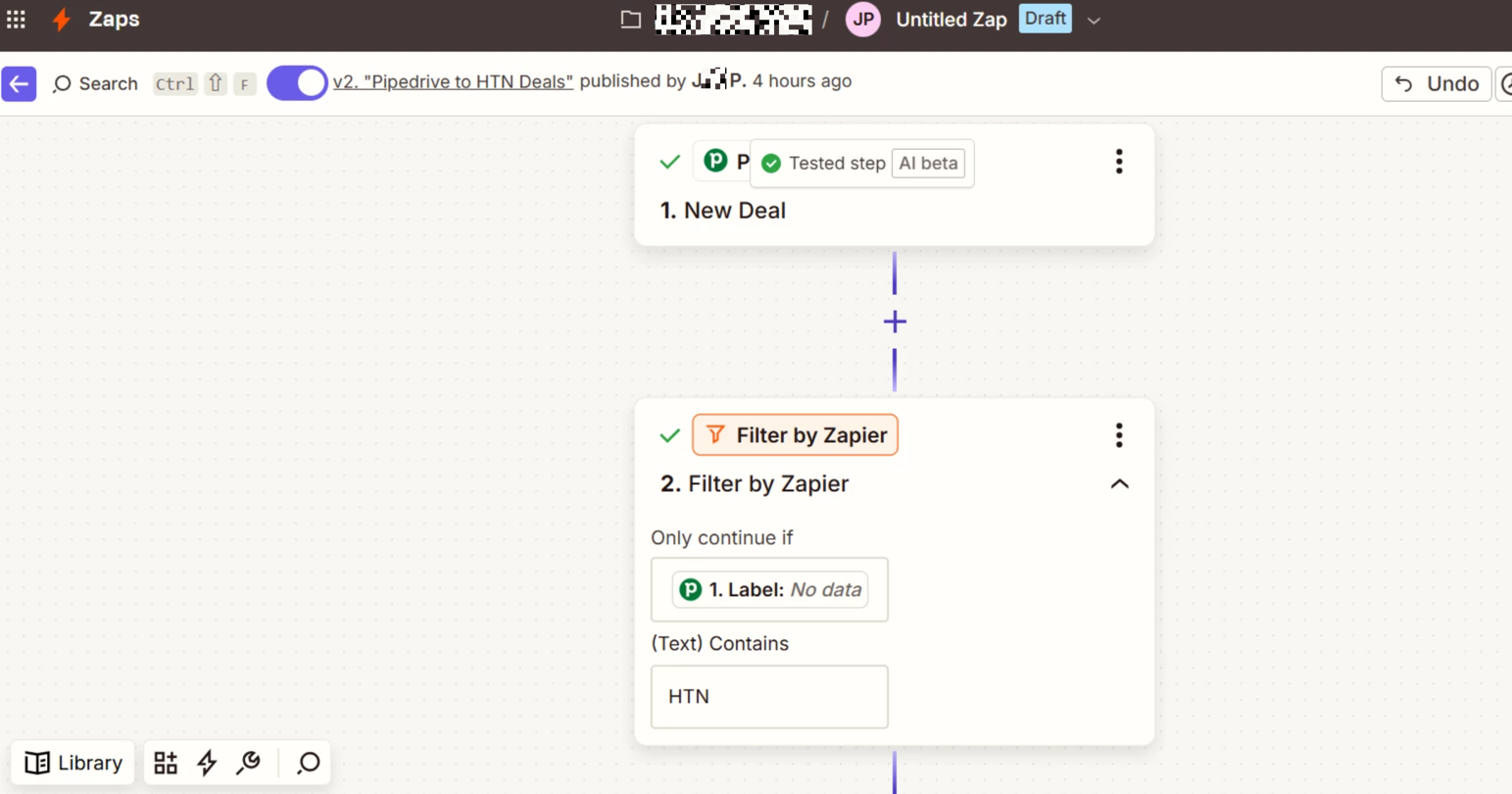
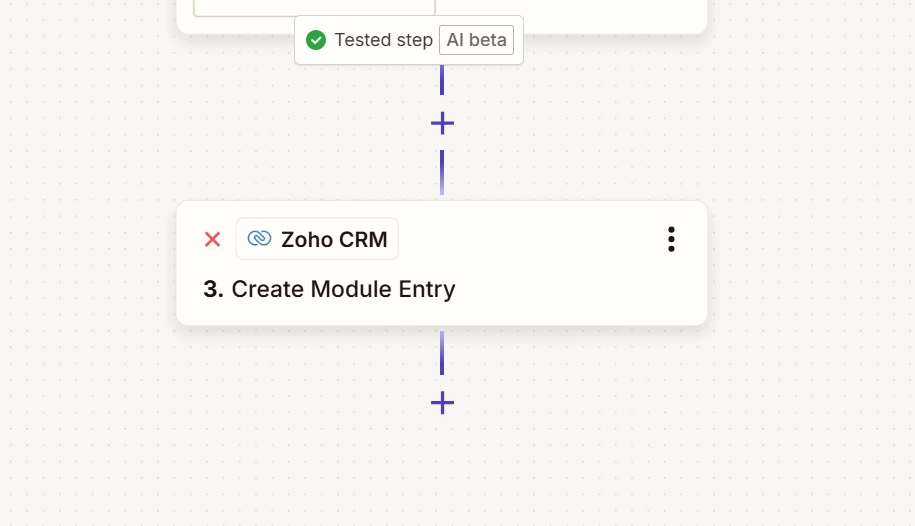
  • how your Zap steps are outlined in order
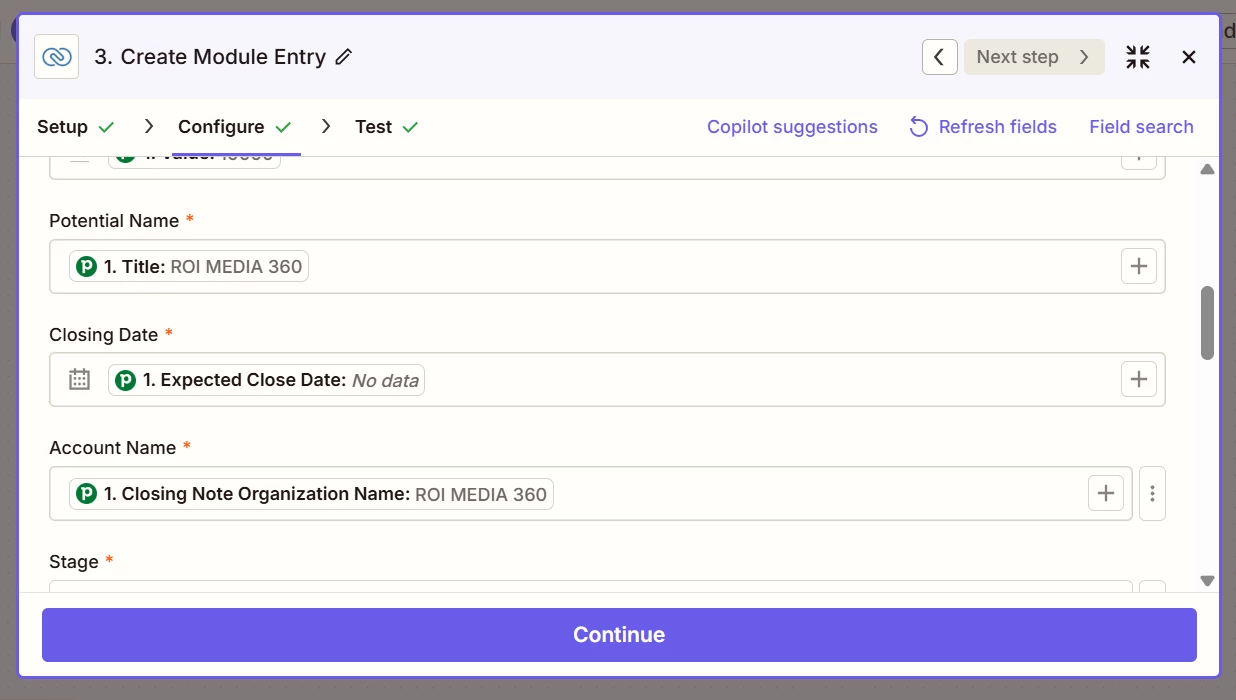
  • how your Zap steps are configured in the CONFIGURE tab while in EDIT mode with the field types and field mappings visible
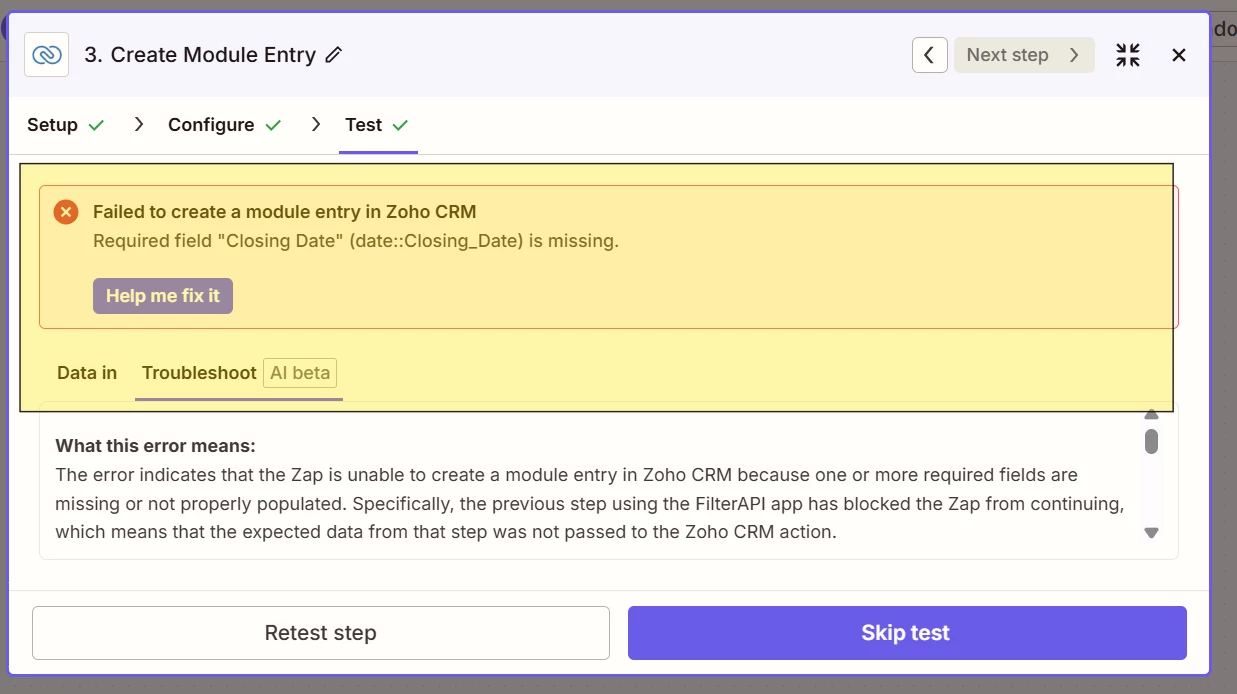
  • the encountered errors

  • Author
  • New
  • November 25, 2025

Hope this makes sense. Once the label that includes the copy “HTN” is included in pipedrive, it triggers an event to create a new deal in zoho.  Although I am populating the closing date info, it has an error.  I will standy if you need more info….

This post has been edited by a moderator to remove personally identifiable information (PII). Please remember that this is a public forum and avoid sharing personal or potentially sensitive details.


Troy Tessalone
Zapier Orchestrator & Solution Partner
Forum|alt.badge.img+14
  • Zapier Orchestrator & Solution Partner
  • November 25, 2025

@YYCJMP 

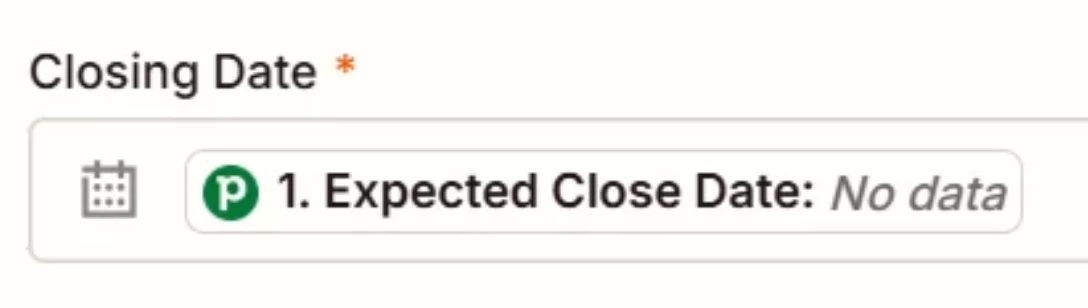
In the Zoho CRM Zap step, the required field Closing Date has a variable mapped that has “no data”, hence the error.

Make sure to test with an example test record from Pipedrive that has a value for the mapped variable.


  • New
  • November 25, 2025

Hi @YYCJMP,

It sounds like your Pipedrive → Zoho CRM setup is running into the classic date-field validation snag, especially when the zap fires right after a label change. Even if you’re mapping dates, Zoho often expects a very specific format, and Pipedrive can send timestamps that don’t match.

Double-check that each mapped date is either reformatted through a Zapier Formatter step or pulled from a clean field in Pipedrive. Also confirm that your trigger isn’t firing before those fields are fully populated.

I’ve seen similar issues in setups shared through your URL, where adding a small reformat step or a fallback value fixed the entire flow.

Bundle Of Thanks!


  • Author
  • New
  • November 25, 2025

This seems highly plausible bc I have add/readded the step and updated the data to include a date.  I am not entirely sure how to update it but will see what I can do.  If you have an example, that would help.


  • Author
  • New
  • November 25, 2025

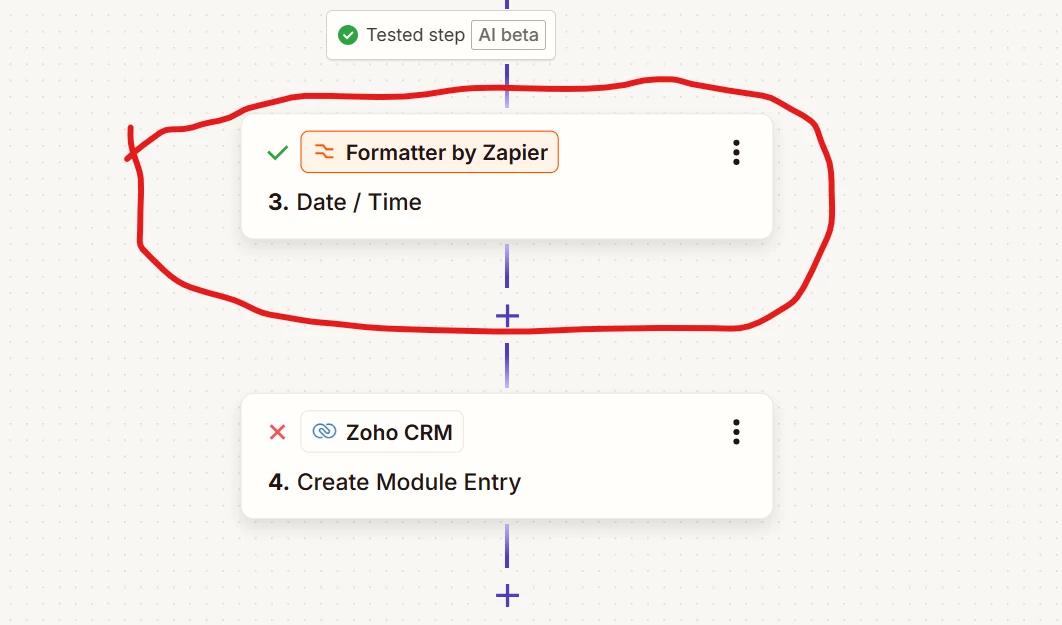
Seem to be having the same issue.  I inserted a date validator and it persist with the error when adding data:


SamB
Community Manager
Forum|alt.badge.img+11
  • Community Manager
  • November 26, 2025

Hey there ​@YYCJMP 👋

It’s a bit hard to tell form the latest screenshot what value is being passed from the Formatter to the Zoho CRM action. When you updated the data to include the date did you do that in the test record on the Pipedrive trigger, or was the date added directly in the Formatter action?

If it was the latter, is the Zoho CRM action getting it’s Closing Date value from the Formatter action, or does it still have the Expected Close Date field mapped from the trigger? If it’s using the value from the trigger rather than the Formatter action then that might be why it’s still getting the same error.

That said, adding a Formatter action to reformat the date wouldn’t solve the issue of there not being any data value to begin with. When a new deal is added will it always have an Expected Close Date added, or is this added later on? If it’s added later on then you might need to add a Delay action followed by a Find Deal action to obtain the Expected Close Date value once it’s been added. 

Looking forward to hearing from you!