Answer

Trouble transforming dates from Google Form (dd/mm/yyyy) into correct format in Zapier

  • August 30, 2024
  • 3 replies
  • 83 views

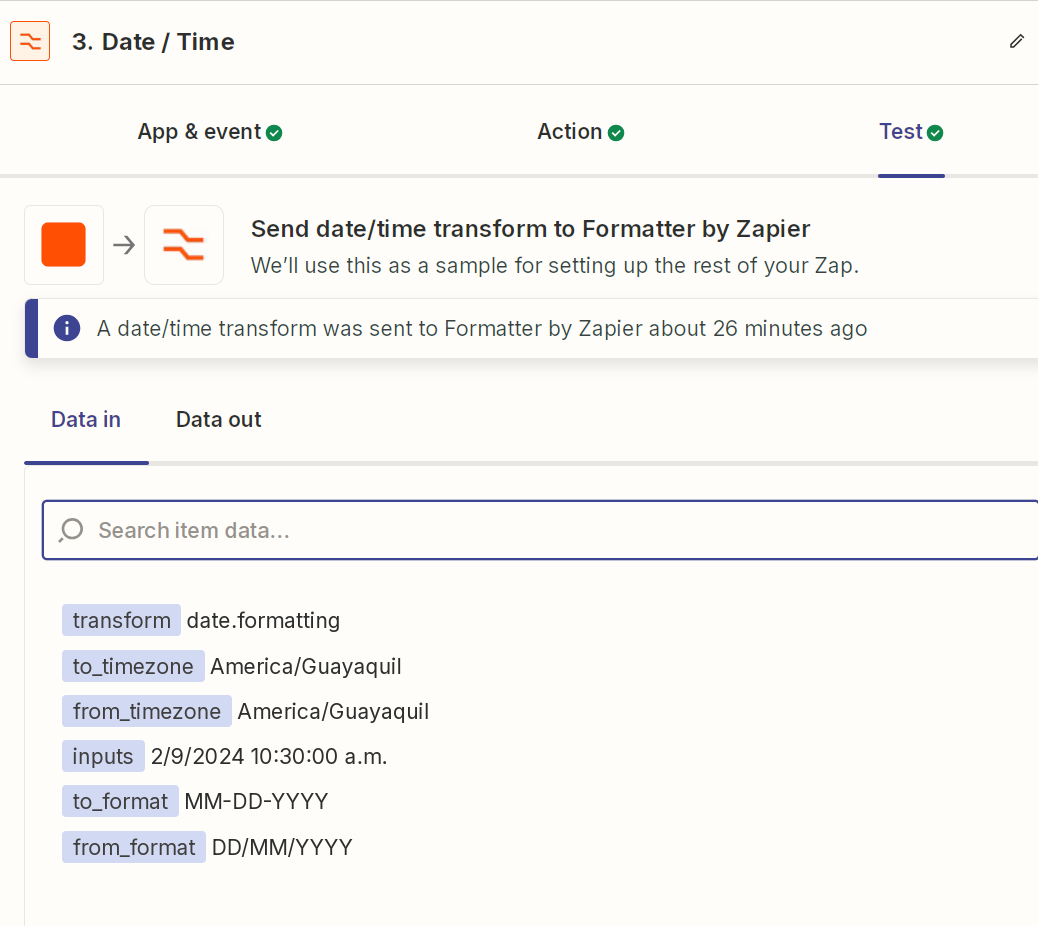
Hi all, i’m having problem transforming my dates. I have a google form that collects a date and another attributes. Respect to date the format that it is entered in the form is “dd/mm/yyyy”. By example 28/8/2024.

I create a task that trigger when a row is created, when the data is read, the date is read like Aug 28 2024. In this caso all is OK.

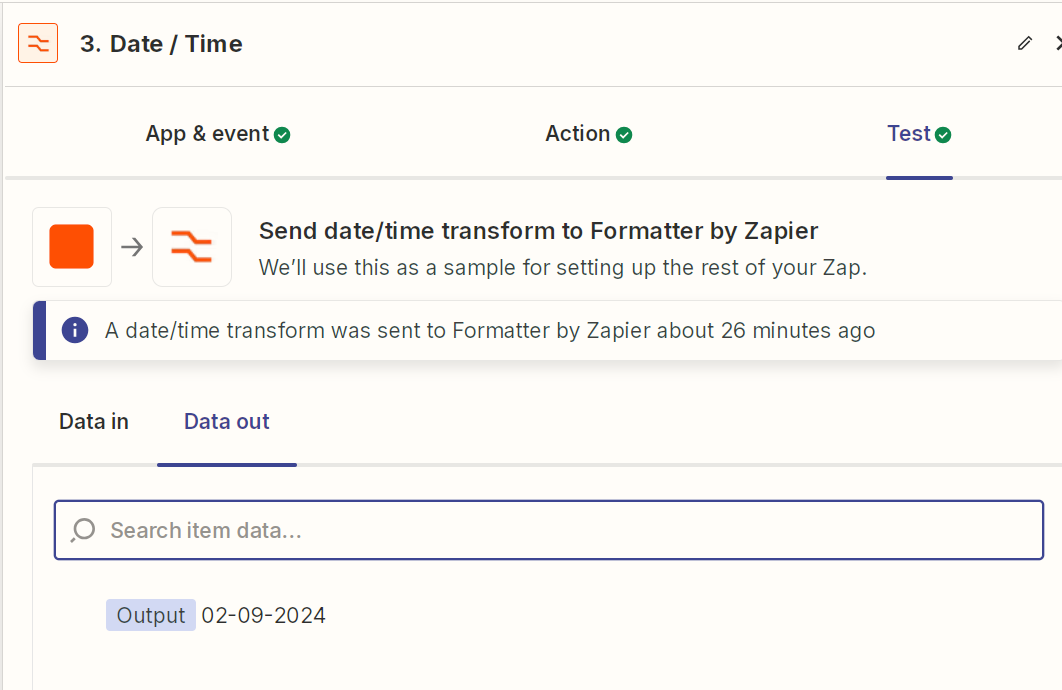
The problem is when i have my first date entered in Septembre, by example:  2/9/2024,  when the data is read, the date is read like Feb 9 2024. In this caso all is ERROR. I need that the date was read like Sep 2 2024.

I tried with the formatter task but i dont have results.

Attach images abut this.


Pls your help, i will thank you so much.
 

Best answer by Troy Tessalone

Hi @milobenavides 

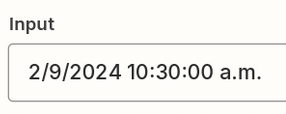
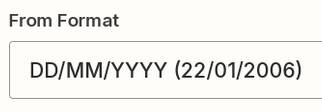
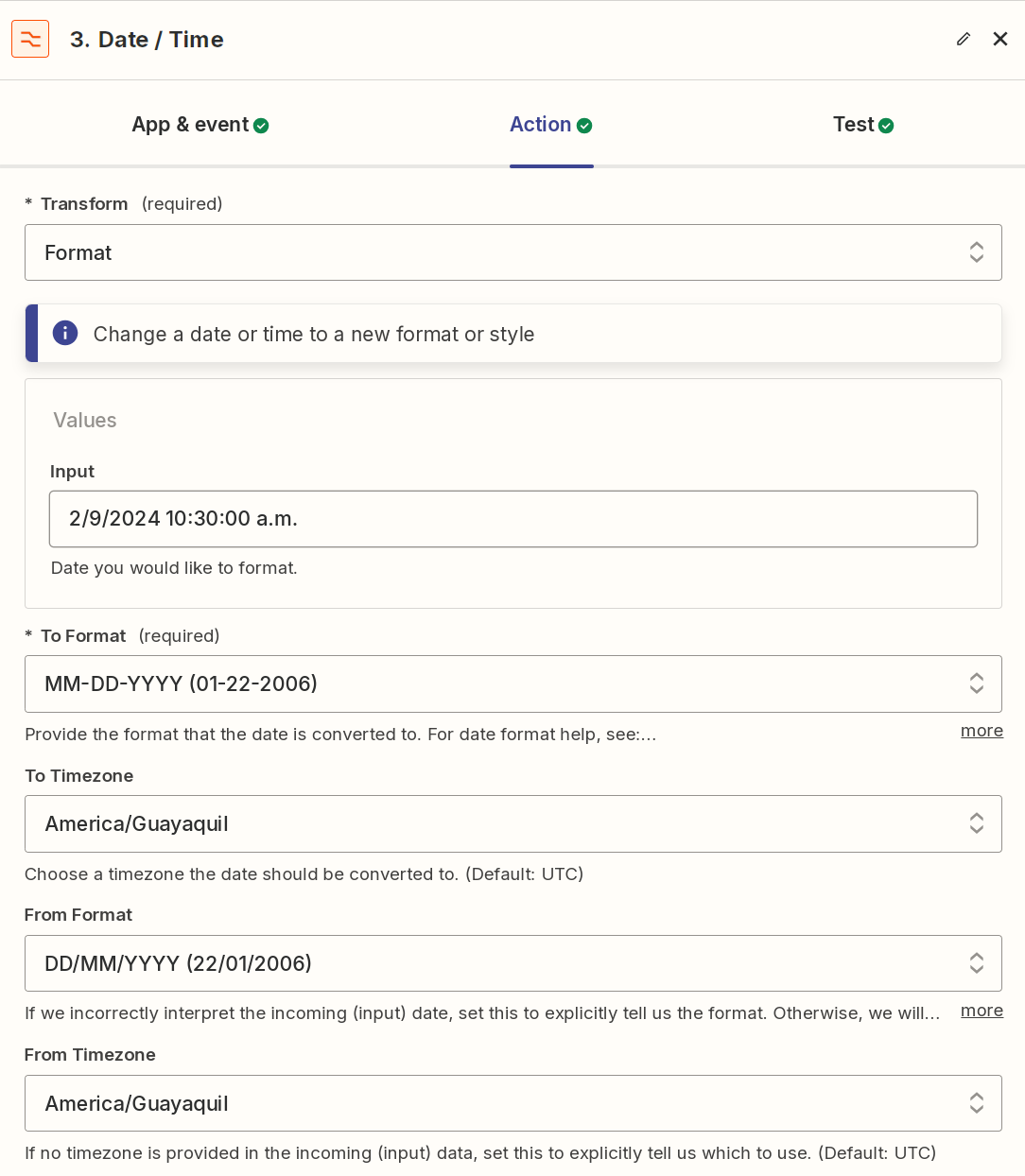
The From Format does not match the Input Format.

Help link to reference: https://help.zapier.com/hc/en-us/articles/8496257974029-Modify-date-and-time-formats-in-Zaps

Part of the issue is the date.

  • Input
    • Date Format: D/M/YYYY
    • Includes Time: H:mm:ss A
  • Form Format:
    • Date Format: DD/MM/YYYY
    • Does not include Time.


This post has been closed for comments. Please create a new post if you need help or have a question about this topic.

3 replies

Troy Tessalone
Zapier Orchestrator & Solution Partner
Forum|alt.badge.img+14
  • Zapier Orchestrator & Solution Partner
  • Answer
  • August 30, 2024

Hi @milobenavides 

The From Format does not match the Input Format.

Help link to reference: https://help.zapier.com/hc/en-us/articles/8496257974029-Modify-date-and-time-formats-in-Zaps

Part of the issue is the date.

  • Input
    • Date Format: D/M/YYYY
    • Includes Time: H:mm:ss A
  • Form Format:
    • Date Format: DD/MM/YYYY
    • Does not include Time.


Thank you very much, i was trying to transform the complete date, now y take only d/m/yyy and all is OK.


ken.a
Forum|alt.badge.img+6
  • Zapier Staff
  • September 2, 2024

That’s awesome @milobenavides! A huge thanks to Troy for pointing you in the right direction!

If you have any other questions, please don’t hesitate to reach out to the Community. We’re always happy to help! 🤗