

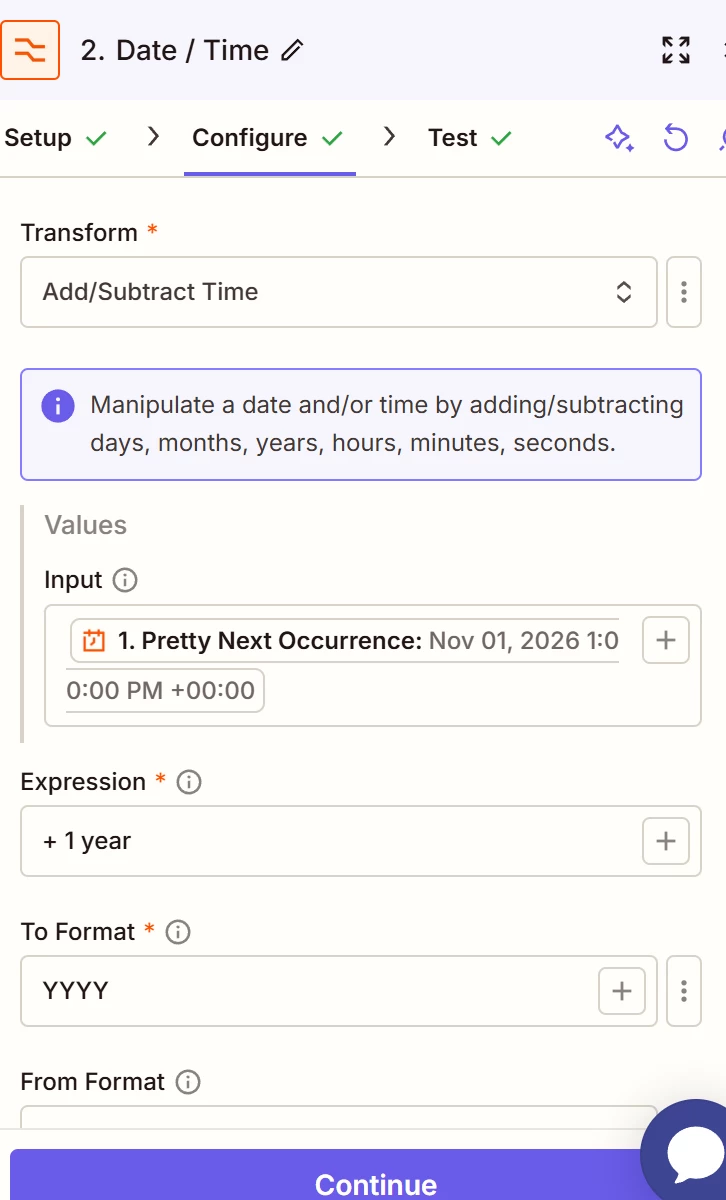
Hi - I’m trying to create an automated workflow so that each year on November 1, a file from a template is created with the next calendar year’s name. E.g., on November 1, 2026, a file called “2027 Template” is created. I have tried working with Co-Pilot and adding a +1 formula to the name, and it’s not working. Also tried adding a formatter step, and that didn’t quite work either. Any ideas? Thanks in advance!

Best answer
Trouble Creating Dynamic Name for Annual Template
- Beginner
This post has been closed for comments. Please create a new post if you need help or have a question about this topic.


Early access

Next Gen Zaps
Build and deploy automations from AI tools you already use. With Agentic Management, if anything breaks, the agent diagnoses the issue and proposes a fix.
Request access now
Enter your E-mail address. We'll send you an e-mail with instructions to reset your password.