Best answer

The app returned "The resource could not be found.". - Excel - SharePoint

  • August 18, 2022
  • 7 replies
  • 871 views

Hey everyone,


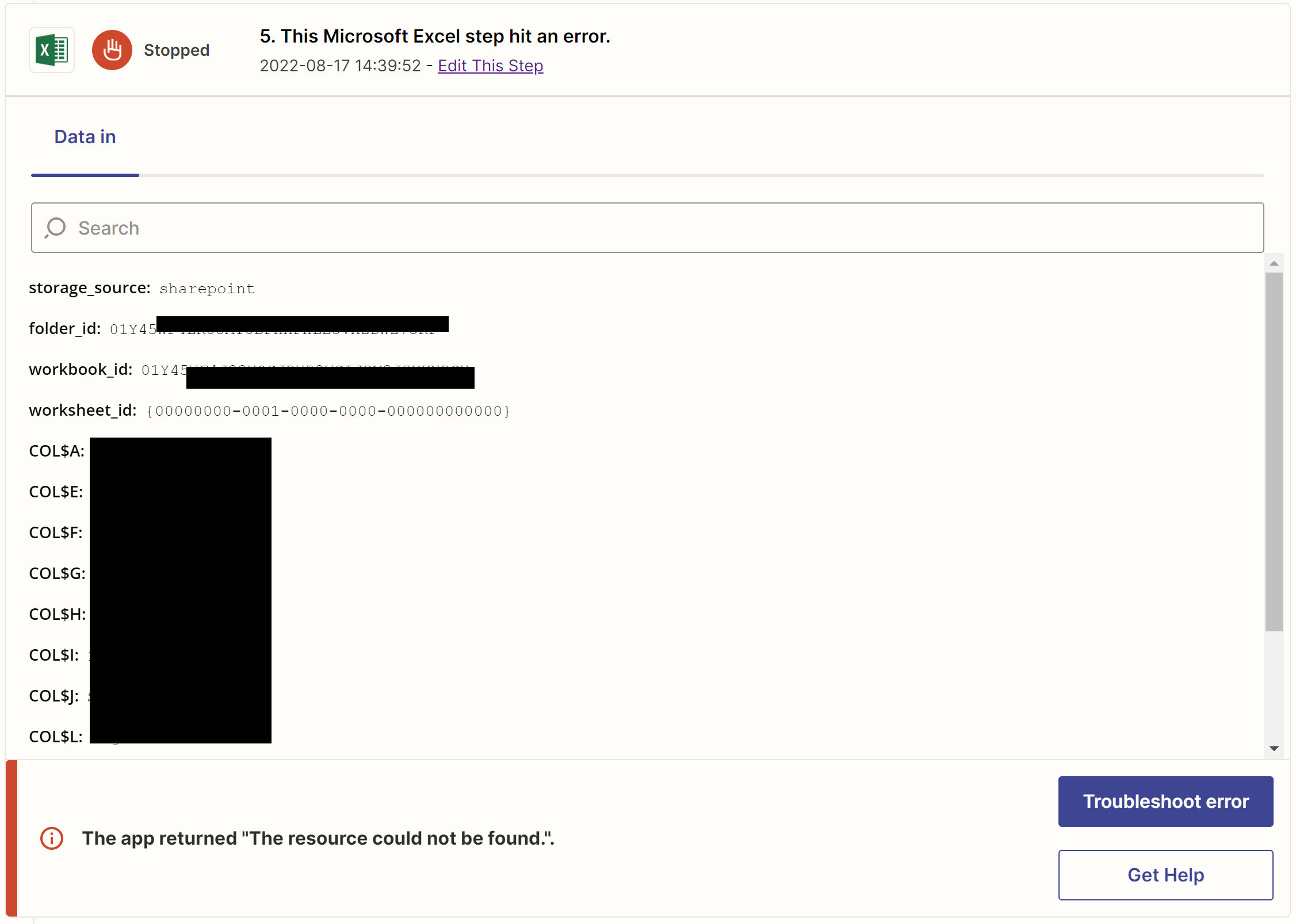
I keep having this issue with Excel file on Sharepoint - When I edit the zap, the connection works fine and the test pass with not issue, but when it is running, I keep getting the error and nothing is being updated in my spreadsheet.


I looked through the articles, but nothing helps.

Best answer by christina.d

Hiya! I wanted to pop in the recommendations from the support ticket in case it’s helpful to anyone following along!

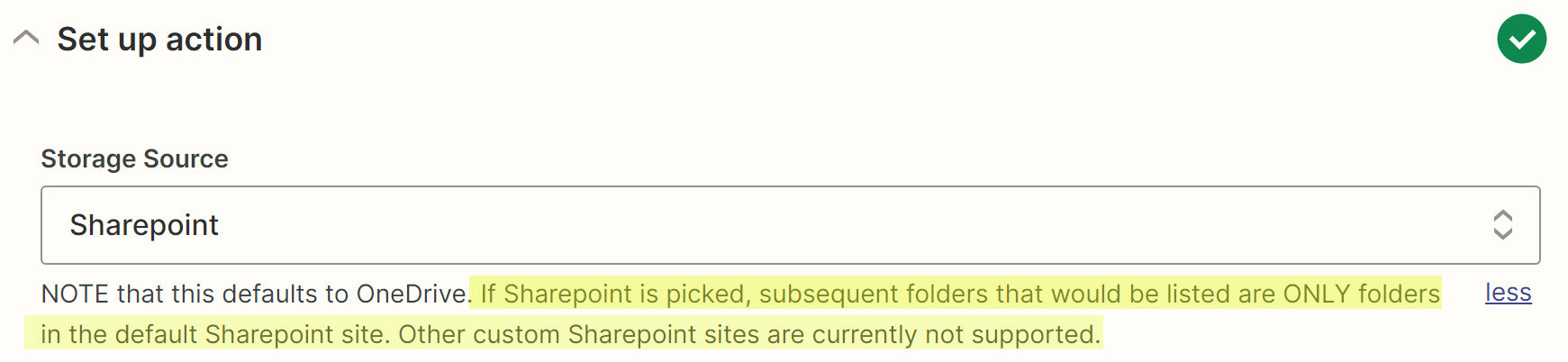
I'm curious if reselecting the folders would do the trick here: 
3eb3a6936b9cd16008d9f0c7932ebe59.png
If a file is moved at all between folders, there can be a disconnect. I do recommend starting here for troubleshooting. 
 
I would also recommend Sharing the connection with your team to ensure there aren't any permissions barriers here: 
https://zapier.com/app/connections/excel

Hopefully this helps! 🤗

This post has been closed for comments. Please create a new post if you need help or have a question about this topic.

7 replies

Troy Tessalone
Zapier Orchestrator & Solution Partner
Forum|alt.badge.img+14
  • Zapier Orchestrator & Solution Partner
  • August 18, 2022

Hi @IWBCryo 

Good question.

Please post detailed screenshots with how your Zap steps are configured in order for us to have more context.

You can also try opening a ticket with Zapier Support: https://zapier.com/app/get-help


  • Author
  • Beginner
  • August 18, 2022

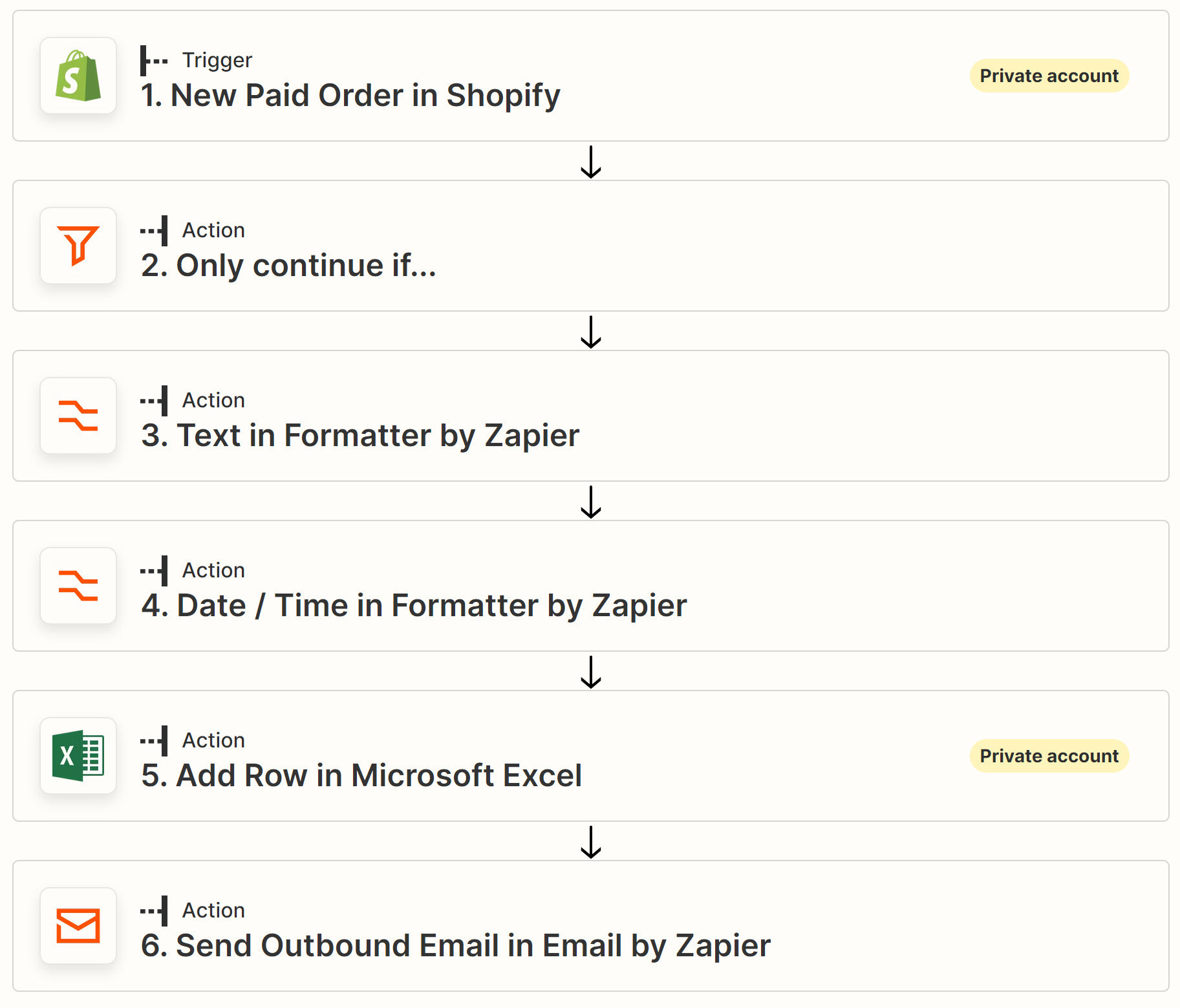
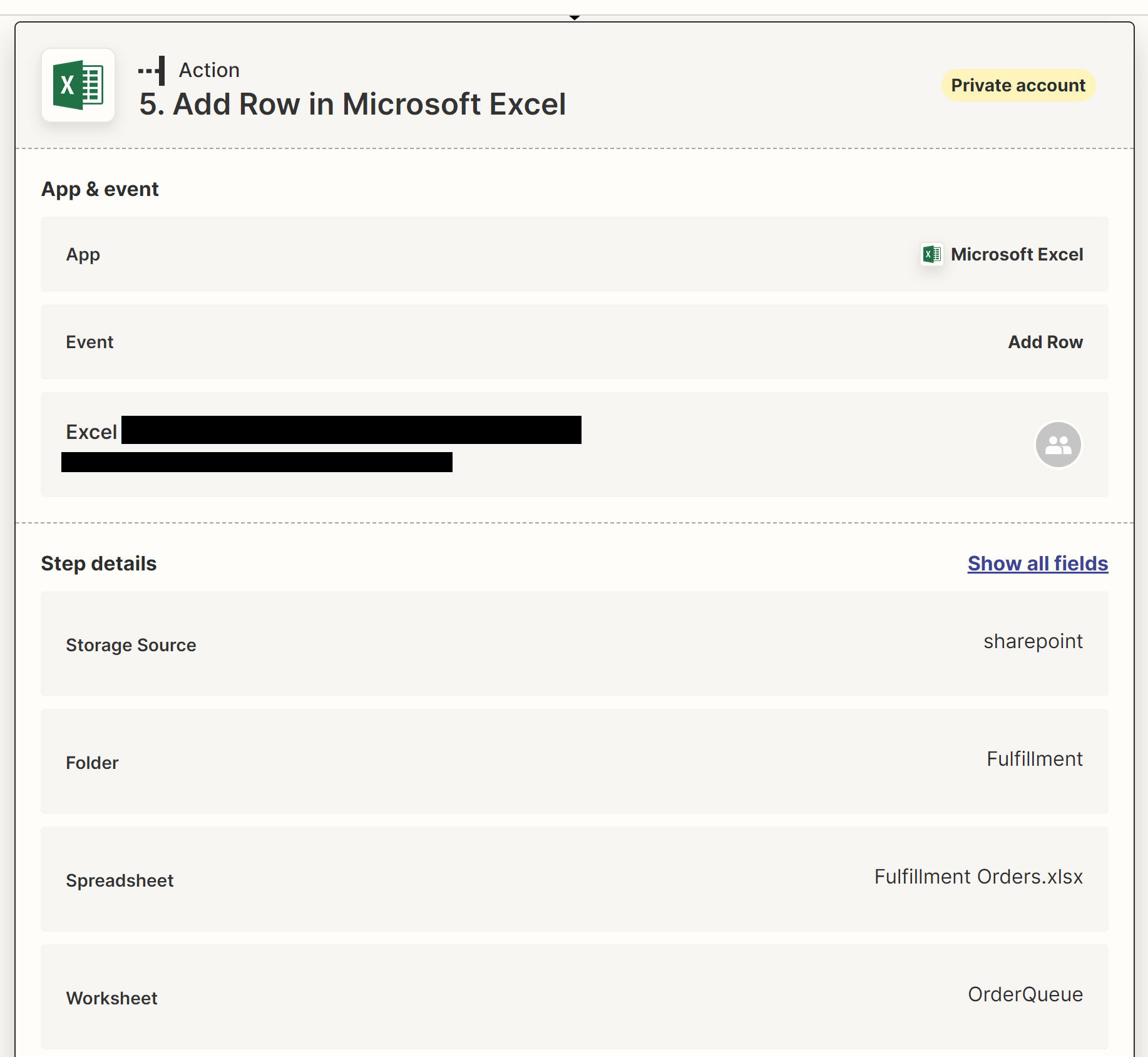
Here are some screenshots of my Zap.


So the trigger works - shopify - paid order

I just filter and format - no error here

Excel - says it is connected and I have the file in the default sharepoint site, so it has access and per the screenshots, it shows the folder, the file and it has access. Then testing the zap - works fine. 

Then - I just sent an email as notification.


The zap history says it runs all the steps, except for the Excel, that keeps saying the recourse is not found… 


Troy Tessalone
Zapier Orchestrator & Solution Partner
Forum|alt.badge.img+14
  • Zapier Orchestrator & Solution Partner
  • August 18, 2022

@IWBCryo 

This may be why…

I'm not able to connect my Microsoft Excel account?

We only support OneDrive for business right now - as the Excel API comes out of beta status we expect to support any version of Excel online.
Personal Outlook accounts do not work unfortunately!


  • Author
  • Beginner
  • August 18, 2022

It could be that. I was also going by this. Assuming it will work, and that’s why I’m using the default Sharepoint site.


Troy Tessalone
Zapier Orchestrator & Solution Partner
Forum|alt.badge.img+14
  • Zapier Orchestrator & Solution Partner
  • August 18, 2022

@IWBCryo 

Might be best to open a ticket with Zapier Support for additional help: https://zapier.com/app/get-help


  • Author
  • Beginner
  • August 18, 2022

I did, thank you @Troy Tessalone 


christina.d
Forum|alt.badge.img+9
  • Zapier Staff
  • Answer
  • August 24, 2022

Hiya! I wanted to pop in the recommendations from the support ticket in case it’s helpful to anyone following along!

I'm curious if reselecting the folders would do the trick here: 
3eb3a6936b9cd16008d9f0c7932ebe59.png
If a file is moved at all between folders, there can be a disconnect. I do recommend starting here for troubleshooting. 
 
I would also recommend Sharing the connection with your team to ensure there aren't any permissions barriers here: 
https://zapier.com/app/connections/excel

Hopefully this helps! 🤗