Answer

Stan Store New Customer - System.io email campaign and contact

  • October 26, 2023
  • 5 replies
  • 641 views

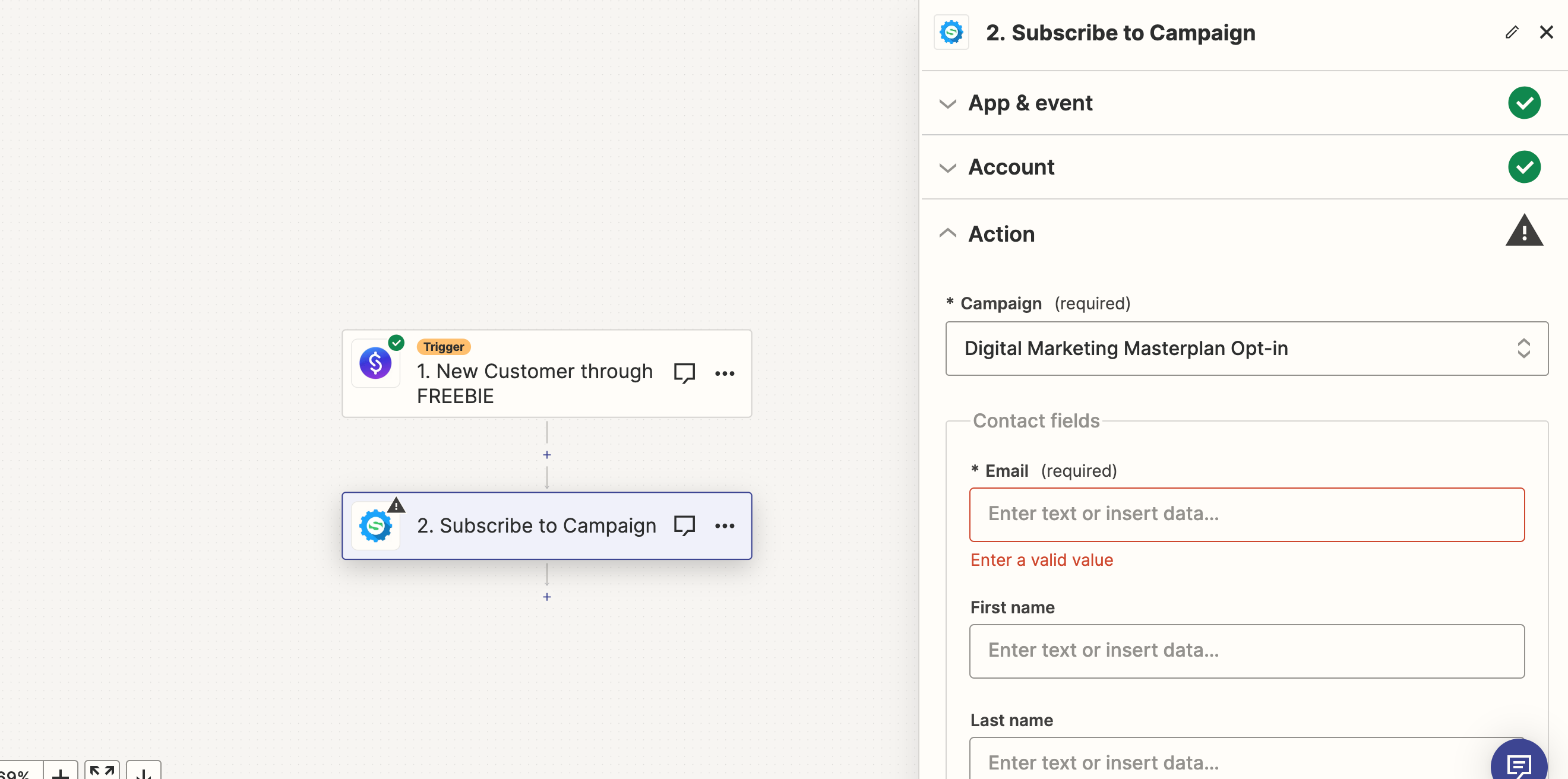
Hi all! Brand new to Zapier here! I set up a Zap to connect a new customer that downloads a freebie from my Stan Store to be added to my email campaign that is on Systeme.io. However, I just realized it hasn’t been working and the leads I have been getting in Stan Store haven’t been made into contacts in my Systeme.io account so I’m not sure it they are actually signed up to receive my emails! 


Would appreciate any and all help in what I could be doing wrong with my Zap I have set up. Thank you in advance!


Best answer by Troy Tessalone

@JaCee 

You would need to map a variable from step 1 that includes the email address of the customer.

Help article to reference: https://zapier.com/help/create/basics/set-up-your-zap-action

This post has been closed for comments. Please create a new post if you need help or have a question about this topic.

5 replies

Troy Tessalone
Zapier Orchestrator & Solution Partner
Forum|alt.badge.img+14
  • Zapier Orchestrator & Solution Partner
  • October 26, 2023

Hi @JaCee 

Good question.

We would need to see detailed screenshots with how your Zap steps are configured to have context.

Also, check your Zap Runs for activity/issues: https://zapier.com/app/history/


  • Author
  • Beginner
  • October 26, 2023

Thank you! I believe all of the steps are correct for the Stan part of Zap. They download the freebie - I have the correct product clicked and my account logging in. I think it might be my second step that is messed up somehow. I am not sure what to put in the action step because if I put my own email, it signs MY email up for the campaign, but I cannot move on without an email address in that space. What is it wanting me to put there? 🙈


Troy Tessalone
Zapier Orchestrator & Solution Partner
Forum|alt.badge.img+14
  • Zapier Orchestrator & Solution Partner
  • Answer
  • October 26, 2023

@JaCee 

You would need to map a variable from step 1 that includes the email address of the customer.

Help article to reference: https://zapier.com/help/create/basics/set-up-your-zap-action


  • Author
  • Beginner
  • October 26, 2023

Awesome, thank you!!


ken.a
Forum|alt.badge.img+6
  • Zapier Staff
  • October 30, 2023

That’s awesome @JaCee! Thanks to Troy for pointing you in the right direction!

If you have any other questions, please don’t hesitate to reach out to the Community. We’re always happy to help! 🤗