Question

Sending eBay Data to spreadsheet not working

  • January 6, 2026
  • 8 replies
  • 34 views

I am trying to make an automation  that will take information from eBay and add it to my Google Sheets in order to track my revenue from eBay. I have the trigger for “New Order”. When I test that step, it is able to pull the data, I mapped the eBay data to the correct fields in Google Sheets, but when I tested the final automation, nothing showed up in the Google Sheet. I am not sure what is going on. 

8 replies

Troy Tessalone
Zapier Orchestrator & Solution Partner
Forum|alt.badge.img+14
  • Zapier Orchestrator & Solution Partner
  • January 6, 2026

Hi ​@Ozzythriftz 

Zaps work while turned ON for new data going forward.

Check your Zap Run history for activity and to see the DATA IN/OUT for steps in Zap Runs: https://zapier.com/app/history/

For us to have more info, post screenshots showing how your Zap steps are outlined and configured.


  • Author
  • Beginner
  • January 7, 2026

I went to the Zap History and for this particular zap there is no history. I am not trying to fully run it yet, I am just performing test runs now and the test runs are not doing anything to my Google Sheet. I have provided screenshots of my Zap and how I have configured the tools and mapped the data. Please let me know any additional information.

Hi ​@Ozzythriftz 

Zaps work while turned ON for new data going forward.

Check your Zap Run history for activity and to see the DATA IN/OUT for steps in Zap Runs: https://zapier.com/app/history/

For us to have more info, post screenshots showing how your Zap steps are outlined and configured.


Troy Tessalone
Zapier Orchestrator & Solution Partner
Forum|alt.badge.img+14
  • Zapier Orchestrator & Solution Partner
  • January 7, 2026

@Ozzythriftz 

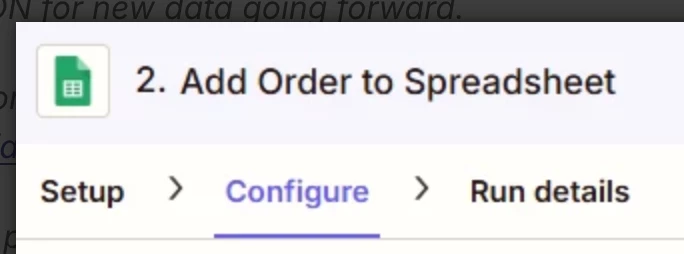
When you test Zap step 2, check the Run Details tab to see the DATA IN/OUT.

The DATA OUT will show the GSheet Row ID to check.

If you have formulas in rows already, then that may be impacting which row the data gets populated in.


Help links for using GSheets in Zaps: https://zapier.com/apps/google-sheets/integrations#help


  • Author
  • Beginner
  • January 7, 2026

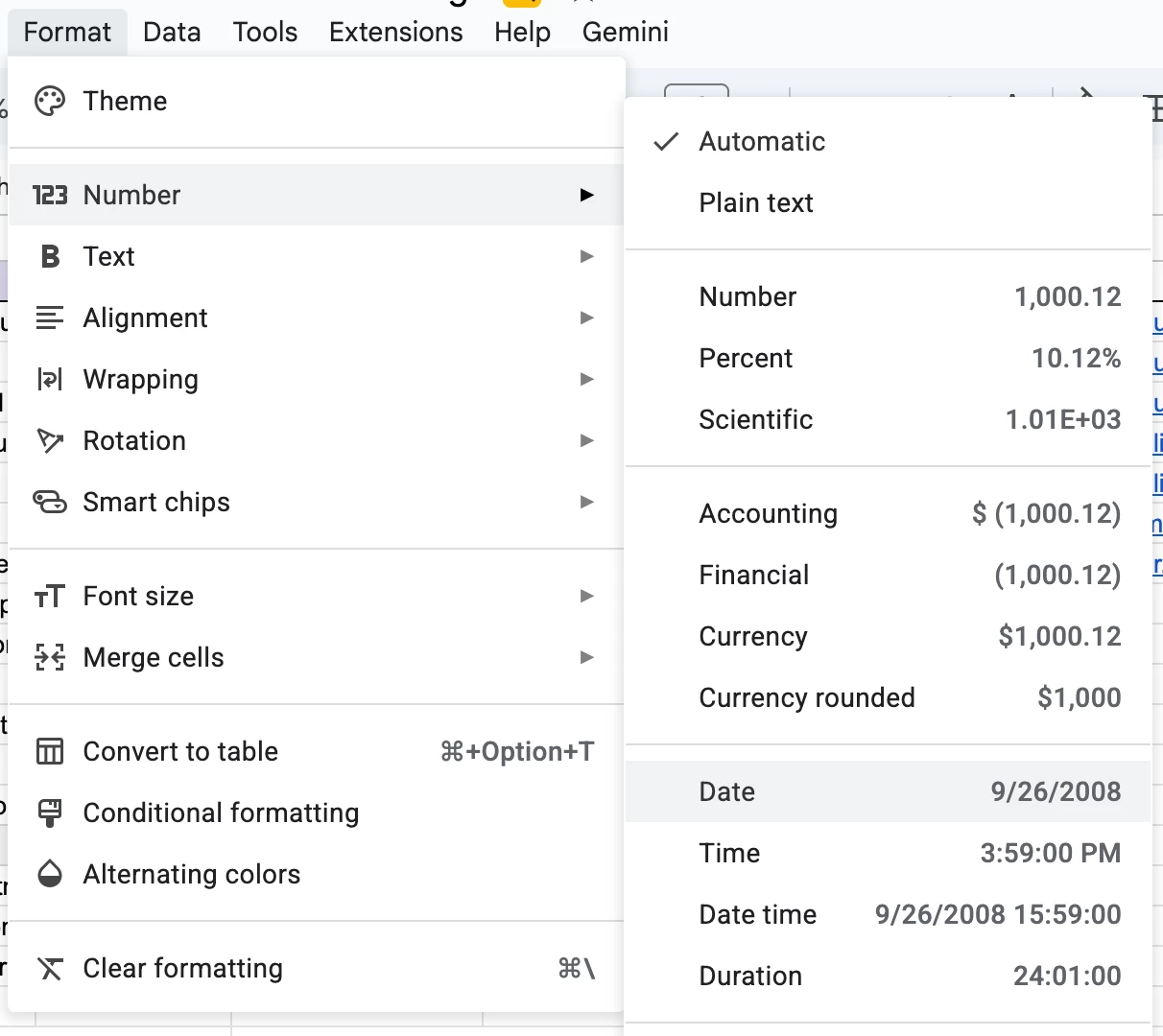
THANK YOU SO MUCH!!! Turns out it was the formula in the Net Revenue Column. I would like to use formulas in my worksheet though is there a work around for this? Also when the Date Sold Column is filled out it is not formatted to a traditional date it is just a bunch of hard to understand numbers. How do I fix this?


Troy Tessalone
Zapier Orchestrator & Solution Partner
Forum|alt.badge.img+14
  • Zapier Orchestrator & Solution Partner
  • January 7, 2026

@Ozzythriftz 

For the data formatting, in the GSheet highlight the column, then use the Format menu. (see screenshot)


Troy Tessalone
Zapier Orchestrator & Solution Partner
Forum|alt.badge.img+14
  • Zapier Orchestrator & Solution Partner
  • January 7, 2026

@Ozzythriftz 

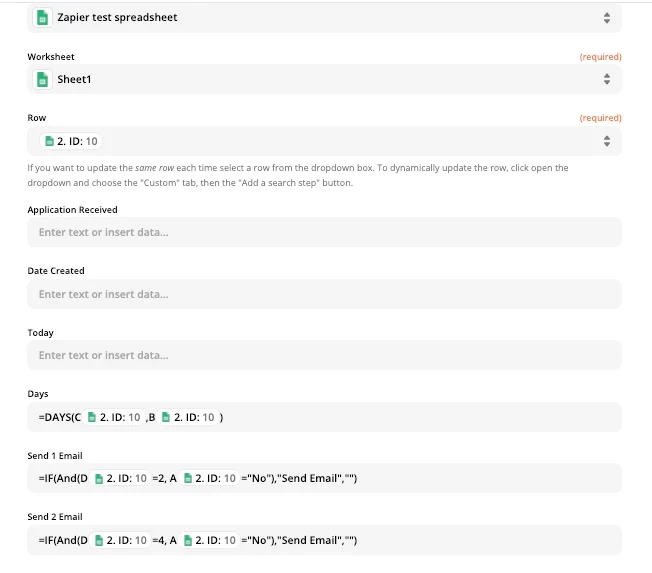
For GSheet formulas, you can create inline formulas in the GSheet Zap step field to be applied to the new row that is created.

See screenshot below.


Troy Tessalone
Zapier Orchestrator & Solution Partner
Forum|alt.badge.img+14
  • Zapier Orchestrator & Solution Partner
  • January 7, 2026

@Ozzythriftz 

My advice would be to use Airtable instead of GSheets.

Airtable Zap app: https://zapier.com/apps/airtable/integrations#triggers-and-actions

Airtable is a database app, similar to a spreadsheet in a lot of ways, but fundamentally different.

Airtable has a Formula field type: https://support.airtable.com/docs/formula-field-reference

Airtable Formula fields apply to each record that gets created.

Plus, there are other features and functionality in Airtable, such as:

  • specific field types
  • table views (sort, filter, group, show/hide fields, reorder fields)
  • interfaces
  • extensions
  • automations


Airtable help: https://support.airtable.com/


  • Author
  • Beginner
  • January 12, 2026

Thank you so much for the help! I put everything into practice and things seem to be working for now. I really appreciate it!