Question

Send onboarding email only after first payment (ghl tag issues)

  • October 2, 2024
  • 7 replies
  • 48 views

Hey Everyone,


I am trying to make it so that I only send out an onboarding email to a specific package of customers on their initial payment. We do a lot of payment plans, so it is definitely an issue when somebody pays their second installment and they get sent another email. The way I thought of combatting this was adding a tag to my client in my crm (GHL) when the automation is finished. I then have a filter step in the beginning that filters against the tag added at the end. The only issue is the filter says “tag missing”, like there is no data. I have been searching and cannot find an answer anywhere! Please let me know.



This post has been closed for comments. Please create a new post if you need help or have a question about this topic.

7 replies

Troy Tessalone
Zapier Orchestrator & Solution Partner
Forum|alt.badge.img+14
  • Zapier Orchestrator & Solution Partner
  • October 2, 2024

Hi @Mshapiro 

Post screenshots showing how your Zap steps are outlined and configured so we have more context.


  • Author
  • New
  • October 2, 2024

Hi @Mshapiro 

Post screenshots showing how your Zap steps are outlined and configured so we have more context.

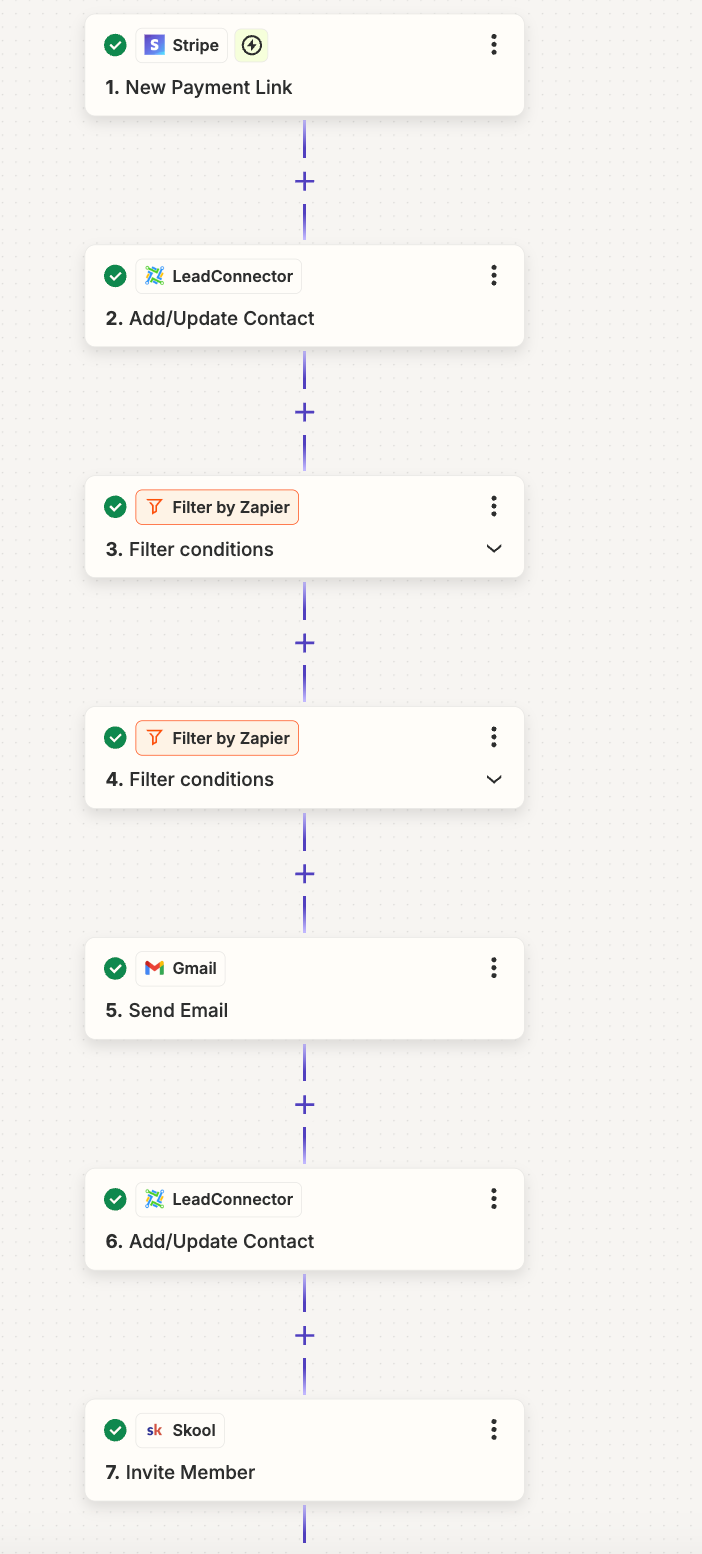
@Troy Tessalone, thank you for the reply. Here is a better detailed work line for my automation. I have not included the steps that don’t seem to be of importance to my issue. 


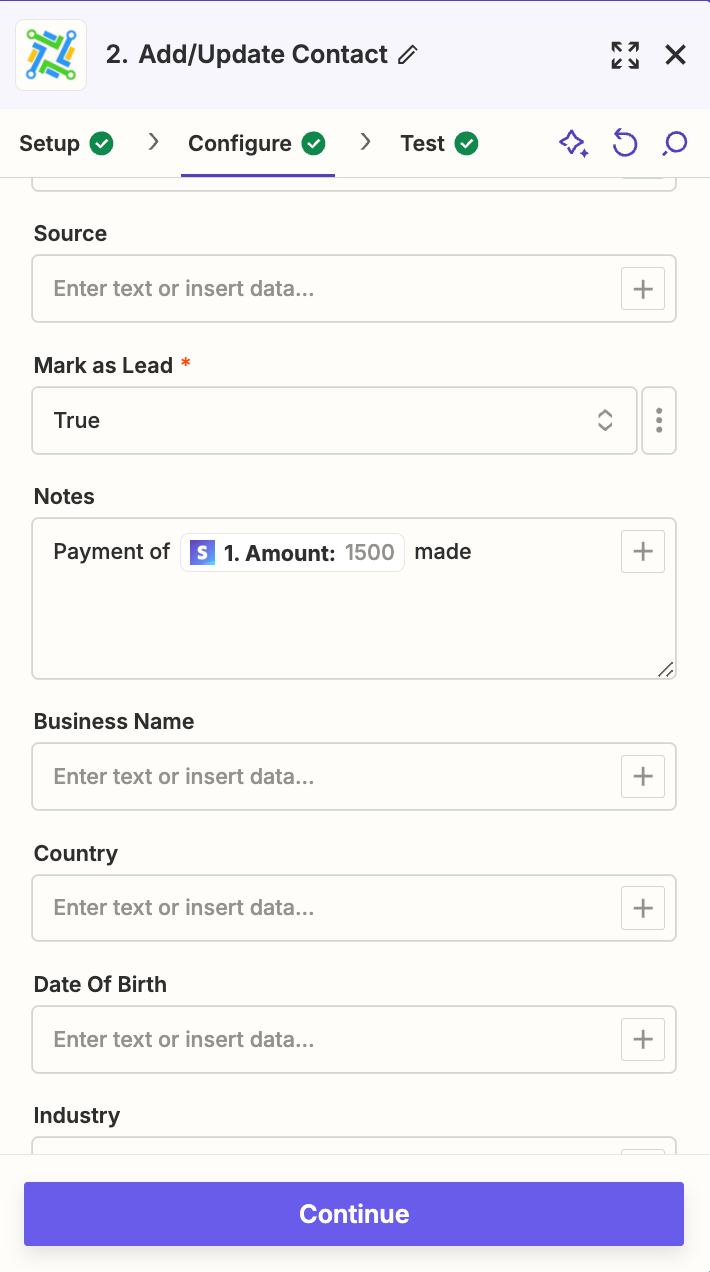
Step 2.

  • Adds tag *initial payment* and puts in notes how much money was paid. I put this step in in order to be able to pull data for the filter
  • Pull contact data from stripe email 


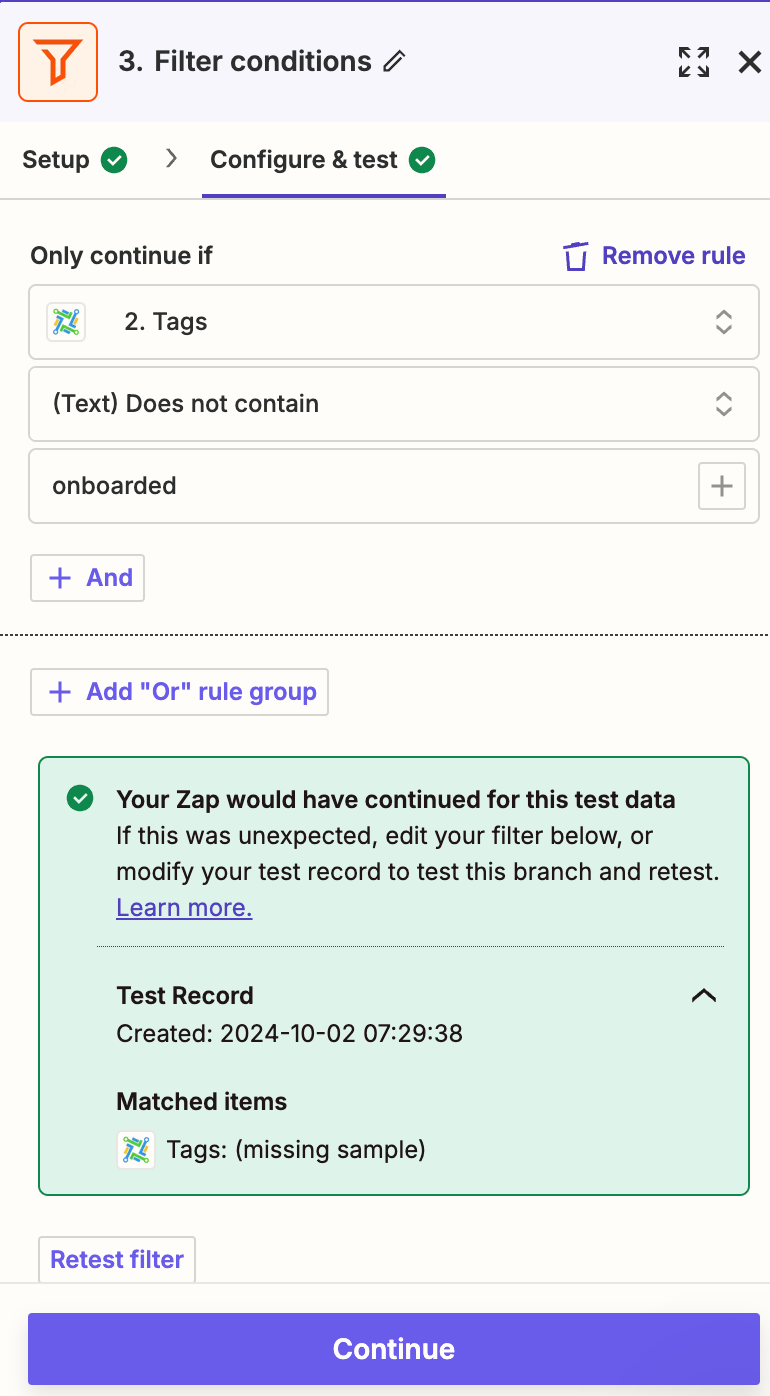
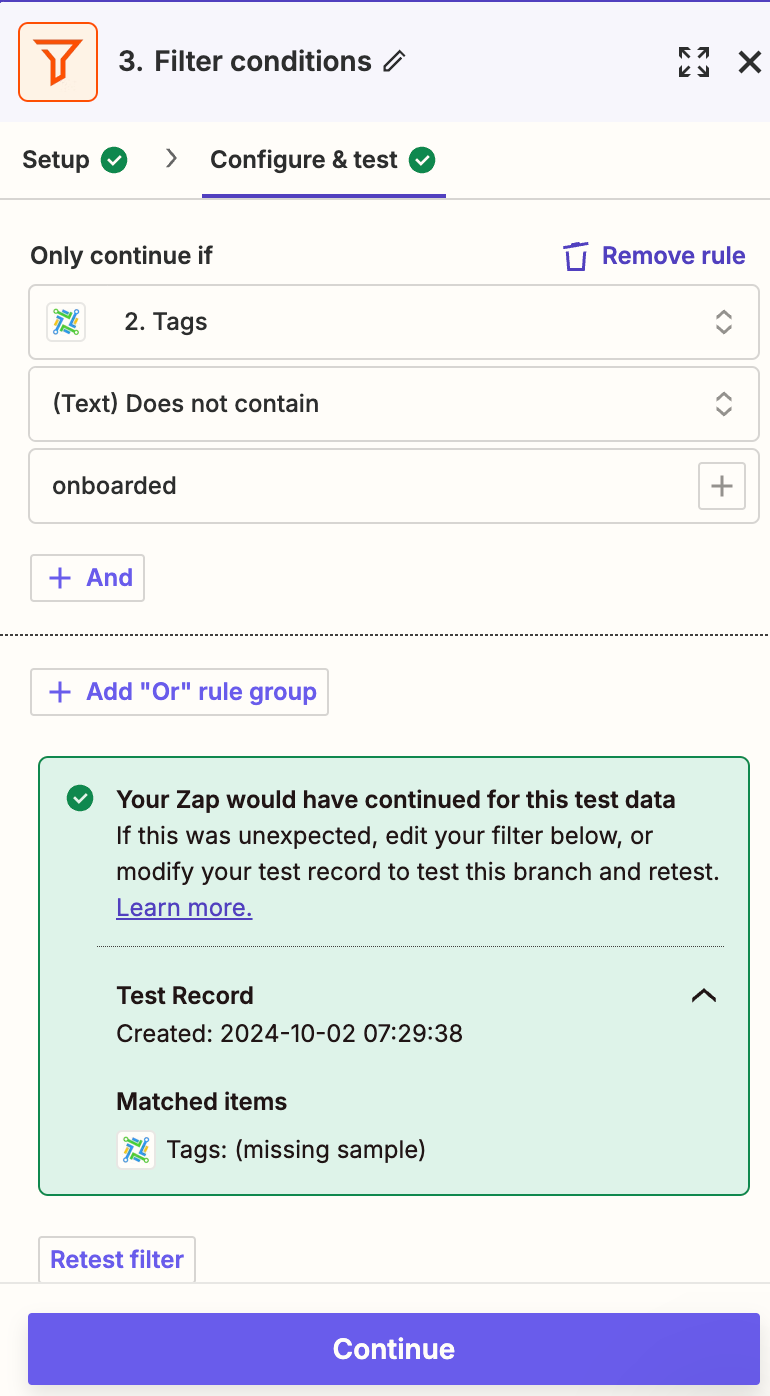
Step 3

  • filter step that isnt working
  • As you see, it says “Tags: (Missing sample)”


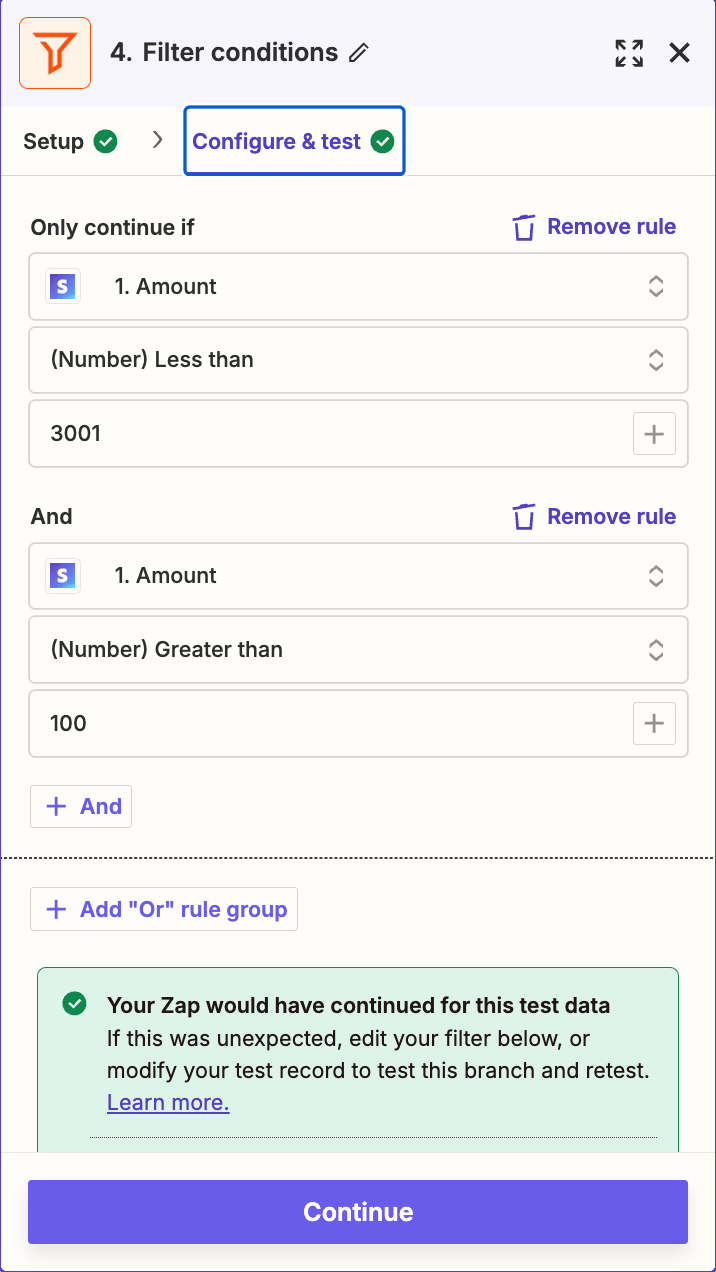
Step 4

  • filter conditions for payments (works just fine)

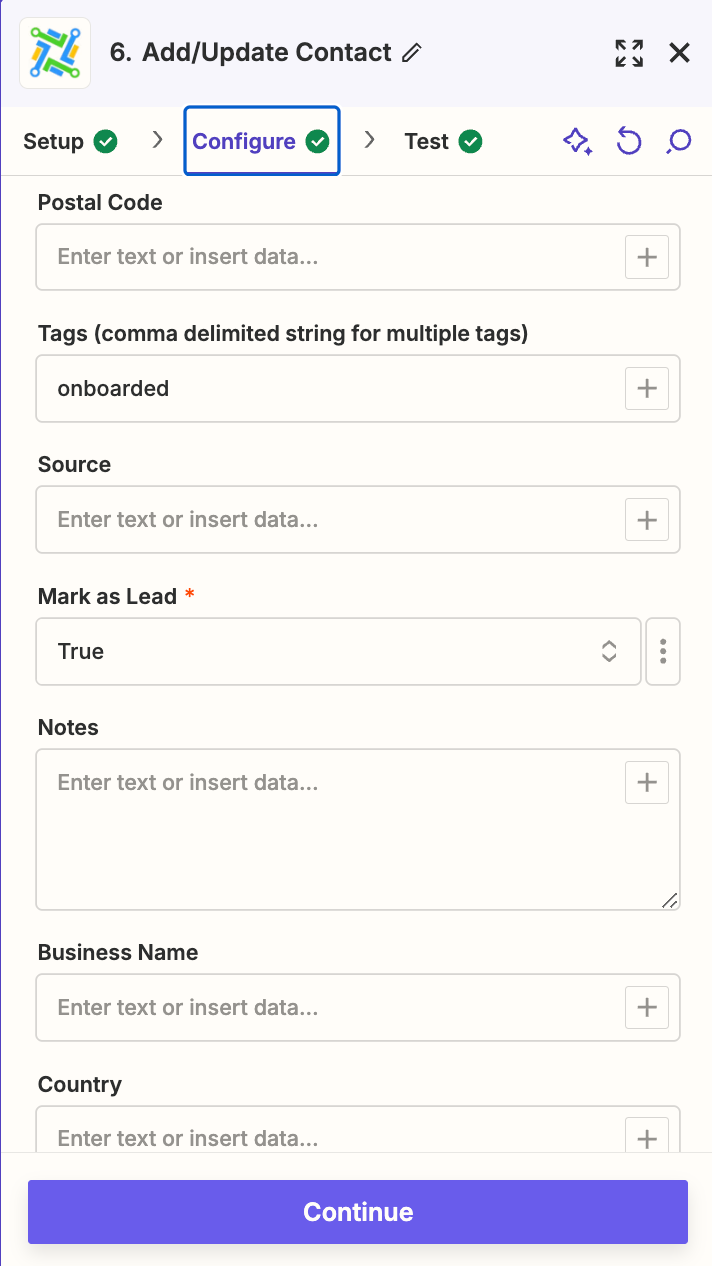
Step 6

  • This step adds the tag of “onboarded” which I filter for in the beginning


Hope this helps! Thank you


Troy Tessalone
Zapier Orchestrator & Solution Partner
Forum|alt.badge.img+14
  • Zapier Orchestrator & Solution Partner
  • October 2, 2024

@Mshapiro 

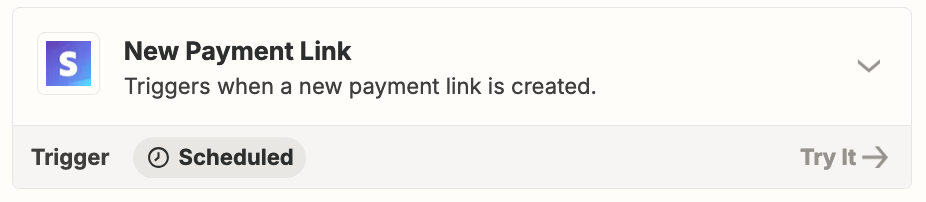
You probably want to use a different Zap trigger because the one being used fire when a payment link is created, not when a payment is made.


  • Author
  • New
  • October 4, 2024

@Mshapiro

You probably want to use a different Zap trigger because the one being used fire when a payment link is created, not when a payment is made.


@Troy Tessalone ,


I was honestly thinking of switching to new customer. Have you had any negative experiences with that?


Troy Tessalone
Zapier Orchestrator & Solution Partner
Forum|alt.badge.img+14
  • Zapier Orchestrator & Solution Partner
  • October 4, 2024

@Mshapiro 

Stripe New Customer does not necessarily mean a Payment was made by the Customer.

Try using one of these:

  • Checkout Session Completed
  • New Payment

You’ll have to keep a log of payments made by a Customer to check against in the Zap.

If no existing record is found, then you can assume it’s the first payment, and the Zap can pass a Filter step to continue.


  • Author
  • New
  • October 4, 2024

@Mshapiro

Stripe New Customer does not necessarily mean a Payment was made by the Customer.

Try using one of these:

  • Checkout Session Completed
  • New Payment

You’ll have to keep a log of payments made by a Customer to check against in the Zap.

If no existing record is found, then you can assume it’s the first payment, and the Zap can pass a Filter step to continue.


@Troy Tessalone, ok thank you!


ken.a
Forum|alt.badge.img+6
  • Zapier Staff
  • October 7, 2024

That’s great @Mshapiro! A huge thanks to Troy for pointing you in the right direction!

If you have any other questions, please don’t hesitate to reach out to the Community. We’re always happy to help! 🤗