Answer

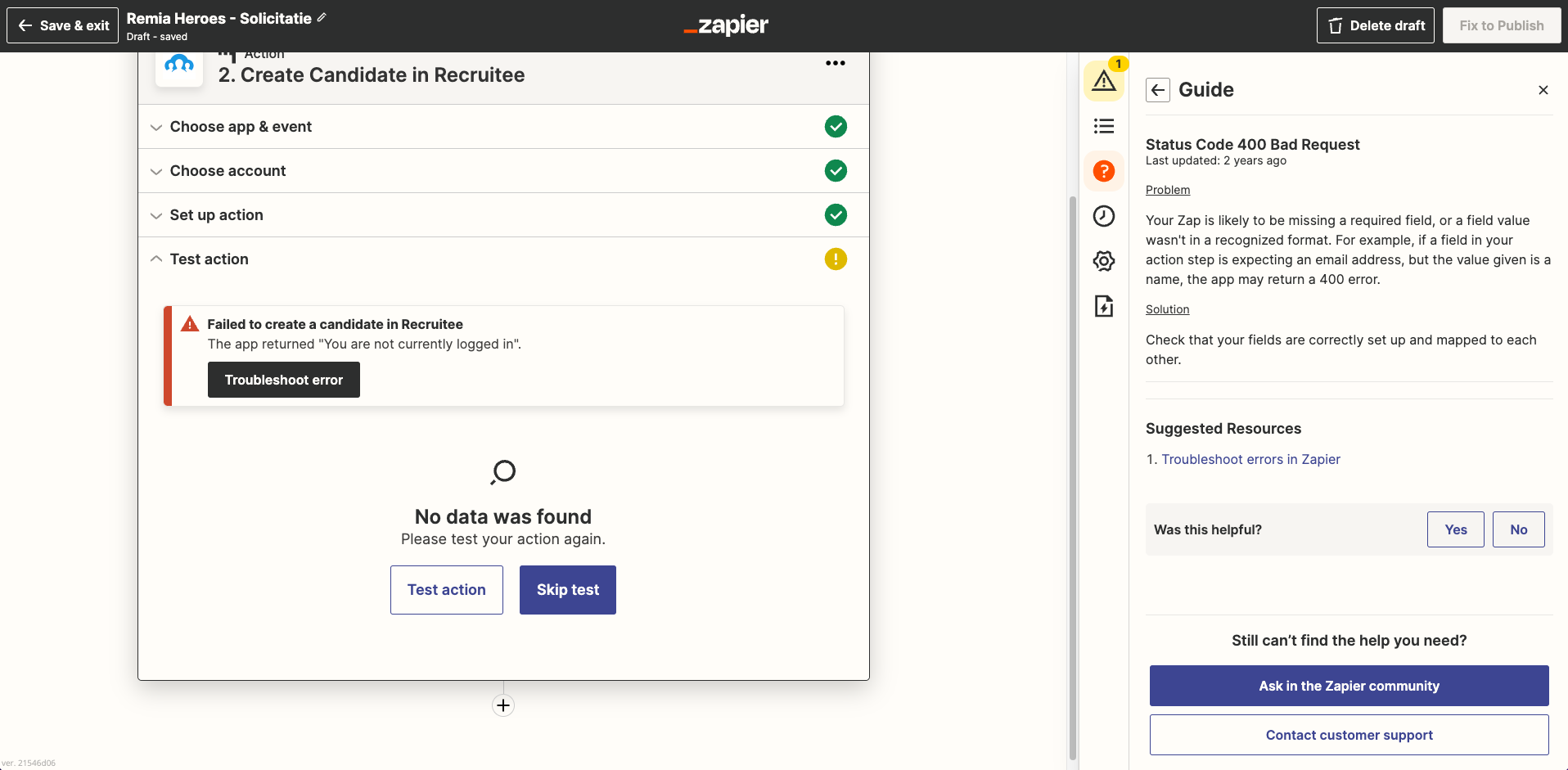
Recruitee error: Failed to create candidate in Recruitee, the app returned "You are not currently logged in"

  • September 9, 2022
  • 4 replies
  • 202 views

I get an error messaging stating: "You are not currently logged in". How to fix this problem? I want to connect my Webflow Form with Recruitee however I am both logged in in Webflow and in Recruitee (with the same account as well). Please let me know, what I am doing wrong.


Best answer by christina.d

Hey there, @nerdscompany!

I noticed you were able to open a ticket with my friends in support, which is awesome. This is what they recommended:

 ...it appears that the error is caused by a setting in WebFlow that prevents third-party applications from accessing uploaded files. 
 
This guide from WebFlow helps to walk you through their various permissions options and disabling password protection on their site to allow Zapier to access the files more successfully:
https://university.webflow.com/lesson/password-protect-your-site-or-web-pages
 
Could you please follow the screenshot below?
 

  • In Webflow, there is an option in the setting under forms to allow access to files.


(view larger)


(view larger

I hope this helped get you back on track!

This post has been closed for comments. Please create a new post if you need help or have a question about this topic.

4 replies

Troy Tessalone
Zapier Orchestrator & Solution Partner
Forum|alt.badge.img+14
  • Zapier Orchestrator & Solution Partner
  • September 9, 2022

Hi @nerdscompany 

Good question.

You may want to open a ticket with Zapier Support for further help: https://zapier.com/app/get-help


jesse
Forum|alt.badge.img+9
  • Architect
  • September 9, 2022

Hey @nerdscompany, sorry for the trouble here! Have you tried reconnecting your Recruitee account here and then trying again to see if that helps? https://zapier.com/app/connections Let us know!


  • Author
  • Beginner
  • September 12, 2022

Hey @jesse, I tried it. But I still get that same error.


christina.d
Forum|alt.badge.img+9
  • Zapier Staff
  • Answer
  • September 16, 2022

Hey there, @nerdscompany!

I noticed you were able to open a ticket with my friends in support, which is awesome. This is what they recommended:

 ...it appears that the error is caused by a setting in WebFlow that prevents third-party applications from accessing uploaded files. 
 
This guide from WebFlow helps to walk you through their various permissions options and disabling password protection on their site to allow Zapier to access the files more successfully:
https://university.webflow.com/lesson/password-protect-your-site-or-web-pages
 
Could you please follow the screenshot below?
 

  • In Webflow, there is an option in the setting under forms to allow access to files.


(view larger)


(view larger

I hope this helped get you back on track!