Answer

Problem with Spreadsheet Row in Google Sheets

  • April 15, 2024
  • 3 replies
  • 94 views

Hi ! 

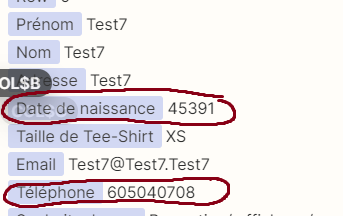
I have 2 littles problem. All work perfectly fine but as you will see, it take the data correctly in “Action” section but display it wrongly in test and in reality.
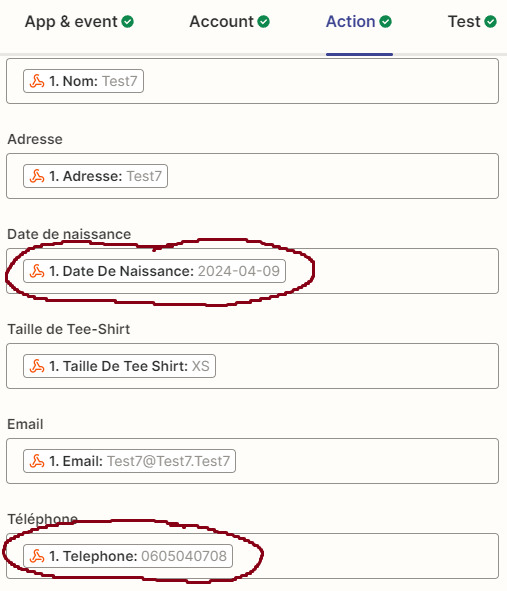
 

What i want


Honestly, for the “Téléphone” it’s not a huge issue (the first 0 is missing) but for the “date de naissance” (Date of birth) it is.

Can you help me with this ? 

Thank you in advance.
Best answer by Troy Tessalone

Hi @BMF 

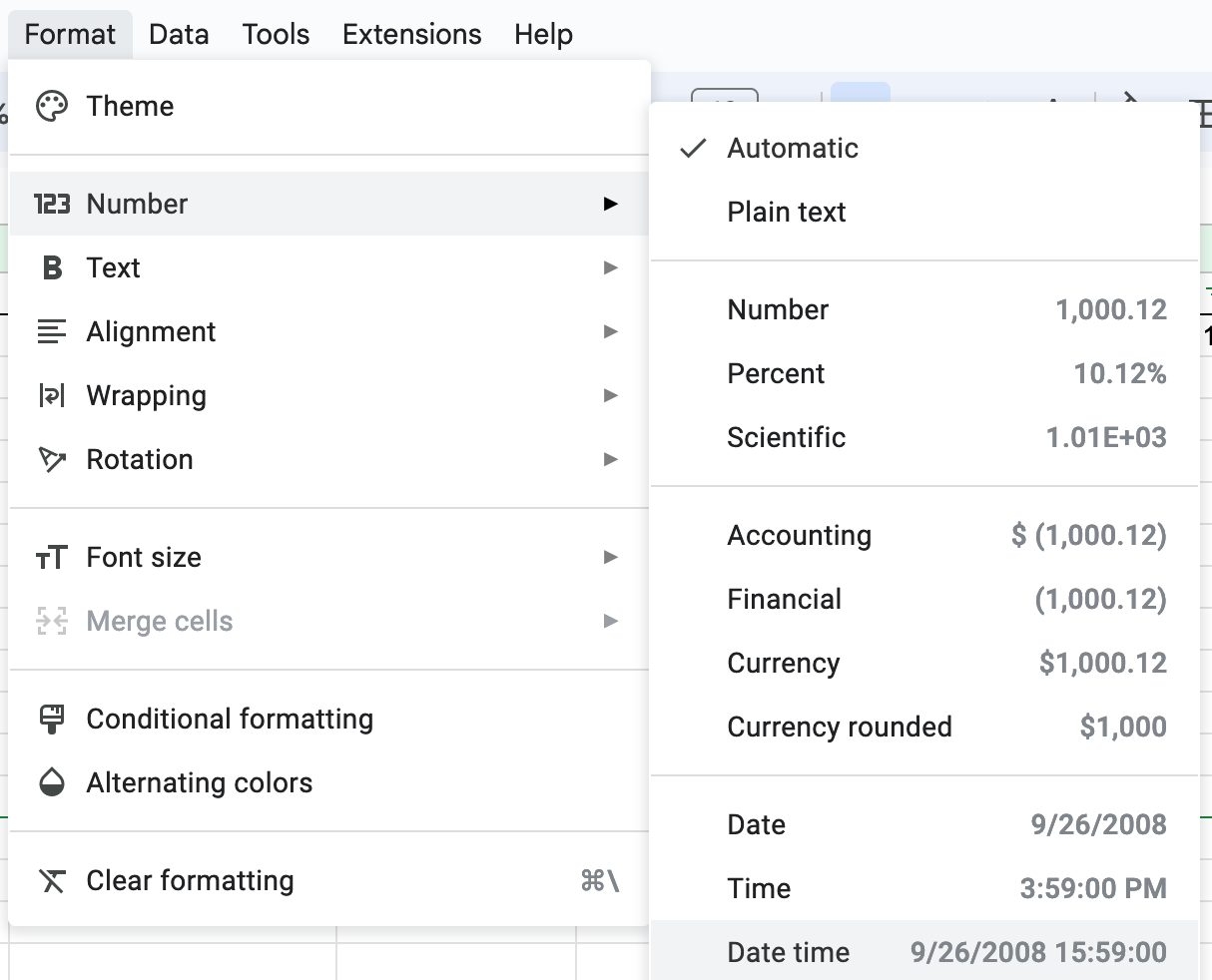
Try formatting the column in GSheets: https://support.google.com/docs/answer/56470?hl=en&co=GENIE.Platform%3DDesktop


This post has been closed for comments. Please create a new post if you need help or have a question about this topic.

3 replies

Troy Tessalone
Zapier Orchestrator & Solution Partner
Forum|alt.badge.img+14
  • Zapier Orchestrator & Solution Partner
  • Answer
  • April 15, 2024

  • Author
  • New
  • April 15, 2024

Ho! 

I'm ashamed I didn't think of that...


Thank you!


ken.a
Forum|alt.badge.img+6
  • Zapier Staff
  • April 16, 2024

That’s great news @BMF! A huge thanks to Troy for lending a hand here!

If you have any other questions, please don’t hesitate to reach out to the Community. We’re always happy to help! 🤗