Answer

pdffiller not triggering

  • March 26, 2023
  • 6 replies
  • 277 views

FulvioUB

Hi,


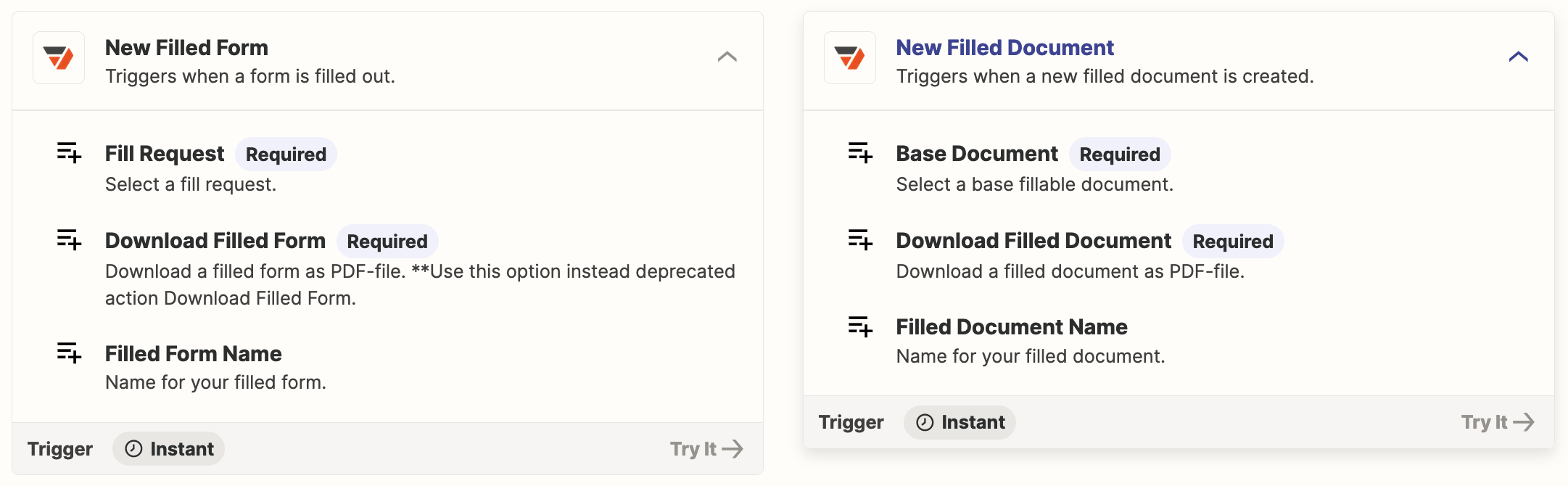
I’m new to using pdffiller to trigger zaps but it looks like it could really work in my workflow. However I’m having trouble setting it up (to trigger new record creation in my database, Ninox). I have created one document in pdf filler set it as a template and provided a share link. I’ve created a Zap which triggers when “New Filled Form in pdfFiller” and I’m expecting when that shared document is filled in by a user, that the trigger will run. It *does* run when I edit the Zap and look for a new record manually and test the trigger, but it never (and I mean never) runs automatically. Any ideas what I might be doing wrong here?


Thanks!

Best answer by FulvioUB

Got it!


Selecting “download attachment” in the trigger caused it to fail. As soon as this was unchecked it started working correctly. Hopefully this will help someone else...

This post has been closed for comments. Please create a new post if you need help or have a question about this topic.

6 replies

Troy Tessalone
Zapier Orchestrator & Solution Partner
Forum|alt.badge.img+14
  • Zapier Orchestrator & Solution Partner
  • March 26, 2023

Hi @FulvioUB 

Good question.

Did you check your Zap Runs for errors: https://zapier.com/app/history/


FulvioUB
  • Author
  • New
  • March 26, 2023

Thanks Troy. No errors - it’s the strangest thing. When I force zapier to search for new records to test the sequence it finds my most recently-created test one (often only on the second attempt), and then functions as expected, but it just won’t trigger otherwise...


Troy Tessalone
Zapier Orchestrator & Solution Partner
Forum|alt.badge.img+14
  • Zapier Orchestrator & Solution Partner
  • March 26, 2023

@FulvioUB 

Maybe try the other pdfFiller Zap trigger?


FulvioUB
  • Author
  • New
  • March 26, 2023

Thanks - but I’ve also tried that one! It didn’t do what I wanted - it triggered if the document was edited (and those edits would then be viewable to the next user). It is the new filled form trigger that seems to be the one for this. (In any case, the other trigger also didn’t trigger unless forced!) 


FulvioUB
  • Author
  • New
  • Answer
  • March 26, 2023

Got it!


Selecting “download attachment” in the trigger caused it to fail. As soon as this was unchecked it started working correctly. Hopefully this will help someone else...


ken.a
Forum|alt.badge.img+6
  • Zapier Staff
  • March 27, 2023

Hey @FulvioUB,

Glad to know you were able to get it sorted!

Thanks for keeping us posted!