Question

Notion Database API Filters not working

  • April 11, 2024
  • 2 replies
  • 104 views

There’s been a previous post on this that never got to a solution.
I’ve set up an API request in Notion to retrieve records on a database, which works, but it retrieves the whole database and won’t filter anything.
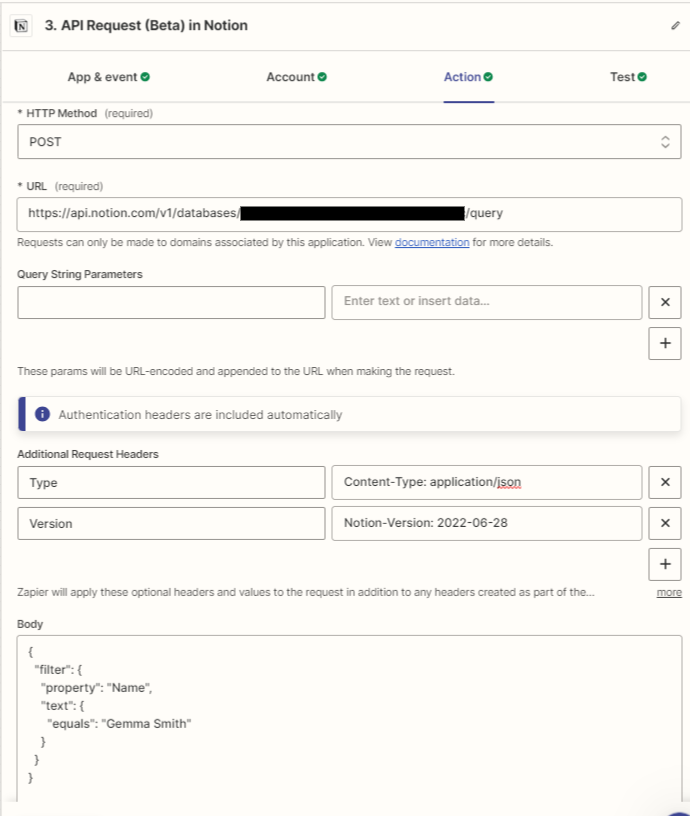
 It comes up with a 200 code to say it’s worked but only with all the records :(

This post has been closed for comments. Please create a new post if you need help or have a question about this topic.

2 replies

Troy Tessalone
Zapier Orchestrator & Solution Partner
Forum|alt.badge.img+14
  • Zapier Orchestrator & Solution Partner
  • April 12, 2024

Hi @foundationsuser 

For context, please link to the Notion API endpoint documentation you used to configure the Zap step.


  • New
  • February 18, 2025

hey ​@foundationsuser , I also had issue getting the Notion API Request action working. It seemed the request would ignore my filter conditions. I’ve tried multiple things as suggested in the other thread, but none worked.

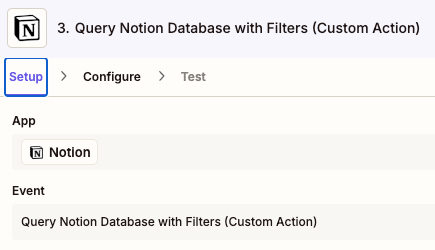
I ended up using the Custom Action (thanks to ​@Troy Tessalone ‘s suggestion in the other thread) and managed to get desired outputs.


Once you publish your Custom Action (link), you should be able to select it in the Notion action drop down.


Side note: I’m pasting the generated code from Zapier’s copilot below, in case it might be useful for anyone else. I think this code could potentially also work in a Webhook, pending on setting up the authentication.

export async function queryNotionDatabase(params: { onOrBeforeDate: string }): Promise<{ result: string }> {
// Extract the date from the input parameter object
const { onOrBeforeDate } = params;

// Define the database ID
const databaseId = '<replace with your own database ID';

// Construct the filter criteria using the input parameter for the date
const filterCriteria = {
filter: {
and: [
{
property: 'Due date',
date: {
on_or_before: onOrBeforeDate, // Use the input parameter for the date filter
},
},
{
property: 'Status',
status: {
does_not_equal: 'Done', // Exclude 'Done' status
},
},
{
property: 'Status',
status: {
does_not_equal: 'Gave up / Repurposed', // Exclude 'Gave up / Repurposed' status
},
},
],
},
};

// Construct the request URL
const url = `https://api.notion.com/v1/databases/${databaseId}/query`;

// Make the API request using fetchWithZapier
const response = await fetchWithZapier(url, {
method: 'POST',
headers: {
'Content-Type': 'application/json',
'Notion-Version': '2022-02-22',
},
body: JSON.stringify(filterCriteria),
});

// Throw an error if the response is not OK
await response.throwErrorIfNotOk();

// Parse the JSON response
const data = await response.json();

// Extract the title and URL from each result and format them as clickable links
const links = data.results.map((item: any, index: number) => {
const title = item.properties.Name.title.map((t: any) => t.plain_text).join('');
const url = item.url;
return `${index + 1}. <a href="${url}">${title}</a>`;
});

// Join the links into a single string, separated by double new lines for extra spacing
const result = links.join('\n\n');

// Return the result
return { result };
}