Question

New SharePoint/Excel Integration & Non-Default Document Libraries

  • November 5, 2024
  • 5 replies
  • 62 views

Forum|alt.badge.img

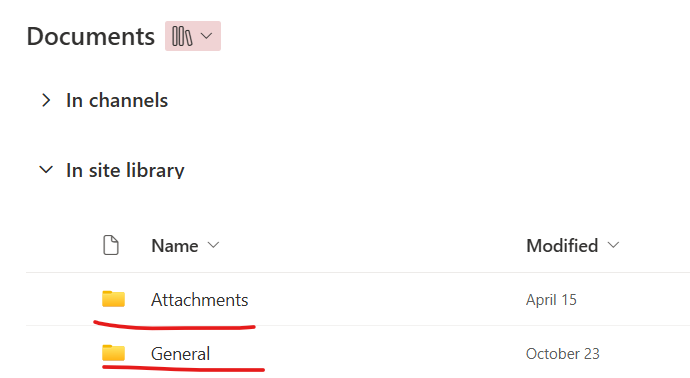
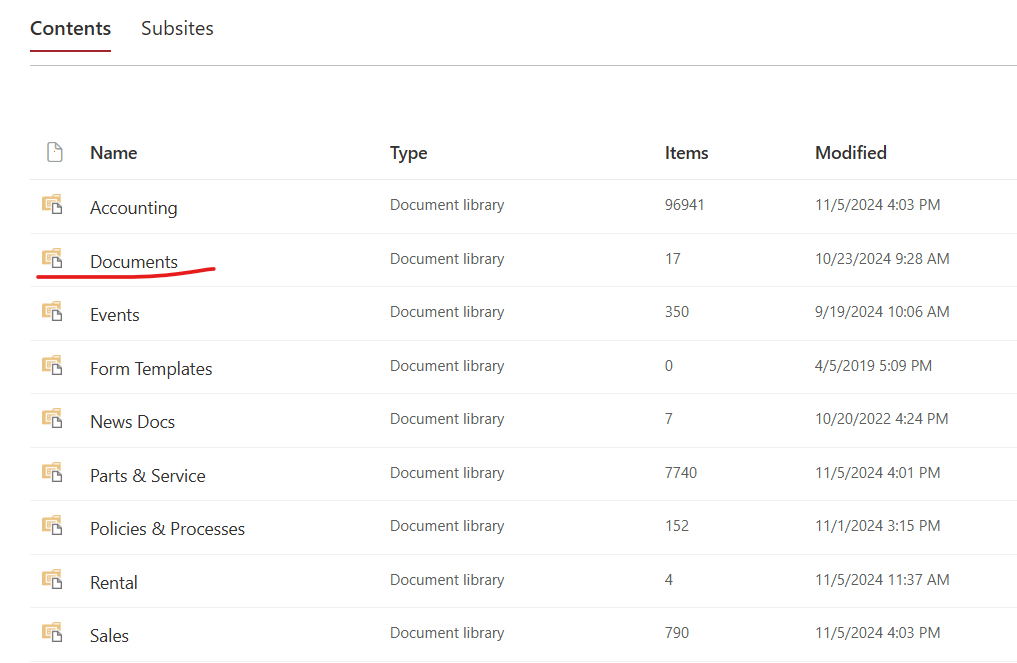
Good afternoon. I am attempting to use the new Excel app to connect to a SharePoint site. The problem is that it does not show any of the additional document libraries that we created in this site other than the default “Documents” document library (see below), which we do not use. Is there any way to use files outside of this default document library?


This post has been closed for comments. Please create a new post if you need help or have a question about this topic.

5 replies

ken.a
Forum|alt.badge.img+6
  • Zapier Staff
  • November 6, 2024

Hi there @darvinm,

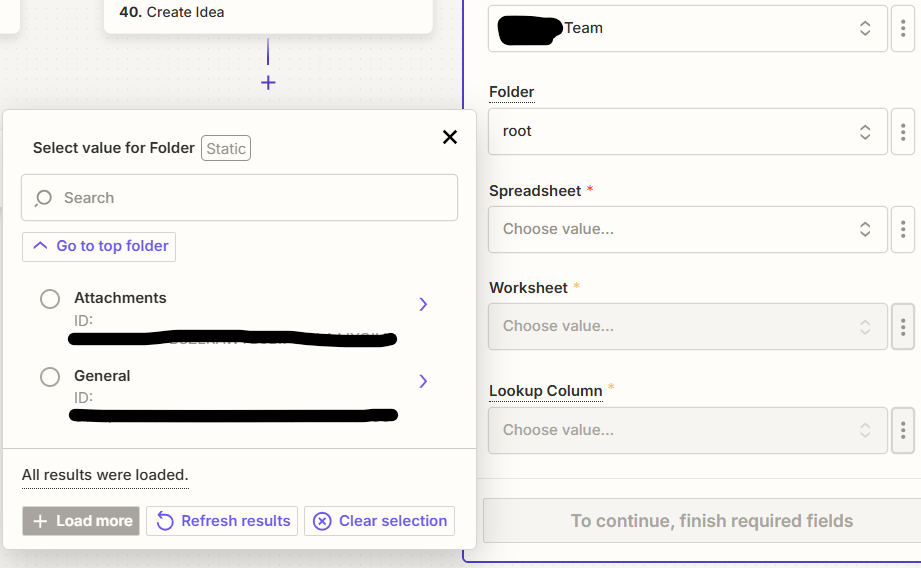
Before we dig deeper into this, do you know the ID number for the folder you want to select? If you have it, you could try manually selecting the necessary folder by choosing the "Custom value" option and entering the ID number.

I'll be keeping an eye out for your response!


Forum|alt.badge.img
  • Author
  • Beginner
  • November 6, 2024

Hi @ken.a. Thank you for the prompt response.

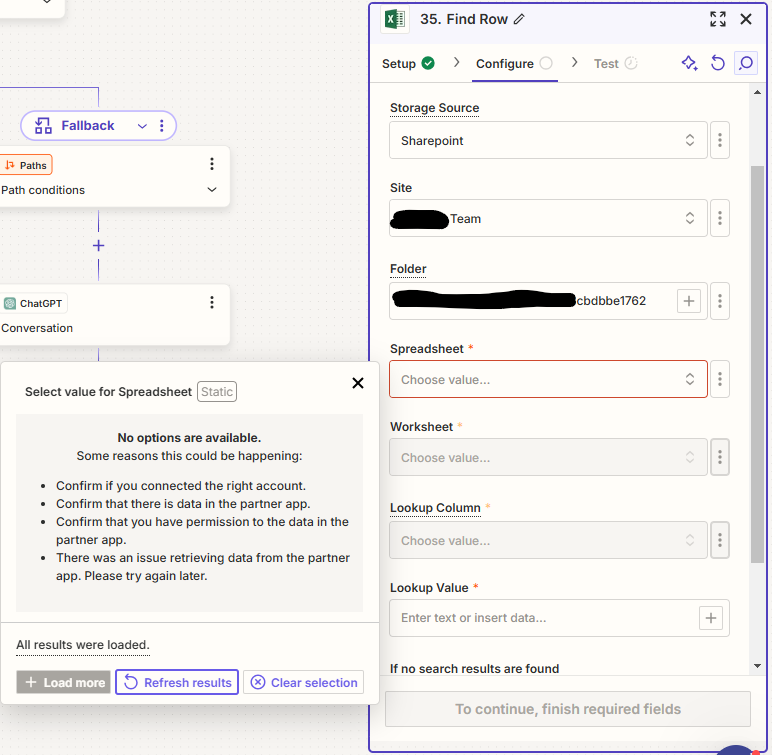
I tried what you suggested (see screenshot below), but it was not able to find anything. The file that I am looking for is located in a subfolder in that document library, but there are some Excel files in the top level folder as well that are also not showing up.


  • New
  • December 11, 2024

Having this same issue here.

We have multiple libraries within the SP site that I want to access.

Manually putting in the ID of the folder from the document Library I want, does not work.

It seems Zapier skips Document Library selection, opting only for the default, going straight from Site > Folder. I feel like we need an additional input box for document Library Selection, between site and folder.


ken.a
Forum|alt.badge.img+6
  • Zapier Staff
  • December 11, 2024

Hi ​@mweston,

You might be running into a bug here. I’d recommend reaching out to our Support Team for them to take a closer look at the issue since they have the correct tools to do so.

You can reach our Support Team here: https://zapier.com/app/get-help

I appreciate your patience and understanding.


SamB
Community Manager
Forum|alt.badge.img+11
  • Community Manager
  • December 11, 2024

Hi ​@darvinm and ​@mweston! 👋

I’m so sorry we missed your reply here previously ​@darvinm. Hmm, it looks like document libraries aren’t fully supported if it’s only able to access the folders within that Documents library. I’d suggest reaching out to our Support team to submit a new feature request for the ability to be able to access spreadsheets in all document libraries and their sub folders. You can do that here: https://zapier.com/app/get-help.

As a temporary workaround are you both able to move the desired spreadsheet into a folder that is accessible by the Zap? Not ideal I know but hopefully that can at least ensure that the Zap is able to add new rows to it.

Hope that helps in the meantime! 🤞