Question

New rows are being added twice

  • August 28, 2025
  • 7 replies
  • 25 views

We have a zap that adds new rows to a table every time a new job is booked through our CRM. We have lately noticed that for each job created, 2 new rows are being added to our table in Google Sheets.


Can anyone suggest a fix?

This post has been closed for comments. Please create a new post if you need help or have a question about this topic.

7 replies

Troy Tessalone
Zapier Orchestrator & Solution Partner
Forum|alt.badge.img+14
  • Zapier Orchestrator & Solution Partner
  • August 29, 2025

HI ​@Shine 

Check your Zap Run history for activity and to see the DATA IN/OUT for each step: https://zapier.com/app/history/

The GSheet step will return the Row ID to help you troubleshoot.

Perhaps there are 2 Zaps ON that are doing the same steps.


  • Author
  • Beginner
  • August 29, 2025

Hi ​@Troy Tessalone 


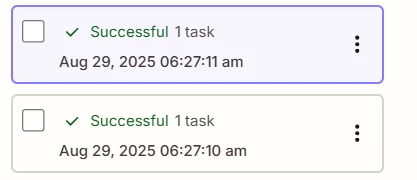
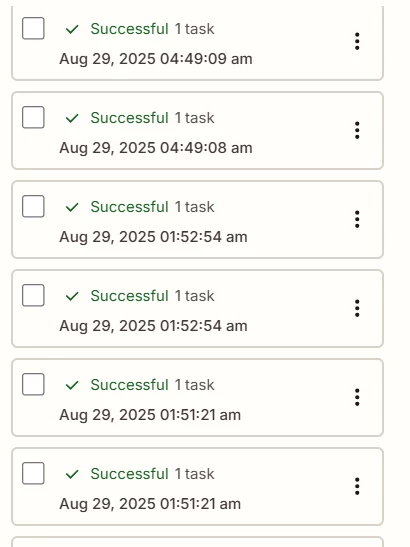
I checked and there is only 1 Zap that is running and editing that specific Google Sheet data. I also checked the zap run history and it shows that each run is done twice

Data in shows data is not available while data out shows the exact same details except for the time stamp and other IDs.


  • Author
  • Beginner
  • August 29, 2025

Hi ​@Troy Tessalone 


I checked and there is only 1 Zap that is running and editing that specific Google Sheet data. I also checked the zap run history and it shows that each run is done twice

Data in shows data is not available while data out shows the exact same details except for the time stamp and other IDs.


To add in, the zap that runs at an earlier time stamp adds to a further row than the one that has a later time stamp


Troy Tessalone
Zapier Orchestrator & Solution Partner
Forum|alt.badge.img+14
  • Zapier Orchestrator & Solution Partner
  • August 29, 2025

@Shine 

Post screenshots showing how your Zap steps are outlined so we can see the Zap trigger app/event and configuration.


Troy Tessalone
Zapier Orchestrator & Solution Partner
Forum|alt.badge.img+14
  • Zapier Orchestrator & Solution Partner
  • August 29, 2025

@Shine 

One way to prevent duplicates is to use this Zap action:

  • Action: Delay - After Queue
  • Action: GSheets - Lookup Spreadsheet Row
    • Check the checkbox to create row if not found

  • Author
  • Beginner
  • August 29, 2025

Hi ​@Troy Tessalone 


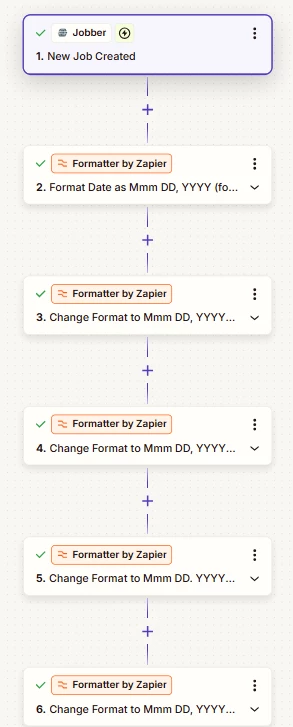
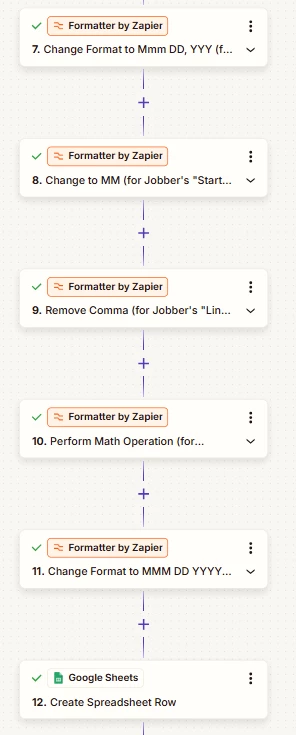
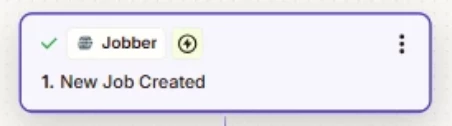
Here are our zap steps


Troy Tessalone
Zapier Orchestrator & Solution Partner
Forum|alt.badge.img+14
  • Zapier Orchestrator & Solution Partner
  • August 29, 2025

@Shine 

Issue may be that Jobber is double firing the webhook from their app to trigger the Zap when a new Job is created.

You can try reaching out to Jobber Support to have them try to help you troubleshoot the behavior of their Zap app integration.

Or you can configure deduplication logic in the Zap as mentioned previously.