Question

My attachments on Salesforce are not appearing on Zendesk

  • March 25, 2024
  • 3 replies
  • 49 views

I have been connecting Zendesk to a salesforce account. I try to create cases and import comments from salesforce to zendesk.

I also have a use case that is bringing some problems. This is the use case:

  • When I add an attachment of a case to Salesforce → please find an existing ticket on zendesk → if the custom field with the Salesforce ID is the same as the Case of the attachment → please add an attachment to Zendesk

On a specific day, I can go to salesforce and see an attachment was made but I didn’t receive the attachment nor in zapier history does it appear that the triggered existed.

The attachment was made on the 21st and there was 1 trigger on that day, but not to that attachment.

I only received a no-reply e-mail from salesforce saying that a new case was attributed to you.

How did zapier did not find a trigger when this happened?

I use zendesk support and have an account on salesforce.

It could be that before adding an attachment, they should revert the case to me? 

This post has been closed for comments. Please create a new post if you need help or have a question about this topic.

3 replies

Troy Tessalone
Zapier Orchestrator & Solution Partner
Forum|alt.badge.img+14
  • Zapier Orchestrator & Solution Partner
  • March 25, 2024

Hi @rma 

To help us have more context, post screenshots with how your Zap steps are outlined and configured, thanks.


  • Author
  • Beginner
  • April 3, 2024

Hello, Troy, thanks for the reply. 

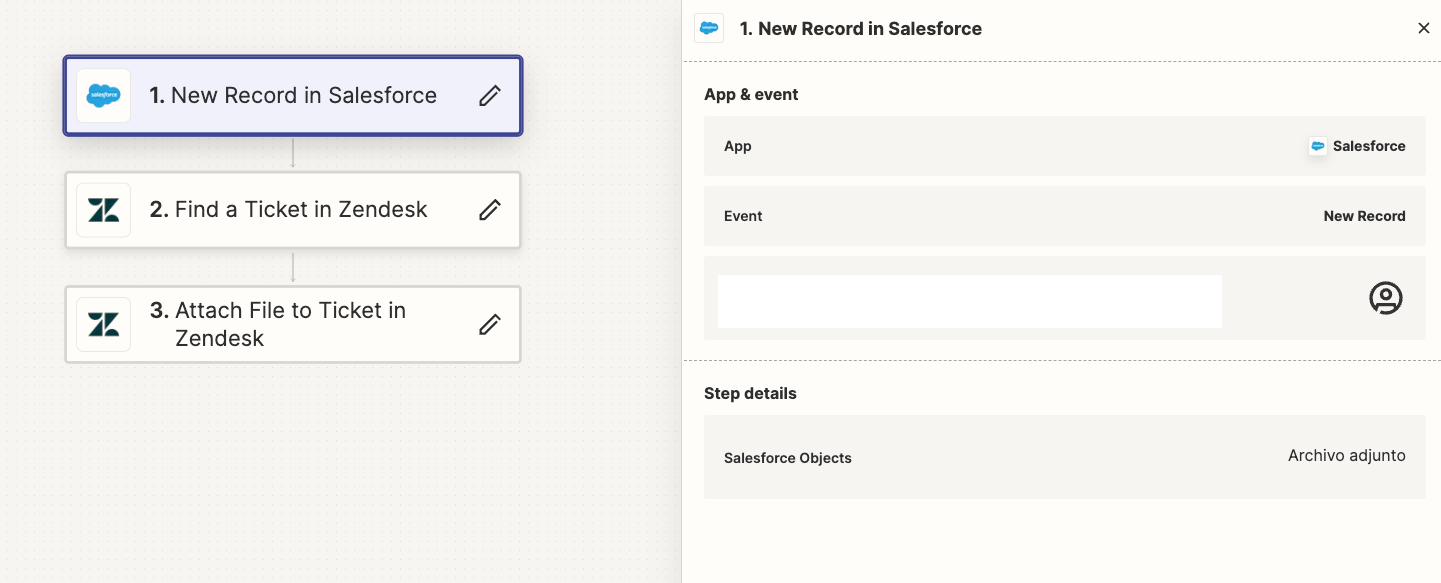
Here are how the steps are outlined:


However I found that the find ticket action was deprecated, that may have caused the problem - I fixed it and hopefully it will work in the future


SamB
Community Manager
Forum|alt.badge.img+11
  • Community Manager
  • April 4, 2024

Hi @rma! 👋 

Glad to hear you’ve potentially found the cause of the issue here. Hopefully switching from that deprecated version of the Find Ticket action has resolved things now. But if not or if you’re running into further trouble at all do let us know, happy to help! 🙂