
Question

Multiple records in Airtable to convert to line items in Quickbooks online

  • December 29, 2025
  • 8 replies
  • 30 views

dalenster

Hello,

I’m attempting to take multiple records in Airtable (Print Orders) and convert each record as separate line items in Quickbooks Online as an invoice.  I got everything in order and ran a test and it appears it’s only appending one of the two Print Orders in the invoice.

I have the Find Record as such: https://www.awesomescreenshot.com/image/58091162?key=1bcc1abcc2db2cfdfe025f5d83fc2c29

THen I created the line items correctly, I think: https://www.awesomescreenshot.com/image/58091223?key=8df6e4ebcdb233e0d4164a28d7df9592


Create invoice in Quickbooks: https://www.awesomescreenshot.com/image/58091292?key=b65dce793991f409133e7cff733e61cd

I’m not sure what I’m missing. Any help would be appreciated.

8 replies

Sebastian M
Forum|alt.badge.img+2
  • Zapier Staff
  • December 31, 2025

Hi ​@dalenster, thanks for reaching out 👋


I believe the Formatter by Zapier step should not be necessary.


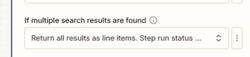
Your Find Record in Airtable step should already be outputting the results as line-item arrays, as per this setting:


a5e012c476b4dc2114f7786db698a40c.png
(view image larger)


I’d suggest mapping the relevant fields directly from the output of your Airtable step into your QuickBooks Online step.


Hope this helps 😄


Troy Tessalone
Zapier Orchestrator & Solution Partner
Forum|alt.badge.img+14
  • Zapier Orchestrator & Solution Partner
  • December 31, 2025

Hi ​@dalenster 

Help links about using line items in Zaps: https://help.zapier.com/hc/en-us/articles/8496277737997-Use-line-items-in-Zaps


Formatter step is not needed.


Help link about expected values for dropdown lists: https://help.zapier.com/hc/en-us/articles/8496241696141-Add-custom-values-to-dropdown-menu-fields-in-Zaps


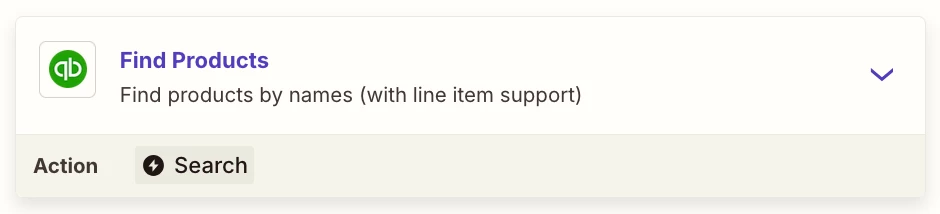
You probably need to add this Zap step: QBO - Find Products


Zap action: QBO - Create Invoice

This supports line items.


Sparsh from Automation Jinn
Forum|alt.badge.img+6

Hey ​@dalenster,

The fields you are providing in the actions are empty as you can tell by their yellow colour. Your third action of Find Record is probably giving empty fields as the output.

You may want to fix that and see if it fixes your issue. Hope it helps!


SamB
Community Manager
Forum|alt.badge.img+11
  • Community Manager
  • January 8, 2026

Hi there ​@dalenster 👋

Just checking in to see how you’re getting on. Did you have any luck with the suggestions from Sebastian, Troy and Sparsh?

Let us know what worked or if you’re still running into any issues. Want to make sure you’re all set! 


dalenster
  • Author
  • Beginner
  • January 26, 2026

I have time to revisit this project, now.  Thank you for your responses. I will let you know how things work.


dalenster
  • Author
  • Beginner
  • January 26, 2026

Great! It’s working, sort of. 

I removed the formatter step and it works; it’s creating the invoice

However, In Quickbooks you can create products and look them by SKU or by product name when creating an invoice. 

https://www.awesomescreenshot.com/image/58479502?key=12bb9e8acc9e4cbfe5e00c3516bf3779


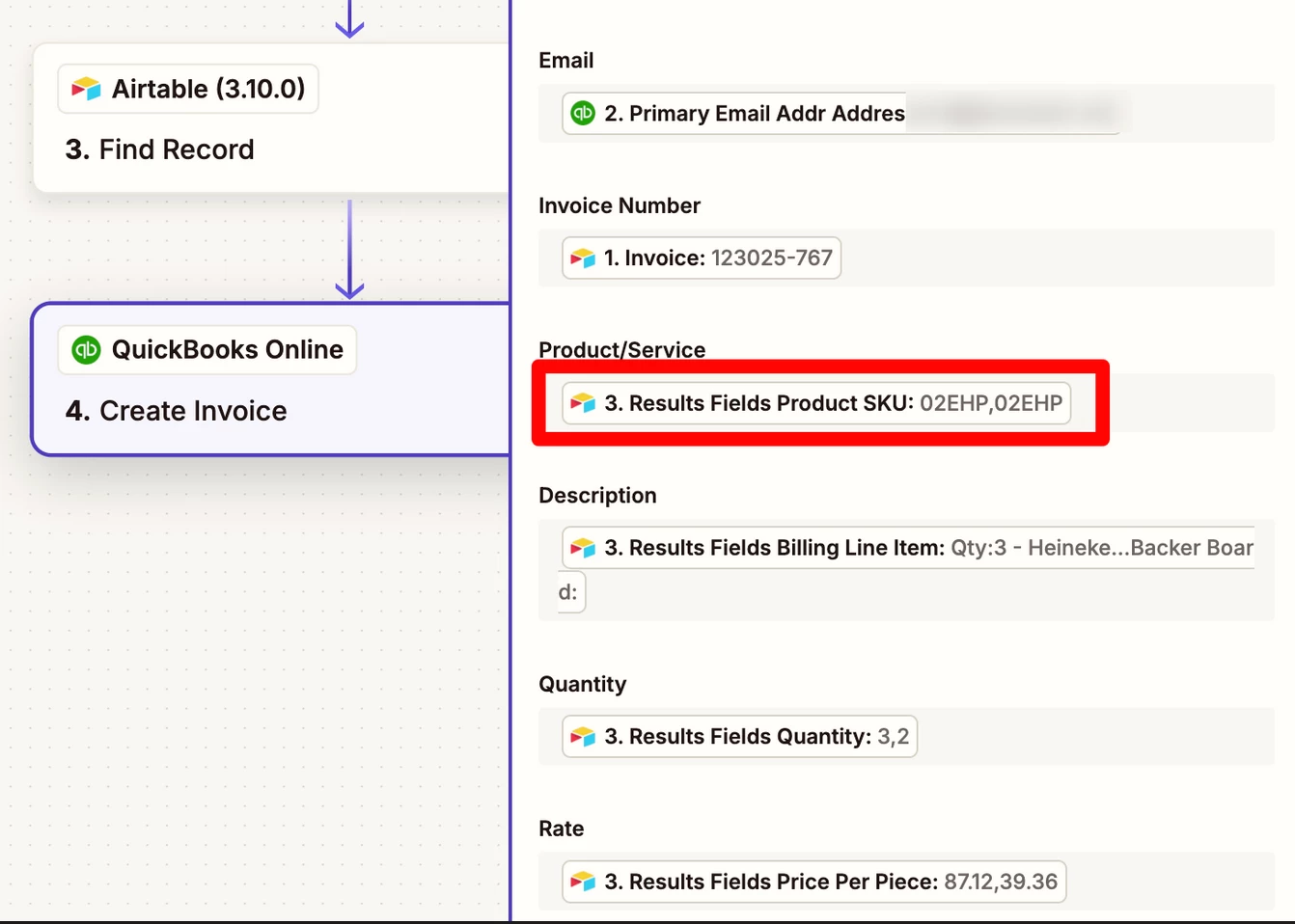
When the data pushes the Product/Service is empty even though I have the correct SKU number : https://www.awesomescreenshot.com/image/58479291?key=37488d0dbbe88c452eb69a3635995683

Wierd.


Troy Tessalone
Zapier Orchestrator & Solution Partner
Forum|alt.badge.img+14
  • Zapier Orchestrator & Solution Partner
  • January 26, 2026

@dalenster 

Help links about mapping variable values to dropdown fields: https://help.zapier.com/hc/en-us/articles/8496241696141-Add-custom-values-to-dropdown-menu-fields-in-Zaps


For the QBO Invoice, the Product/Service field expects the Product/Service ID rather than the SKU value.


You probably need to add this Zap step: QBO - Find Products

Then map the ID variable to the Product/Service field in the QBO Invoice step.


SamB
Community Manager
Forum|alt.badge.img+11
  • Community Manager
  • January 26, 2026

Thanks for the update here ​@dalenster! 🤗 Glad to hear it’s mostly sorted. Troy’s right, it would expect to get an Product/Service ID for the product not an SKU. So his suggestion of using a Find Products action to search for the products by name, and then map the product IDs into that Product/Service field on the Create Invoice action would be the way to go.

Keep us posted on how that goes!