Question

Monday Board to HubSpot Zap Issue

  • August 28, 2025
  • 4 replies
  • 38 views

Hello! 

I created a Zap where if any column value is changed in a specific Monday Board that it updates the Company record in HubSpot. The issue that I am having is that when I clear out a column in the Monday board, it doesn’t update HubSpot. So far, I have done the following to see what’s going on: 

  1. I double checked the mapping to HubSpot to make sure I have the right Monday columns going to the correct field. 
    • What’s interesting is that if I actually type in something in the column, it will update HubSpot. It’s only when I remove something from the column and it’s left blank that it doesn’t update. 
  2. I checked the trigger. I went to the Zap History, and when I remove the data from the column it says that the Zap ran successfully, but then I check HubSpot and the old value is still there - it didn’t clear it out. 

I’m not sure what’s going on or what else I need to check to fix. Help please!

Thanks!

This post has been closed for comments. Please create a new post if you need help or have a question about this topic.

4 replies

Troy Tessalone
Zapier Orchestrator & Solution Partner
Forum|alt.badge.img+14
  • Zapier Orchestrator & Solution Partner
  • August 28, 2025

Hi ​@SRainbolt 

Check the NOTE in the HubSpot Zap step that indicates how to clear an existing object property value.

  •  It's possible to clear object property by specifying $$CLEAR$$ text in corresponded input field


That means you have to add logic for each Monday Column you are trying to send to HubSpot to check if the value exists else use a default value.

Zap action: Formatter > Text > Default Value

Help: https://zapier.com/apps/formatter/integrations#help


Sparsh from Automation Jinn
Forum|alt.badge.img+6

Hey ​@SRainbolt,

Can you share the screenshots of Zap configure and Zap runs to solve this precisely. But I think issue maybe that blank maybe ignored by Hubspot integration to avoid overwriting data. You can try to set up a Formatter by Zapier and try to set the value to $$CLEAR$$. 


  • Author
  • Beginner
  • August 29, 2025

Hi ​@Troy Tessalone

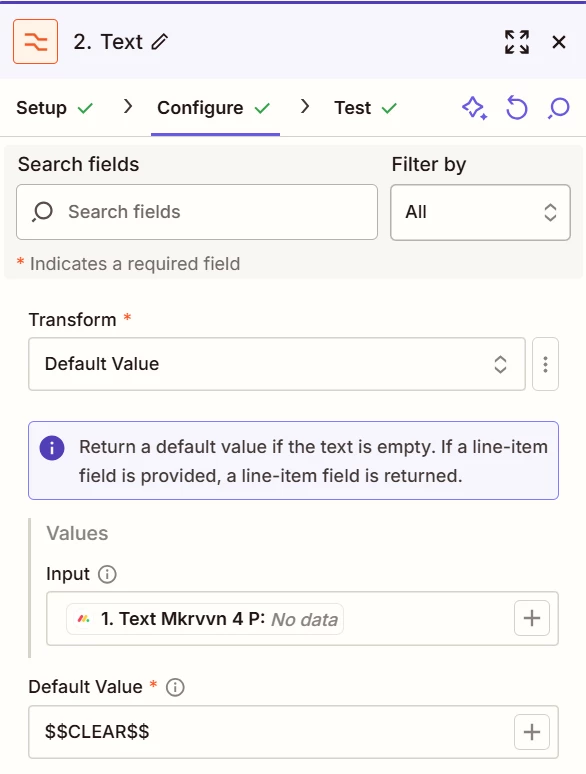
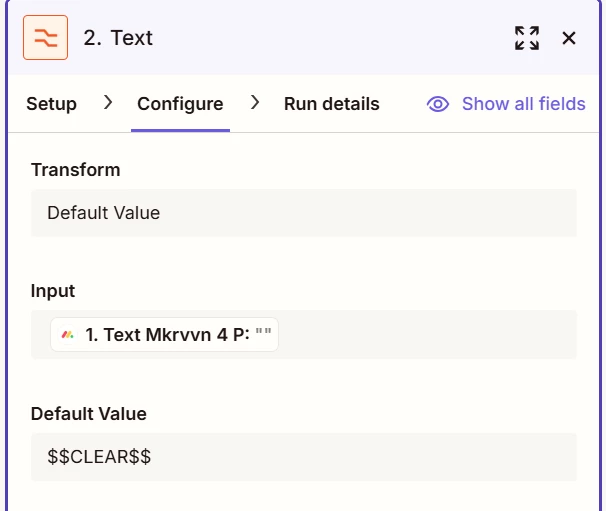
I added this formatter and it’s still not clearing out the column in HubSpot: 

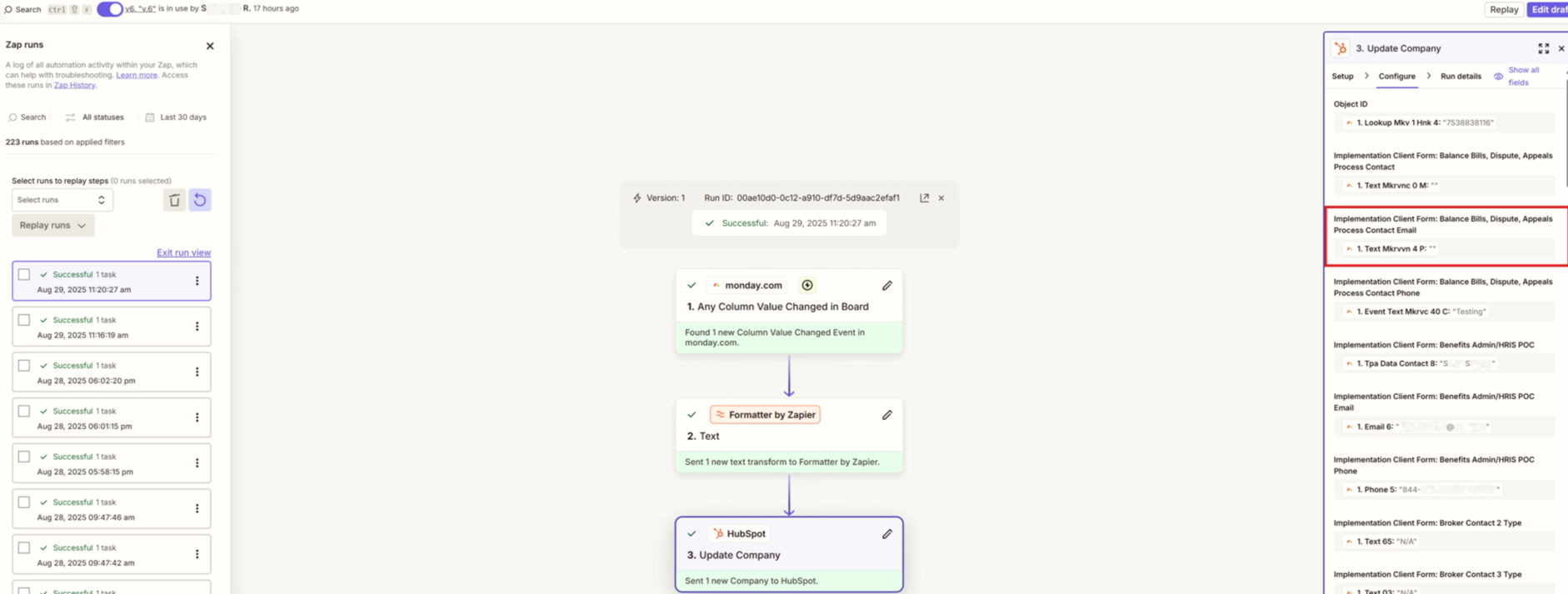
But the property field in HubSpot is still not clearing. It says that Zap ran successfully and the output says that column is blank, so I’m still not sure why it’s not updating HubSpot: 

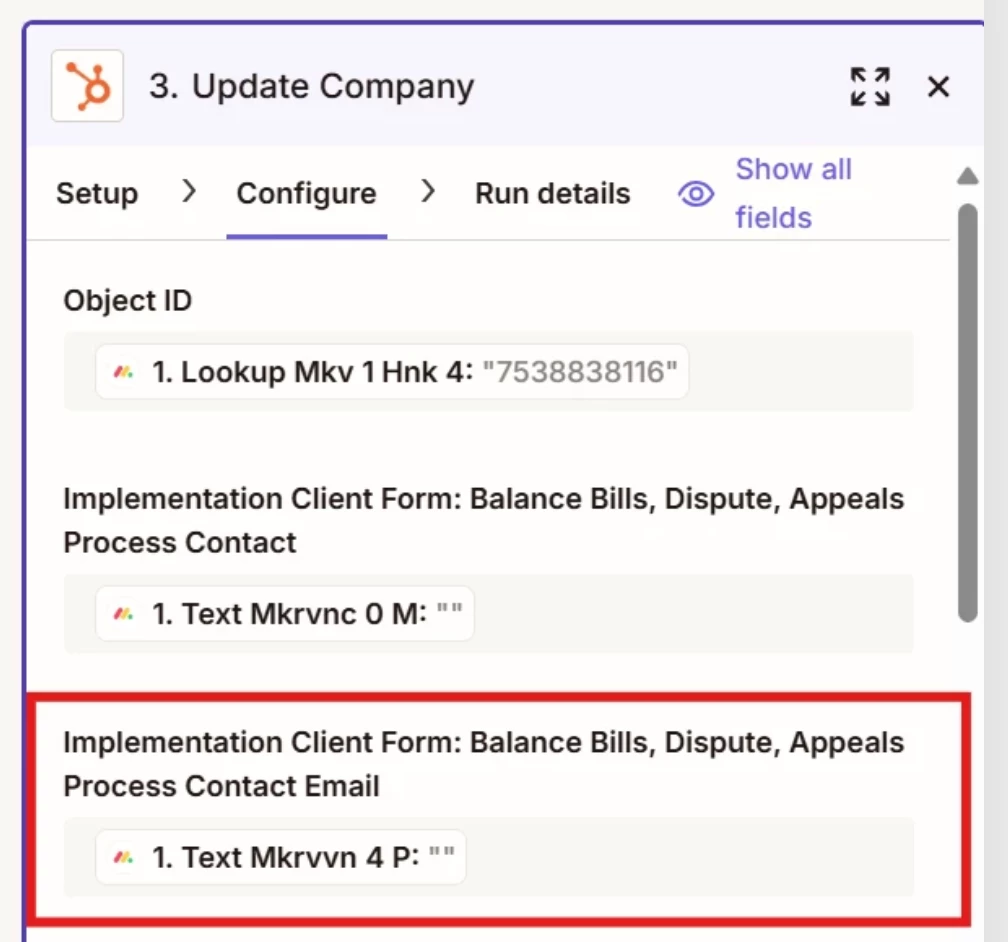
What is showing in Hubspot: 

This post has been edited by a moderator to remove personally identifiable information (PII). Please remember that this is a public forum and avoid sharing personal or potentially sensitive details.


Troy Tessalone
Zapier Orchestrator & Solution Partner
Forum|alt.badge.img+14
  • Zapier Orchestrator & Solution Partner
  • August 29, 2025

@SRainbolt 

You need to map variables from the Formatter step output to the HubSpot field inputs.

Your screenshot below shows you still have variables mapped from Zap step 1.