Question

Meta New Leads trigger to Google Sheets - missing lead answers

  • November 25, 2025
  • 5 replies
  • 49 views

hey guys,

I have the trigger “Facebook Lead Ad” and it successfully pulls all the necessary data from the ad. In “Data Out” I can see, that it fetched everything correctly. Now i want to write it in Excel and connect it to an WhatsApp Api. 

BUT: I just can’t parse some variables like the name or answers to some questions. I’ve read it can have something to do with the normalization of text, so I used the “RAW” answers. But also that doesnt work.

is there any fix to this?
Best,

5 replies

Troy Tessalone
Zapier Orchestrator & Solution Partner
Forum|alt.badge.img+14
  • Zapier Orchestrator & Solution Partner
  • November 25, 2025

Hi ​@Flomajoha 

How to map variables between Zap steps: https://help.zapier.com/hc/en-us/articles/8496343026701-Send-data-between-steps-by-mapping-fields


For us to have more info about what you are referring to, post screenshots showing how your Zap steps are outlined, how your Zap steps are configured, the DATA OUT from Zap step 1 that you are trying to use, any encountered errors from testing Zap steps, and what specifically you are having issues configuring in the Zap steps.


  • Author
  • Beginner
  • November 27, 2025

Hello Troy,

thanks for your reply.

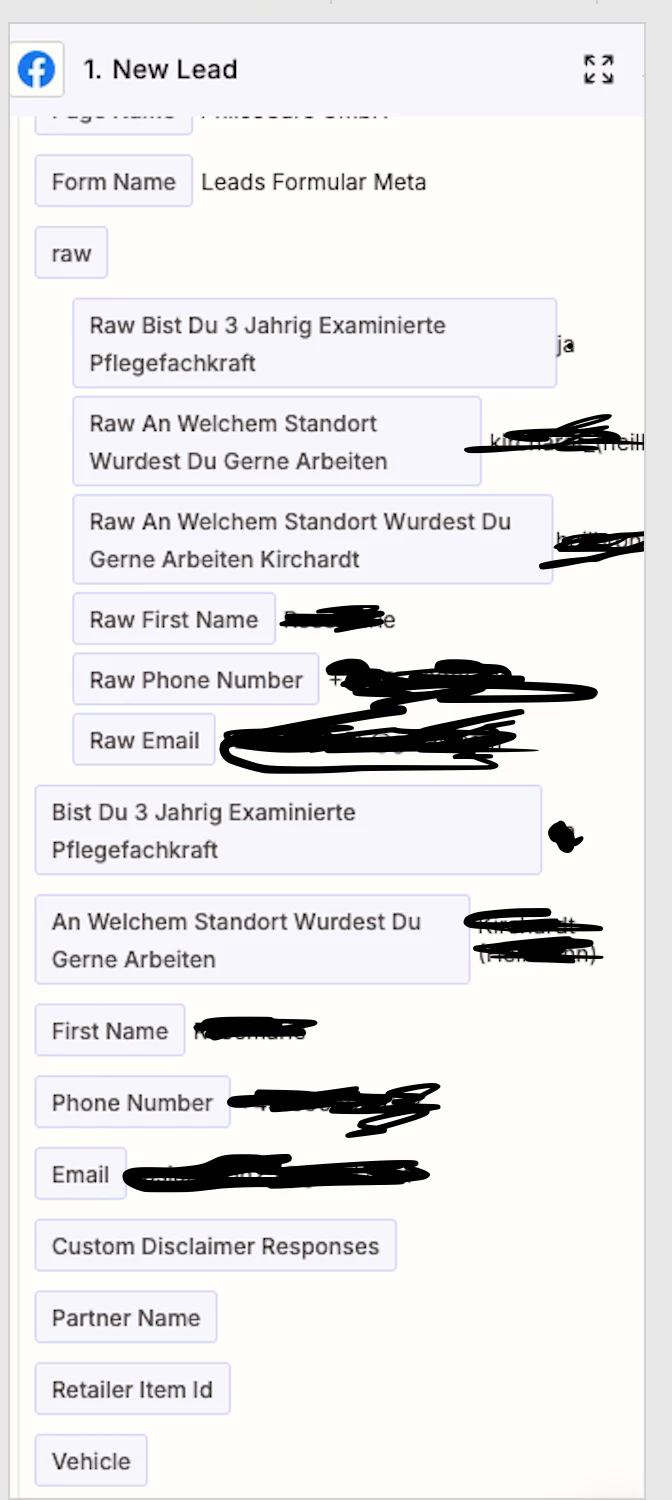
So, when I look at the Data Out of my meta lead, I see the following:


So for name, phone number and email, and answers to the questions, I have data.

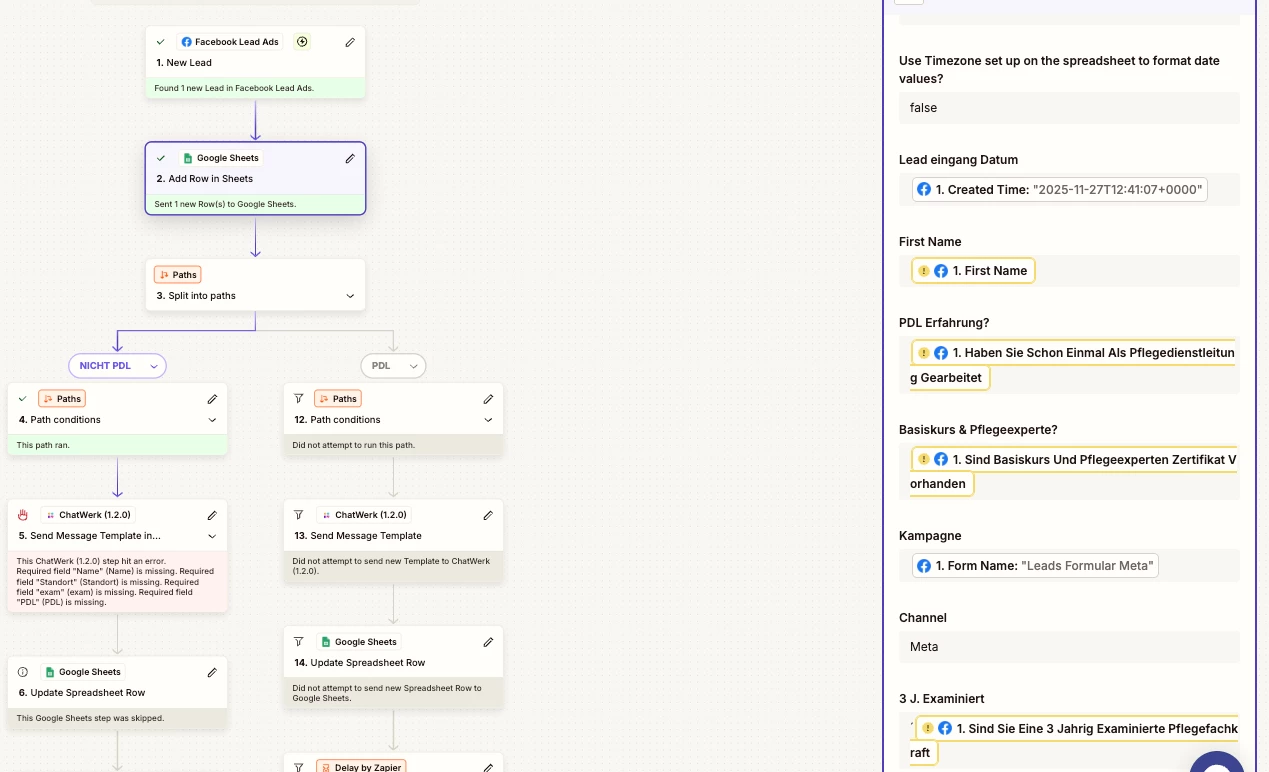
my flow looks like this:


However, as you can see Node #5 does not receive required fields like “Name” for example. I realized in my google sheet, I also don’t have the required data. Meaning, the error occurs between the Facebook and Google Sheet steps.
The Google Sheet config looks like this after the run:


so in this replay, the google sheets step couldn’t receive the required data. HOWEVER, when I run my zap in edit mode, everything works perfecty. But whenever it is supposed to actually trigger, it misses some variables like name, the answers to the questions, but succefully parses the email address for example… I thought maybe it has something to do with cookies and privacy settings, but then it wouldnt parse the email address, right?

Does it have something to do with parsing “raw” data?

Thank you for helping out!!
Best


Troy Tessalone
Zapier Orchestrator & Solution Partner
Forum|alt.badge.img+14
  • Zapier Orchestrator & Solution Partner
  • November 27, 2025

@Flomajoha 

Help links for using FB Lead Ads in Zaps: https://zapier.com/apps/facebook-lead-ads/integrations#help


Looks like you might have different FB Lead Ad Forms running.

Based on your screenshot there appears to be different FB Lead Ad Form custom fields.

See screenshot below to compare.


If you have different FB Lead Ad Forms running, then try selecting a specific FB Lead Ad Form in the Zap trigger step, test the Zap trigger step, select an example, then remap the variables for the Zap action steps.


  • Author
  • Beginner
  • November 28, 2025

I had the option “any lead form”, but its better to build an zap specifically for every lead form separately?


Troy Tessalone
Zapier Orchestrator & Solution Partner
Forum|alt.badge.img+14
  • Zapier Orchestrator & Solution Partner
  • November 28, 2025

@Flomajoha 

Yes, since it appears your FB Lead Ad Forms have different custom fields.