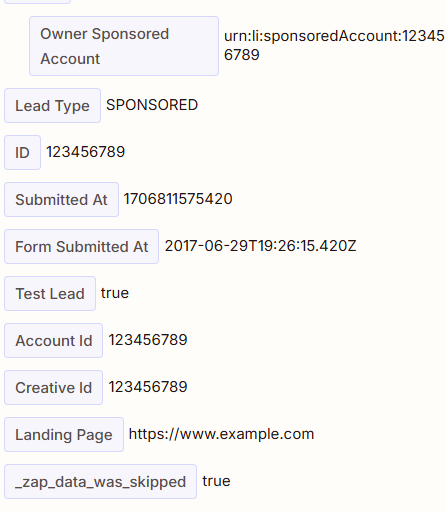
We are busy automating responses that are filled in on a form via LinkedIn.
Here everything is filled in step by step, in the correct way according to us. Only when we press 'test trigger' our data is not loaded. The 'Setup' and 'Configure' steps have been completed completely and correctly.
Is there anyone who can help us, so that we do get to see the correct data?
Best answer by Troy Tessalone
Hi @ThomasFolmer
Some Zap app triggers only return representative dummy data so you can configure the Zap action steps.
Try configuring the Zap action steps, then turning the Zap ON.
Test live.
Check your Zap Runs history details to see the DATA IN/OUT for each step to help you trace the data flow and troubleshoot: https://zapier.com/app/history/
Some Zap app triggers only return representative dummy data so you can configure the Zap action steps.
Try configuring the Zap action steps, then turning the Zap ON.
Test live.
Check your Zap Runs history details to see the DATA IN/OUT for each step to help you trace the data flow and troubleshoot: https://zapier.com/app/history/
I just came across your post here and wanted to check in here to see how you’re getting on. Were you able to try Troy’s suggestion here?
Please do let us know if you’re still in need of some help on this at all - happy to assist further!
Early access
Next Gen Zaps
Build and deploy automations from AI tools you already use. With Agentic Management, if anything breaks, the agent diagnoses the issue and proposes a fix.