Answer

kvCORE issue: Invalid Request error

  • October 2, 2024
  • 5 replies
  • 272 views

I am having trouble with connecting Jotform to KVCore… It is saying the following: 

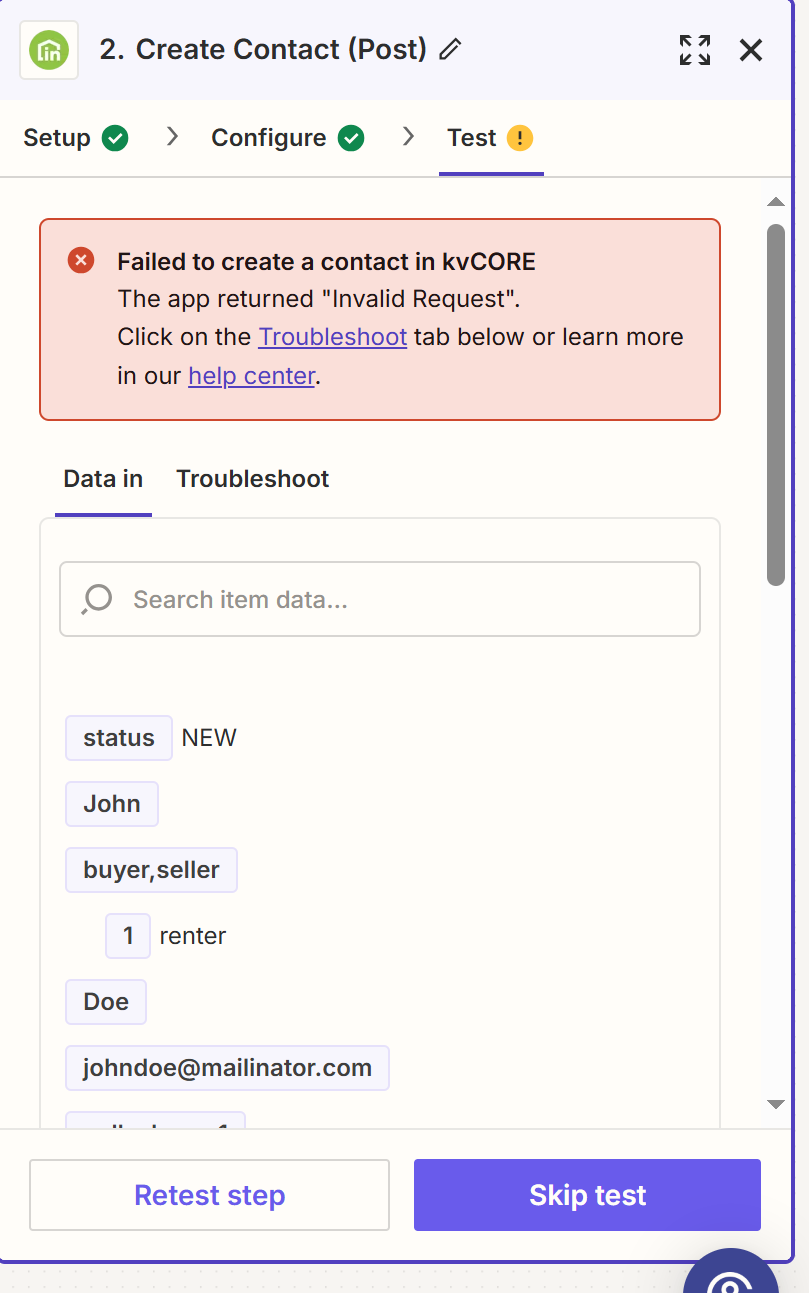
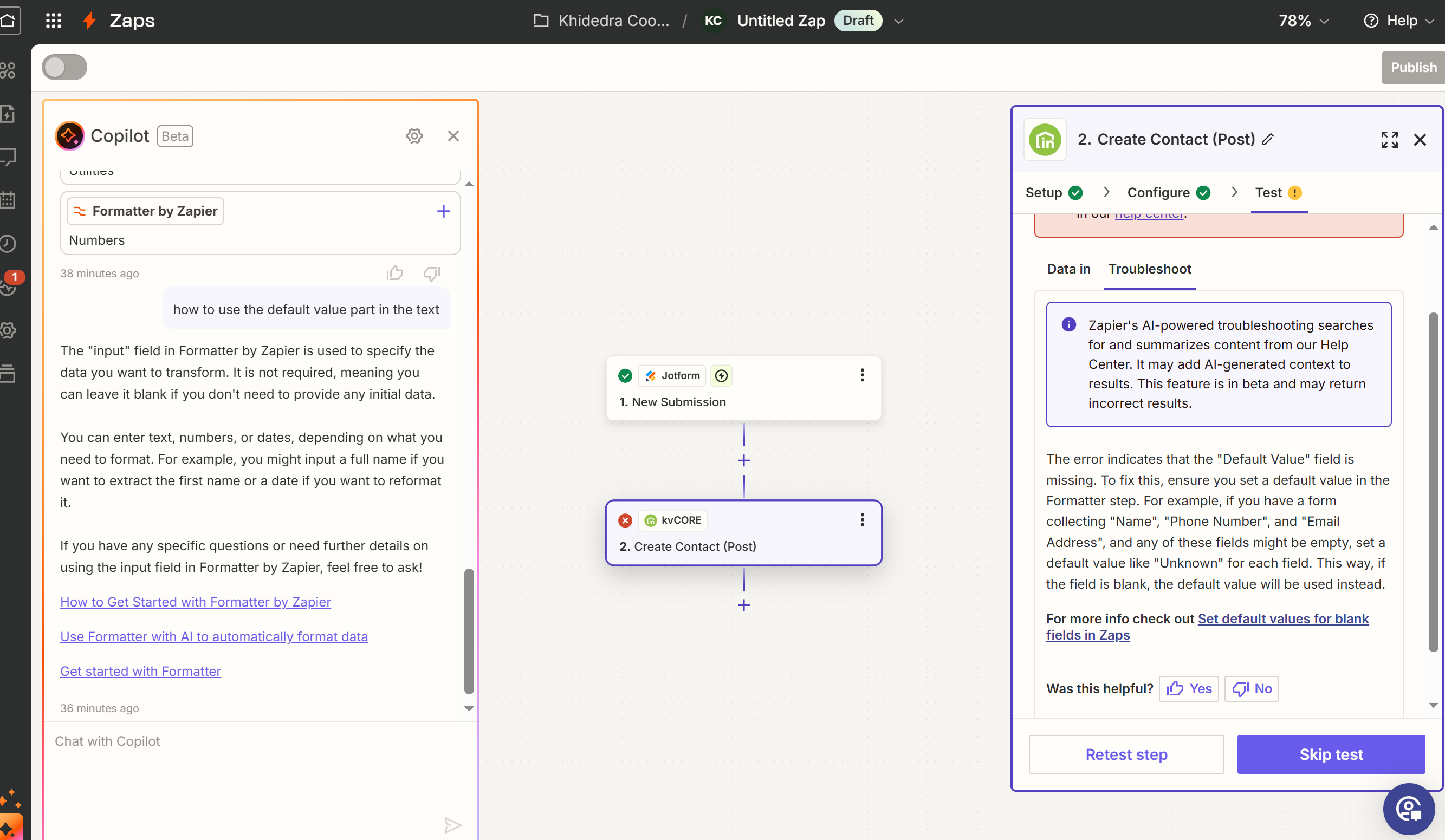
The error "Invalid Request" typically indicates that the data being sent to the KvCoreCLIAPI is not in the expected format or contains invalid values. In your case, it seems that many of the fields are being populated with the output "N/A" from the previous step, which might not be acceptable for the KvCoreCLIAPI.

To resolve this, you should first verify the required fields and their expected formats for the KvCoreCLIAPI. Then, ensure that the data being passed to these fields is valid. For instance, if "N/A" is not a valid value for fields like email, phone number, or agent_id, you should add a conditional step before the KvCoreCLIAPI step to handle such cases. You can use the "Filter" or "Formatter" by Zapier to check if the output is "N/A" and either replace it with a valid default value or skip the step if the data is not valid. This will help ensure that the data being sent to KvCoreCLIAPI is always in the correct format.


Best answer by Troy Tessalone

@Khidedra 

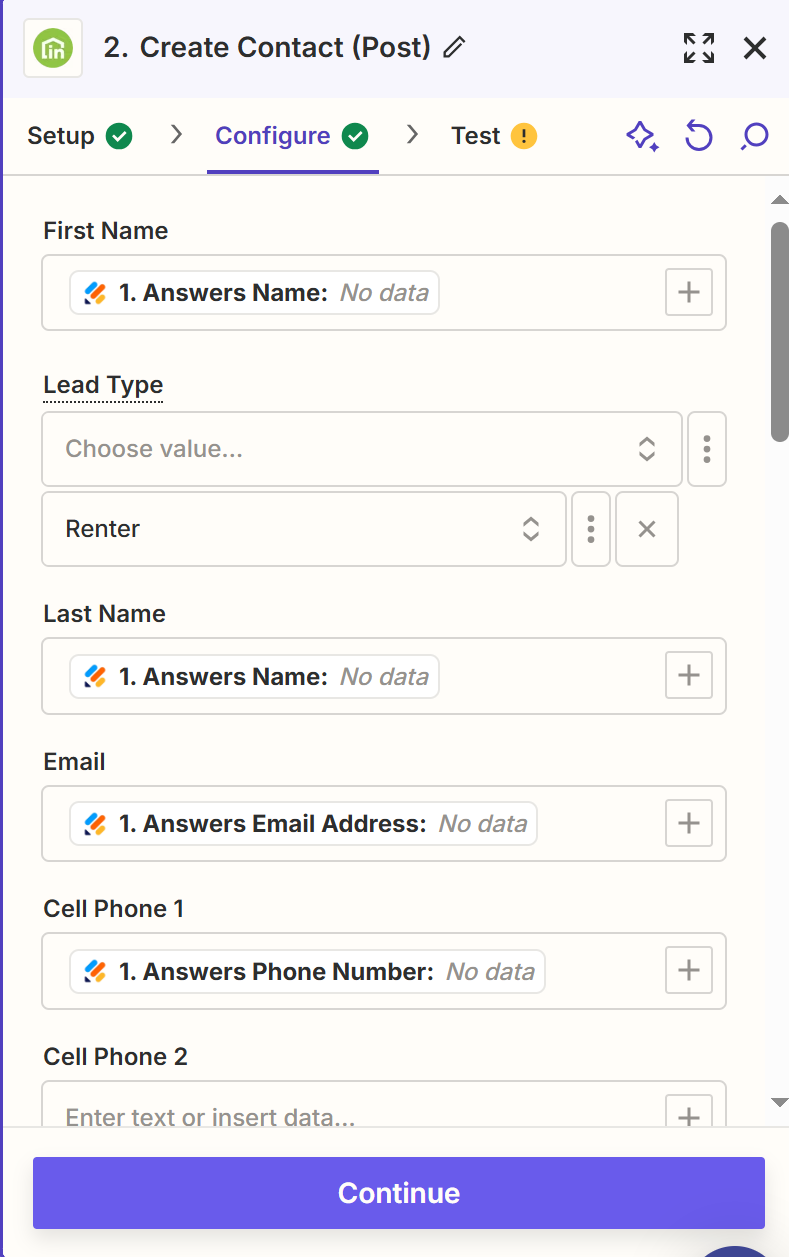
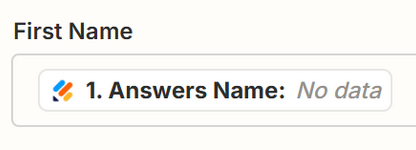
The mapped variables have a value of: No Data

Make sure you are using a Zap trigger step example that has values for the data points.

Help link about testing Zap trigger steps: https://help.zapier.com/hc/en-us/articles/8496310366093-Change-the-test-record-in-your-Zap-trigger


This post has been closed for comments. Please create a new post if you need help or have a question about this topic.

5 replies

Troy Tessalone
Zapier Orchestrator & Solution Partner
Forum|alt.badge.img+14
  • Zapier Orchestrator & Solution Partner
  • October 2, 2024

Hi @Khidedra 

For us to have more info, post these screenshots:

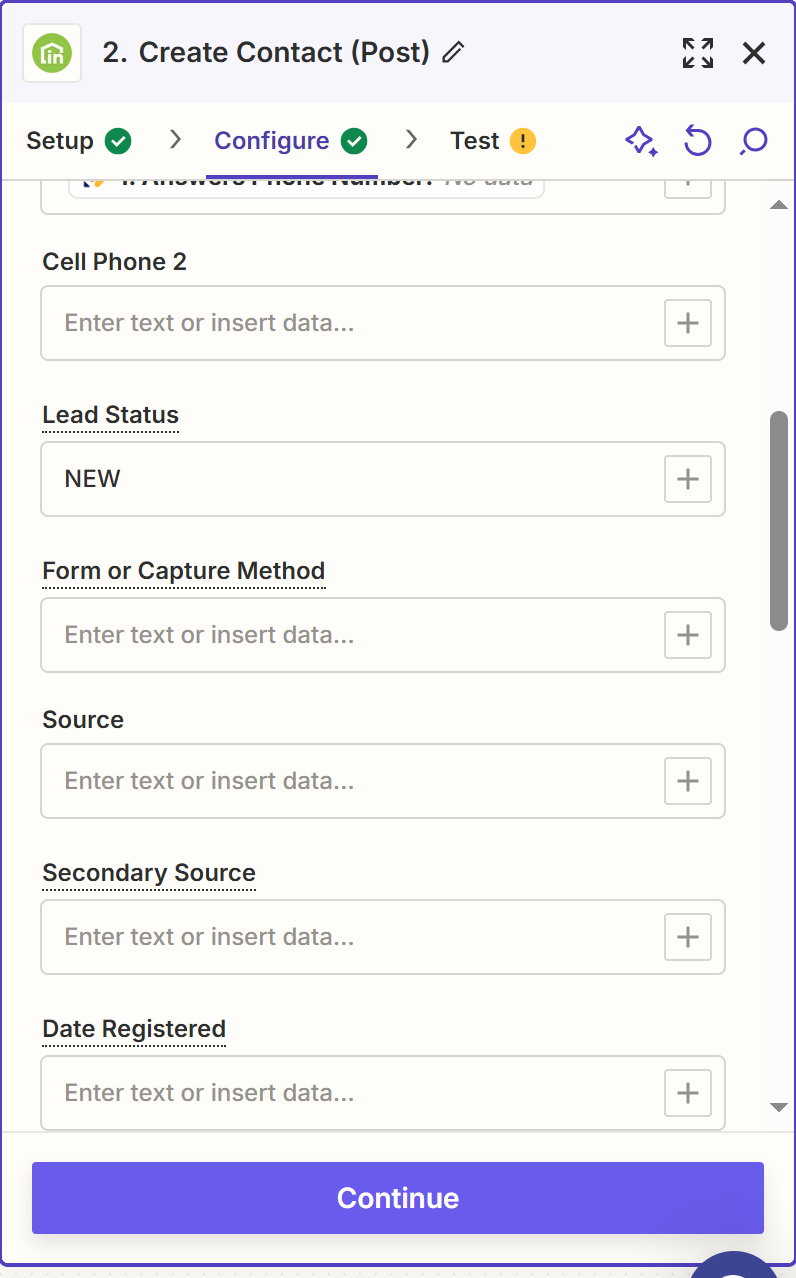
  • how your Zap step is configured in the “Configure” section
  • the encounter error


  • Author
  • New
  • October 2, 2024

Hello @Troy Tessalone! Thank you for responding to my post. Here are the snapshots you requested. The only information that is required in KV Core is First & Last Name and Email (added phone number on this form but not needed). I would like to fill in additional information on the form however when just trying to get it to work I reduced it to the minimum needed. Let me know if anything further is needed. Thanks


Troy Tessalone
Zapier Orchestrator & Solution Partner
Forum|alt.badge.img+14
  • Zapier Orchestrator & Solution Partner
  • Answer
  • October 2, 2024

@Khidedra 

The mapped variables have a value of: No Data

Make sure you are using a Zap trigger step example that has values for the data points.

Help link about testing Zap trigger steps: https://help.zapier.com/hc/en-us/articles/8496310366093-Change-the-test-record-in-your-Zap-trigger


  • Author
  • New
  • October 2, 2024

@Troy Tessalone You are awesome!! It worked! Do you know I have been at this since yesterday!! I just found this community today! I greatly appreciate your assistance!! Thank you! 


ken.a
Forum|alt.badge.img+6
  • Zapier Staff
  • October 3, 2024

That’s amazing @Khidedra! A huge thanks to Troy for pointing you in the right direction!

If you have any other questions, please don’t hesitate to reach out to the Community. We’re always happy to help! 🤗