Question

Keap "Find Contact" is not returning any info needed by next steps despited tested correctly

  • September 3, 2024
  • 6 replies
  • 20 views

The Keap "Find Contact" step tested correctly, but in production, "Find Contact" did not return any information (when the contact was found). Consequently, the next steps do not get the data they need and many of my Zap processes are failing because of this. Anybody experiencing the same issue?


I am using Keap, not Keap Max Classic. Zapier has stopped supporting Keap Max Classic a few months ago.


 

This post has been closed for comments. Please create a new post if you need help or have a question about this topic.

6 replies

Troy Tessalone
Zapier Orchestrator & Solution Partner
Forum|alt.badge.img+14
  • Zapier Orchestrator & Solution Partner
  • September 3, 2024

Hi @kwt.production 

For us to have more info, post screenshots from your Zap Runs history details showing the DATA IN/OUT for each Zap step related to where an existing contact was found in Keap.


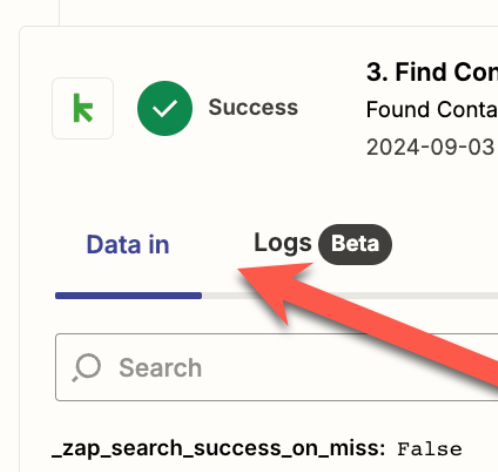
Here’s a screenshot


Troy Tessalone
Zapier Orchestrator & Solution Partner
Forum|alt.badge.img+14
  • Zapier Orchestrator & Solution Partner
  • September 4, 2024

@kwt.production 

The Zap step is configured to treat no found contact as a failure.

You can try to add these: 


SamB
Community Manager
Forum|alt.badge.img+11
  • Community Manager
  • September 6, 2024

Hi there @kwt.production,

How are things going on this? Did adding a error handler or paths to the Zap, as Troy suggested, help to resolve things?

We’re happy to help further if you’re still stuck at all on this - just let us know. 😁


Just to clarify, “Find Contact” did not return any Data Out even when the contact exists in Keap. I’ve received an email today from Zapier support (Ian) and they said that they have fixed the issue. However, I have not retested.


ken.a
Forum|alt.badge.img+6
  • Zapier Staff
  • September 11, 2024

Hi @kwt.production,

I can confirm that the no Data OUT data in the “Find Contact” action is now resolved. Could you please try to turn off the Zap and reconnect your Keap account to check if the issue still persists on your end?

I'll be keeping an eye out for your response!