

Answer

Jira no longer is passing along all fields to parse who is assigned

  • December 3, 2024
  • 4 replies
  • 22 views

Forum|alt.badge.img

We used to assign tickets in ConnectWise by pulling the “Fields Assignee Email Address”. This and many other fields have disappeared from the data received by Zapier.
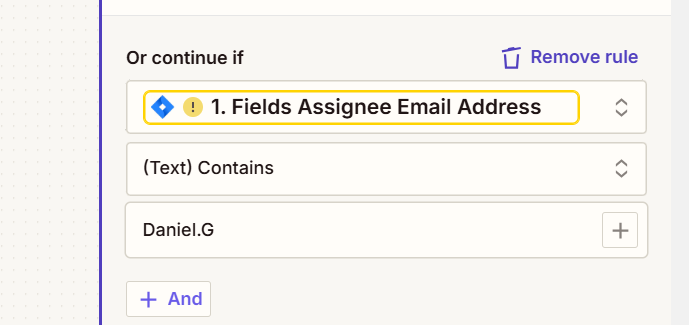
 

there is hardly any information included. How do I troubleshoot this loss of data?

Best answer by EvoNoel

Apologies, I was away.


It seems that the fields are being sent once again. The issue looks to have been temporary.

This post has been closed for comments. Please create a new post if you need help or have a question about this topic.

4 replies

Troy Tessalone
Zapier Orchestrator & Solution Partner
Forum|alt.badge.img+14
  • Zapier Orchestrator & Solution Partner
  • December 3, 2024

Hi ​@EvoNoel 

For us to have more info, post screenshots showing how your Zap steps are outlined so we can see which Zap app/event you are using in Zap step 1.


SamB
Community Manager
Forum|alt.badge.img+11
  • Community Manager
  • January 9, 2025

Hi ​@EvoNoel! 👋

I just came across this and saw that it’s been a while since we heard from you—how things are going with this? 

If you were since able to get this sorted would you be up for sharing some details on what the solution was, to help others that might be having similar issues with Jira?

And if not, it could be that something had since changed with the structure of the data or field names that Jira sends over. In which case you might need to load a new test record in your Zap’s trigger and then remap any Jira fields that are displaying that yellow warning icon pictured in your screenshot. 

Looking forward to hearing from you!


Forum|alt.badge.img
  • Author
  • Beginner
  • Answer
  • January 13, 2025

Apologies, I was away.


It seems that the fields are being sent once again. The issue looks to have been temporary.


ken.a
Forum|alt.badge.img+6
  • Zapier Staff
  • January 14, 2025

That’s great news ​@EvoNoel! We’re glad to hear that the issue is now resolved!

If you have any other questions, please don’t hesitate to reach out to the Community. We’re always happy to help! 🤗




