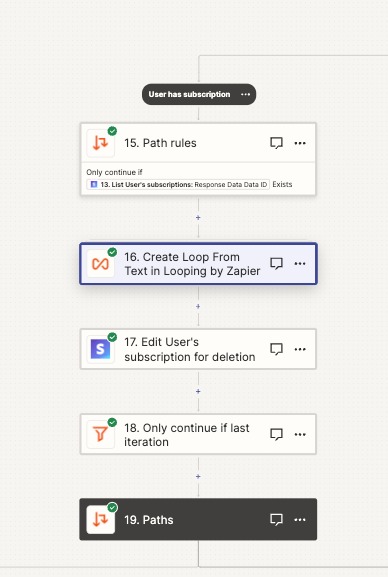
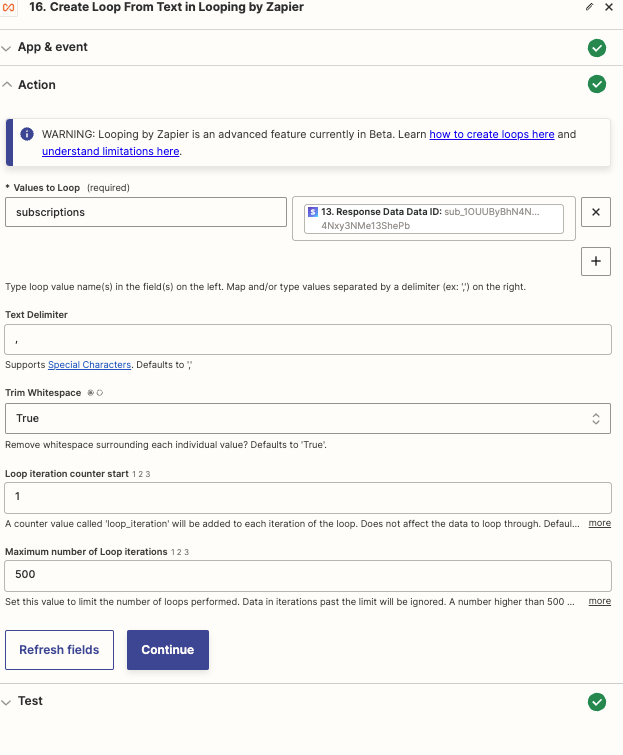
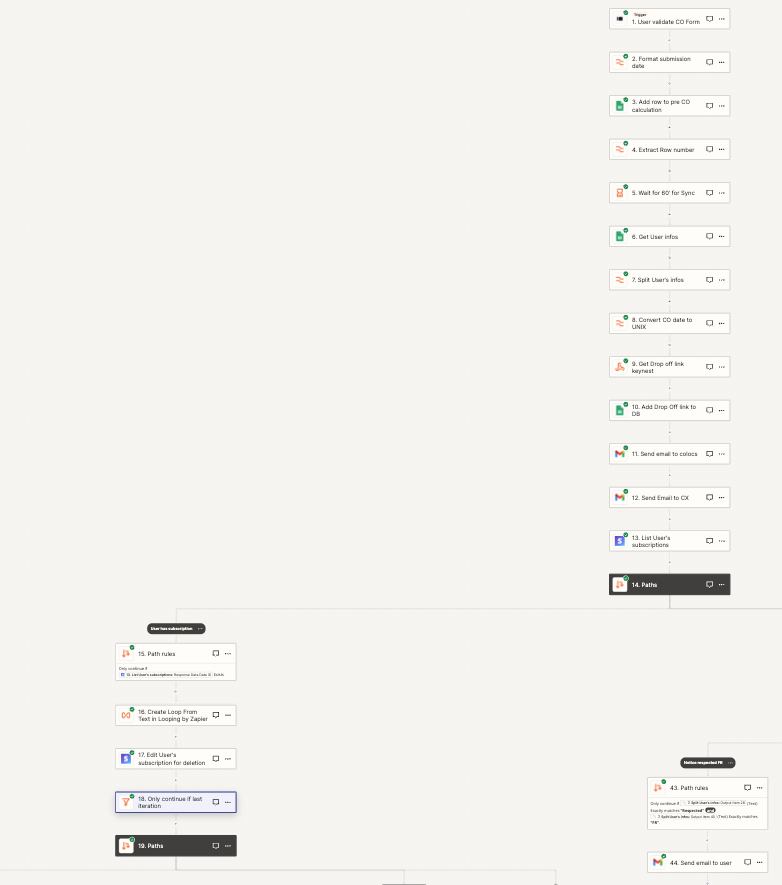
In the 1st one I have a loop, at the end of this branch a filter, to only continue if it’s the last loop iteration.
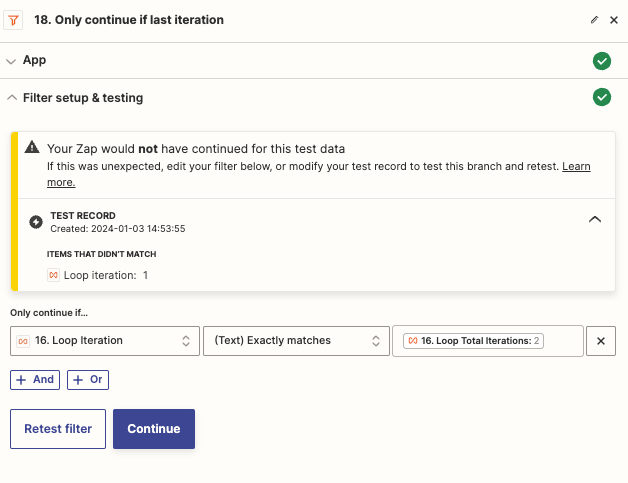
The issue here is that at the first loop, the filter stops the zap, and trigger another run…
It means that my zap will run twice if there are two interation, instead of having 1 run and the iteration in it.
Each step before the loop are duplicated…
Here are some screenshots.
Best answer by Troy Tessalone
Hi @Wellow123
The Filter step configuration is the issue.
You have the left side being compared to itself on the right side, meaning it will always be TRUE and thus pass.
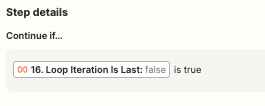
You need to use a different left side variable (see below) and set a static right side value.
How do I stop a loop from running in subsequent action steps?
All actions after the looping step will run for each iteration of the loop. If you don’t want an action step to loop:
After the last step you want to loop, add a filter step.
Set the filter to only continue if the value loop_iteration_is_last matches the (Boolean) Is True condition.
The filter will run in every loop but will only pass in the last loop. Any actions step after the filter will run once in the last loop and use only 1 task.
Note
If you want an action step to only run once, add it before the looping step, if possible. This will use less tasks and the filter step won’t be needed.
You have the left side being compared to itself on the right side, meaning it will always be TRUE and thus pass.
You need to use a different left side variable (see below) and set a static right side value.
How do I stop a loop from running in subsequent action steps?
All actions after the looping step will run for each iteration of the loop. If you don’t want an action step to loop:
After the last step you want to loop, add a filter step.
Set the filter to only continue if the value loop_iteration_is_last matches the (Boolean) Is True condition.
The filter will run in every loop but will only pass in the last loop. Any actions step after the filter will run once in the last loop and use only 1 task.
Note
If you want an action step to only run once, add it before the looping step, if possible. This will use less tasks and the filter step won’t be needed.
When you test a loop action, the Zap will only create the first loop. It will not create any other loops during the test.
When the Zap runs live, all loops will run and appear in your Zap History.
How do loops appear in Zap History?
Each loop iteration will result in a separate Zap run.
How many tasks do loops use?
An action that runs before the loop will appear in each Zap run but only use 1 task.
The looping step uses 1 task.
Each action step after the loop will use 1 task for each loop that runs. For example, if your loop runs 500 times, an action step after the looping step will use 500 tasks when the Zap runs.
Build and deploy automations from AI tools you already use. With Agentic Management, if anything breaks, the agent diagnoses the issue and proposes a fix.





 Note
Note