Best answer

Issue: Uploading Images from Form to Google Sheets via Zapier

  • October 25, 2024
  • 8 replies
  • 58 views

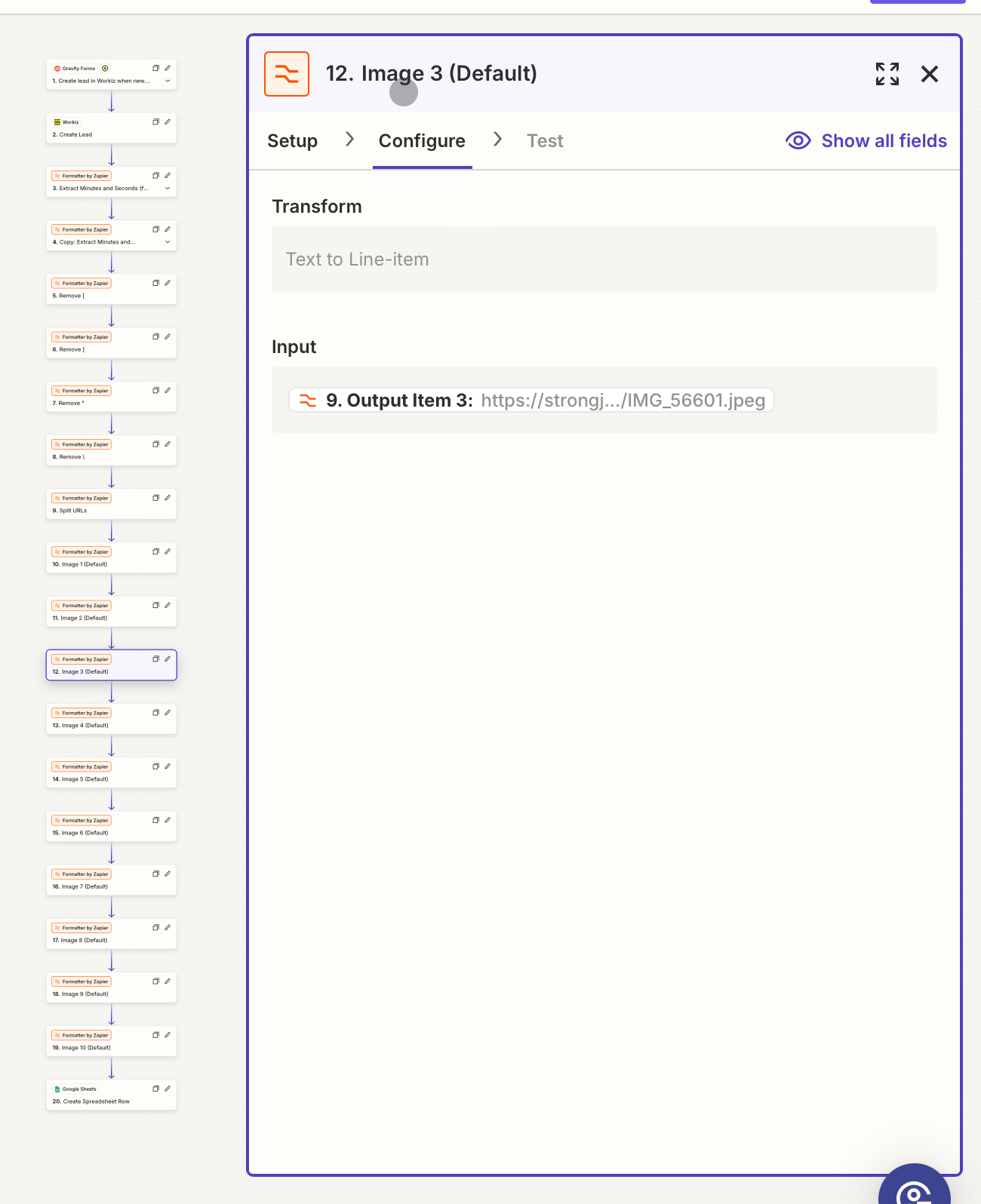
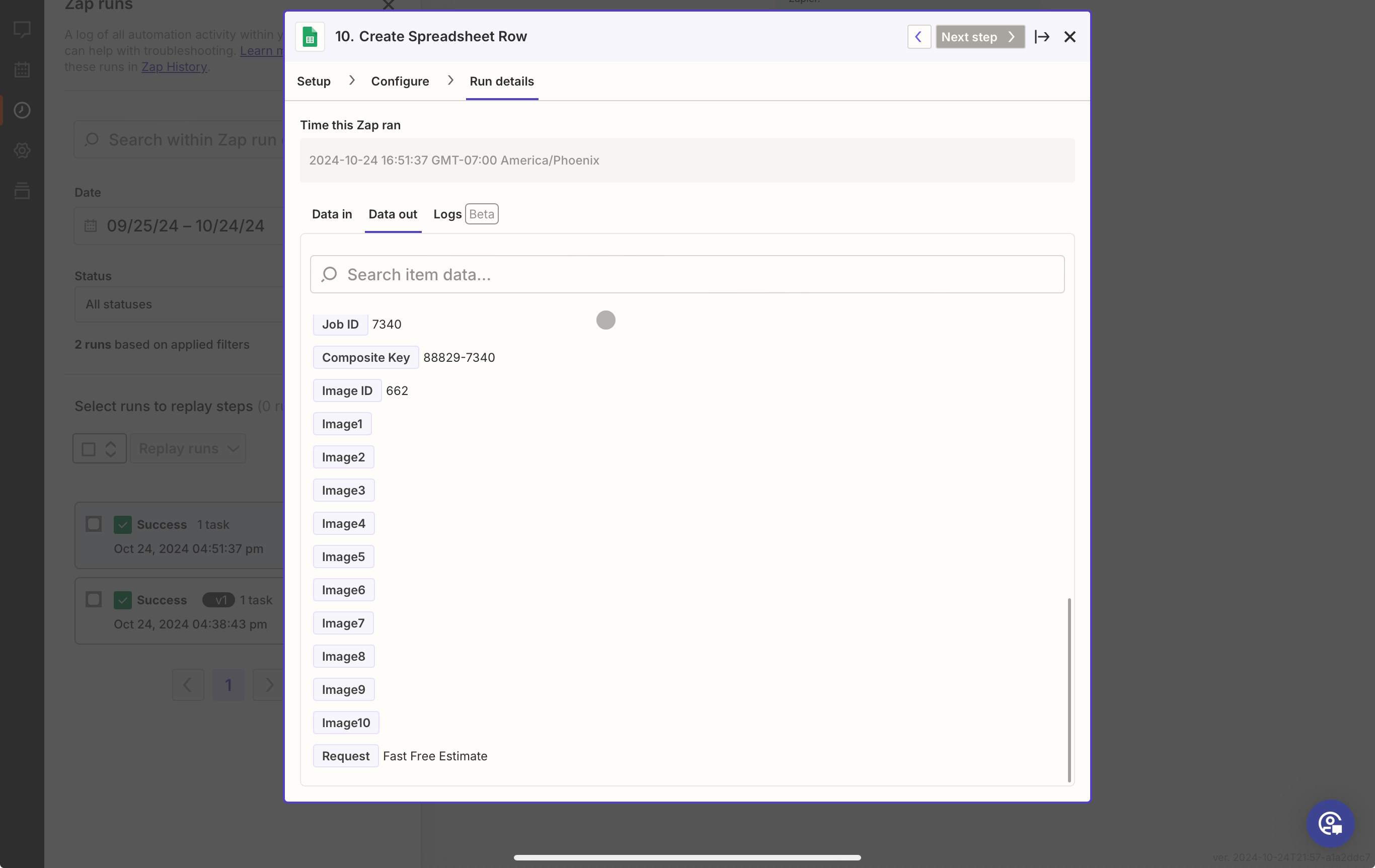
I have a form on my website that allows users to upload up to 10 images. Users can submit anywhere from 1 to 10 images at a time. On submission, I have a Zapier integration set up to map the fields to my Google Sheets.


My Setup

• I’m using the Formatter by Zapier with the following steps:

• Event: Text

• Action: Split Text (to split the image URLs).

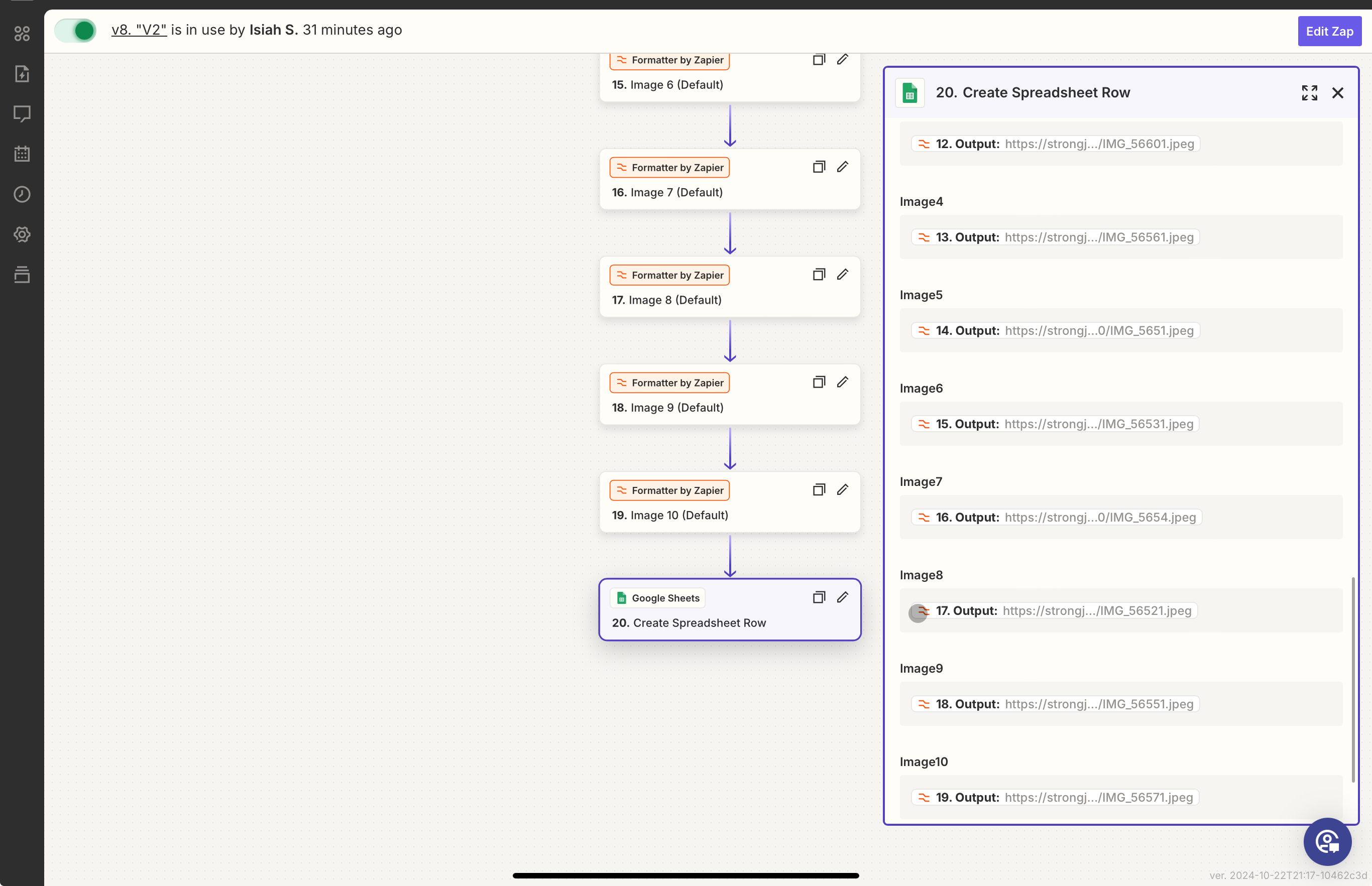
• The split outputs are then mapped to the corresponding image fields in Google Sheets.


What’s Working

• In a test scenario with a full submission of 10 images, the Zap processes correctly. It posts the images to Google Sheets when I run a test Zap using sample data.


The Issue

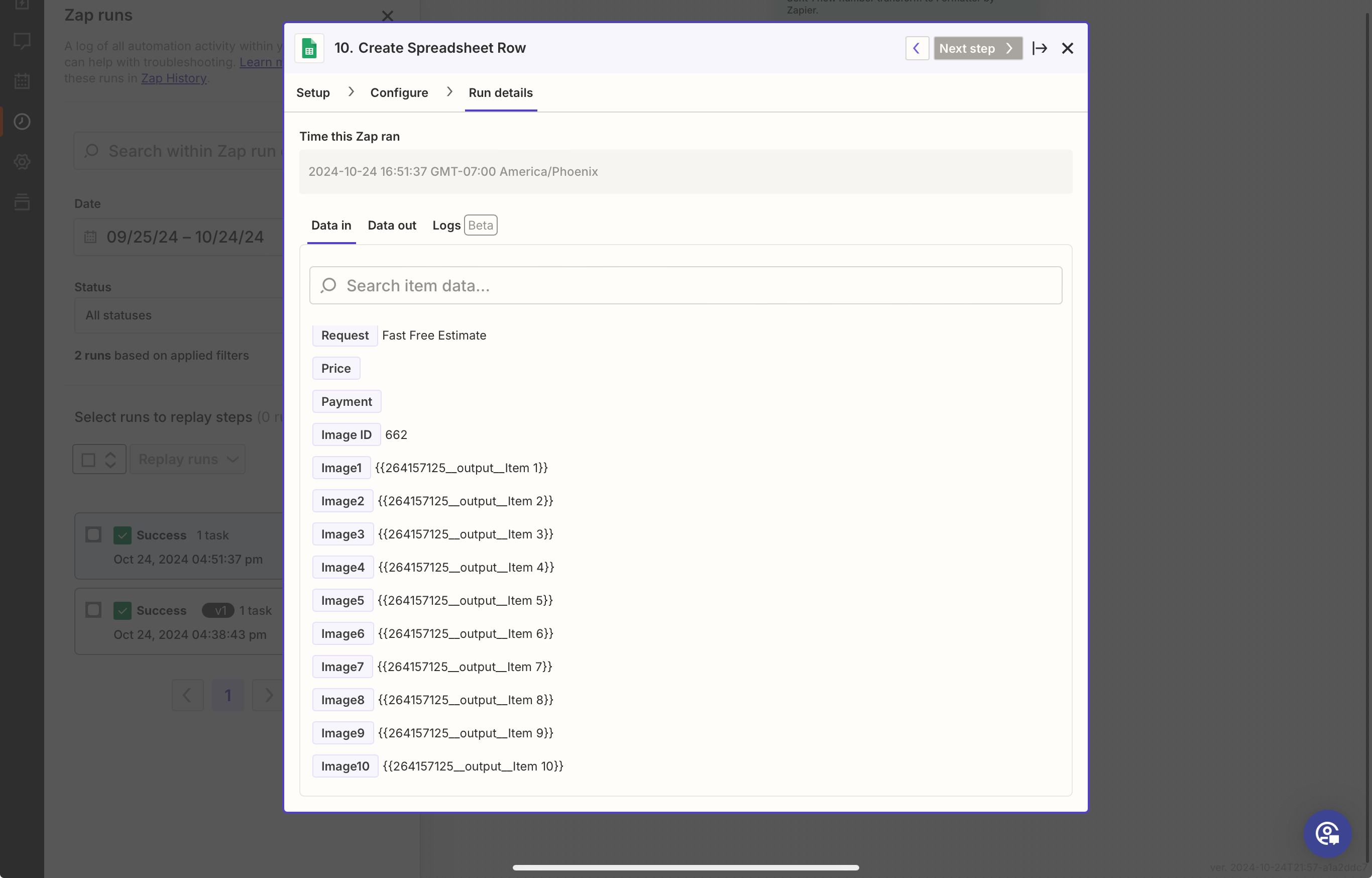
• In live submissions (whether it’s 1 image or 3 images), the images fail to post to Google Sheets.

• I’ve tried different configurations for splitting the image URLs and mapping them, but none seem to resolve the issue.


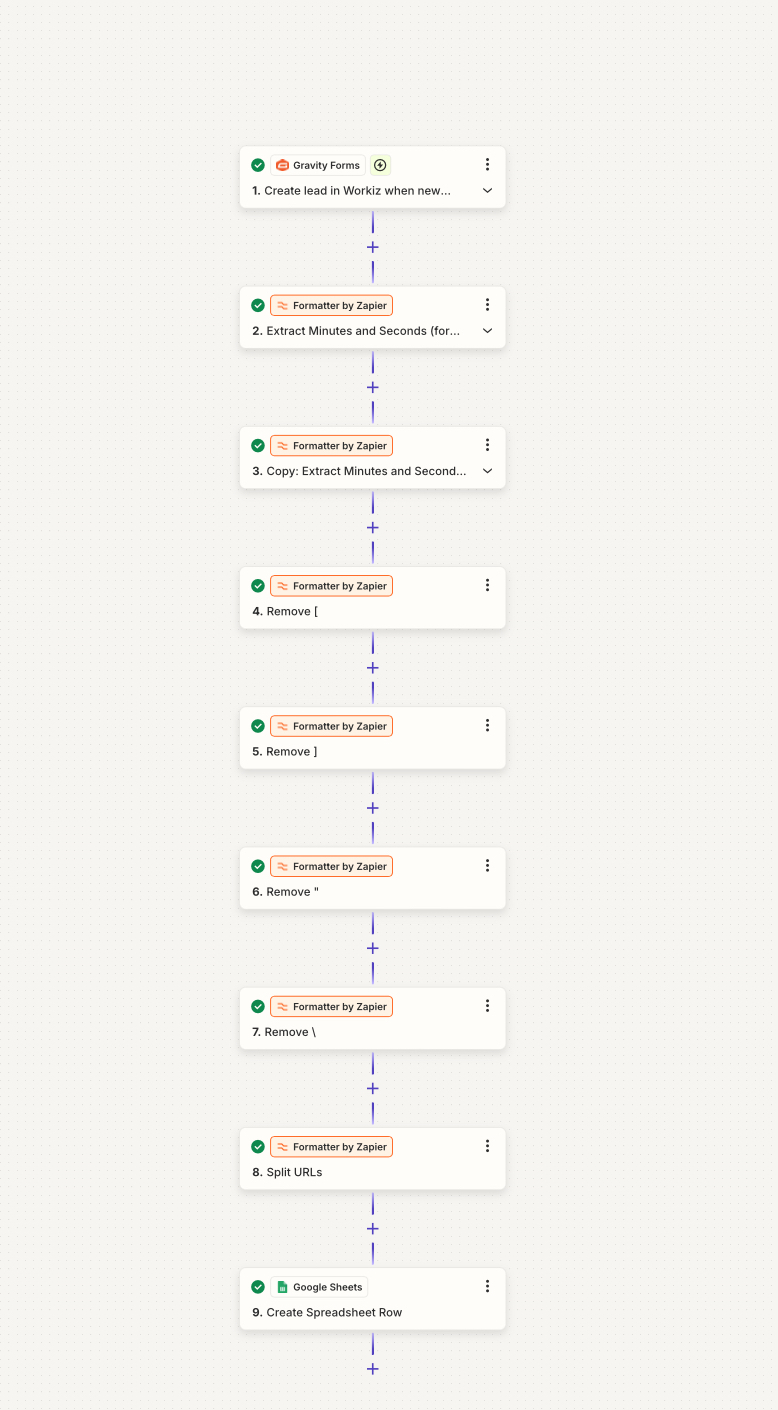
Attached are screenshots of the different ways I’ve attempted to configure the Zap, but none have worked so far. I’m unsure what I’m missing and would appreciate guidance on how to resolve this issue. 


Best answer by Troy Tessalone

@Ben24 

Your issue stems from how the data is returned from the Zap trigger step app when in EDIT mode VS when in LIVE mode.


For LIVE Zap Runs the data is returned as an array of items.


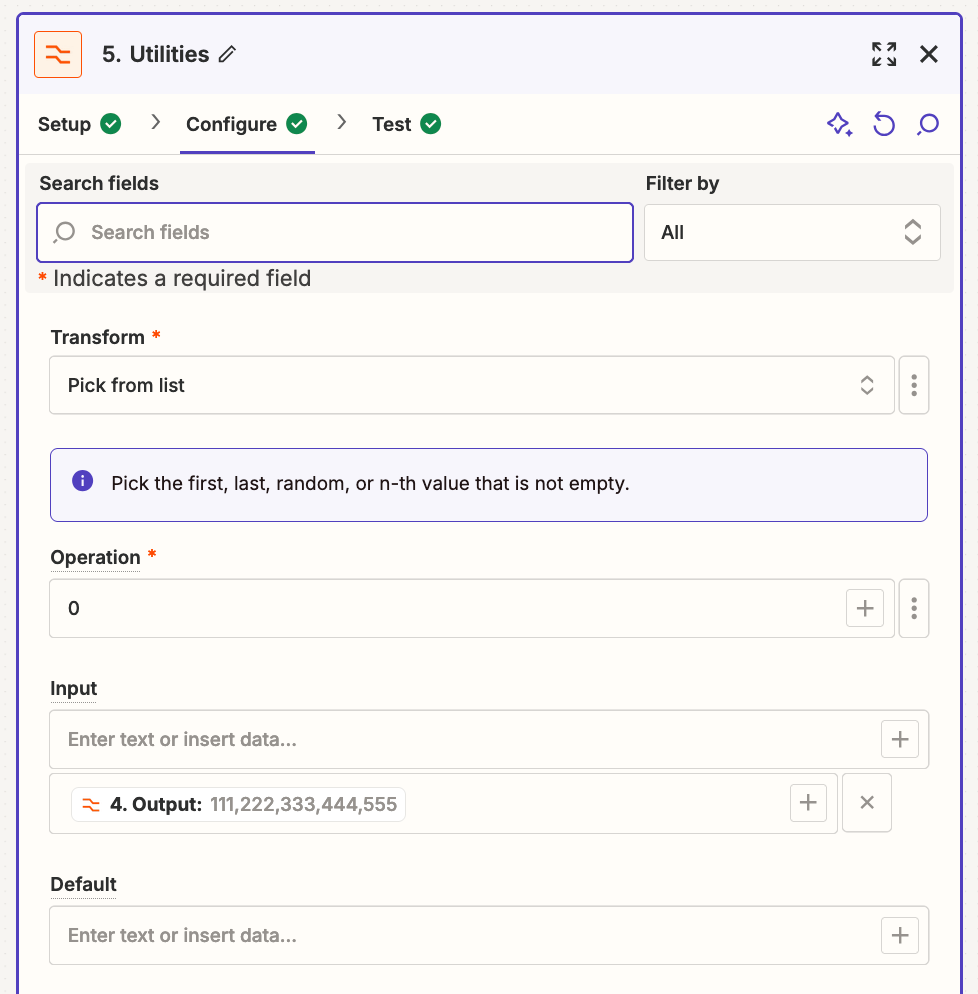
Try using this Zap action (x10): Formatter > Utilities > Pick from List

For the Operation, change to “Custom” mode via the [...] button.

Then use numbers 0-9.

0 will get the first item in the list, 1 will get the second item in the list, and so on.

e.g. In the screenshot below, 0 will return an output variable with a value of: 111


You will have to turn the Zap ON to test this LIVE due to the issue with the different data format in EDIT mode.


This post has been closed for comments. Please create a new post if you need help or have a question about this topic.

8 replies

Troy Tessalone
Zapier Orchestrator & Solution Partner
Forum|alt.badge.img+14
  • Zapier Orchestrator & Solution Partner
  • October 25, 2024

Hi @Ben24 

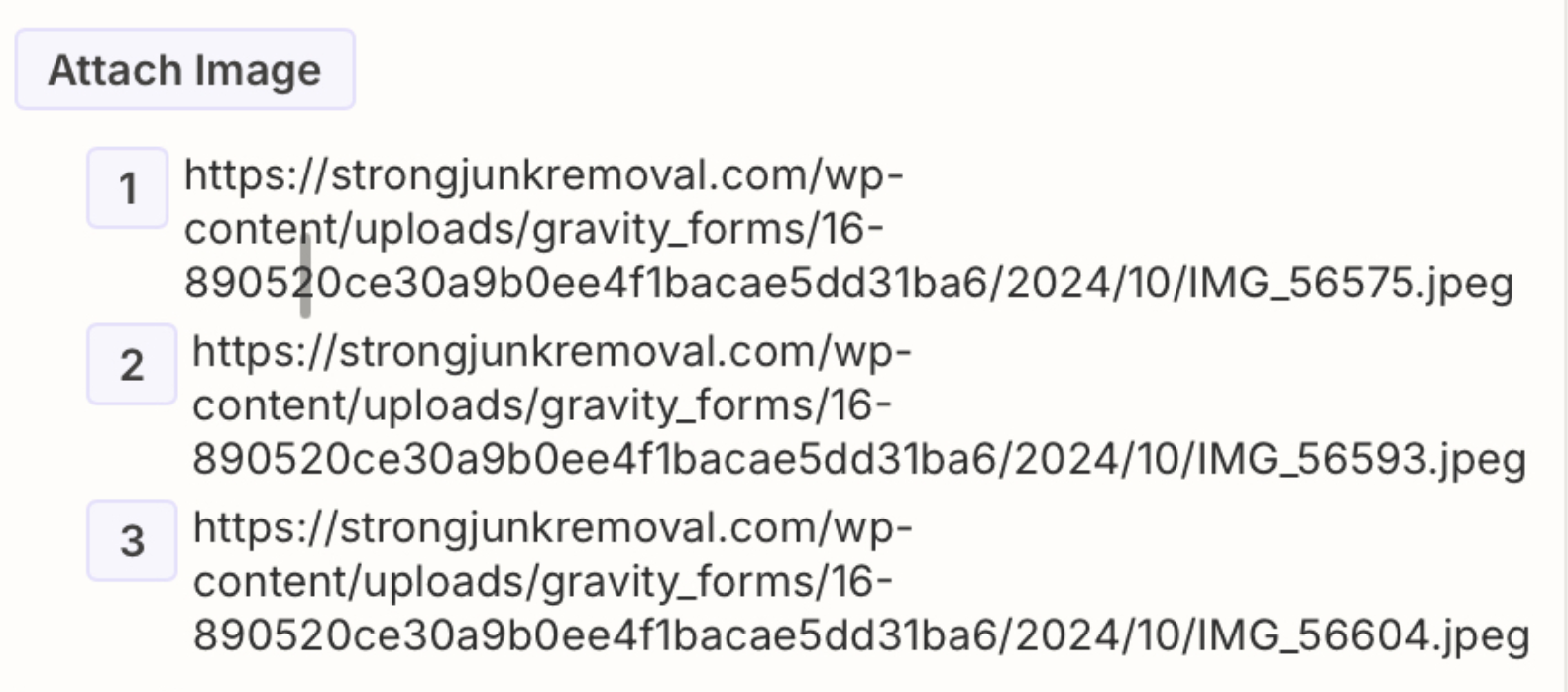
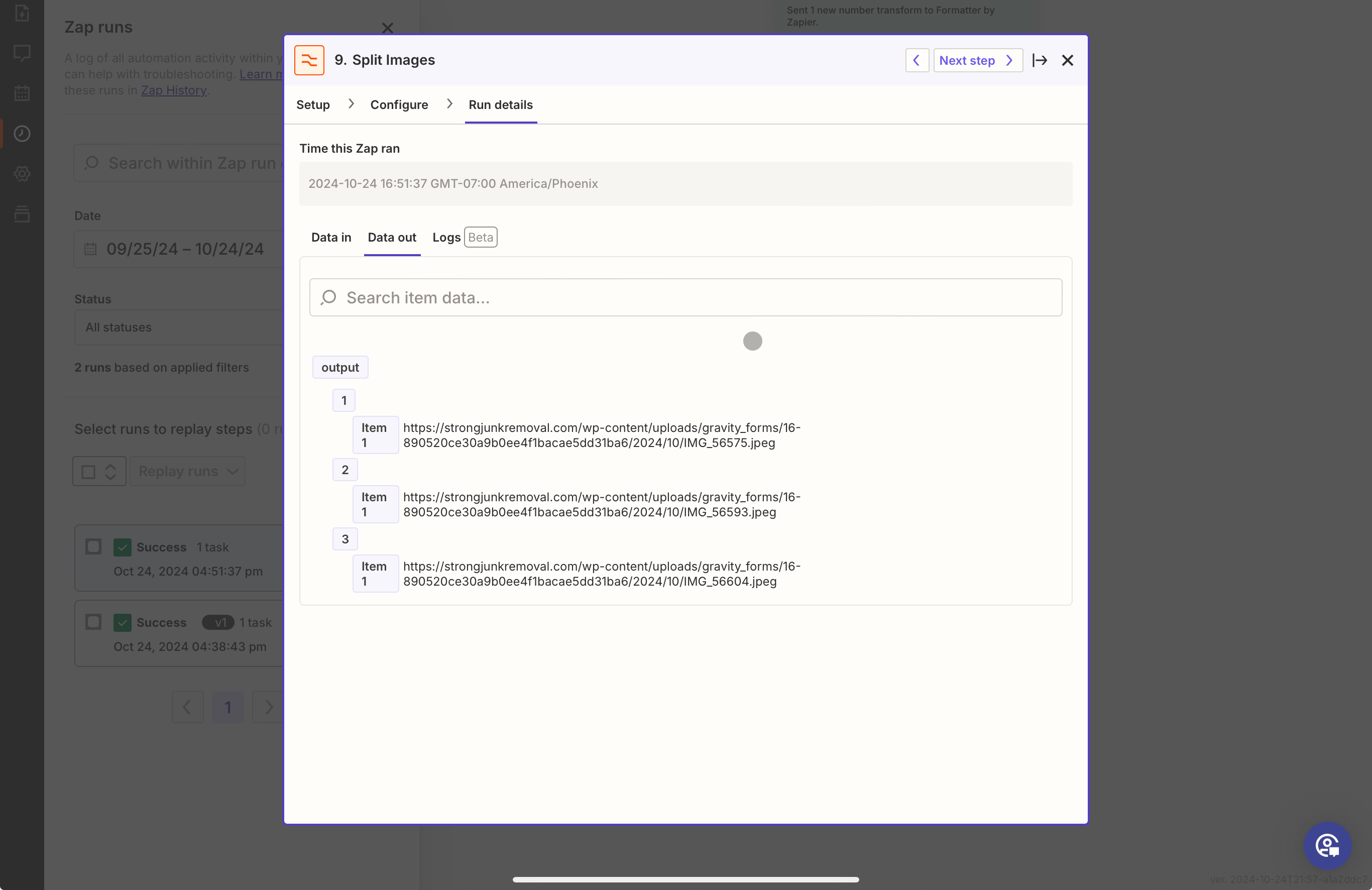
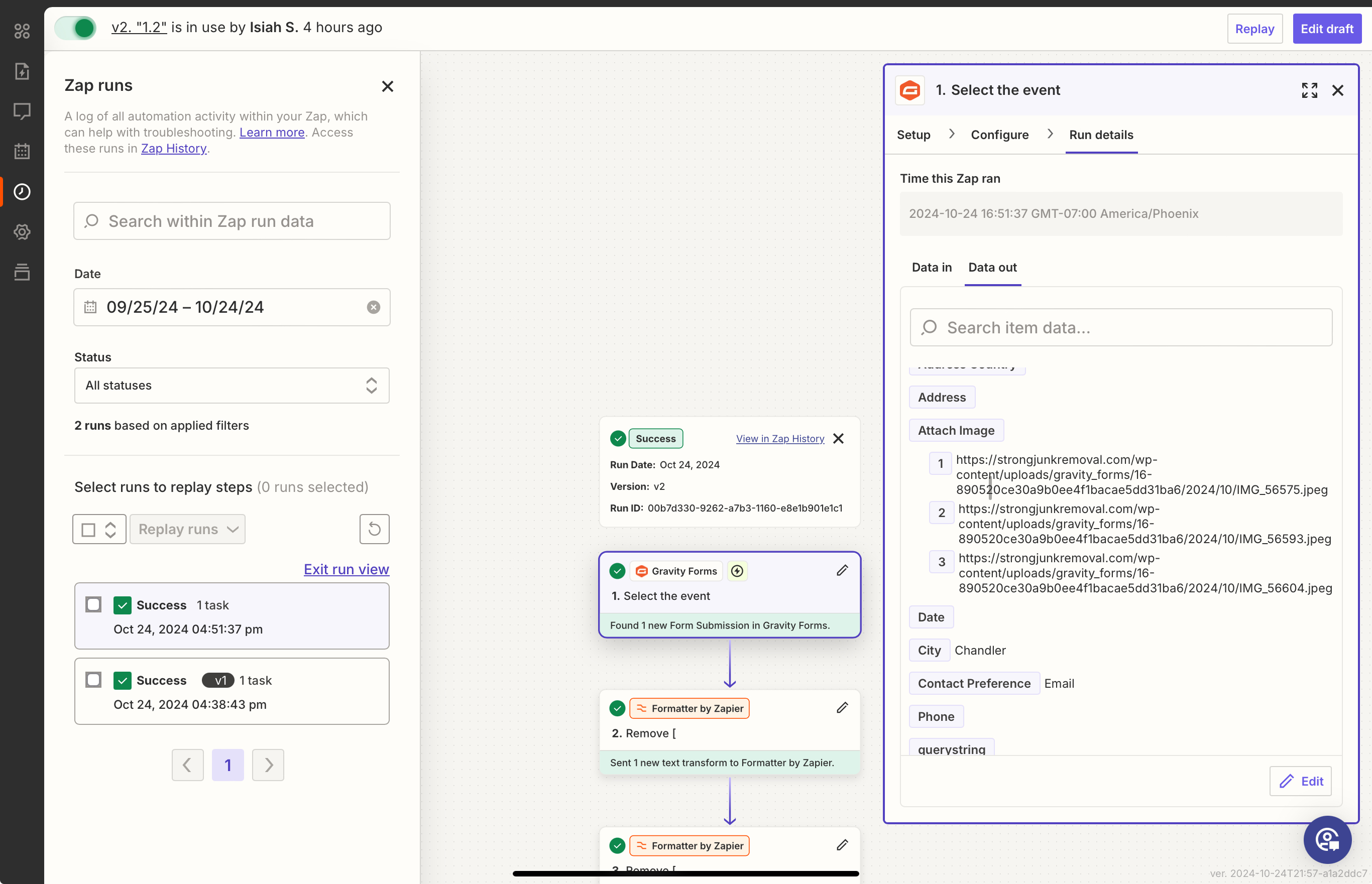
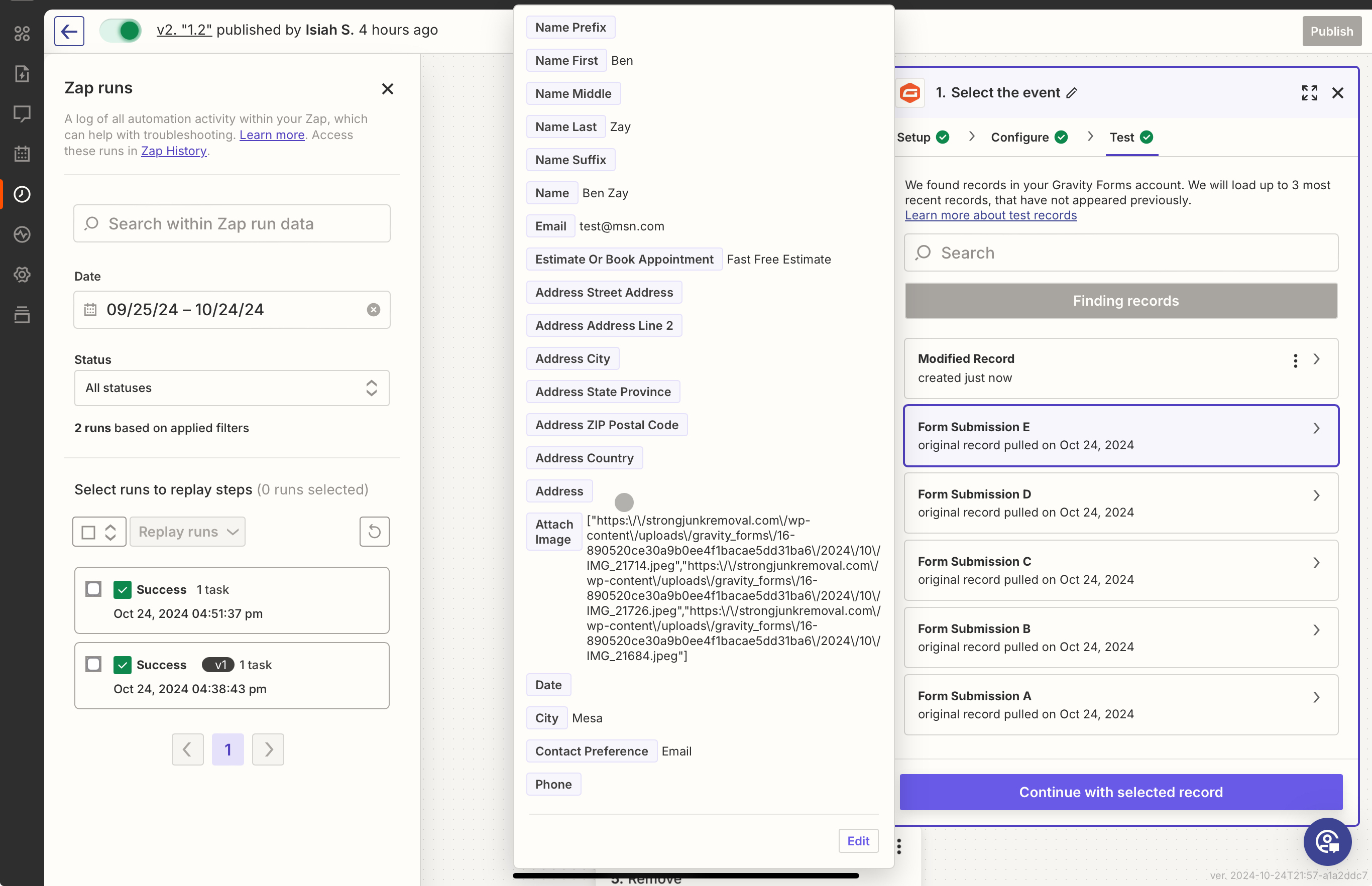
For us to have more info, post screenshots showing the DATA OUT from Zap step 1 for the field that has the image links so we can see how those are formatted.


  • Author
  • New
  • October 25, 2024

Here you go


Troy Tessalone
Zapier Orchestrator & Solution Partner
Forum|alt.badge.img+14
  • Zapier Orchestrator & Solution Partner
  • October 25, 2024

@Ben24 

Post screenshots showing the DATA OUT from Zap trigger in Step 1 for the field that has the image links so we can see how those are originally formatted.


  • Author
  • New
  • October 25, 2024


  • Author
  • New
  • October 25, 2024


Troy Tessalone
Zapier Orchestrator & Solution Partner
Forum|alt.badge.img+14
  • Zapier Orchestrator & Solution Partner
  • Answer
  • October 25, 2024

@Ben24 

Your issue stems from how the data is returned from the Zap trigger step app when in EDIT mode VS when in LIVE mode.


For LIVE Zap Runs the data is returned as an array of items.


Try using this Zap action (x10): Formatter > Utilities > Pick from List

For the Operation, change to “Custom” mode via the [...] button.

Then use numbers 0-9.

0 will get the first item in the list, 1 will get the second item in the list, and so on.

e.g. In the screenshot below, 0 will return an output variable with a value of: 111


You will have to turn the Zap ON to test this LIVE due to the issue with the different data format in EDIT mode.


  • Author
  • New
  • October 25, 2024

That worked! Thank you so much!!


JammerS
Forum|alt.badge.img+6
  • Zapier Staff
  • October 28, 2024

Hi @Ben24,


Wow! Thank you for confirming that Troy’s resolution got the Zap running. This will significantly help our Community members to have as a reference for the same issue.