Answer

Incorrect date and time despite of correct timezone settings

  • June 12, 2024
  • 7 replies
  • 59 views

Forum|alt.badge.img

Hello!

I need help with a Zap that should send an email on a specific date (which is taken from Google Sheets), I’ll show you:
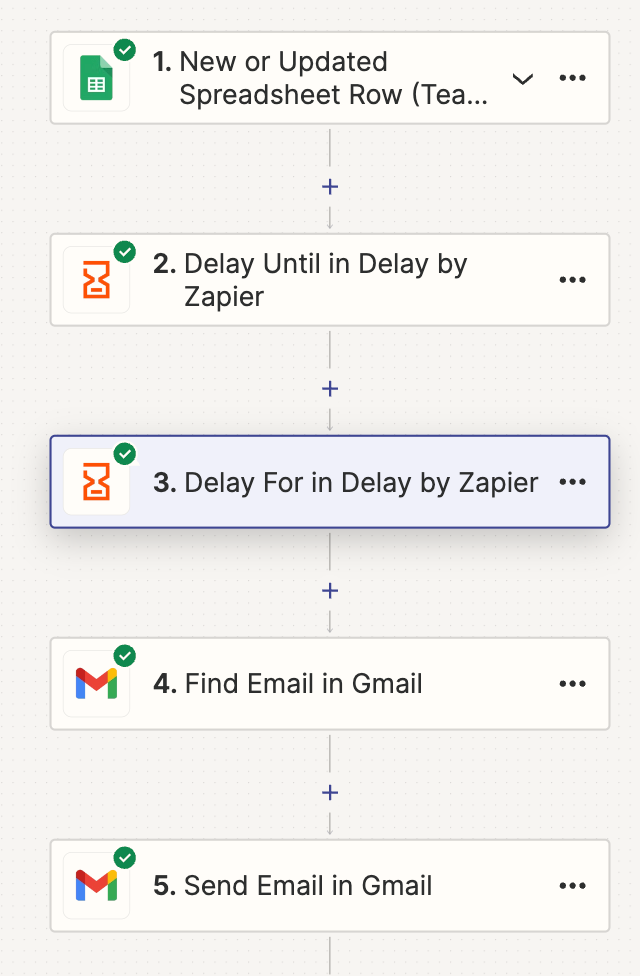
However something goes wrong. In the example I'll provide, the date should be June 14th:
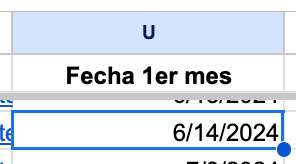
Date @ Google Sheet (M/DD/YYYY)


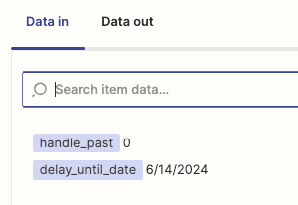
 However, I am having trouble interpreting the testing results or the date is coming out incorrectly, see:
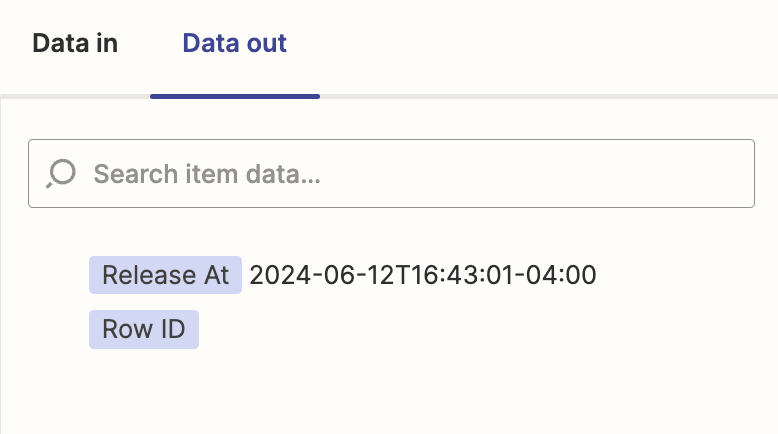
Zap testing results 

This zap should be released at morning and my account had a timezone set already. 

Could someone guide me on how to properly set up the date formatting and ensure the Zap triggers the email on the correct date?

Thank you!
Best answer by Troy Tessalone

@Marypeople 

Have you tried turning the Zap ON and testing live?

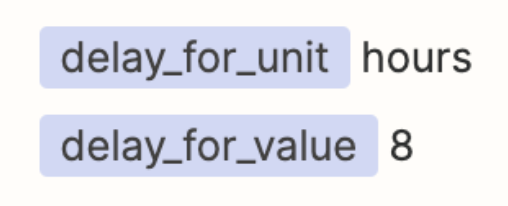
If you are testing Step 3 in EDIT mode then it will always be 8 hours from the point in time when you test that Zap step.

When the Zap is ON and running live, it will be 8 hours from the point in time when the Zap Run reaches Step 3.


This post has been closed for comments. Please create a new post if you need help or have a question about this topic.

7 replies

Troy Tessalone
Zapier Orchestrator & Solution Partner
Forum|alt.badge.img+14
  • Zapier Orchestrator & Solution Partner
  • June 12, 2024

Hi @Marypeople 

We would need to see screenshots of the DATA IN tab to have more context.


Forum|alt.badge.img
  • Author
  • Beginner
  • June 14, 2024

Hi @Marypeople 

We would need to see screenshots of the DATA IN tab to have more context.


Hi Troy!

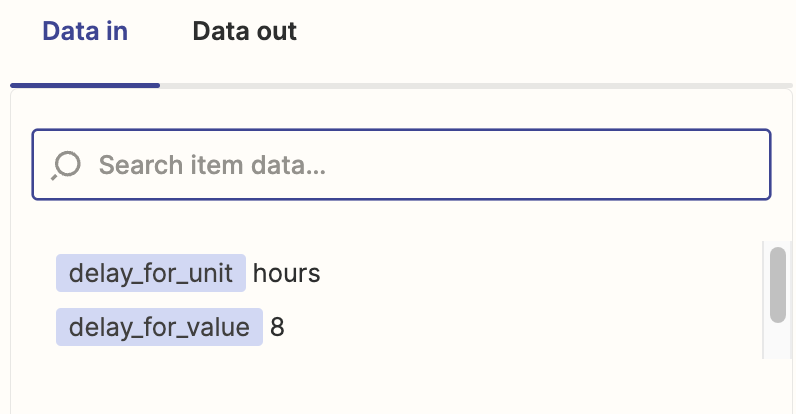
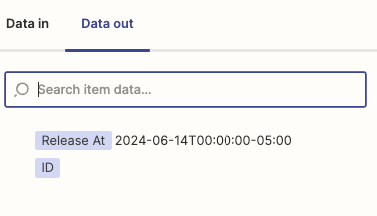
This is Data in:


Let me know if you need more information and thank you for trying to help!


Troy Tessalone
Zapier Orchestrator & Solution Partner
Forum|alt.badge.img+14
  • Zapier Orchestrator & Solution Partner
  • June 14, 2024

@Marypeople 

That looks to be the DATA IN for Step 3.

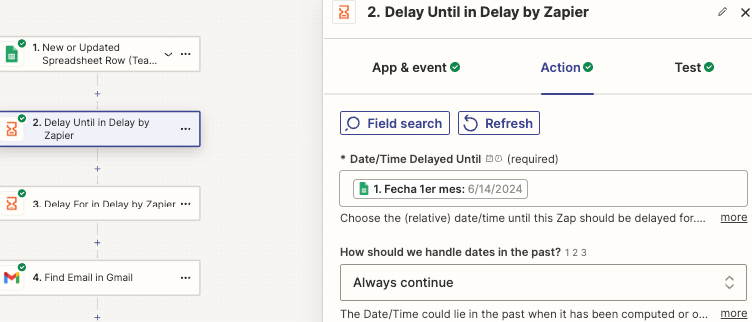
What about how your Zap step is configured for Step 2?


Forum|alt.badge.img
  • Author
  • Beginner
  • June 14, 2024

@Marypeople

That looks to be the DATA IN for Step 3.

What about how your Zap step is configured for Step 2?

It’s just the date! I’ll show you: 


Troy Tessalone
Zapier Orchestrator & Solution Partner
Forum|alt.badge.img+14
  • Zapier Orchestrator & Solution Partner
  • Answer
  • June 15, 2024

@Marypeople 

Have you tried turning the Zap ON and testing live?

If you are testing Step 3 in EDIT mode then it will always be 8 hours from the point in time when you test that Zap step.

When the Zap is ON and running live, it will be 8 hours from the point in time when the Zap Run reaches Step 3.


Forum|alt.badge.img
  • Author
  • Beginner
  • June 17, 2024

@Marypeople

Have you tried turning the Zap ON and testing live?

If you are testing Step 3 in EDIT mode then it will always be 8 hours from the point in time when you test that Zap step.

When the Zap is ON and running live, it will be 8 hours from the point in time when the Zap Run reaches Step 3.


Thanks Troy! I did a live testing and I understand now :)


ken.a
Forum|alt.badge.img+6
  • Zapier Staff
  • June 18, 2024

That’s awesome @Marypeople! A huge thanks to Troy for lending a hand and pointing you in the right direction.

If you have any other questions, please don’t hesitate to reach out to the Community. We’re always happy to help! 🤗