Question

Image compression automation increasing the file size instead of reducing it.

  • February 3, 2026
  • 2 replies
  • 11 views

I’ve built an automation to compress images picked from a Raw Images folder and save them to a Compressed Images folder. The Zap works as expected for images around 200–300 KB but increases file size for images above ~300 KB, even at very low quality settings.

Goal:
Compress images larger than 200 KB to below 200 KB at ~80% quality.

Expected Behavior:
Compressed image size should always be smaller than original.

Actual Behavior:

  • Images above ~300 KB increase in size after compression

  • Same issue at 80% and 30% quality

  • Happens across multiple compression apps

Apps Used:

  • Trigger: Google Drive

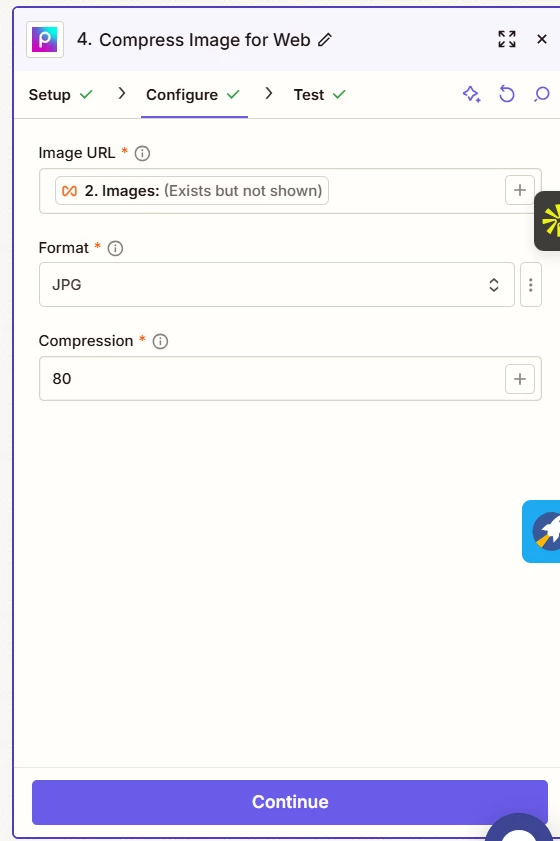
  • Compression tools tested: Mallabe Images, Picsart

  • Destination: Compressed Images folder

Compression Settings:

  • Quality: 80% (default), tested down to 30%

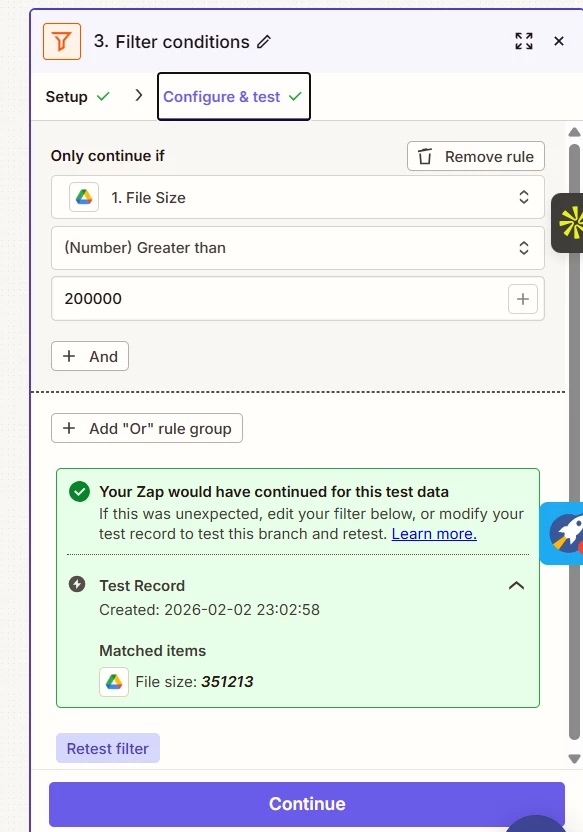
  • Condition: Only process images >200 KB

  • Output target: <200 KB

What I’ve Tried:

  • Multiple compression tools

  • Lower quality levels

  • File size filtering

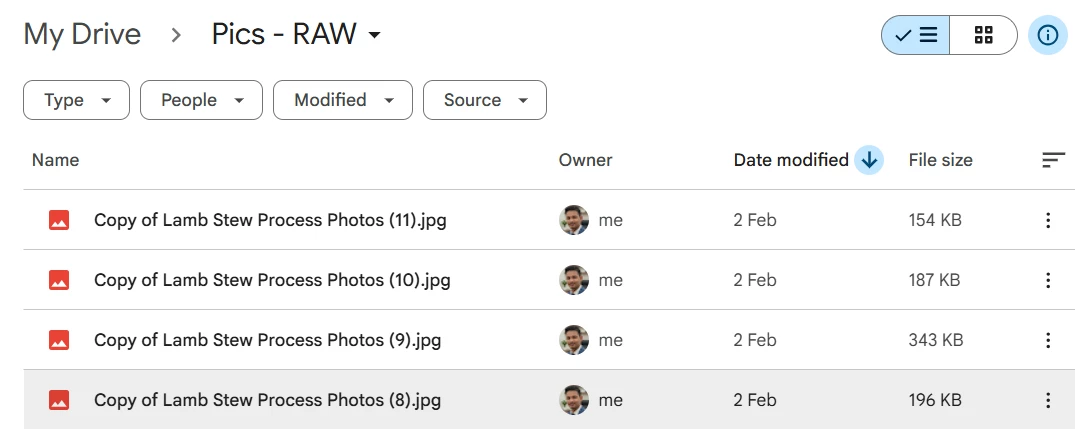
  • Verified source file sizes

Question:
Why does image compression increase file size for larger images in Zapier, and is there a recommended way to reliably compress images below a fixed size threshold?


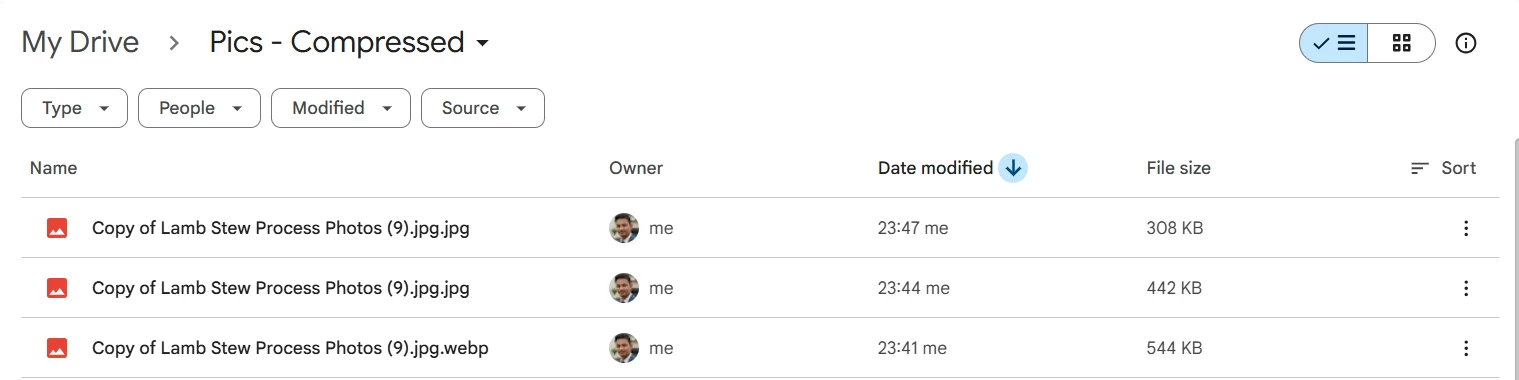
I’ve attached screenshots showing original vs compressed file sizes and also a screenshot of the ZAP.
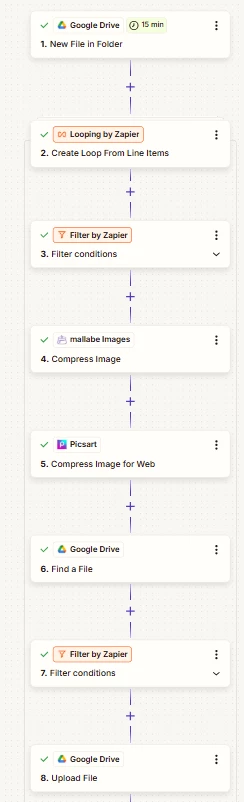
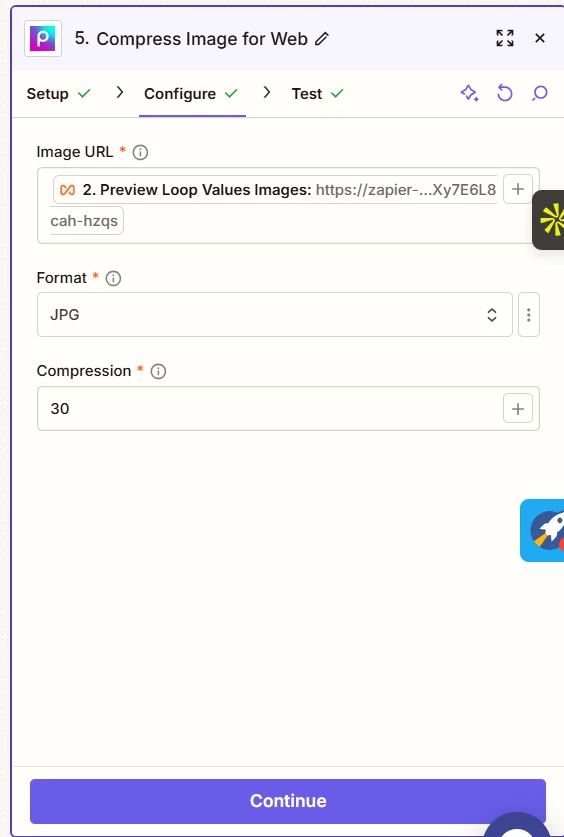
ZAP
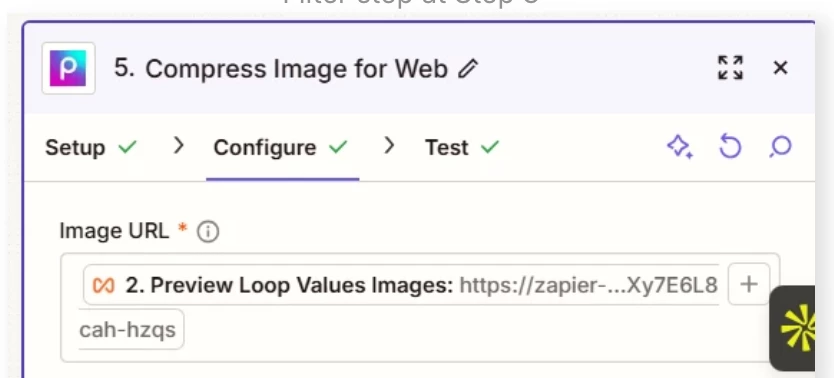
Filter step at Step 3
Compression at 30 I have tried 80 before
Original PIC Copy of Lamb Stew Process Photos (9) - 343 Kb
Compressed to 30% - 308 Kb
Compressed at 80% - 442 kb and 544 kb


2 replies

Troy Tessalone
Zapier Orchestrator & Solution Partner
Forum|alt.badge.img+14
  • Zapier Orchestrator & Solution Partner
  • February 3, 2026

Hi ​@AbhiSood 

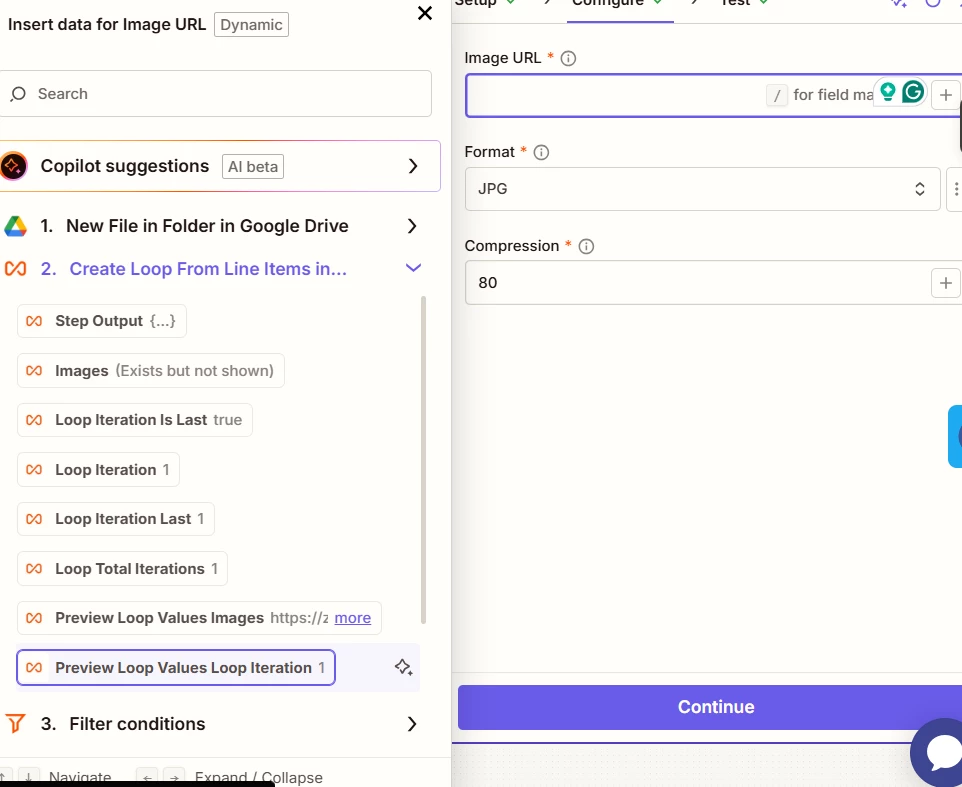
You are using the wrong Looping variable in Zap step 5.

Do NOT use variables with “Preview”.

Help links for using Looping in Zaps: https://zapier.com/apps/looping/integrations#help


When you test a loop action, the test output includes a preview_loop_values field that shows all your loop values combined together. This field is for preview purposes only—it helps you verify your loop is set up correctly by displaying all the values that will run in each loop iteration.

Do not map preview_loop_values to fields in subsequent steps. This field is not available when your Zap runs live, which means your Zap will fail or produce unexpected results.

Common symptoms if you accidentally use preview_loop_values:

  • All data appears in a single row instead of creating multiple rows
  • Your Zap creates duplicate or concatenated data
  • Fields appear empty when the Zap runs live

What to use instead: Map the individual field names you defined in your loop configuration. For example, if you named your loop value "emails", use the emails field from your loop step—not preview_loop_values.


  • Author
  • New
  • February 4, 2026

Hi ​@Troy Tessalone Thanks for your feedback. I used images from the looping step in my compression step and still the compression increased the files size (screenshots attached). Any other reason why this could be happening?

Do you know of any other tool which can be integrated with zapier to built this compression automation.