Answer

Hubspot: Get Owner by Stops even when Consider success is marked true

  • August 27, 2024
  • 6 replies
  • 37 views

Hey everyone,

I have about a dozen pretty critical zaps that I just updated that Get Owner ID. The usecase is a round robin lead form, people online fill it out and the zap search Hubspot to see if that person is already in the CRM and if so if they have a contact owner. Based on that other notifications and ticket processes will occur.

Where i’m running into issues here is the “Get Owner by ID” has an option for “Should this step be considered a success if no search results are found?”. Which in theory should be perfect to proceed even when there isn’t a contact owner in the system. Side note i’ve also tried the Get owner by email and they have the same problem with the consider success step.


Basically I’ve found that I can add a error handing step on the rear of the get owner by ID to make the zap technically work, however Im still getting error messages. Does anyone understand how we can get past this issue?

Best answer by Troy Tessalone

@BCG 

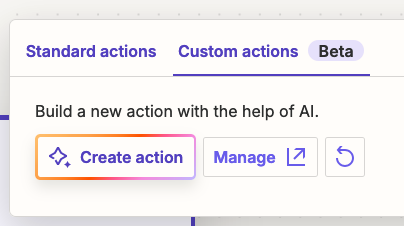
Try using the Custom Actions options to create a new Zap action with the help of AI.

Help: https://help.zapier.com/hc/en-us/articles/16277139110157-Create-a-custom-action


This post has been closed for comments. Please create a new post if you need help or have a question about this topic.

6 replies

Troy Tessalone
Zapier Orchestrator & Solution Partner
Forum|alt.badge.img+14
  • Zapier Orchestrator & Solution Partner
  • August 27, 2024

Hi @BCG 

Some things to check/try…


Try selecting all the fields including: Search among Deactivated Owners


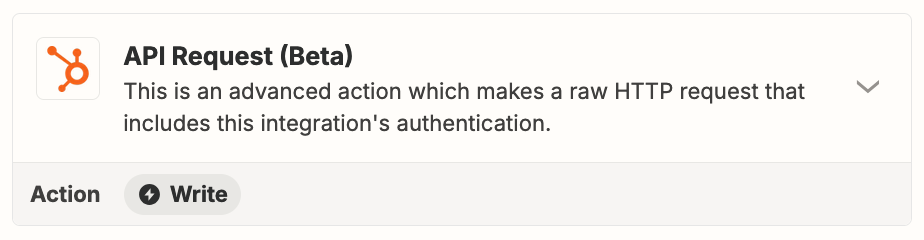
Try using the HubSpot API: https://developers.hubspot.com/docs/api/overview


Try opening a ticket with Zapier Support: https://zapier.com/app/get-help


  • Author
  • Beginner
  • August 28, 2024

Hey Troy! Thanks for the quick response. I’ve tested selecting all fields and that didn’t seem to work.


For the API request do you have any idea what I would use to fill in for the options? This functionality is new to me and seems to be pretty technical.


Troy Tessalone
Zapier Orchestrator & Solution Partner
Forum|alt.badge.img+14
  • Zapier Orchestrator & Solution Partner
  • Answer
  • August 28, 2024

@BCG 

Try using the Custom Actions options to create a new Zap action with the help of AI.

Help: https://help.zapier.com/hc/en-us/articles/16277139110157-Create-a-custom-action


SamB
Community Manager
Forum|alt.badge.img+11
  • Community Manager
  • September 4, 2024

Hi @BCG 👋

Did you manage to get things sorted by creating a custom action with the help of our AI copilot? 

Keen to ensure you’re all set so please let us know whether you’re still in need of any assistance here - happy to lend a hand if you’re still stuck at all! 🙂


  • Author
  • Beginner
  • September 4, 2024

Hey all!

Troys message about using the custom actions did infact work, which is amazing! I was able to create my own connector that wasn’t broken thanks everyone!


SamB
Community Manager
Forum|alt.badge.img+11
  • Community Manager
  • September 5, 2024

YAY! That’s fantastic news @BCG! 😁🎉

Thank you so much for following up here to confirm that worked. Big thanks to @Troy Tessalone for pointing you in the right direction here. 🙌 I’ll get it marked as the best answer now which will help better surface it to new folks coming across this thread.

Do reach out to the Community again if you need any help in future. In the meantime, happy Zapping! ⚡