

Question

How to set up dynamic email form fills from LinkedIn to Pardot using Zapier

  • March 4, 2026
  • 3 replies
  • 22 views

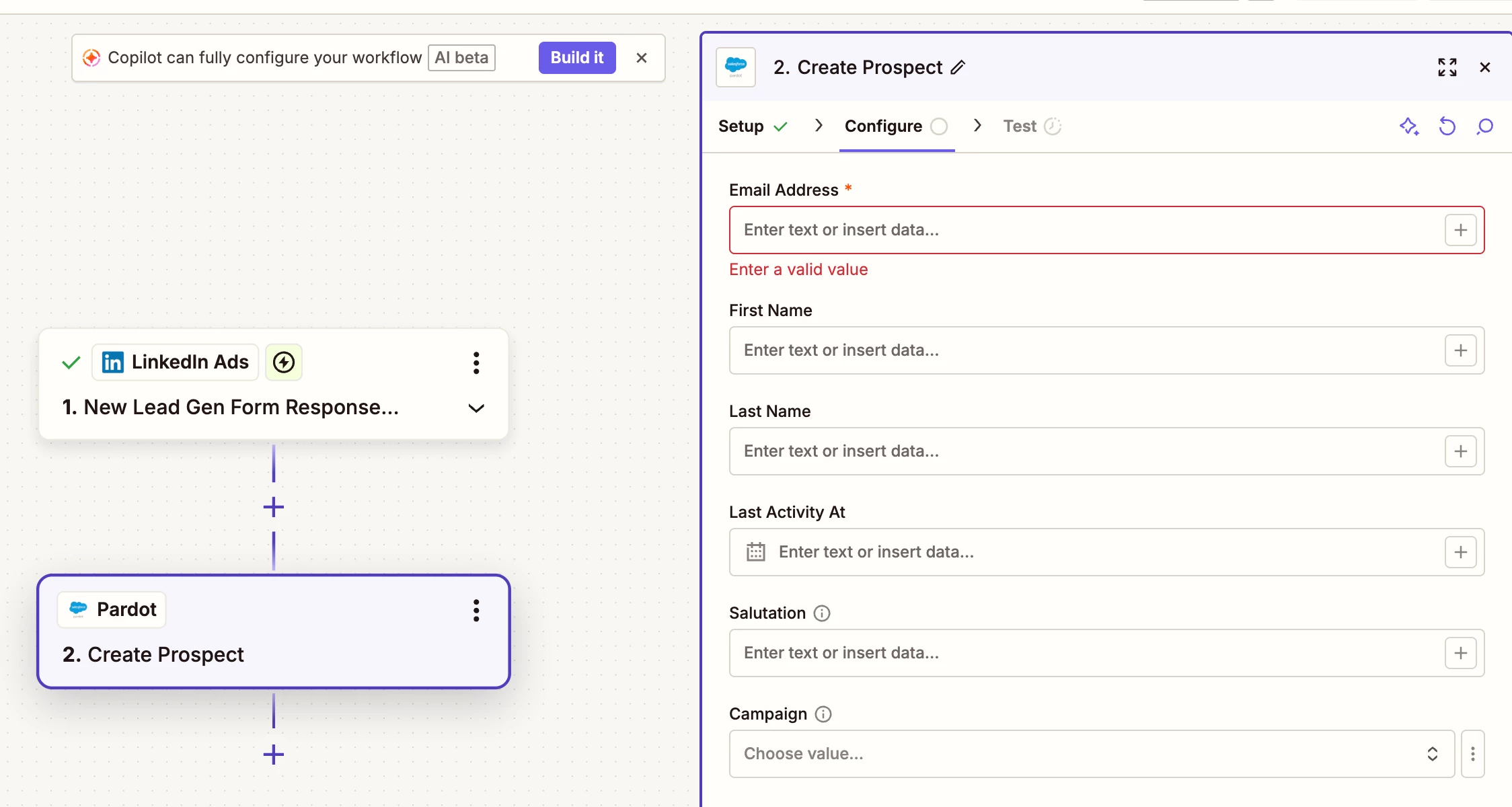
So we are attempting to set up the zapier to pardot configuration. At the moment, these configuration needs an email address to be associated, so you can put a static email but we want to a dynamic form fill from LinkedIn or Facebook ad to flow smoothly from the website through Zapier to Pardot. 

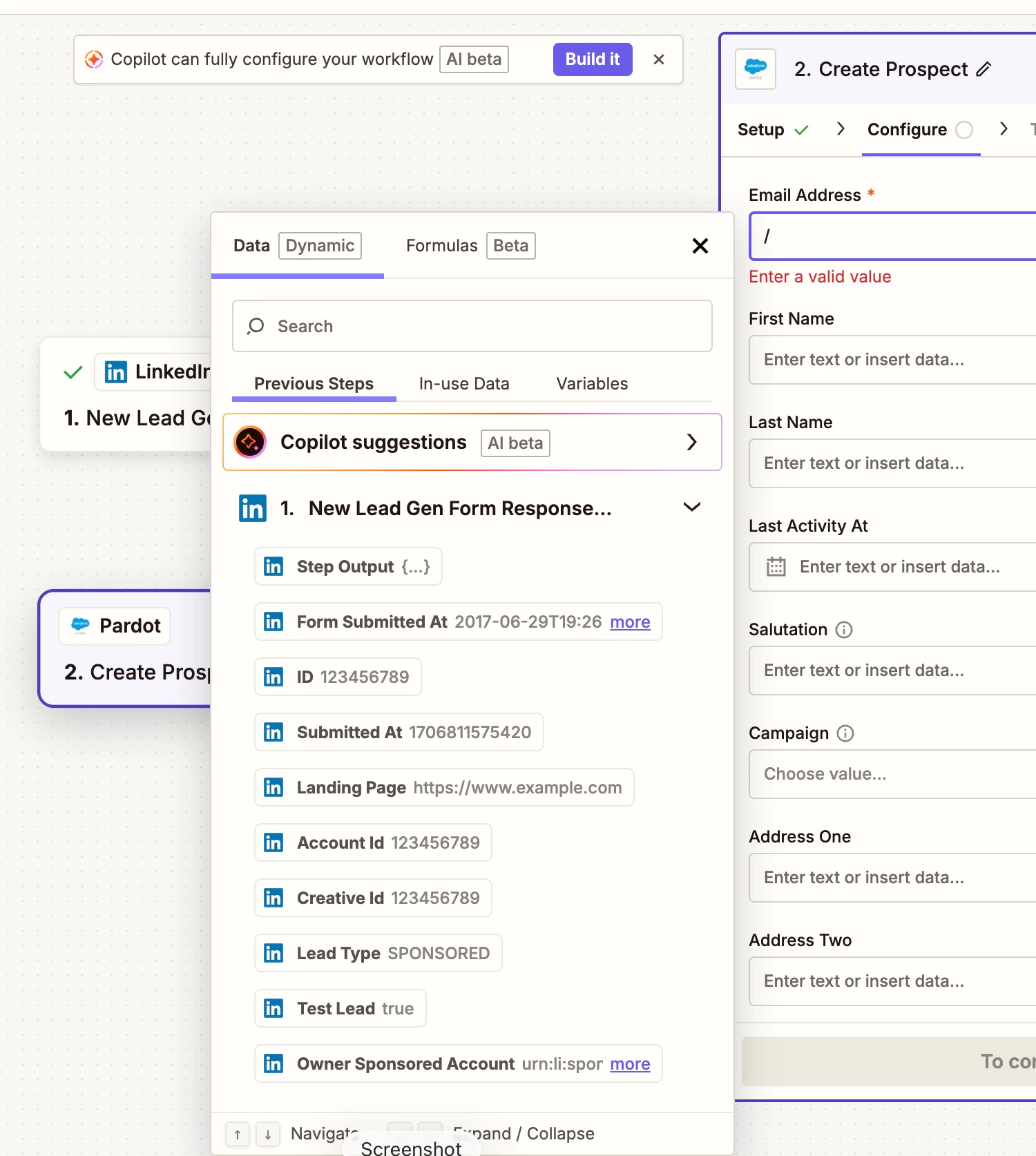
Though at the moment it’s not letting us find that dynamic email form fill, how should I proceed? We can put a static, but when we tested it on LinkedIn the static information went through and none of the test inputs.

Want this to run as smooth and easily as possible. Is there an easy solution that I am missing? Thank you.


3 replies

Troy Tessalone
Zapier Orchestrator & Solution Partner
Forum|alt.badge.img+14
  • Zapier Orchestrator & Solution Partner
  • March 4, 2026

Hi ​@PerfectServe 

Help links for using LinkedIn Ads in Zaps: https://zapier.com/apps/linkedin-ads/integrations#help

Follow LinkedIn’s tutorial on sending a test lead in Campaign Manager.

You need to test in LinkedIn Ads to send data to the Zap trigger to then use to configure the Zap action steps.


Forum|alt.badge.img
  • New
  • March 11, 2026

Hi ​@PerfectServe 


Here's the Zapier doc that might help: https://business.linkedin.com/advertise/partners/find-a-partner/zapier


Pardot Link: https://thespotforpardot.com/2024/01/15/from-linkedin-to-account-engagement-linking-lead-gen-forms-using-zapier/


If you're still running into issues, drop a screenshot of the error and a quick description of what your Zap is doing, happy to take a look!

And if you'd rather just get it sorted quickly, I offer a free 20-min Zapier troubleshooting call. Book it under Resources on my Zapier Directory profile: https://zapier.com/partnerdirectory/automatemybiz

!-->


Forum|alt.badge.img+1

What’s happening here is that Zapier isn’t getting the actual email field from the LinkedIn lead sample, so Pardot has nothing dynamic to map into that required field.

A static email works because Pardot just needs something, but for the real zap to work you need the Email value coming through from the trigger step.

I’d try this:

  • go back to the LinkedIn Ads trigger

  • pull in a fresh real sample lead from the actual form

  • check whether the form in LinkedIn actually includes an email field

  • if the email is hidden inside a nested field, expand the trigger data or use a Formatter step to pull it out

  • then map that email field into Pardot instead of typing anything manually

If the email field still doesn’t show up, it’s usually one of two things:

  1. the LinkedIn form isn’t sending email in that sample

  2. Zapier needs a newer sample from the form

So the fix is really on the trigger data side, not the Pardot step.




