
Question

How to set up an automatic reply for draft emails using ChatGPT

  • December 12, 2025
  • 2 replies
  • 19 views

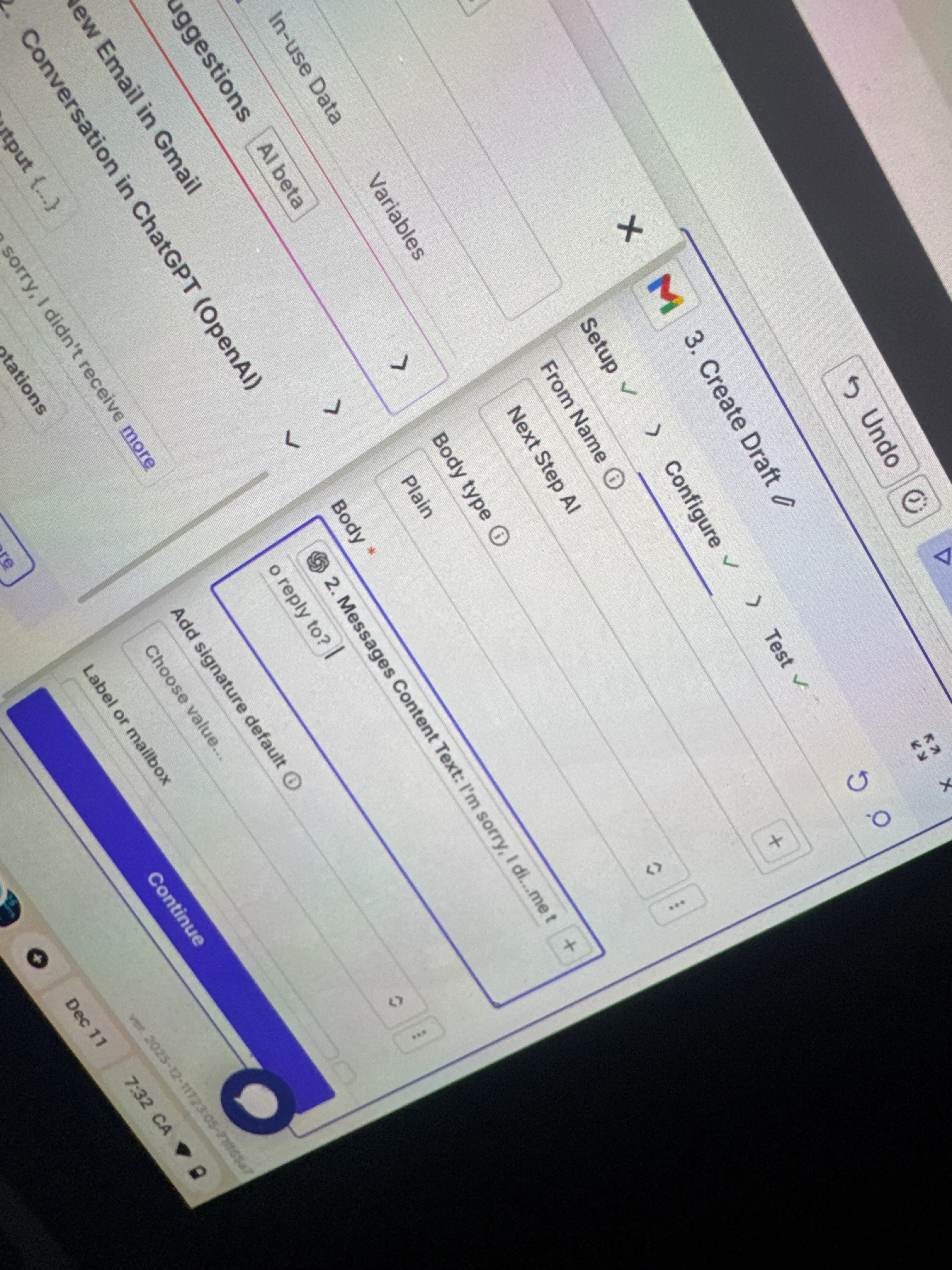
So I can’t seem to figure out how to get ChatGPT to do an automated message, I think it has to do with what I’m inputing into the body area on the action part. I’m using ChatGPT to help me learn how to do it, but it keeps telling me to use options to insert into body that don’t exist. It says insert “message content text” which I have but it also includes the text in the grey text afterwards but it tells me to use options without any text afterwards. I’m just going in literal circles with ChatGPT to troubleshoot the problem so I’ve decided to look elsewhere for answers. I do receive drafts in my email made by chatgpt, so I assume the trigger part and 2nd part are correct but not the action part. Please help!


2 replies

moid-space
Forum|alt.badge.img
  • New
  • December 12, 2025

Your issue is just the field selection. In the Gmail “Create Draft” step, use only the ChatGPT output field called message, content in the Body, ignore the grey placeholder text. This fixes the draft not formatting correctly.


Troy Tessalone
Zapier Orchestrator & Solution Partner
Forum|alt.badge.img+14
  • Zapier Orchestrator & Solution Partner
  • December 12, 2025

Hi ​@NextStepAI 

Help links for how to take screenshots: https://www.google.com/search?q=how+to+take+screenshots


Try using the native AI Copilot (bottom left button) in the Zap Editor to help you configure your Zap steps: https://help.zapier.com/hc/en-us/articles/15703650952077-Use-the-power-of-AI-to-generate-Zaps





