Question

How to resolve the duplicate name exists error in GoHighLevel CRM and Quickbooks integration

  • January 29, 2026
  • 2 replies
  • 13 views

Hello everyone! We are needing to add a step to our workflow and am not successfully able to achieve this on my own so I am seeking some assistance from a Zap-savvy person.

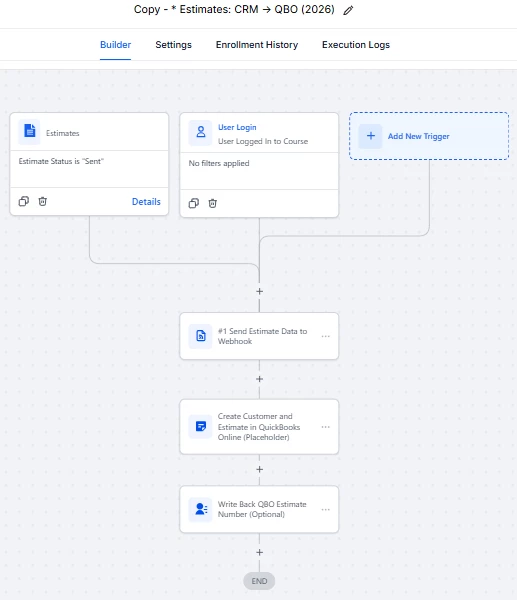
Some context: we are using GoHighLevel CRM for our customers, and Quickbooks for all financials. We are currently implementing the native CRM→ QBO integration (which allows for invoices to sync) as well using a workflow to allow estimates to sync since the native integration is only at the invoice level and not the estimate. The goal is to have estimates (EST) created in CRM, synced to QBO which then creates that EST as well as the Customer***, then we convert the EST to an INV within QBO for payment.

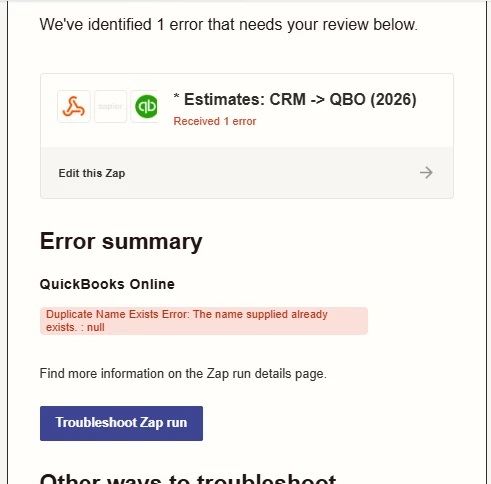
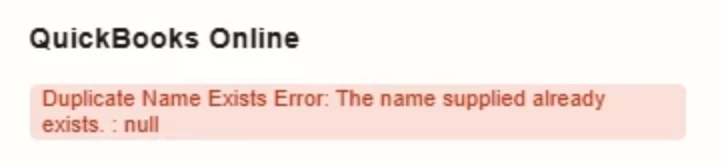
*** The missing step we need is with any pre-existing or current customers in QBO. When the CRM attempts to send an EST to a customer that is already in QBO (for an additional order, for example) we are getting a ‘duplicate name exists’ error email from Zapier.

Is there anyone experienced with this issue who can offer some assistance please? This has been such a struggle but we are 80% there!

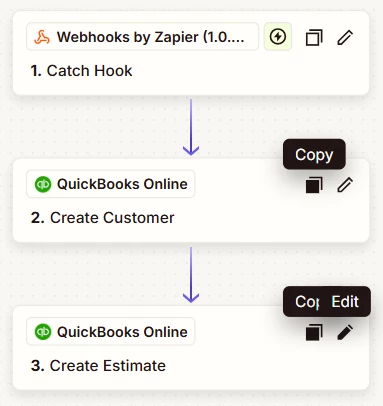
Attached are some screenshots of our current Workflow, Zap, and the Error message, for reference.

Thank you in advance!
 

2 replies

Troy Tessalone
Zapier Orchestrator & Solution Partner
Forum|alt.badge.img+14
  • Zapier Orchestrator & Solution Partner
  • January 30, 2026

Hi ​@SSAI-CTU 

Help links for using QBO in Zaps: https://zapier.com/apps/quickbooks/integrations#help


You should add this logic to the Zap steps:

  • QBO - Find Customer
    • Check the checkbox to create Customer if not found
    • So step logic becomes Find/Create Customer


QBO enforces unique display names for records.

That means you will need to add a unique ID to make the Display Name unique.


You can use a UNIX timestamp variable which is a string of numbers.

Help: https://help.zapier.com/hc/en-us/articles/36855498205453-Introducing-system-variables


drtanvisachar
Forum|alt.badge.img+5
  • Zapier Solution Partner
  • January 30, 2026

Hello ​@SSAI-CTU 
Why the error happens

Your Zap always tries to create a new customer in QuickBooks.
If the customer already exists → “Duplicate Name Exists” error.

The fix (required step)

Add a Find Customer step before creating the customer.

Correct Zap flow

  1. Webhook (from GoHighLevel)

  2. QuickBooks → Find Customer

    • Match by Email (preferred) or Display Name

    • Do not auto-create

  3. Filter

    • Only continue if Customer ID does not exist

  4. QuickBooks → Create Customer

  5. QuickBooks → Create Estimate

    • Use Customer ID from Find or Create step

Result

  • Existing customers → reused

  • New customers → created once

  • ❌ No more duplicate errors

    Dr. Tanvi Sachar
    Monday Certified Partner, Tuesday Wizard