
Question

How to pass the meeting requester’s email from Google Calendar to HubSpot engagements

  • September 26, 2025
  • 3 replies
  • 19 views

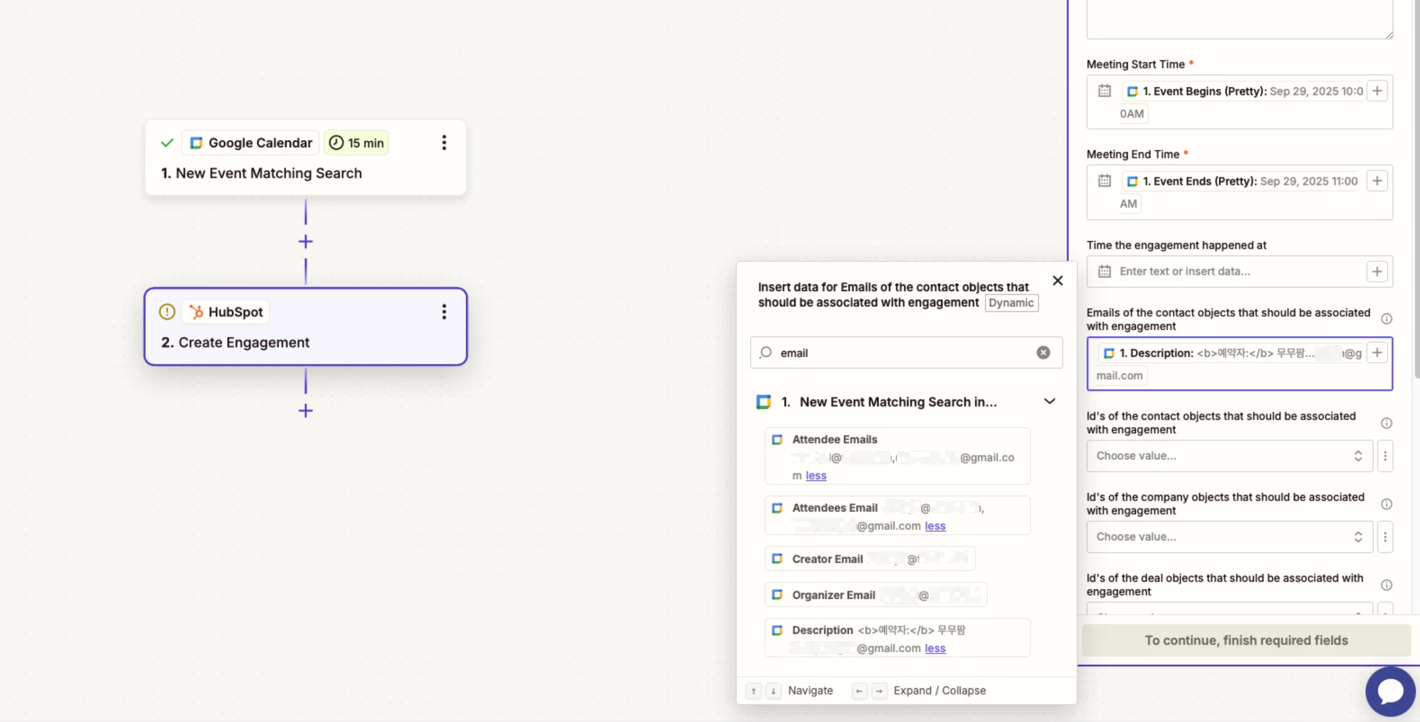
I am using Google Calendar’s new event matching search as a trigger to create a HubSpot engagement. However, there is no property that passes only the requester’s email information from the meeting. Because of this, I cannot connect the meeting engagement with the appropriate HubSpot contact. How can this issue be resolved?
 

This post has been edited by a moderator to remove personally identifiable information (PII). Please remember that this is a public forum and avoid sharing personal or potentially sensitive details.


This post has been closed for comments. Please create a new post if you need help or have a question about this topic.

3 replies

Sparsh from Automation Jinn
Forum|alt.badge.img+6

Hey ​@M.D.,

You can probably get those emails from Attendees Email. You can use a Formatter→ Text → Split text action to separate the emails so you can use them in later actions. Here is a helpful article about Formatter in Zapier- https://zapier.com/blog/zapier-formatter-guide/

You can also use New Event trigger with a Filter step instead of New Event Match Search trigger if it gives your required fields more easily. Hope it helps!


  • Author
  • New
  • September 26, 2025

Thank you for the reply. It's quite disappointing that it's not possible to modify the original data passed from Google Calendar when using the free plan.


Sparsh from Automation Jinn
Forum|alt.badge.img+6

Hey ​@M.D.,

Yeah to use Formatter you need to have a Zapier paid plan. Here is a helpful article about what’s included in the Zapier free plan- https://help.zapier.com/hc/en-us/articles/32337438839565-What-s-included-in-Zapier-s-Free-plan. Hope it helps!

