Best answer

How to map JotForm multiple choice answers to Capsule CRM

  • October 17, 2025
  • 10 replies
  • 130 views


This question was submitted 7 months ago without a resolution. I’m having the same problem. My Jot Froms with the Multiple Choice Answers…. the Answers are not importing into my CRM (Capsule). Looking for help to correct this?

  •  

  • New

I’m trying to collect a jotform to notion database where a new submission creates a database entry. 


They are connecting, however I can’t map the fields to each specific answer.  The only option i have is “answers”, which doesn’t pull each individual field on the jot form. 

Best answer by SamB

Hi there ​@Broker Contracting 👋

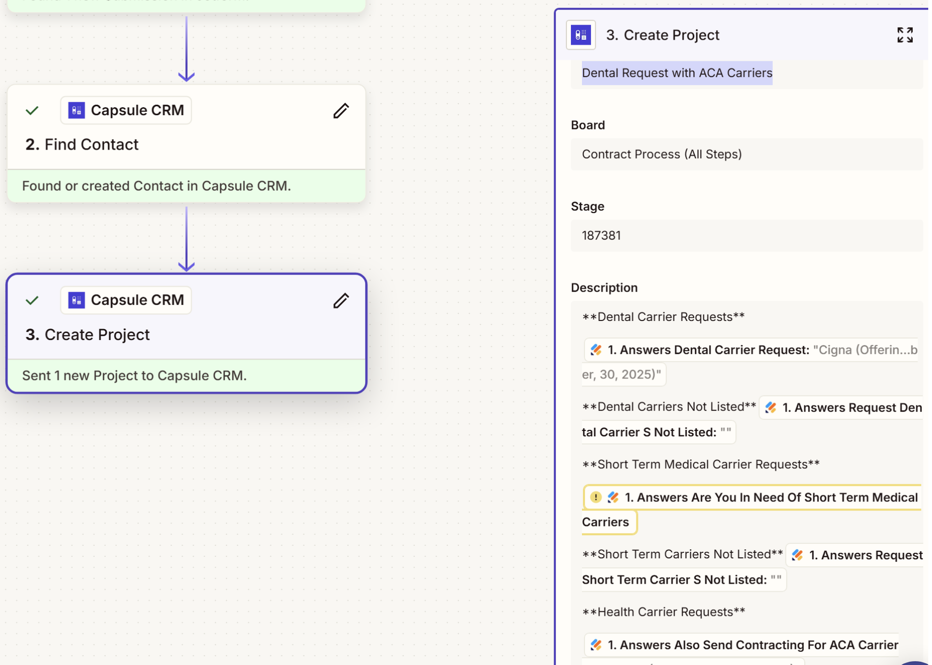
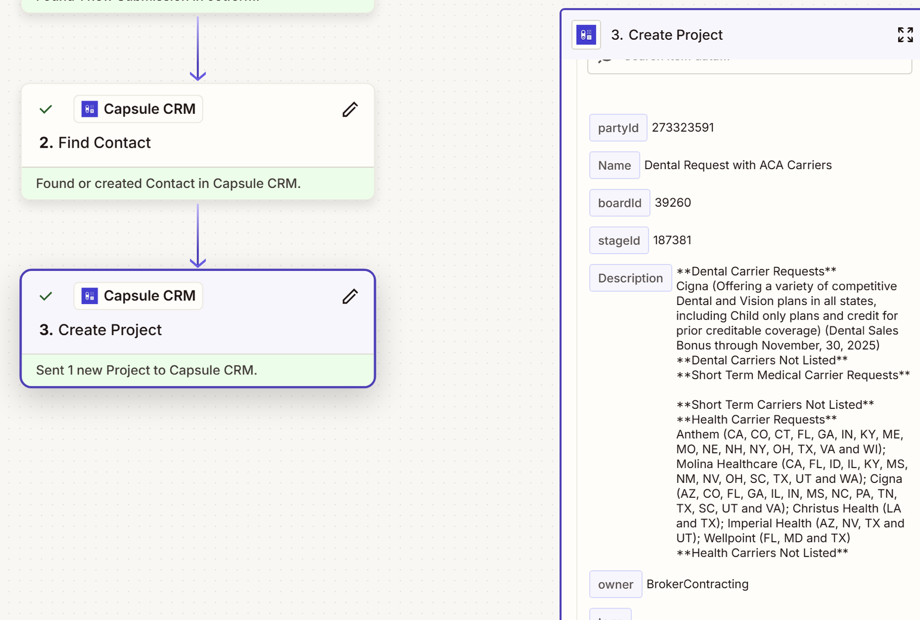
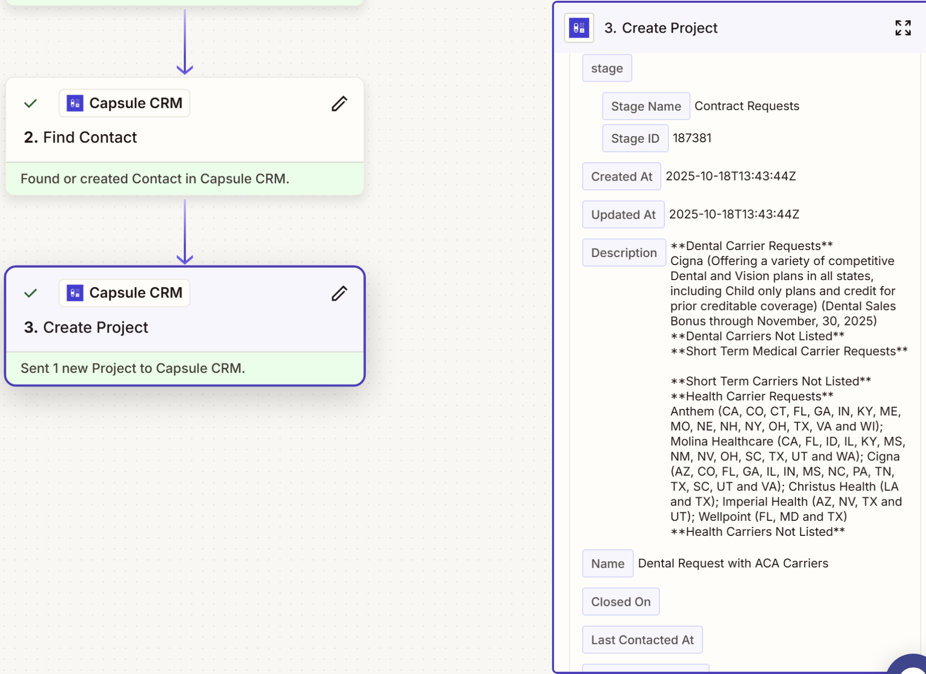
It looks like for some of the fields there weren’t any answers captured which could be why there’s no values being passed over to Capsule for those fields:
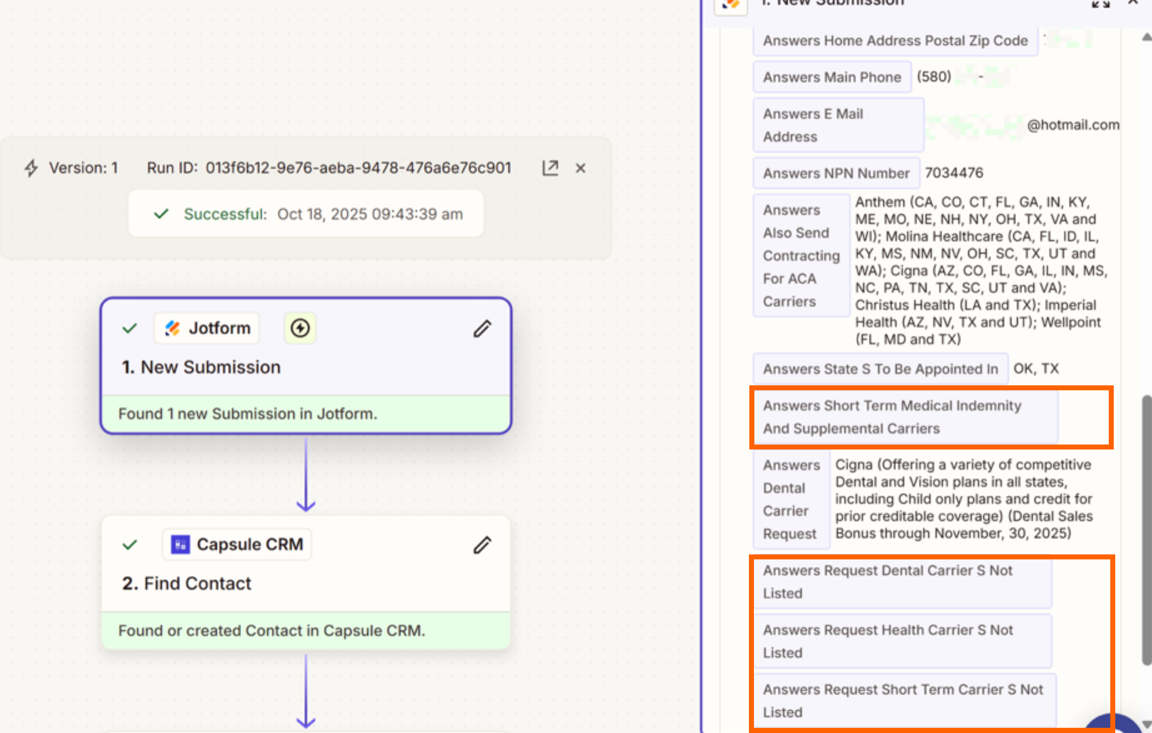
b1dfb73637ca6ef88ac0336f7686ea88.png
 

Also, it looks like there’s an issue with the field that’s been selected for the **Short Term Medical Carrier Requests** section in the Description field as there’s the little yellow warning icon appearing:
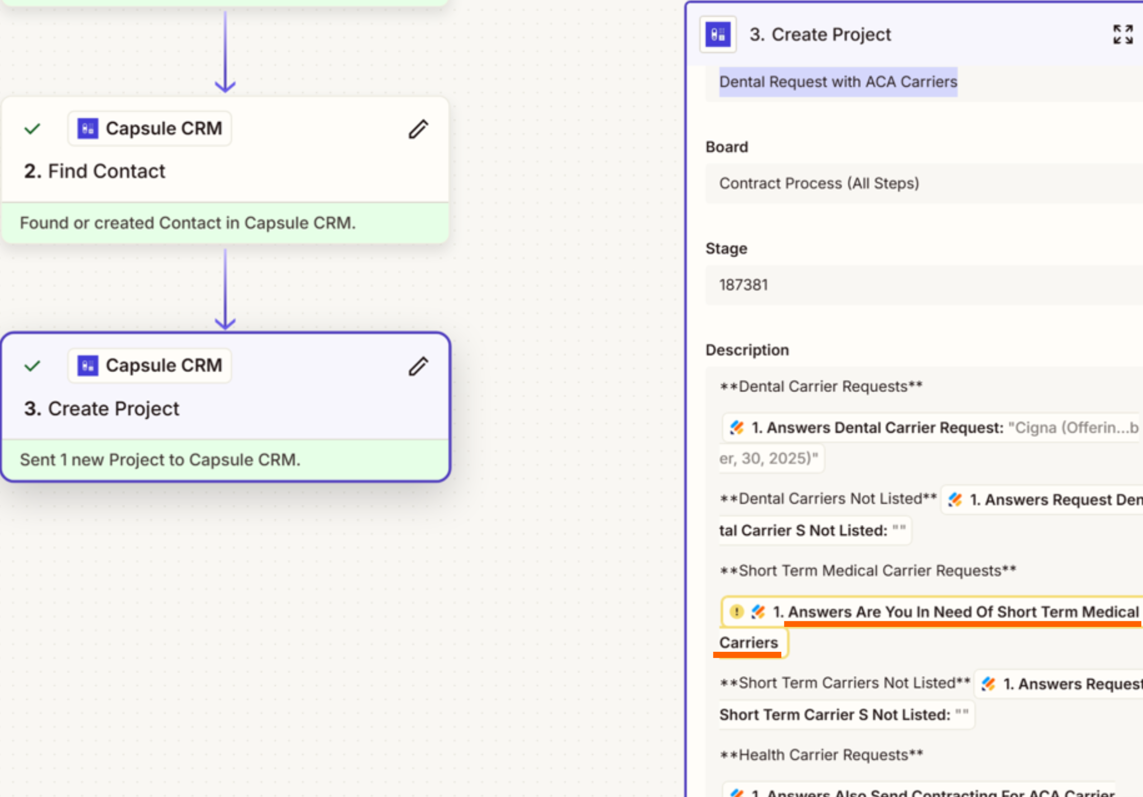
994e7506bb10e3904ef7e368afb0d907.png
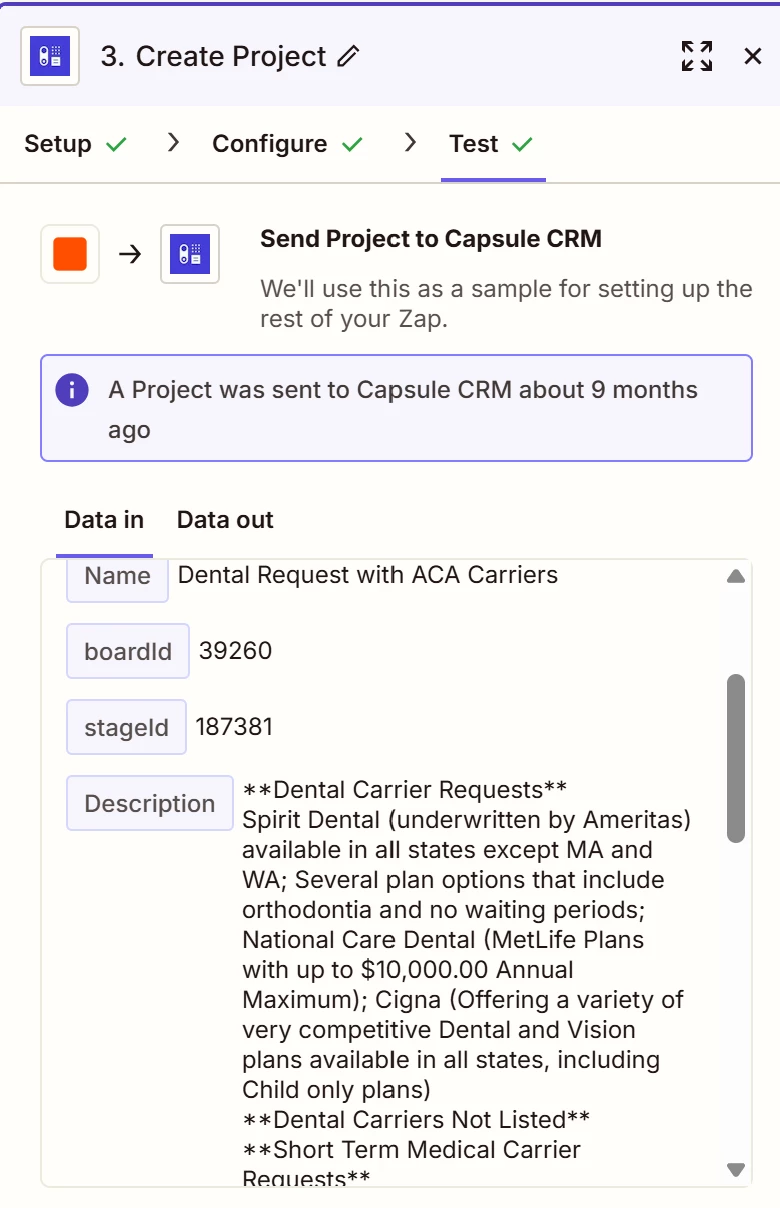
Did the field named “Answers Are You In Need Of Short Term Medical Carriers” get changed to “Answers Short Term Medical Indemnity And Supplemental Carriers”? Asking as that’s the only other similarly named field I could see in the screenshots:
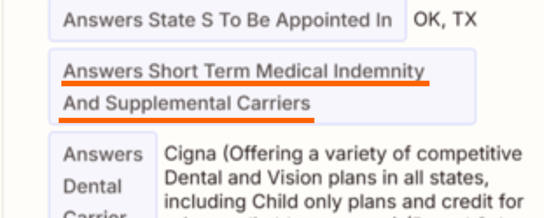
279f278122ebe91b5b72c4f8a2218609.png
 

Can you try loading in a new Test Record that has values entered for all the fields you’re wanting to map to that Create Project action? If the field names have been changed recently, or there wasn’t a value selected then that might be why those fields didn’t have any values appear in the Zap so loading in a new test record could help to get the latest set of fields and help to check we’re definitely able to see values for all fields when they’ve been filled out. 

Let me know how that goes, want to make sure this gets sorted! 🙂

10 replies

Sparsh from Automation Jinn
Forum|alt.badge.img+6

Hey ​@Broker Contracting.

Can you post screenshots of Data In, Data Out as well as how each Zap step is configured for us to have more context?

Here is a helpful article about dynamic mapping in Zapier- https://help.zapier.com/hc/en-us/articles/8496343026701-Send-data-between-steps-by-mapping-fields

If all the answers are in one fields, try using Formatter action in Zapier. See more about it here-https://help.zapier.com/hc/en-us/articles/8496212590093-Get-started-with-Formatter

Hope it helps!


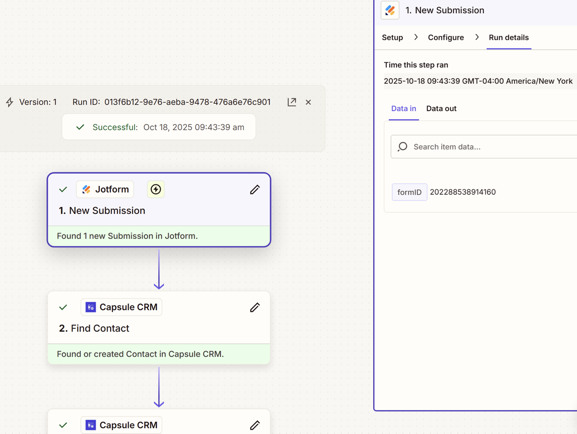
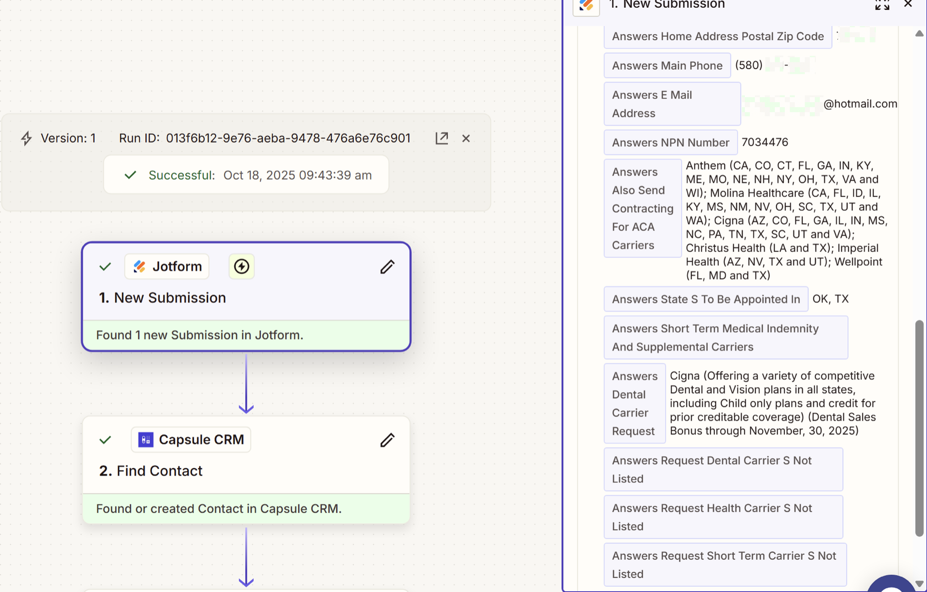
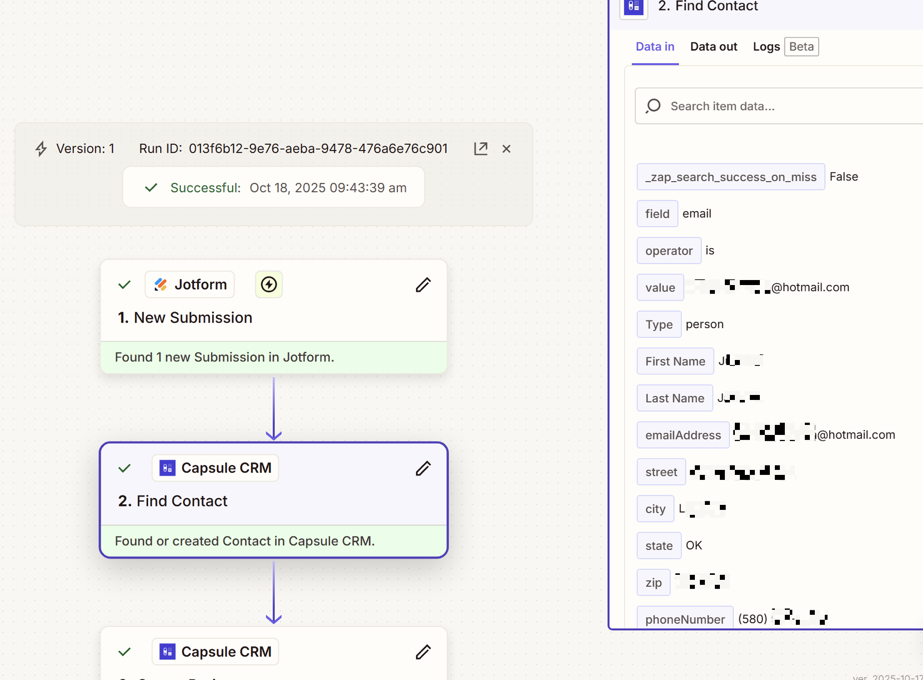
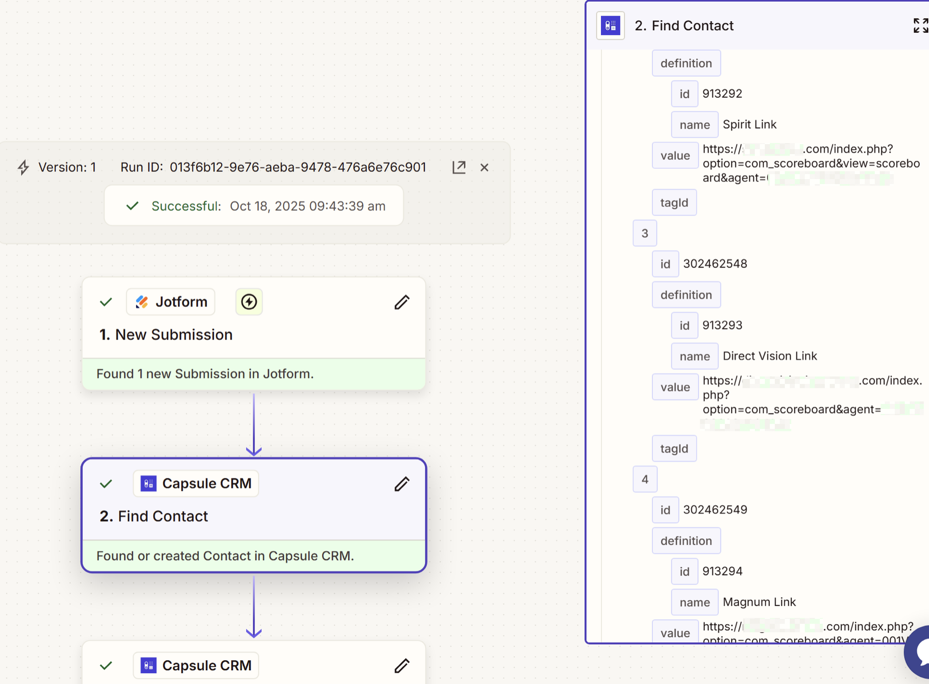
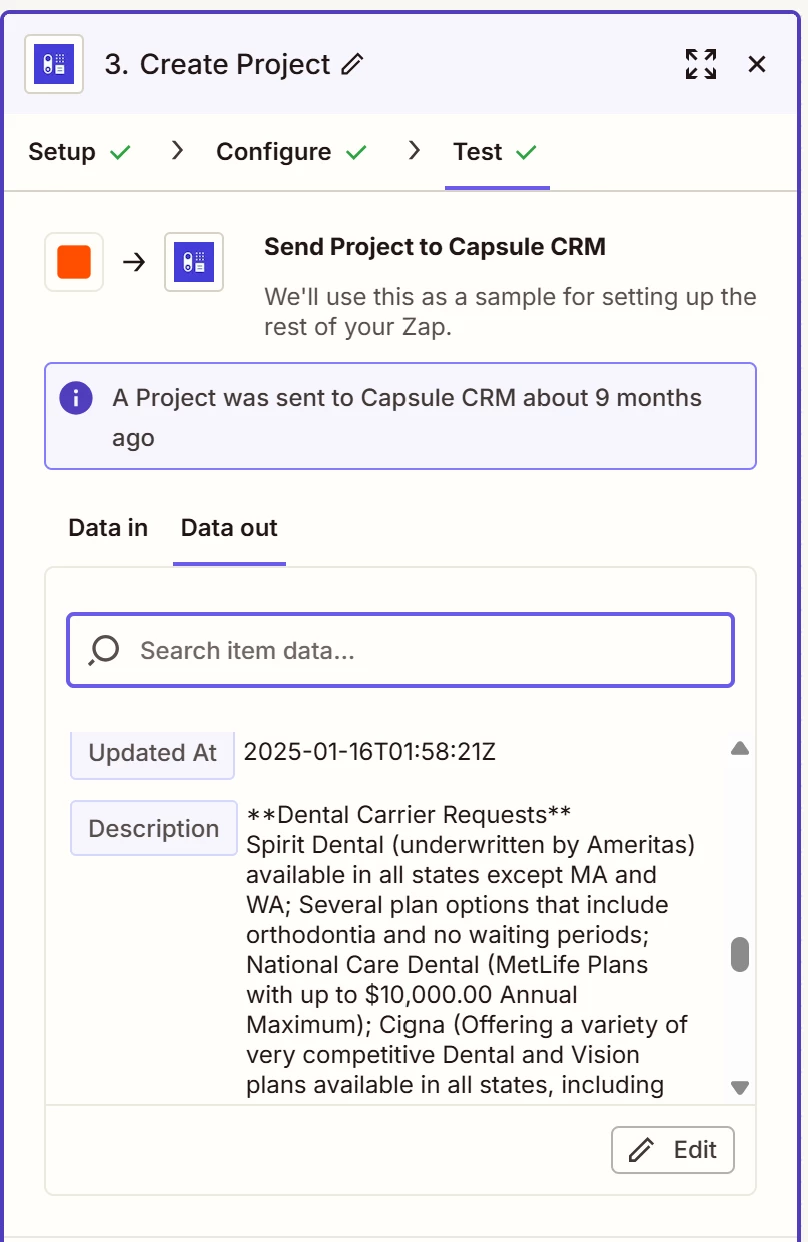
Here are in and out Data screenshots. To state the question again. The items picked by the contract in my JotForm Is not importing. I see “Cigna” in the Dental Request category and “Anthem” in the Health request category, in the in and out data. The data is not loading in my CRM. About a month ago the data was uploading. I must have changed a setting without knowing. Again, please help!


b13f5e1c410e637202d0e4cbd0f6bdea.png
e0f15fdc82cb5f249149577c6529111f.png
ba9b1b371ca28502e1d48ad8039100c4.png

7968e75f20985f4c2ae869e994e883df.png
4c1c681cb24b103817031a1884356c16.png
c528cb0f497b73a557e24287b5e2ec5f.png
b6578bab33a096a77eb4450e3f5c13d3.png

This post has been edited by a moderator to remove personally identifiable information (PII). Please remember that this is a public forum and avoid sharing personal or potentially sensitive details.


Sparsh from Automation Jinn
Forum|alt.badge.img+6

Hey ​@Broker Contracting,

Please upload the screenshots in the post rather than uploading in a file.


I’m still need help with importing my Jot Form Replay information into my CRM (Capsule). Most of the data is importing. The data that is not importing is the product requests. I product category is importing, the answers or the requested product is not importing. 


Sparsh from Automation Jinn
Forum|alt.badge.img+6

Hey ​@Broker Contracting,

You didn’t post screenshots of all the triggers/ actions otherwise it’s hard to say what answers or product category you are talking about.

If the data you want to map is changed, you may want to map it again in the Capsule CRM action from the trigger. As said earlier as well, here is a helpful article about dynamic mapping of data- 
 https://help.zapier.com/hc/en-us/articles/8496343026701-Send-data-between-steps-by-mapping-fields. If the data is not there in the trigger, you will have to use extra actions to get that data. Hope it helps!

PS: If you need more active help, I’m happy to connect through my Zapier Solution Partner page if you’d like to reach out here- https://zapier.com/partnerdirectory/automation-jinn


Where is the poster vs uploading the file. I usually do not have a problem with systems over time. This is really disappointing. Data in data out I do not get it. I need a little one on one help for the basics. When can I find practical applications. Something that shows a JotForm Zap with multiple choice options on the form. 


SamB
Community Manager
Forum|alt.badge.img+11
  • Community Manager
  • Answer
  • December 11, 2025

Hi there ​@Broker Contracting 👋

It looks like for some of the fields there weren’t any answers captured which could be why there’s no values being passed over to Capsule for those fields:

b1dfb73637ca6ef88ac0336f7686ea88.png
 

Also, it looks like there’s an issue with the field that’s been selected for the **Short Term Medical Carrier Requests** section in the Description field as there’s the little yellow warning icon appearing:

994e7506bb10e3904ef7e368afb0d907.png
Did the field named “Answers Are You In Need Of Short Term Medical Carriers” get changed to “Answers Short Term Medical Indemnity And Supplemental Carriers”? Asking as that’s the only other similarly named field I could see in the screenshots:

279f278122ebe91b5b72c4f8a2218609.png
 

Can you try loading in a new Test Record that has values entered for all the fields you’re wanting to map to that Create Project action? If the field names have been changed recently, or there wasn’t a value selected then that might be why those fields didn’t have any values appear in the Zap so loading in a new test record could help to get the latest set of fields and help to check we’re definitely able to see values for all fields when they’ve been filled out. 

Let me know how that goes, want to make sure this gets sorted! 🙂


Thank you so much. Best advise yet. I will work in these suggestions. Again, Thank you. I’ll work on all these.  


SamB
Community Manager
Forum|alt.badge.img+11
  • Community Manager
  • December 12, 2025

You’re super welcome ​@Broker Contracting! 🤗 Keep us posted on how things progress with this. Happy to lend a hand if you get stuck!