Question

How to fix field mapping issues in Zapier for first name and surname

  • March 20, 2026
  • 10 replies
  • 40 views

I have mapped in paper the correct fields for first name, surname and full name but when the zap runs, it loads the first and surname into the first name box. help please

10 replies

Troy Tessalone
Zapier Orchestrator & Solution Partner
Forum|alt.badge.img+14
  • Zapier Orchestrator & Solution Partner
  • March 20, 2026

Hi ​@Cartern 

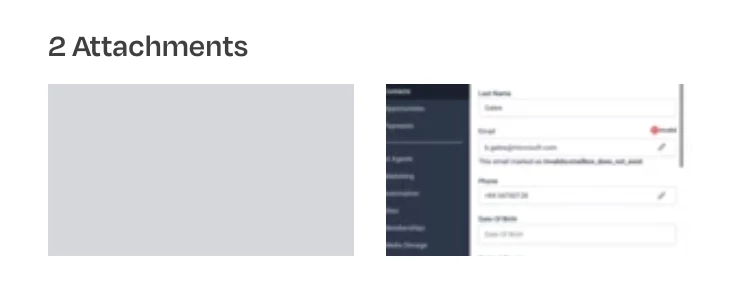
1 of your 2 attachments did not upload properly. (see screenshot below)


  • Author
  • New
  • March 20, 2026

Thanks Troy:

I have mapped in zapier the correct fields for ‘first name’, ‘surname’ and ‘full name’ but when the zap runs (into go high level), it loads the ‘first’ and ‘surname’ into the ‘first name’ box. Help please


Forum|alt.badge.img+1
  • Zapier Solution Partner
  • March 20, 2026

Hi ​@Cartern 

Thanks for sharing the screenshots — that makes it much clearer. I can see what’s happening.

The issue is that in Go High Level, the “First Name” field is actually storing whatever you’re mapping as “First Name” and “Last Name” together, which is why you’re seeing BillGates Gates in the First Name field in GHL.

Here’s why this happens and how to fix it:

1. Check Your Field Mapping in Zapier

In your Zap, when you set up the Go High Level action step:

  • First Name field should map to your source First Name (e.g., Bill).

  • Last Name field should map to your source Last Name (e.g., Gates).

  • Full Name field should be left empty unless you specifically want to override first + last with a single string.

If you map anything into Full Name, GHL may concatenate it with First/Last in unexpected ways depending on how the GHL Zapier integration handles contact creation.

Hope this helps you get it sorted! And let me know how it goes — happy to dig deeper if needed!

And if you'd rather just get it sorted quickly, I offer a free 20-min Zapier troubleshooting call. Book it under Resources on my Zapier Directory profile: https://zapier.com/partnerdirectory/automatemybiz!-->


  • Author
  • New
  • March 20, 2026

That's brilliant thank you, I think I have a further issue that has also been there which is the data won't actually transfer for profiles without an email address. I have seen a note on how to use the formatter command to add a default entry if missing but still doesn't seem to be working?


Forum|alt.badge.img+1
  • Zapier Solution Partner
  • March 20, 2026

Hi ​@Cartern 

Glad the first part helped! Now I can see the issue you're running into with contacts that don’t have an email address.

Looking at your error log:

"Pass at least one of number, email query parameter"

This means LeadConnector (Go High Level) requires either an email or a phone number to create or update a contact. If your incoming data has neither, the Zap will fail — even if you add a default email.


Here's the Code by Zapier doc that might help: [link]!-->

You can use a Code step before your LeadConnector action to handle the logic in one place.

How the Code Would Work

The code would:

  1. Check if an email exists from your incoming data

  2. If email is missing, assign a default email (like no-email@placeholder.com)

  3. Optionally, check if both email and phone are missing — if so, you can flag the contact to be skipped

Then you'd add a Filter step after the Code step to only proceed with contacts that have at least an email or phone (or to skip those with neither).

Why This Works Better

  • You handle the default value logic in one step instead of multiple Formatter actions

  • You can add custom conditions (like using different defaults based on the source)

  • You can prevent the Zap from even attempting to create a contact that's missing both email and phone — which is what's causing your error

Important

Code by Zapier is available on paid plans. If you're on a free or starter plan, you'll need to stick with the Formatter + Filter approach. But if you have access to Code steps, it's a much cleaner solution for situations like yours where you need conditional fallback logic.

Let me know if you want help setting up the exact logic for your field names!


  • Author
  • New
  • March 20, 2026

Hello Fahad, that's great but I don't understand, if the formatter places a default address in if there isn't one, why would go high level not accept the record?


Troy Tessalone
Zapier Orchestrator & Solution Partner
Forum|alt.badge.img+14
  • Zapier Orchestrator & Solution Partner
  • March 20, 2026

@Cartern 

You can add a Filter as Zap step 2 to check the email address variable has a value.

Filter help: https://zapier.com/apps/filter/help


After testing, make sure you are reviewing the correct GHL Contact ID.

When testing make sure to use unique dummy data to help you check different test cases.

e.g. F0 L0, F1 L1, etc.


When you test in the Zap EDIT mode for a step, in the TEST tab, you can check the DATA IN/OUT to help you troubleshoot.


Try testing LIVE by turning the Zap ON and testing end to end.

Then check your Zap Run history details to see the DATA IN/OUT for each step to help you trace the data flow and troubleshoot.


  • Author
  • New
  • March 20, 2026

yes I originally tried this and tested it by re running the failed zaps, it continues to show the same error?


Troy Tessalone
Zapier Orchestrator & Solution Partner
Forum|alt.badge.img+14
  • Zapier Orchestrator & Solution Partner
  • March 20, 2026

@Cartern 

For full, true, and current context, post screenshots showing these:

  • how your Zap steps are outlined
  • how your Zap steps are configured in the CONFIGURE tab while in EDIT mode with the field mappings visible
  • for a brand new unique Zap Run, the DATA IN for the GHL step
  • for a brand new unique Zap Run, the DATA IN for the GHL step
  • the resulting field values in GHL for the Contact record


NOTE: Do NOT test with data point values you previously used.


If you are looking to hire help, I’m a Zapier Partner: https://zapier.com/partnerdirectory/automation-ace


Forum|alt.badge.img+1
  • Zapier Solution Partner
  • March 20, 2026

Hi ​@Cartern 

Even with correct mapping, some Zapier + Go High Level integrations require a valid email format (like something@domain.com). If your default email is something like no-email without the @domain.com, GHL may reject it as invalid.

Make sure your default follows proper email format: noreply@placeholder.com for example.

The Bottom Line

  • Check your mapping — use the Formatter output, not the original field

  • Verify your default email format is valid

  • If both look correct, add a Filter step before LeadConnector to skip contacts with no email and no phone — that way you avoid the error entirely

Let me know what you find!

If you're still running into issues, drop a screenshot of the zap configuration and a quick description of what your Zap is doing, happy to take a look!

And if you'd rather just get it sorted quickly, I offer a free 20-min Zapier troubleshooting call. Book it under Resources on my Zapier Directory profile: https://zapier.com/partnerdirectory/automatemybiz