
Best answer

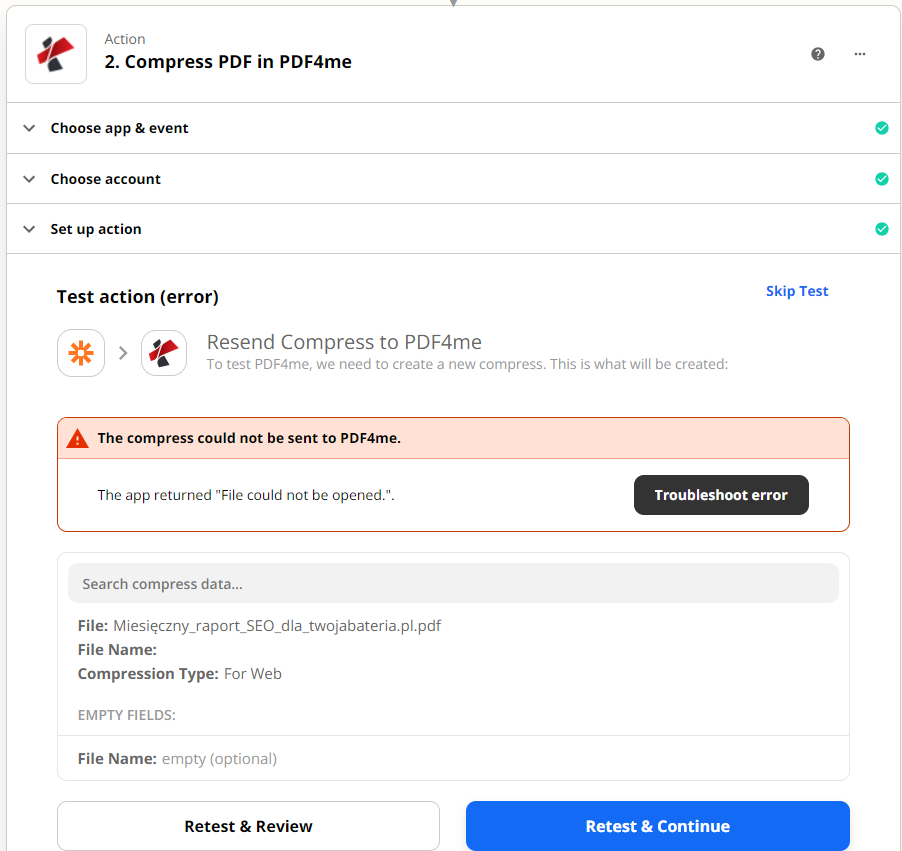
How to compress attachments from Gmail to fit in PDF4Me? Error: The app returned "File could not be opened."

  • April 25, 2022
  • 1 reply
  • 70 views

Hello everyone, 


I get a PDF version of the report in the mail - they weigh a lot, so I want to compress them. However, I have a problem configuring this in PDF4me. 
As File I choose Raw Payload Parts Filename: file_name.pdf
but the action test returns an error. What am I doing wrong?



Best answer by Troy Tessalone

Hi @vojtechoose 

Good question.

This needs to be a file object or a file url, not a file name.

Help article about using files in Zaps: https://zapier.com/help/create/basics/send-files-in-zaps


This post has been closed for comments. Please create a new post if you need help or have a question about this topic.

1 reply

Troy Tessalone
Zapier Orchestrator & Solution Partner
Forum|alt.badge.img+14
  • Zapier Orchestrator & Solution Partner
  • Answer
  • April 25, 2022

Hi @vojtechoose 

Good question.

This needs to be a file object or a file url, not a file name.

Help article about using files in Zaps: https://zapier.com/help/create/basics/send-files-in-zaps





