Answer

How do I filter and send only orders to Slack from WooCommerce?

  • October 7, 2024
  • 9 replies
  • 65 views

Forum|alt.badge.img+1

Hello Community,

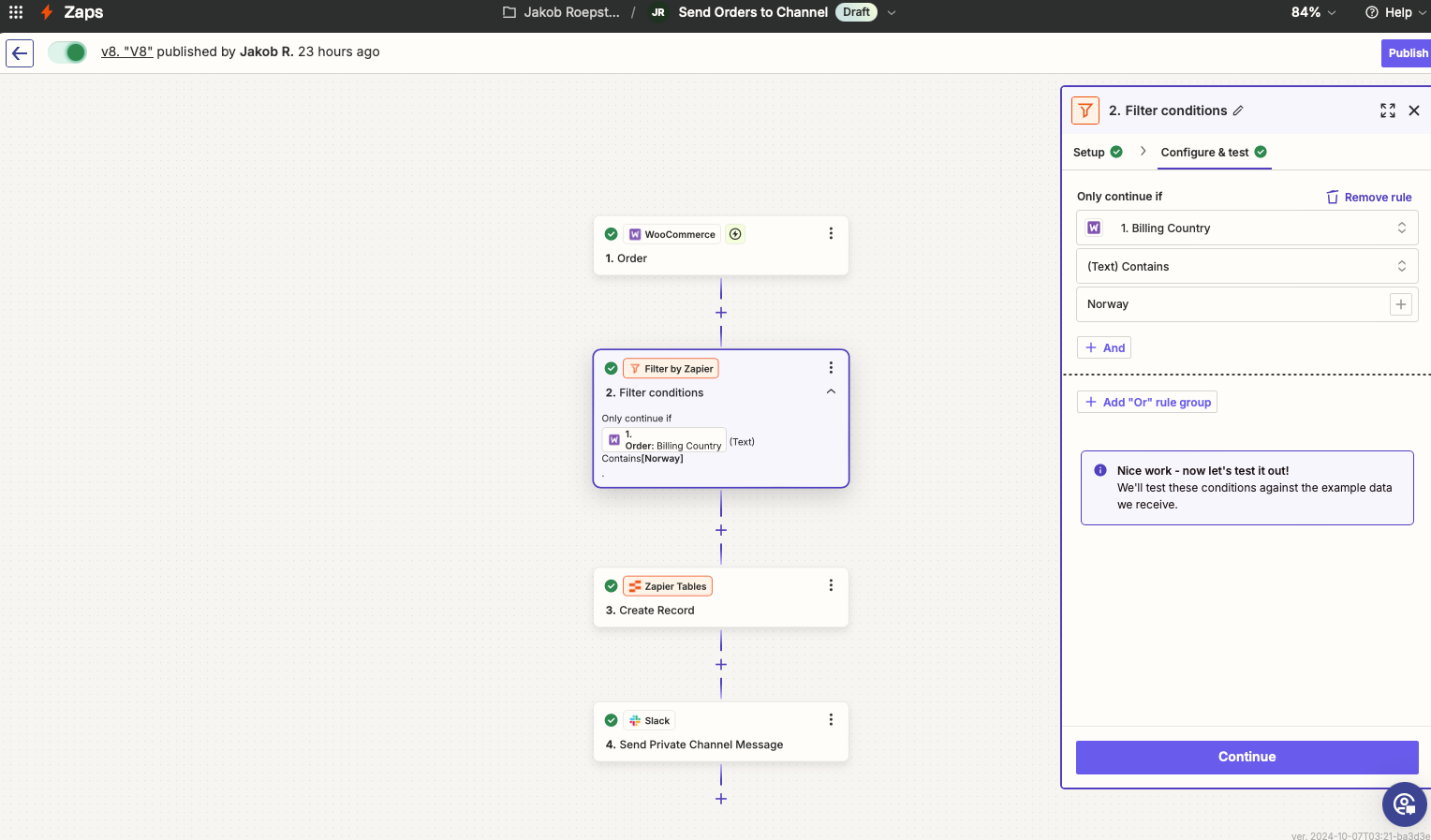
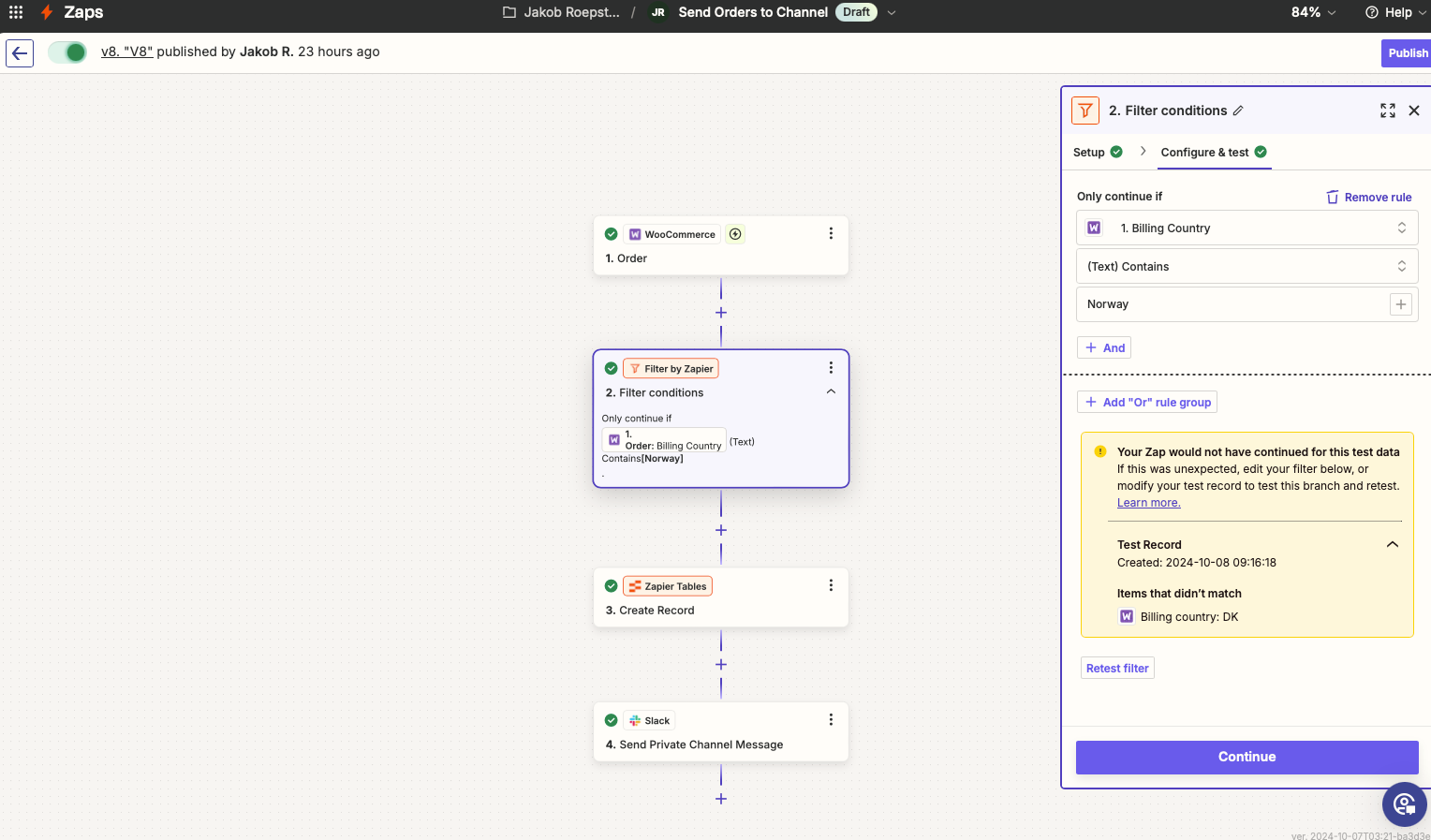
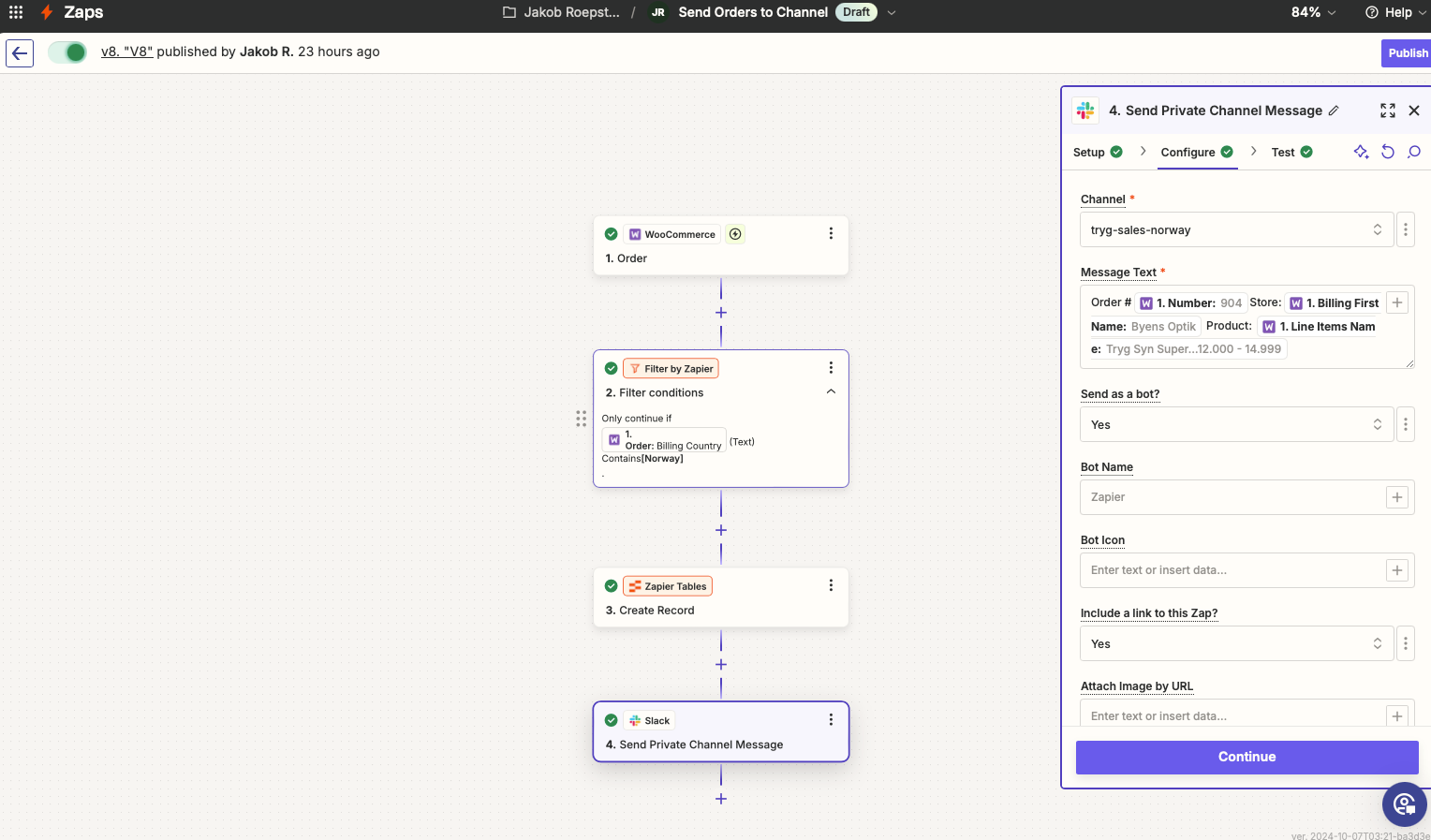
We need to filter the orders and send them to a Slack channel. In this channel, only orders from Norway must go through. I have tried to use the billing address, country from Norway but they don’t go through for some reasons I don’t understand. 

Is it possible to filter through user roles somehow?

Hope is clear. We are using WooCommerce. 

Best answer by ladla_karan

Read about it a bit.

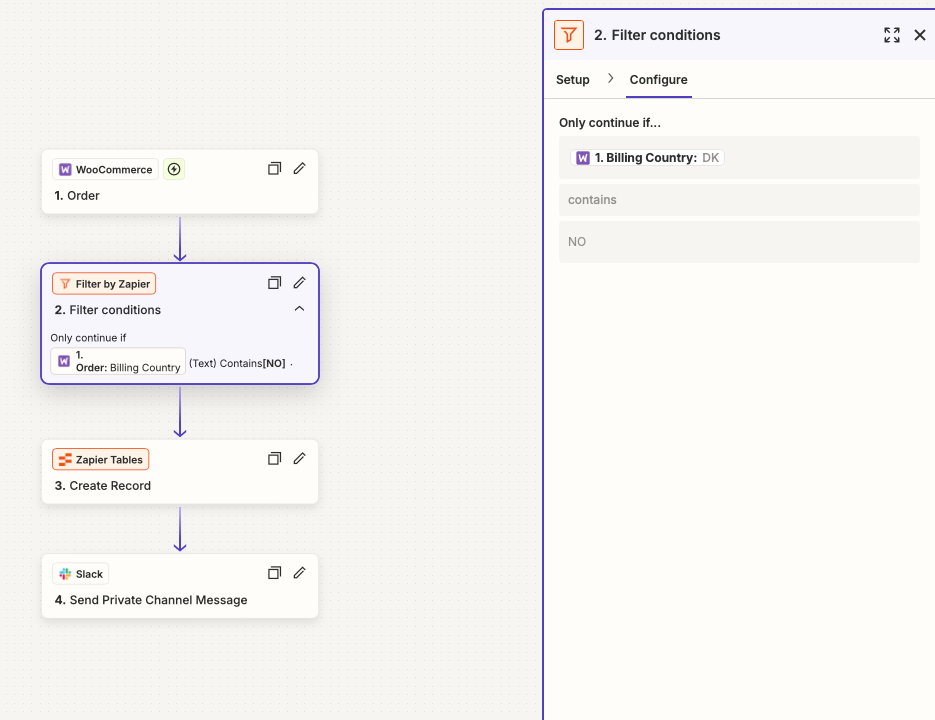
I believe WooCommerce stores the country code in Billing Country field in the ISO 3166-1 alpha-2 format i.e. 

  • Norway = NO
  • Denmark = DK
  • United States = US

Try using NO instead of Norway in the filter value.

This post has been closed for comments. Please create a new post if you need help or have a question about this topic.

9 replies

Troy Tessalone
Zapier Orchestrator & Solution Partner
Forum|alt.badge.img+14
  • Zapier Orchestrator & Solution Partner
  • October 7, 2024

Hi @21Optical 

Options:


If you need more help, post screenshots showing how your Zap steps are outlined and configured in EDIT mode.


Forum|alt.badge.img+1
  • Author
  • Beginner
  • October 8, 2024

Hi Troy,

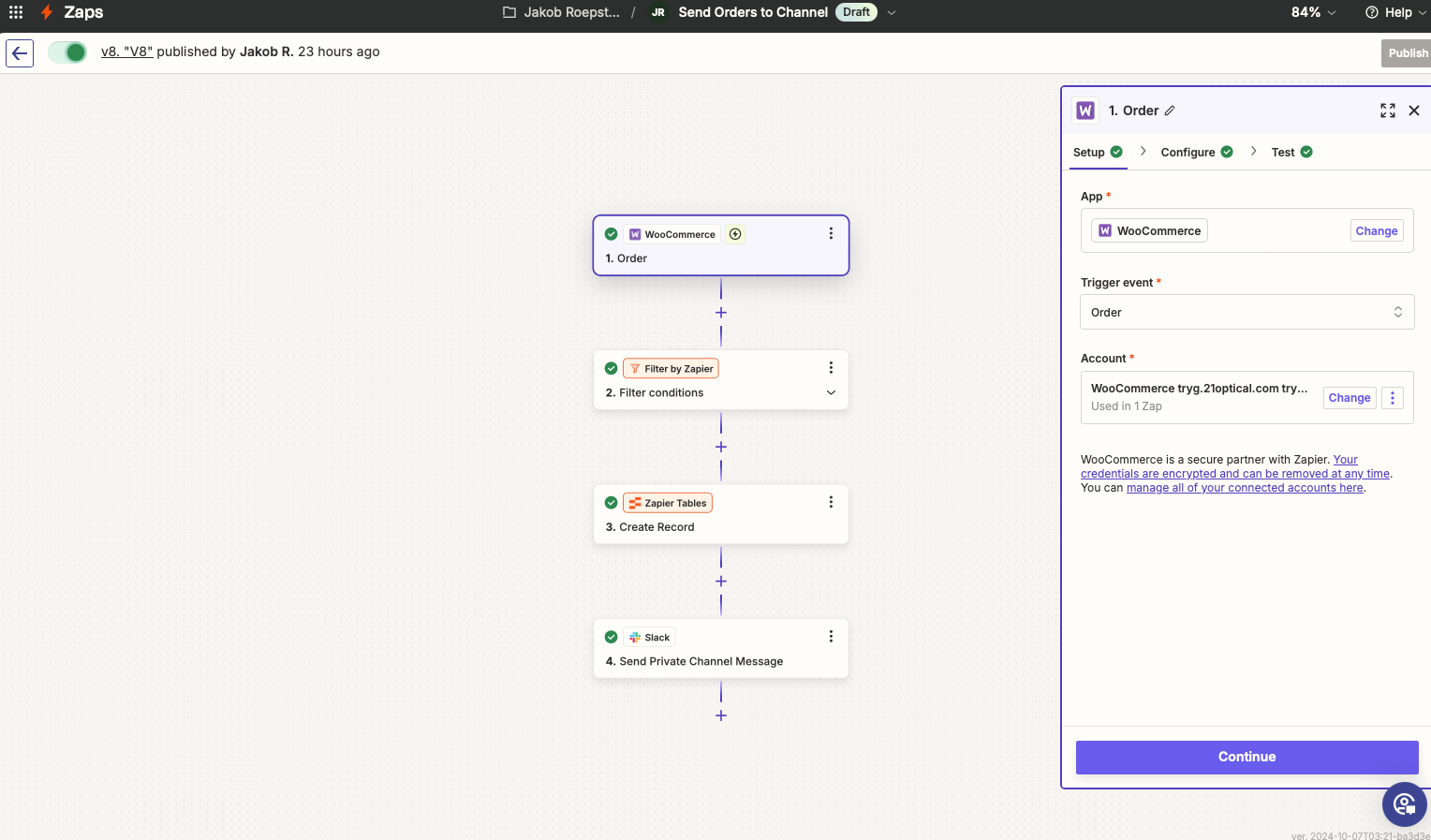
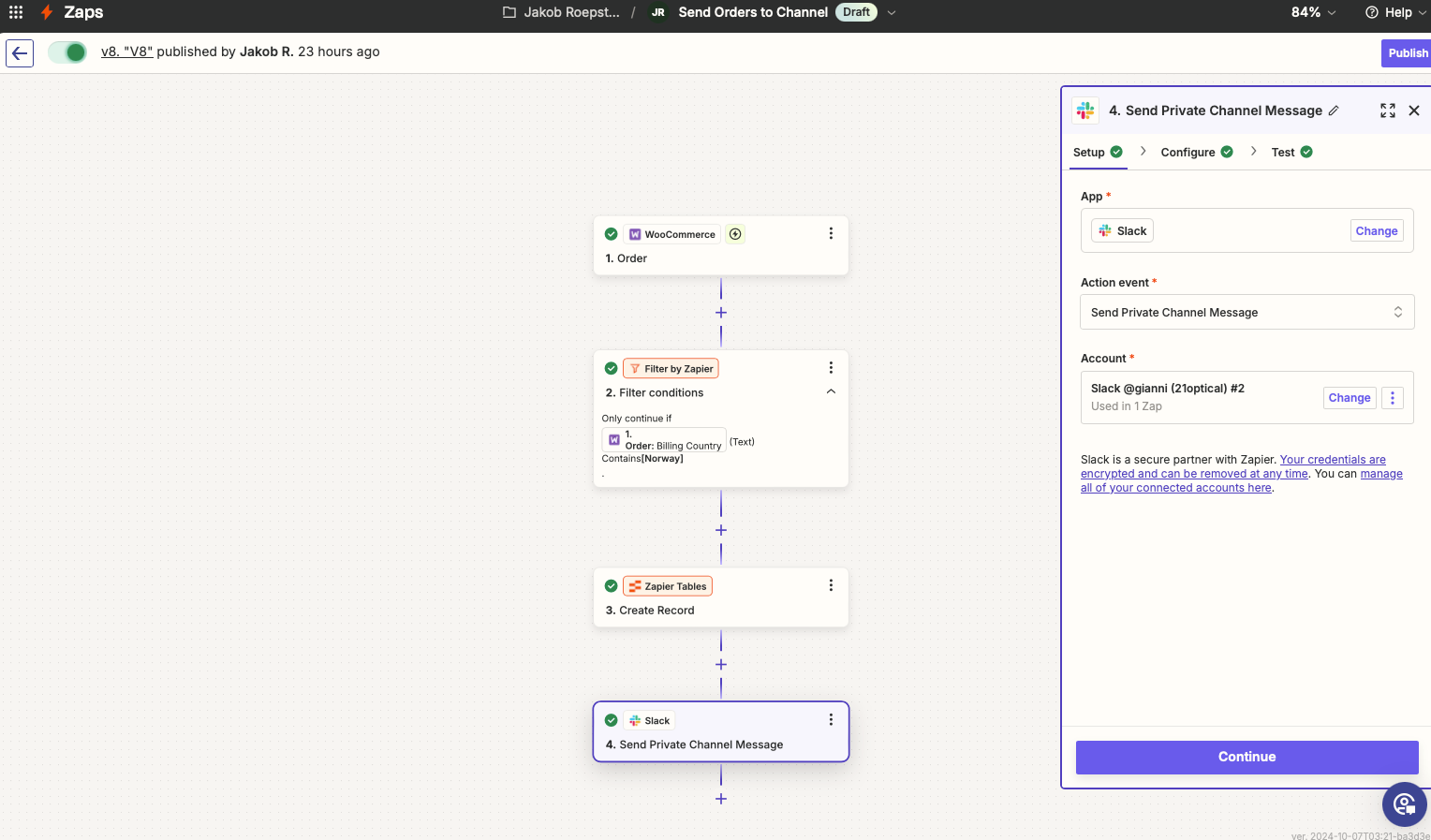
Thanks for your help. See my screenshots here. 


Forum|alt.badge.img
  • New
  • Answer
  • October 8, 2024

Read about it a bit.

I believe WooCommerce stores the country code in Billing Country field in the ISO 3166-1 alpha-2 format i.e. 

  • Norway = NO
  • Denmark = DK
  • United States = US

Try using NO instead of Norway in the filter value.


Forum|alt.badge.img+1
  • Author
  • Beginner
  • October 8, 2024

Thanks, I’ve changed it, will test it. :)


JammerS
Forum|alt.badge.img+6
  • Zapier Staff
  • October 9, 2024

Hi @21Optical,


We just wanted to see how everything is going with your Zap. Did ladla's recommendation get the job done? Feel free to reach out if you need further assistance with your Zap. We're glad to address any concerns and assist you.
 
We're looking forward to your response.


Forum|alt.badge.img+1
  • Author
  • Beginner
  • October 9, 2024

Hi @JammerS 

Thanks for your concern. I will update this thread as soon as I start getting the orders.


Forum|alt.badge.img+1
  • Author
  • Beginner
  • October 24, 2024

@ladla_karan @JammerS 

Thanks guys for the support, it’s working as @ladla_karan suggested :) hooray! 


JammerS
Forum|alt.badge.img+6
  • Zapier Staff
  • October 25, 2024

Hi @21Optical,


Wow! Thank you for confirming that ladla_karan’s resolution got the Zap running. This will significantly help our Community members to have as a reference for the same issue.


Forum|alt.badge.img+1
  • Author
  • Beginner
  • October 28, 2024

@JammerS glad for our contribution to the issue :)