
Answer

How can I add a new subscriber to MailerLite without knowing their email after a PayPal sale?

  • November 13, 2024
  • 5 replies
  • 56 views

Hello all!


I’ve created a Zap where the successful sale of a particular product on PayPal will automatically add that new customer into a subscriber group in Mailerlite.

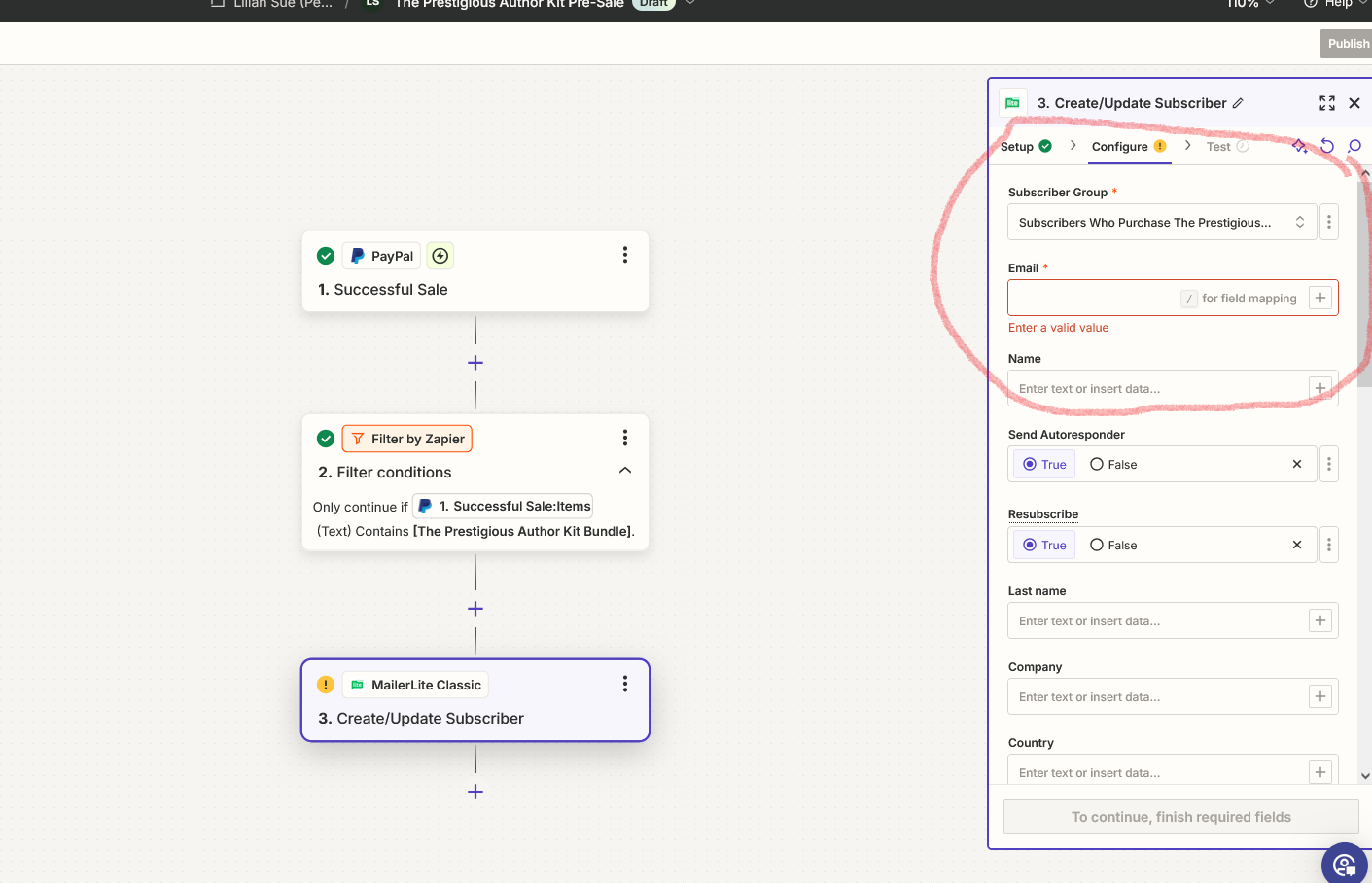
I tested it using the husband’s email and the Zap worked, but I’m wondering how to add a new subscriber if I don’t know their email address. The screenshot below is where I’m stuck.



Best answer by Troy Tessalone

Hi @LSue23 

In Zap step 2, for the Email field, try clicking the [+] button, then map a variable from Zap step 1 that represents the email address.

Help link for configuring Zap action steps: https://zapier.com/help/create/basics/set-up-your-zap-action

This post has been closed for comments. Please create a new post if you need help or have a question about this topic.

5 replies

tomzap
Forum|alt.badge.img+1
  • Beginner
  • November 13, 2024

That’s a great question! One option is to assume that the email will come from the payer’s email. You can click on the plus icon for Email and select 'payer email.' This way, the email used for the payment will automatically be used to create a user in MailerLite.


Troy Tessalone
Zapier Orchestrator & Solution Partner
Forum|alt.badge.img+14
  • Zapier Orchestrator & Solution Partner
  • Answer
  • November 13, 2024

Hi @LSue23 

In Zap step 2, for the Email field, try clicking the [+] button, then map a variable from Zap step 1 that represents the email address.

Help link for configuring Zap action steps: https://zapier.com/help/create/basics/set-up-your-zap-action


  • Author
  • New
  • November 13, 2024

Thank you, it’s been fixed!


tomzap
Forum|alt.badge.img+1
  • Beginner
  • November 13, 2024

No worries LSue23, if you run into any more issues do let us know.


JammerS
Forum|alt.badge.img+6
  • Zapier Staff
  • November 14, 2024

Wow! Thank you for confirming for the resolution got the Zap running. This will significantly help our Community members to have as a reference for the same issue.






