Question

Help! Zapier Delay for less than one minute - no longer works

  • February 3, 2026
  • 5 replies
  • 18 views

I’ve built zaps that have worked extremely reliably over the last year and in the last 2 weeks or so, delay after queue step which was set at less than a minute by specifying a decimal value no longer works.


Can someone confirm if the workaround still works or not. Having zap loop iterations execute 1 minute apart is just too long and can easily make 500 loop items take over 8 hours.


Can someone very knowledgeable advise if this still works or if there is another way to accomplish this,


thanks.

5 replies

Troy Tessalone
Zapier Orchestrator & Solution Partner
Forum|alt.badge.img+14
  • Zapier Orchestrator & Solution Partner
  • February 3, 2026

Hi ​@BonSamEdi 

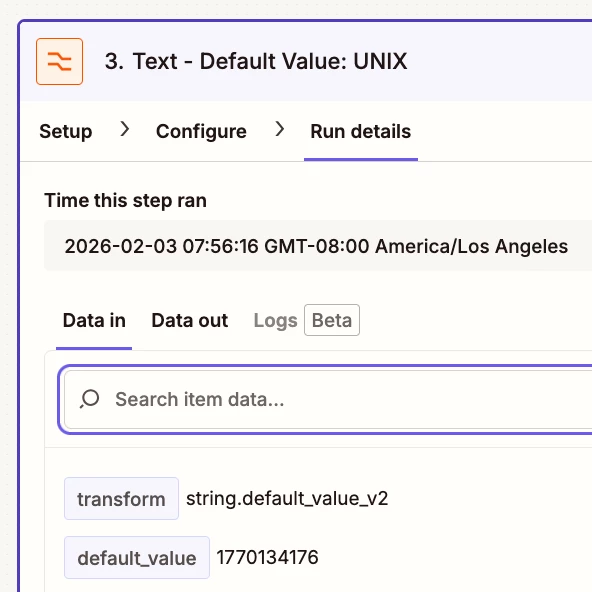
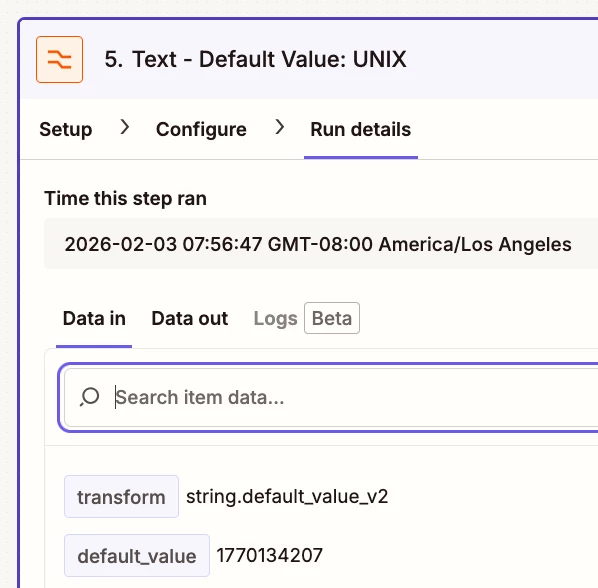
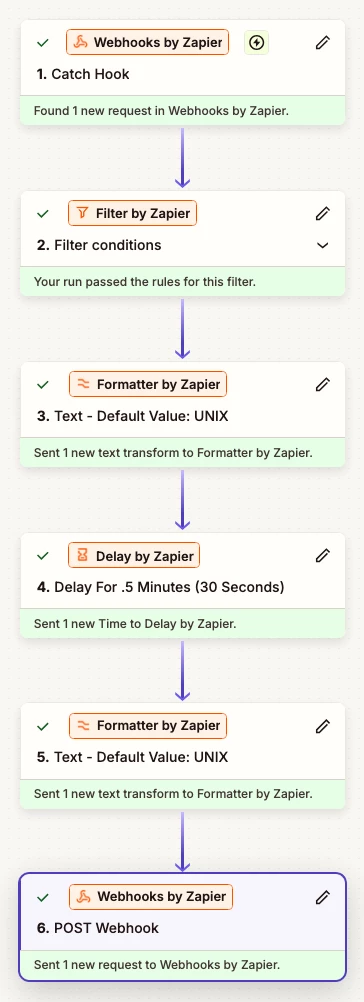
I just tested a Zap with less than 1 minute Delay and it worked as expected.

Check the timestamps in the screenshots below, which are ~30 seconds apart.


  • Author
  • New
  • February 3, 2026

Hi ​@Troy Tessalone ,


It’s a pleasure to interact with you. I’ve been reading your tips and tricks for almost 2 years and never had a need to post until now - so basically I’m a first-time poster. The issue I’m experiencing is particularly with a ‘delay after queue’ step, and I think the best way to attempt to reproduce the problem is with a decently sized loop, e.g. 300-500 iterations.


I’ve been reliably using ‘delay after queue’  (between 3 and 10 second intervals) to buffer and sequence execution of loop iterations, but it appears zapier has altered this behavior (prbly with a core update). Although it appears to work, what I am finding is Zapier reschedules the ‘delay after queue’ step when they are set below 1 minute (e.g. 0.1 for 6 seconds) and by rescheduling random ones, this completely makes the order of execution unpredictable. The easiest way to observe this is to have a filter at the end of the loop that executes an action ONLY on the last iteration of the loop, e.g. sending an email to let you know it’s completed. I find that the last iteration even with delay after queue can execute as early as the middle of the loop cycle due to other loop iterations getting rescheduled to go after it. I hope that make sense.


Troy Tessalone
Zapier Orchestrator & Solution Partner
Forum|alt.badge.img+14
  • Zapier Orchestrator & Solution Partner
  • February 3, 2026

@BonSamEdi 

My recommendation would be to open a ticket with Zapier Support: https://zapier.com/app/get-help


Make sure to provide concrete proof with specific examples that show timestamps and details of the issue with Delay After Queue using under 1 minute delays.


Troy Tessalone
Zapier Orchestrator & Solution Partner
Forum|alt.badge.img+14
  • Zapier Orchestrator & Solution Partner
  • February 3, 2026

@BonSamEdi 

If you suspect the issue is with Delay After Queue, you can try programming logic using Delay For.


Here’s a guide that covers the general concept: https://community.zapier.com/show%2Dtell%2D5/guide%2Dhow%2Dto%2Ddo%2Dsequential%2Dlooping%2Diterations%2Din%2Dzap%2Dsteps%2D31166


Troy Tessalone
Zapier Orchestrator & Solution Partner
Forum|alt.badge.img+14
  • Zapier Orchestrator & Solution Partner
  • February 3, 2026

@BonSamEdi 

Here’s another approach to creating a queue: use Zapier Tables

Concept is to use a Zapier Table as a temp queue.

Zap would be configured to pick one record to process, then pick another record, and so on, thus creating a looping Zap.

Zapier Tables used in Zap steps count as 0 Tasks in Zap Runs.

This approach may actually process all the data sequentially faster than using a Delay After Queue because it processes each record asap, the on to the next record.