Answer

Help please - Zap running twice, once correct, once with strange input data.

  • January 22, 2024
  • 8 replies
  • 100 views

Hi all, hoping for some help here:

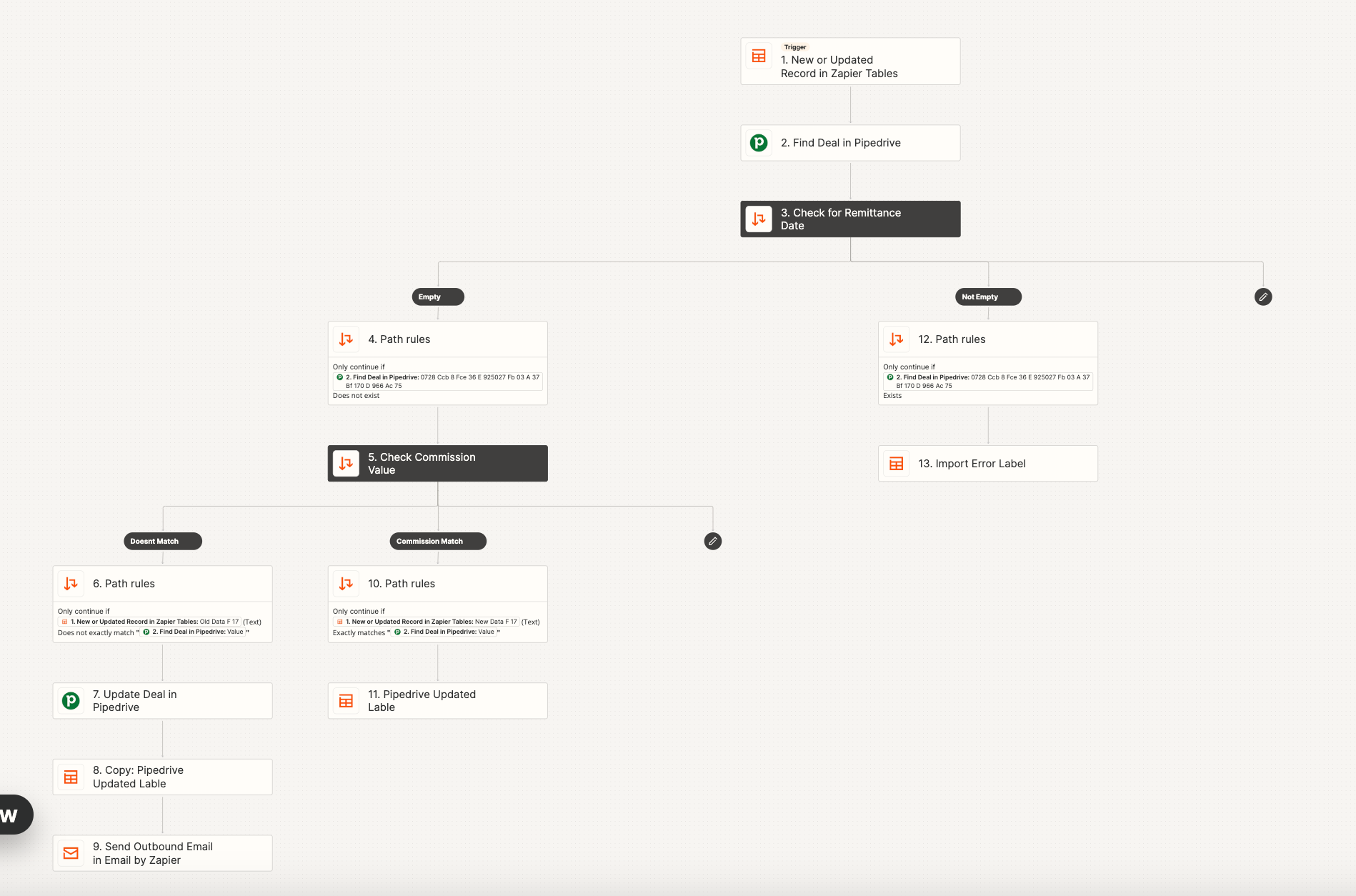
I’ve set a zap to update a field in pipedrive if the value on a zapier table is different to a value in pipedrive using Paths to  check if its matches. If it doesnt match the path then updates this field in pipedrive and sends an email to notify the user. 
 

It works, and all good in theory, however for some reason two zaps run, and I’ve pin pointed where they differ, and it’s at the “doesn’t match” branch. 


In my example, I’m updating the field from 100 to 861.68. 

The two zaps show slightly different data in the run for this, lets call them A & B.

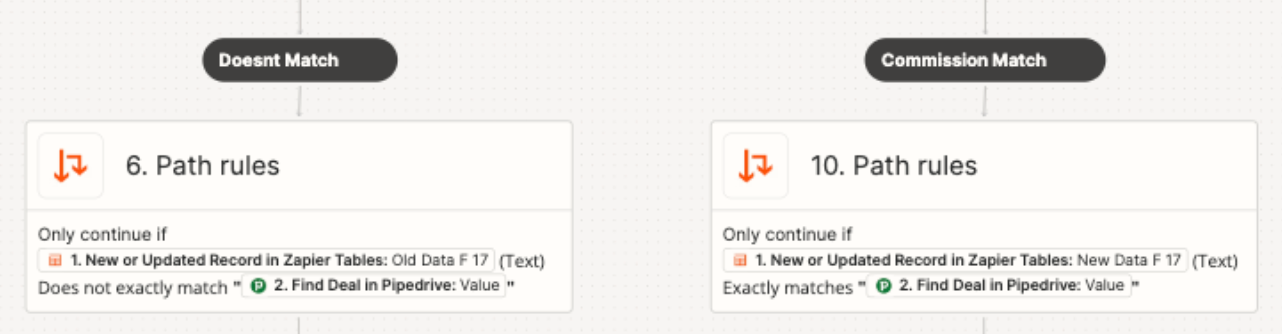
A shows - “861.68 (Text) Does not exactly match 100” - This is correct and working perfectly.
B shows - “861.68 (Text) Does not exactly match {{222685349__value}}” - No idea what or why this has happened.

As a result, the following step to send the email is sent twice. I’d obviously like to avoid this. Any ideas?

 

Best answer by Troy Tessalone

@Gwilym 

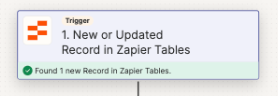
The Zap trigger is new/updated record in Zapier Tables.

Each Path has a Zap step to update Zapier Tables.

The Zap action steps may be causing the Zap to fire again.


Make sure the Filters in Step 2 are set correctly with conditions.


This post has been closed for comments. Please create a new post if you need help or have a question about this topic.

8 replies

Troy Tessalone
Zapier Orchestrator & Solution Partner
Forum|alt.badge.img+14
  • Zapier Orchestrator & Solution Partner
  • January 22, 2024

Hi @Gwilym 

For us to have full context, please post screenshot with how your Zap steps are outlined and configured, thanks.


  • Author
  • Beginner
  • January 23, 2024

Thanks Troy, attached here. And also attached screenshot of zap history showing 2 runs for one event. 


Troy Tessalone
Zapier Orchestrator & Solution Partner
Forum|alt.badge.img+14
  • Zapier Orchestrator & Solution Partner
  • January 23, 2024

@Gwilym 

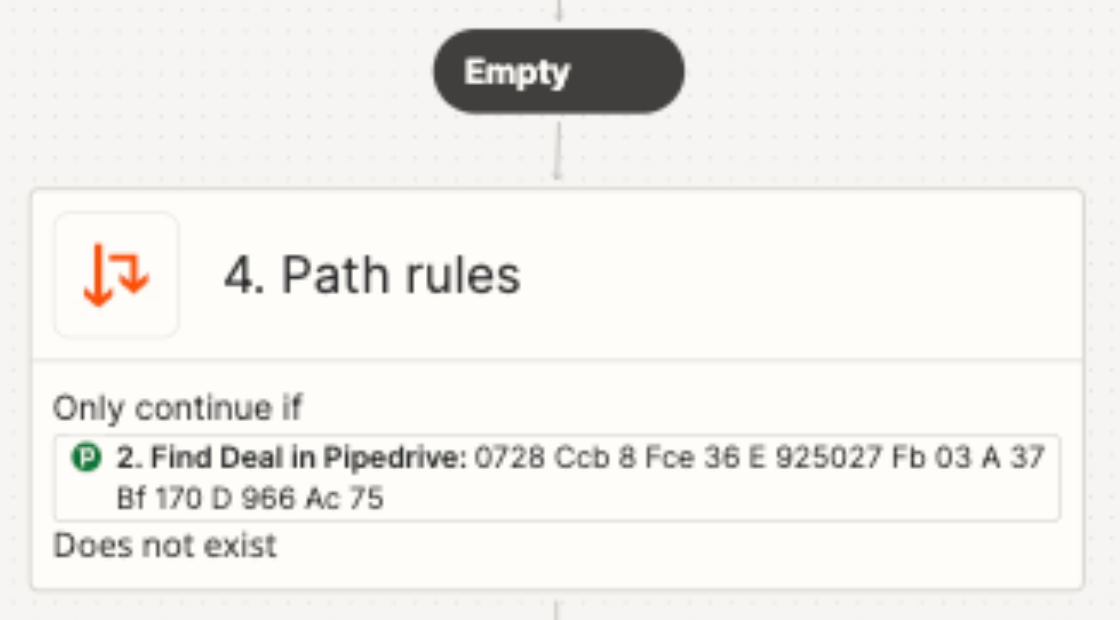
Check your Filter conditions.

They may need to be remapped.

Can you post screenshots with how those are configured?


This Filter shows a value the variable.


These show the same variable used on the right side but without showing the value. (only shows “Value”)


  • Author
  • Beginner
  • January 24, 2024

Thanks that helped a lot,

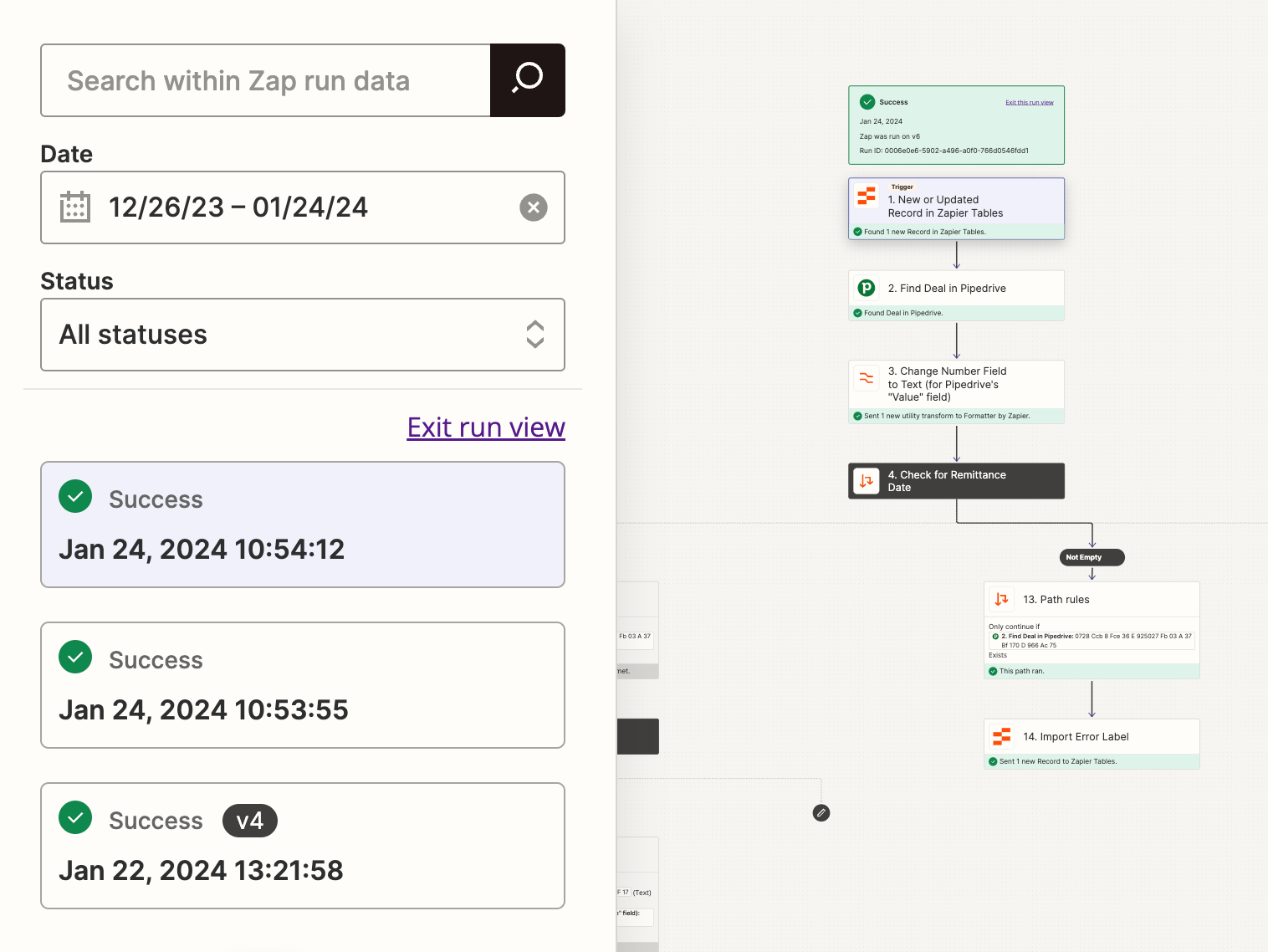
I’ve added a step after step 2 find deal, to convert the number field value to text, as the path filter is comparing (text exact match), and my gut feeling was that could throw up errors. There is not path filter to find a number match - maybe something to add to the work list?

That actually seems to have worked and the zap is now running correctly, BUT, it’s still running twice every time? Any idea how to stop this happening? I can’t see any logic as to why it is triggering twice everytime regardless of the paths taken - I’ve tested every eventuality and it runs twice every time.

See screenshot (it runs again roughly 20-30 seconds after the first run)


Troy Tessalone
Zapier Orchestrator & Solution Partner
Forum|alt.badge.img+14
  • Zapier Orchestrator & Solution Partner
  • January 24, 2024

@Gwilym

There is not path filter to find a number match - maybe something to add to the work list?

Feedback and feature requests can be submitted via a ticket to Zapier Support to be logged: https://zapier.com/app/get-help


Troy Tessalone
Zapier Orchestrator & Solution Partner
Forum|alt.badge.img+14
  • Zapier Orchestrator & Solution Partner
  • Answer
  • January 24, 2024

@Gwilym 

The Zap trigger is new/updated record in Zapier Tables.

Each Path has a Zap step to update Zapier Tables.

The Zap action steps may be causing the Zap to fire again.


Make sure the Filters in Step 2 are set correctly with conditions.


  • Author
  • Beginner
  • January 24, 2024

Ahhhh hero, yup, you were spot on. I’ve change that to just new record and its sorted.


ken.a
Forum|alt.badge.img+6
  • Zapier Staff
  • January 26, 2024

That’s awesome @Gwilym! A huge thanks to Troy for lending a hand here.

If you have any other questions, please don’t hesitate to reach out to the Community. We’re always happy to help! 🤗