Answer

Help debuggin the extraction in transform

  • December 11, 2024
  • 12 replies
  • 121 views

I tried to extract the payment date and bill from the raw snippet as below.

Raw Snippet - 

“myAT&T Your online AT&T bill is ready, IChing. Hi IChing, Your monthly wireless bill is now available at myAT&T. Account number: 436030493836 Payment due: 12/03/2024 Bill total: $220.61”

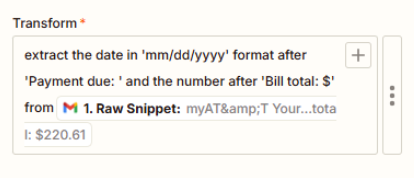
I used Text in Formatter by Zapier with the transform below -

“extract the date in 'mm/dd/yyyy' format after 'Payment due: ' and the number after 'Bill total: $' from 1. Raw Snippet”

However I got the error 

Failed to create a text transform in Formatter by Zapier

The app returned "Transform "extract the date in 'mm/dd/yyyy' format after 'Payment due: ' and the number after 'Bill total: frommyAT" not found".

Any help will be appreciated.  Thanks.
Best answer by Troy Tessalone

@Iching 

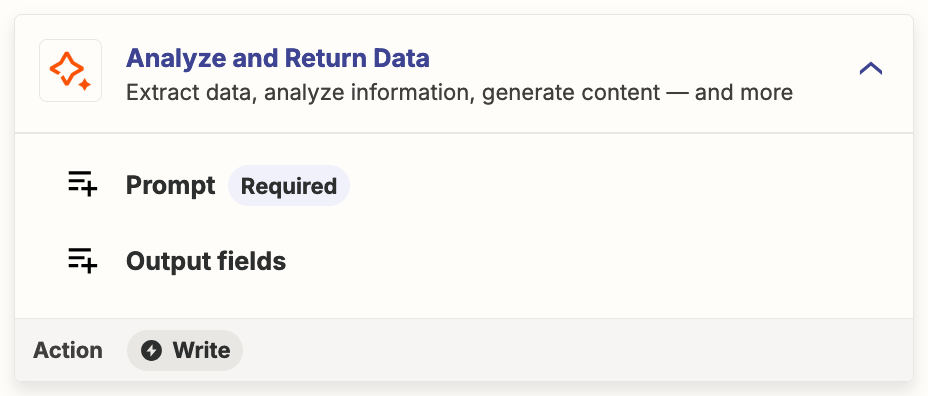
Perhaps another option for you to explore is using this Zap action: AI by Zapier - Analyze and Return Data

Help: https://zapier.com/apps/ai/integrations#help


This post has been closed for comments. Please create a new post if you need help or have a question about this topic.

12 replies

Troy Tessalone
Zapier Orchestrator & Solution Partner
Forum|alt.badge.img+14
  • Zapier Orchestrator & Solution Partner
  • December 11, 2024

Hi ​@Iching 

Help us have more context by posting screenshots showing how your Zap steps are outlined and configured in EDIT mode with the field mappings visible.


Troy Tessalone
Zapier Orchestrator & Solution Partner
Forum|alt.badge.img+14
  • Zapier Orchestrator & Solution Partner
  • December 11, 2024

@Iching 

Resources for email parsing:


  • Author
  • New
  • December 11, 2024

This post has been edited by a moderator to remove personal information. Please remember that this is a public forum and to remove any sensitive information prior to posting.

Please see the attachment for the screen shots.

Thank you for the help.


Troy Tessalone
Zapier Orchestrator & Solution Partner
Forum|alt.badge.img+14
  • Zapier Orchestrator & Solution Partner
  • December 11, 2024

@Iching 

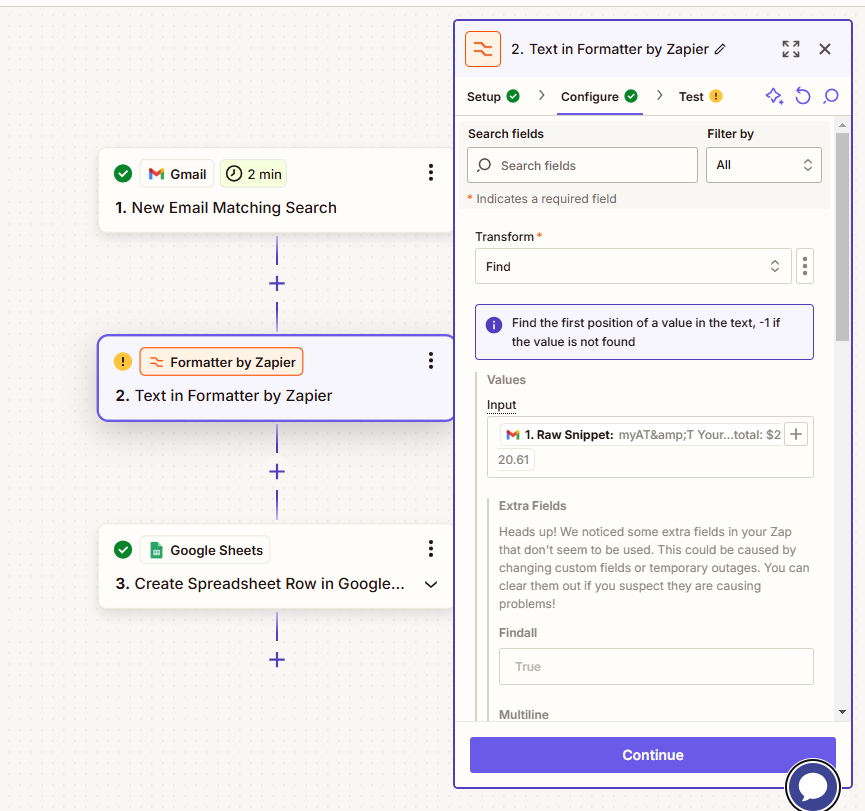
For the Formatter step, in the CONFIGURE tab, for the Transform field, you need to select an option from the dropdown list.

Use [...] button to switch to ‘Static’ mode.


  • Author
  • New
  • December 11, 2024

What value of the transform should I use if I switching to static?  Is it Extract Number or Extract Pattern or something else?

Thanks,


  • Author
  • New
  • December 11, 2024

I set it to Extract Pattern from input of Raw Snippet and with Pattern ‘Payment due:’.  I am expecting the date after the payment due which not happening.


Troy Tessalone
Zapier Orchestrator & Solution Partner
Forum|alt.badge.img+14
  • Zapier Orchestrator & Solution Partner
  • December 11, 2024

@Iching 

For us to have current info, post screenshots showing how your Zap Formatter step is configured in EDIT mode with the field mappings visible.


  • Author
  • New
  • December 11, 2024

Is this you are looking for?

I configured it to static but I don’t know which transform I should use - extract number, extract pattern, or find?  


  • Author
  • New
  • December 11, 2024

I did attached the screen shots in the word doc attached in the previous reply.


Troy Tessalone
Zapier Orchestrator & Solution Partner
Forum|alt.badge.img+14
  • Zapier Orchestrator & Solution Partner
  • Answer
  • December 11, 2024

@Iching 

Perhaps another option for you to explore is using this Zap action: AI by Zapier - Analyze and Return Data

Help: https://zapier.com/apps/ai/integrations#help


  • Author
  • New
  • December 11, 2024

Troy, 

Thank you, I got it to work from the help of AI by Zapier.   Appreciate your help.


JammerS
Forum|alt.badge.img+6
  • Zapier Staff
  • December 12, 2024

Wow! Thank you for confirming that Troy’s resolution got the Zap running. This will significantly help our Community members to have as a reference for the same issue.