Best answer

Google Slides Template not found

  • October 28, 2022
  • 4 replies
  • 192 views

Hello,

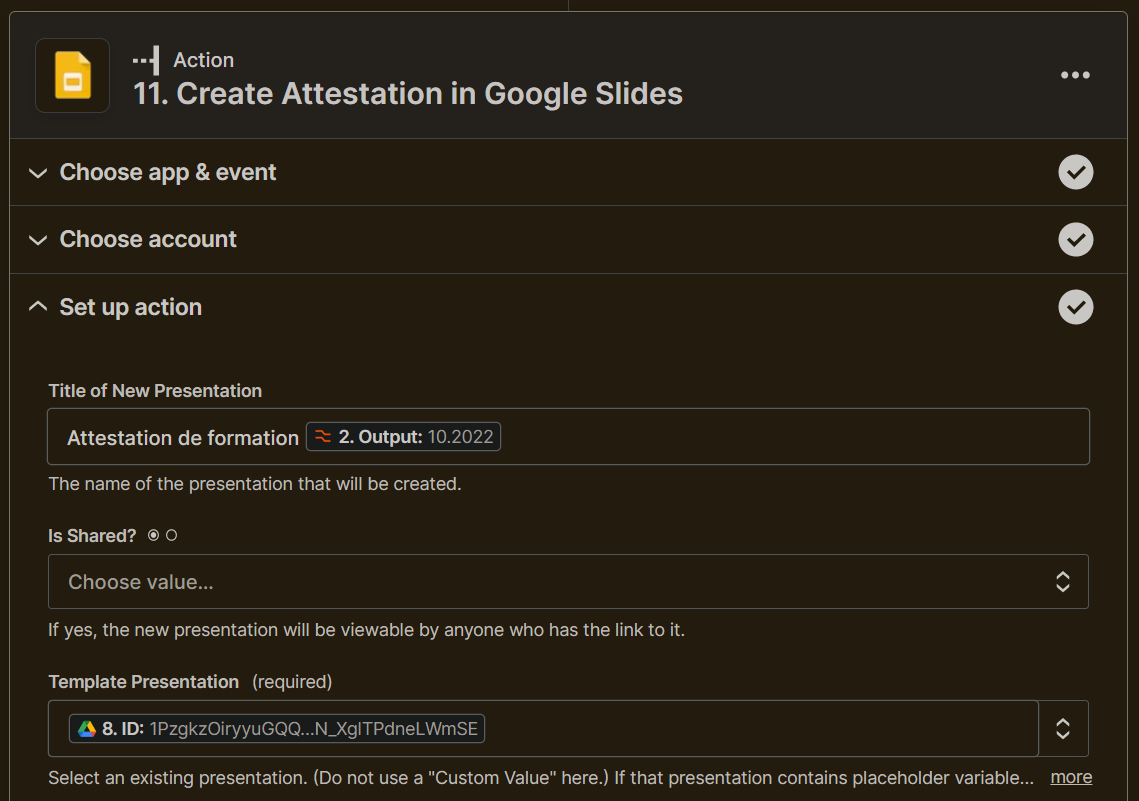
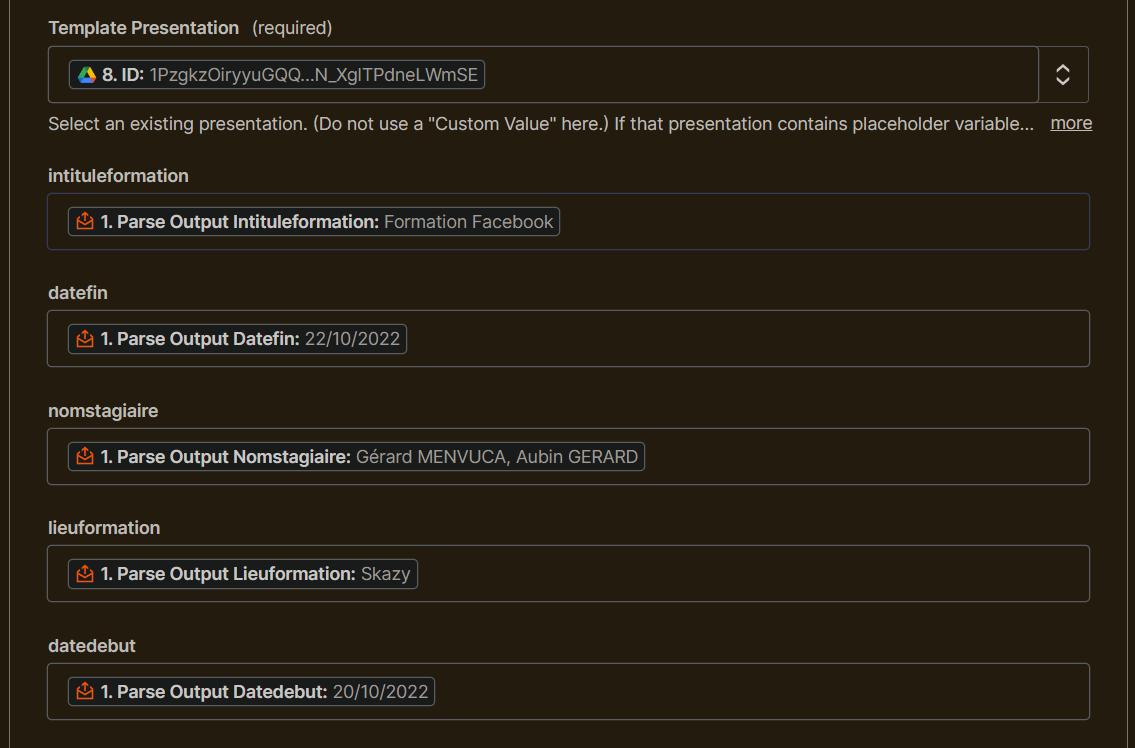
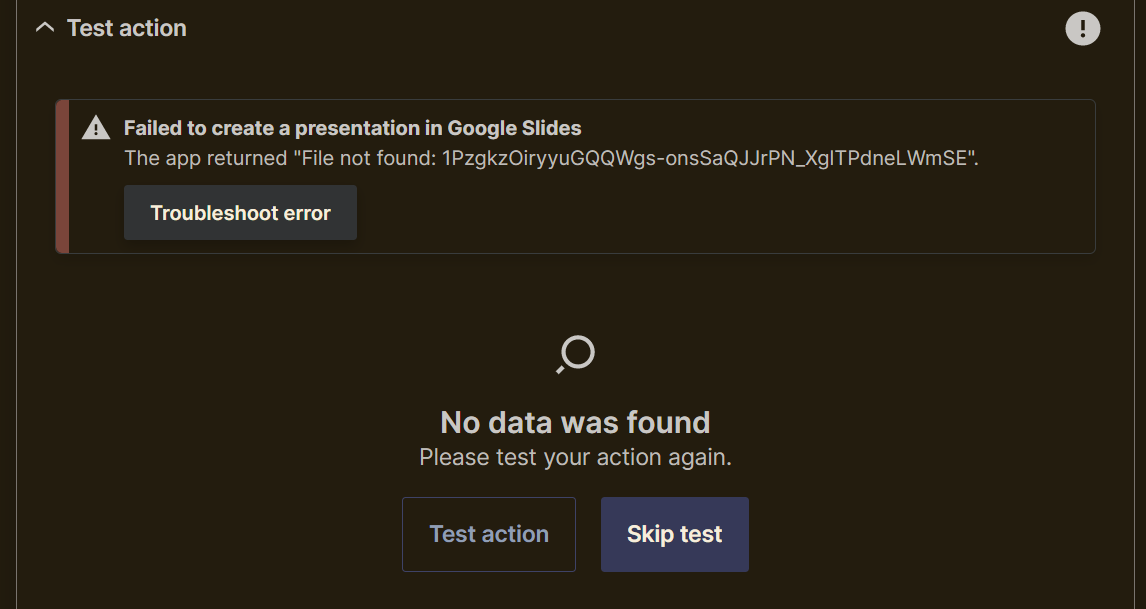
I am creating a zap to get informations from an email and generate a new presentation using a google slides template. but Zapier do not find my template, I try with others Zap to find the ID (Google Drive and Google Slides), I try with static ID, but nothing works.

It’s weird, because he find fields from template but when I test it fail with not found.

Thanks in advance for your help

PS: with Google Docs, the same logic works perfectly, I think Google Slides can’t access Shared Drive, how to correct that or ask developers to add this in roadmap ?

Best answer by guillaume.harel

After some test, I find my template when I put it into my drive, if the file is on the shared drive, Zapier could not find it. So the technique is to copy into my drive, create template and move it after. not very friendly… thanks for your help

This post has been closed for comments. Please create a new post if you need help or have a question about this topic.

4 replies

Troy Tessalone
Zapier Orchestrator & Solution Partner
Forum|alt.badge.img+14
  • Zapier Orchestrator & Solution Partner
  • October 28, 2022

Hi @guillaume.harel 

Good question.

Please post detailed screenshots with how your Zap step is configured in order for us to have context.

Help article: https://help.zapier.com/hc/en-us/articles/8496047004429


Some screenshots, does that help ?


  • Author
  • Beginner
  • Answer
  • October 28, 2022

After some test, I find my template when I put it into my drive, if the file is on the shared drive, Zapier could not find it. So the technique is to copy into my drive, create template and move it after. not very friendly… thanks for your help


jesse
Forum|alt.badge.img+9
  • Architect
  • October 28, 2022

@guillaume.harel glad you found the solution to the issue and thanks so much for coming back here to share it with us! 🙌