Answer

Google Sheet not recognising the data when performing 'Lookup spreadsheet rows'

  • November 25, 2024
  • 5 replies
  • 87 views

Forum|alt.badge.img

Hi,

I have a form in Typeform which buyers populate with their own details. They are required to specify 1 or more locations as part of the form. 

The receivers of the populated forms are our business partners. The business partners will also have 1 or more location associated to them. 

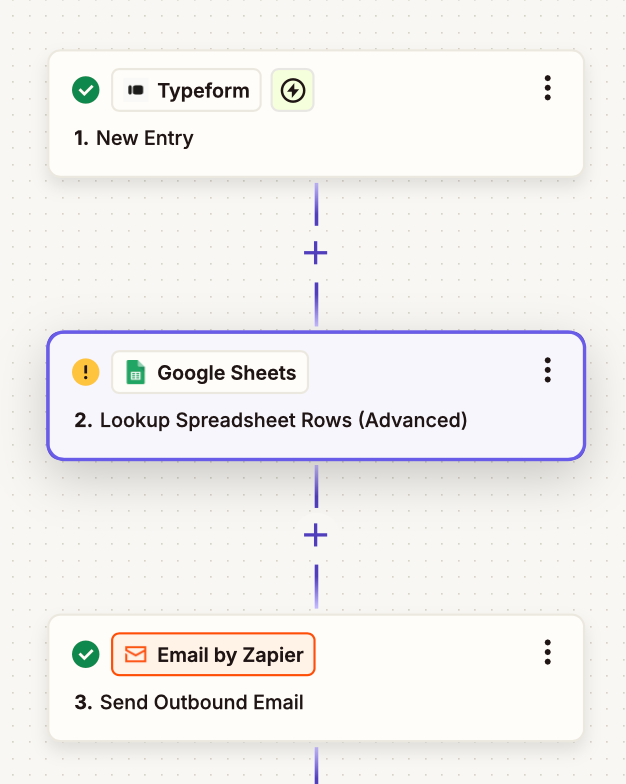
The way they will receive this data is that once a buyer specifies their location, Zapier will identify the locations of the business partners, via Google Sheets, and send the email to them incuding the form data.

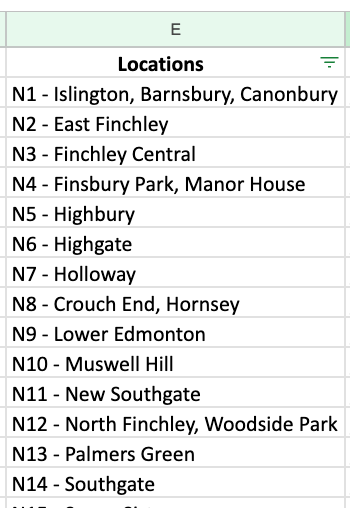
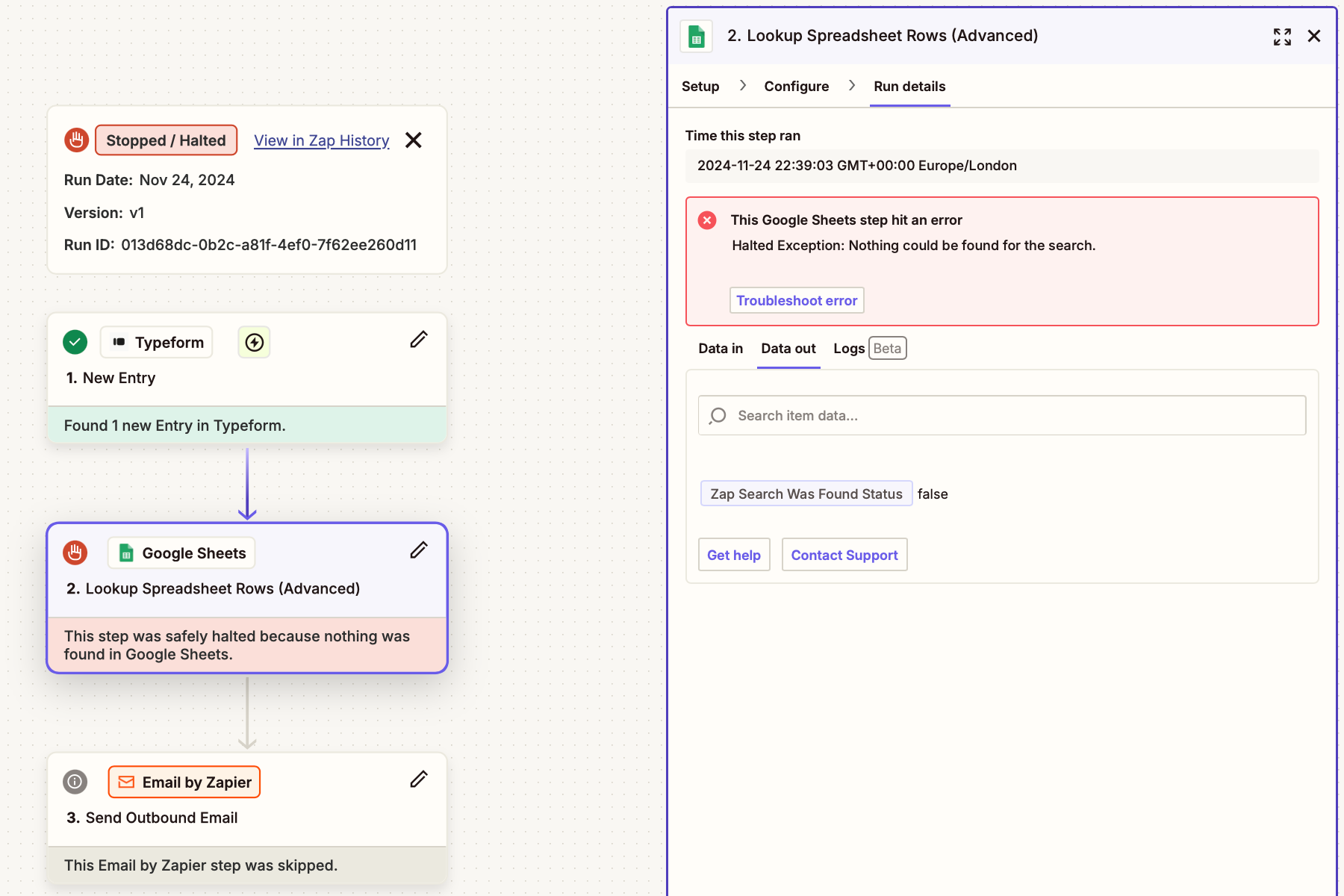
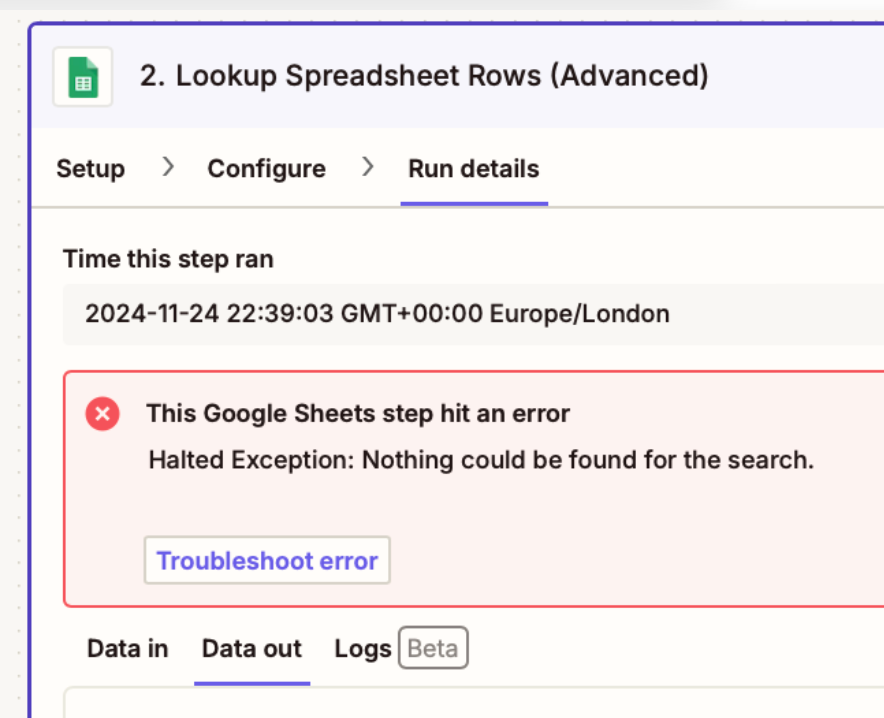
This worked, but is often flakey and isn’t working for all locations. Zapier is telling me that it can’t find the data, but you can see in the google sheet, the data clearly exists.

Is this something someone can help resolve? 
 

Best answer by Troy Tessalone

@jordan_nest 

To troubleshoot, check your Zap Runs history details to see the DATA IN/OUT for each step to help you trace the data flow between steps: https://zapier.com/app/history/

If you have 22 Zaps then perhaps you need to add a Filter step to each Zap to continue only if the mapped variable has a value that is used as the Lookup Value in the GSheet step.

Filter help: https://zapier.com/apps/filter/help


This post has been closed for comments. Please create a new post if you need help or have a question about this topic.

5 replies

Troy Tessalone
Zapier Orchestrator & Solution Partner
Forum|alt.badge.img+14
  • Zapier Orchestrator & Solution Partner
  • November 25, 2024

Hi ​@jordan_nest 

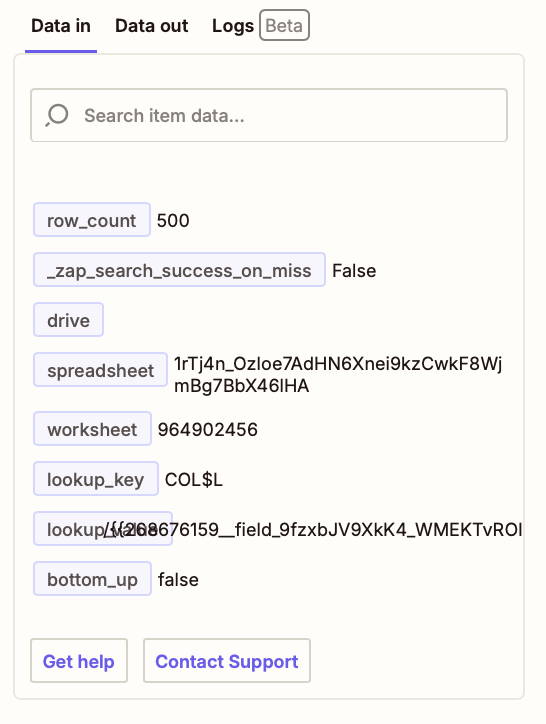
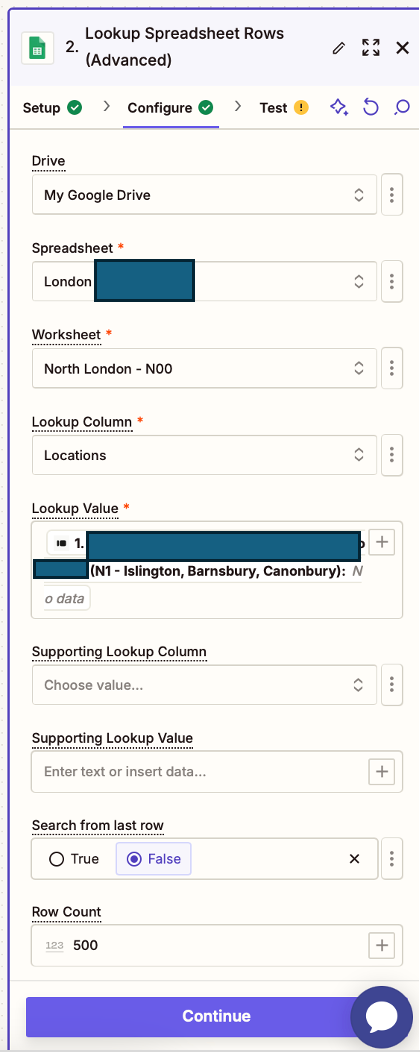
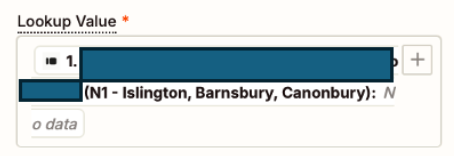
For us to have more info about the GSheet Zap step error, post screenshots showing the DATA IN tab as well as how the GSheet Zap step is configured in the CONFIGURE tab while in EDIT mode. (see screenshot)


Forum|alt.badge.img
  • Author
  • Beginner
  • November 25, 2024

Thanks for the response Troy. I’ve attached the reqested images but have blocked out some potentially sensitive data


Troy Tessalone
Zapier Orchestrator & Solution Partner
Forum|alt.badge.img+14
  • Zapier Orchestrator & Solution Partner
  • November 25, 2024

@jordan_nest 

Looks like the mapped variable used for the Lookup Value field had no value to use to lookup values in the GSheet, thus why the error happened.

Things to check/try:

  • Make sure the mapped variable from Typeform is a required field on the Typeform, so there will always be a value
  • Make sure the variable is mapped correctly
    • You may need to first test the Zap trigger step, select a new example, then remap the variable.
  • Add a Filter as Zap step 2 to make sure the Typeform variable has a value


Forum|alt.badge.img
  • Author
  • Beginner
  • November 25, 2024

Appreciate the help Troy, I will try this!

  1. It is a required field, although there are over 22 to choose from. I have 22 zaps to support each location
  2. Im confused becasue it worked previously where it found the data iteself. The data is present in the column so am not sure why it isn’t able to find it.
  3. I’ll give this a go

Troy Tessalone
Zapier Orchestrator & Solution Partner
Forum|alt.badge.img+14
  • Zapier Orchestrator & Solution Partner
  • Answer
  • November 25, 2024

@jordan_nest 

To troubleshoot, check your Zap Runs history details to see the DATA IN/OUT for each step to help you trace the data flow between steps: https://zapier.com/app/history/

If you have 22 Zaps then perhaps you need to add a Filter step to each Zap to continue only if the mapped variable has a value that is used as the Lookup Value in the GSheet step.

Filter help: https://zapier.com/apps/filter/help