Question

Google Drive error: The app returned "Error 404 (Not Found)!!1".

  • May 3, 2024
  • 4 replies
  • 160 views

I am trying to create a zap that will recognize when a file is uploaded to one specific google drive folder.  The file type can be PDF, Excel, Word, Jpeg….really any file type.  When the file is uploaded I would like it to move right away to another google drive folder.  

I am using 
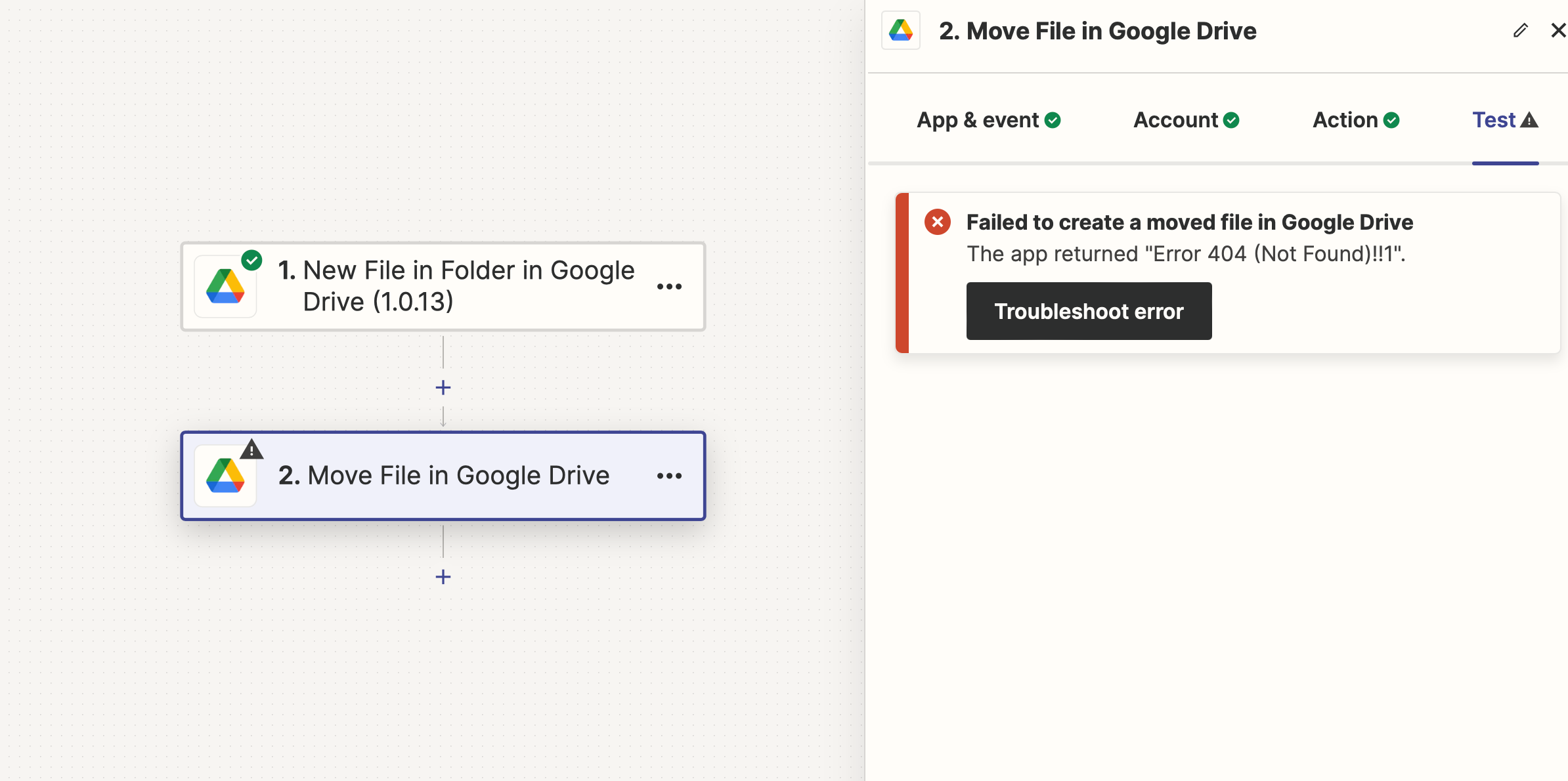
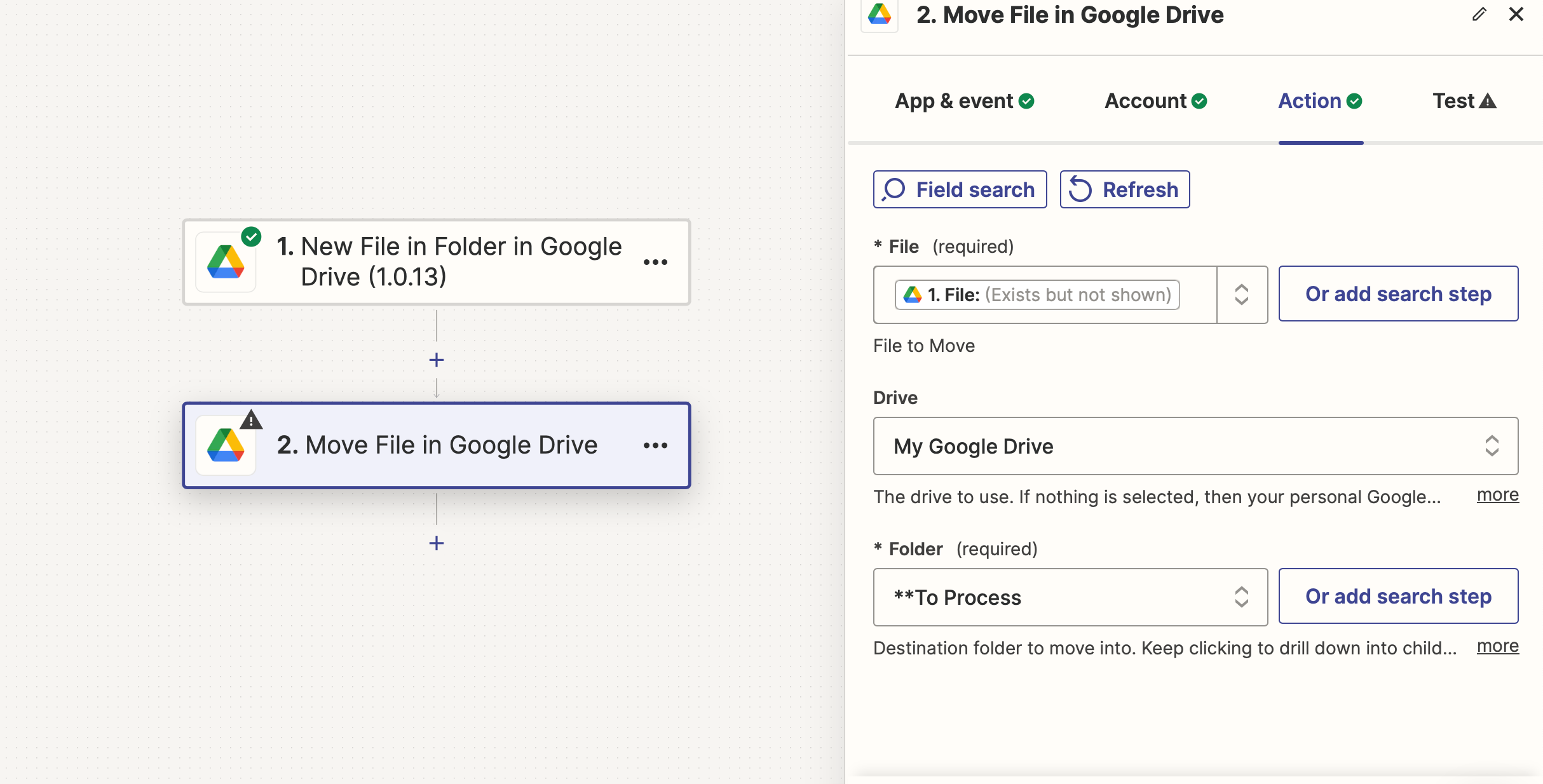
I can not get the files to move! I think the below is where I am stuck


This post has been closed for comments. Please create a new post if you need help or have a question about this topic.

4 replies

Troy Tessalone
Zapier Orchestrator & Solution Partner
Forum|alt.badge.img+14
  • Zapier Orchestrator & Solution Partner
  • May 3, 2024

Hi @CS Bookkeeping 

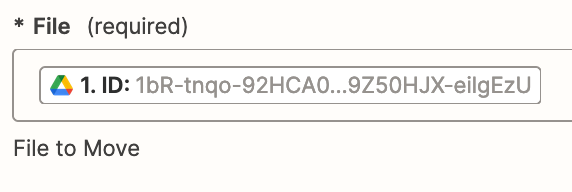
The File field expects a File ID.


Help for using dropdown fields: https://help.zapier.com/hc/en-us/articles/8496241696141-Add-custom-values-to-dropdown-menu-fields-in-Zaps


ken.a
Forum|alt.badge.img+6
  • Zapier Staff
  • May 6, 2024

Hi @CS Bookkeeping,

I just came across your post here and wanted to check in here to see how you’re getting on. Were you able to try Troy’s suggestion here?

Please do let us know if you’re still in need of some help on thisl- we’re happy to assist further! 🤗


Hi, isn’t this solution what I have shown in the original post? What is the difference between Troy’s file and mine?it looks the same to me, and it isn’t working


Troy Tessalone
Zapier Orchestrator & Solution Partner
Forum|alt.badge.img+14
  • Zapier Orchestrator & Solution Partner
  • May 6, 2024

@CS Bookkeeping

Help for using dropdown fields: https://help.zapier.com/hc/en-us/articles/8496241696141-Add-custom-values-to-dropdown-menu-fields-in-Zaps


You need to map the ID variable for the File from the GDrive step, not the File variable.