
Answer

Getting Form Data from a DocuSign Envelope

  • August 14, 2024
  • 10 replies
  • 273 views

I’m trying to get the Form Data from an envelope that has been filled by the clients when they sign our contracts.
But everytime I test the Zap with some examplee contract, I can see the filled data in the Zap History, but I can’t access it in the Zap. It is always null or empty even though the zap history displays the filled data.

Best answer by Troy Tessalone

Hi @Plinio moraes 

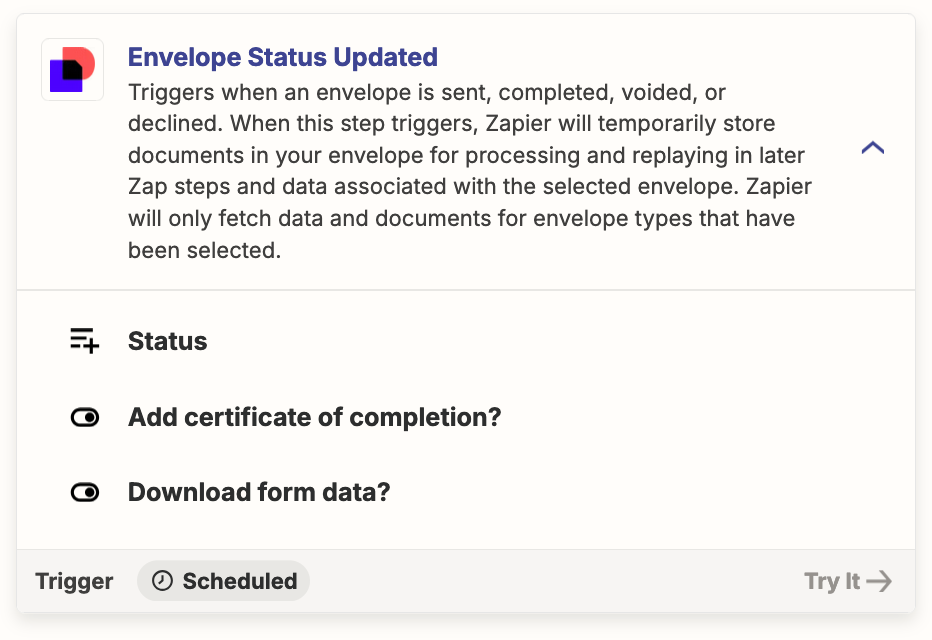
Make sure in the Zap trigger step configuration you have enabled: “Download Form Data?”

Try pulling in new records in the Zap trigger step using the [Find New Records] button to use to configure the Zap action steps.

Custom pill mapping is a workaround option:
 

This post has been closed for comments. Please create a new post if you need help or have a question about this topic.

10 replies

Troy Tessalone
Zapier Orchestrator & Solution Partner
Forum|alt.badge.img+14
  • Zapier Orchestrator & Solution Partner
  • Answer
  • August 14, 2024

Hi @Plinio moraes 

Make sure in the Zap trigger step configuration you have enabled: “Download Form Data?”

Try pulling in new records in the Zap trigger step using the [Find New Records] button to use to configure the Zap action steps.

Custom pill mapping is a workaround option:


  • Author
  • Beginner
  • August 14, 2024

Hi @Troy Tessalone 

I’ve reviewed similar questions and have already selected the option to download the Form Data. However, the records available to me don’t include any usable form data. That's why I'm testing the Zap while it's published, so I can review its history.

Despite the contract I created having some data, it doesn't appear in the subsequent steps.


Troy Tessalone
Zapier Orchestrator & Solution Partner
Forum|alt.badge.img+14
  • Zapier Orchestrator & Solution Partner
  • August 14, 2024

@Plinio moraes 

Make sure your DocuSign Template is configured with fields having data labels: https://support.docusign.com/s/document-item?language=en_US&bundleId=gmi1660583110357&topicId=yis1665092718418.html&_LANG=enus


  • Author
  • Beginner
  • August 15, 2024

@Troy Tessalone 

I created a model with all the necessary data fields, each with its own unique label. However, even though I can see the fields in the formData when I check the Zap History in the Data Out of the step, I'm unable to capture them in the next step.


Troy Tessalone
Zapier Orchestrator & Solution Partner
Forum|alt.badge.img+14
  • Zapier Orchestrator & Solution Partner
  • August 15, 2024

@Plinio moraes 

For us to have more info, post screenshots with how your Zap steps are outlined and configured in EDIT mode along with the DATA OUT from the DocuSign step.


  • Author
  • Beginner
  • August 15, 2024

@Troy Tessalone

No need, I think I got it.

The custom pill mapping worked for me.

I was setting the wrong node ID in the step input data, thats why it wasnt working.


  • Author
  • Beginner
  • August 15, 2024

@Troy Tessalone 

I’m able to extract specific keys from the formData, but I’m still struggling to capture all of them at once—especially when it comes to parsing unknown keys that may have been renamed or altered.

I’ll attach screenshots of the data output from the DocuSign step and the data input for the following step, where I’m using a Code by Zapier event.


Troy Tessalone
Zapier Orchestrator & Solution Partner
Forum|alt.badge.img+14
  • Zapier Orchestrator & Solution Partner
  • August 15, 2024

@Plinio moraes 

Replace 00000 with the ID of the Zap Step.

Replace FIELD with the exact same capitalization as the desired field.

{{00000__formData__FIELD}}


EXAMPLE

NOTE: Double underscores are used to designate nesting.

{{253158999__formData__City}}


  • Author
  • Beginner
  • August 15, 2024

@Troy Tessalone 

That do the trick, but for specific keys inside the formData.

Is it possible to catch the whole object instead of only specific keys?


Troy Tessalone
Zapier Orchestrator & Solution Partner
Forum|alt.badge.img+14
  • Zapier Orchestrator & Solution Partner
  • August 15, 2024

@Plinio moraes 

Is it possible to catch the whole object instead of only specific keys?

The workaround would be this to get the full raw JSON for a Zap step.




