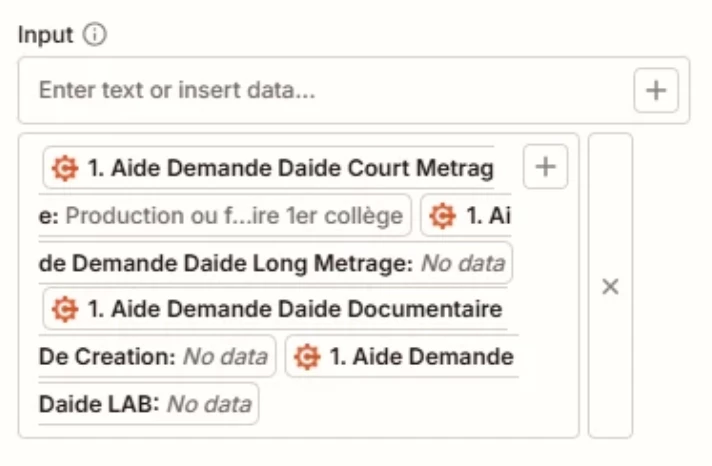
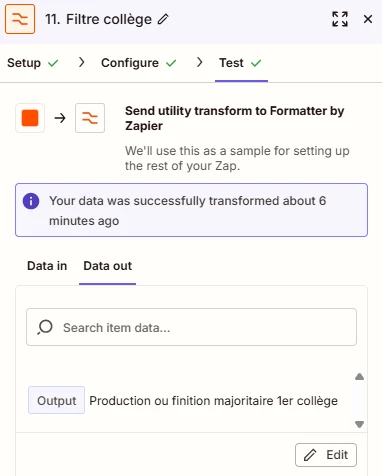
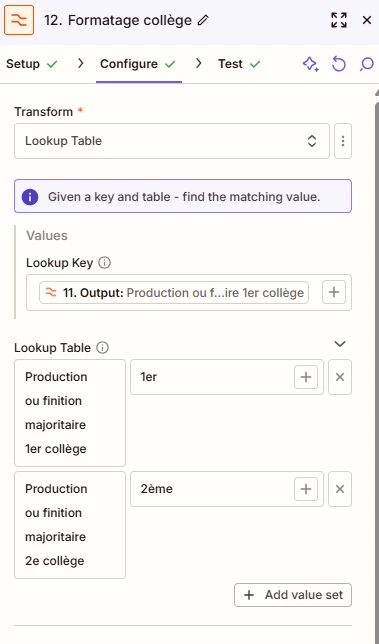
Question

Formatter Lookup Table always returning 'No data' despite matching input from Cognito Forms

  • November 24, 2025
  • 3 replies
  • 15 views

I’m building a Zap that processes data coming from Cognito Forms.
Several fields in the form (like “Type d’aide”, “Collège”, etc.) depend on the user’s selection inside nested radio-button groups.

Here’s the issue:

Even though the incoming value from Cognito Forms looks identical to the key I’m using inside a Formatter “Lookup Table”, the Formatter step always returns “No data”.

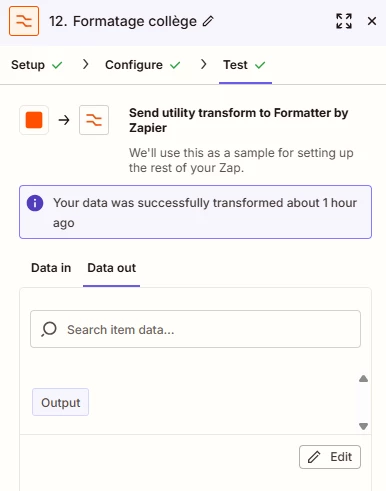
I also tried adding an intermediate Formatter step (“Pick from list”) to isolate the value before the Lookup, but the problem persists:
The Lookup Table refuses to match the string, even though the text is visually identical.
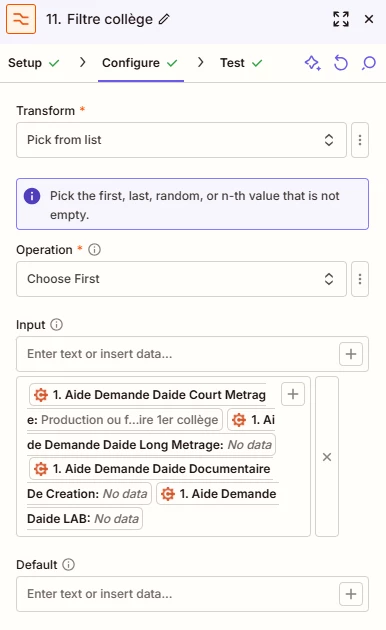
Has anyone run into this before?
And is there a reliable way to sanitize Cognito text inputs so Lookup Table keys actually match?

Thanks!

 

3 replies

Troy Tessalone
Zapier Orchestrator & Solution Partner
Forum|alt.badge.img+14
  • Zapier Orchestrator & Solution Partner
  • November 24, 2025

Hi ​@JackCCA 

Help links for using Formatter in Zaps: https://zapier.com/apps/formatter/integrations#help


Zap action: Formatter > Utilities > Pick from List

Field: Input

NOTE: Input field expects the mapped data to be structured as an array of items, rather than a concatenated text string


RESOURCES

https://help.zapier.com/hc/en-us/articles/8496277737997-Use-line-items-in-Zaps

https://help.zapier.com/hc/en-us/articles/8496275165709-Create-line-items-in-Zaps


  • Author
  • New
  • November 25, 2025

Thank you very much for your reply, but I couldn't find any information about my problem in the links. I separated the input fields as recommended, but I haven't seen any improvement in my second formatter, which should search for the filter result to apply the lookup formatter to it... Has anyone else encountered this problem?
Thank you!


SamB
Community Manager
Forum|alt.badge.img+11
  • Community Manager
  • November 26, 2025

Hi there ​@JackCCA, welcome to the Community! 🎉

It looks like you’ve set up the lookup table correctly and lookup table key appear to be the same, so it’s odd that it’s not outputting any matched value as the input. It could be that there’s an extra space in either the Input or lookup key fields that’s causing it not to find a match. 🤔

Can you check and remove any additional spaces from those fields and then retest again to see if it then outputs 1er as expected?