Question

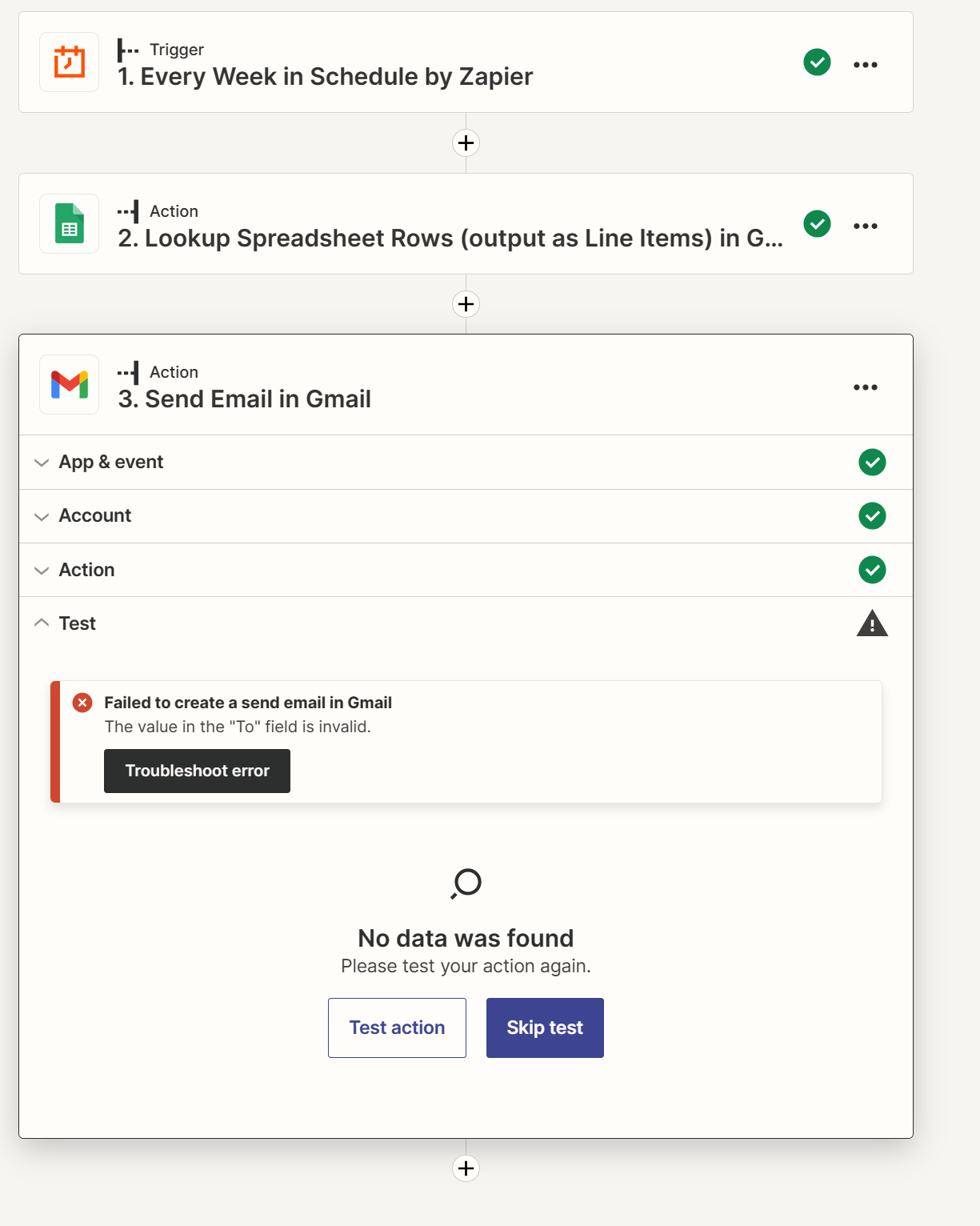
Failed to create a send email in Gmail: The value in the "To" field is invalid

  • June 27, 2023
  • 5 replies
  • 67 views

kaudal

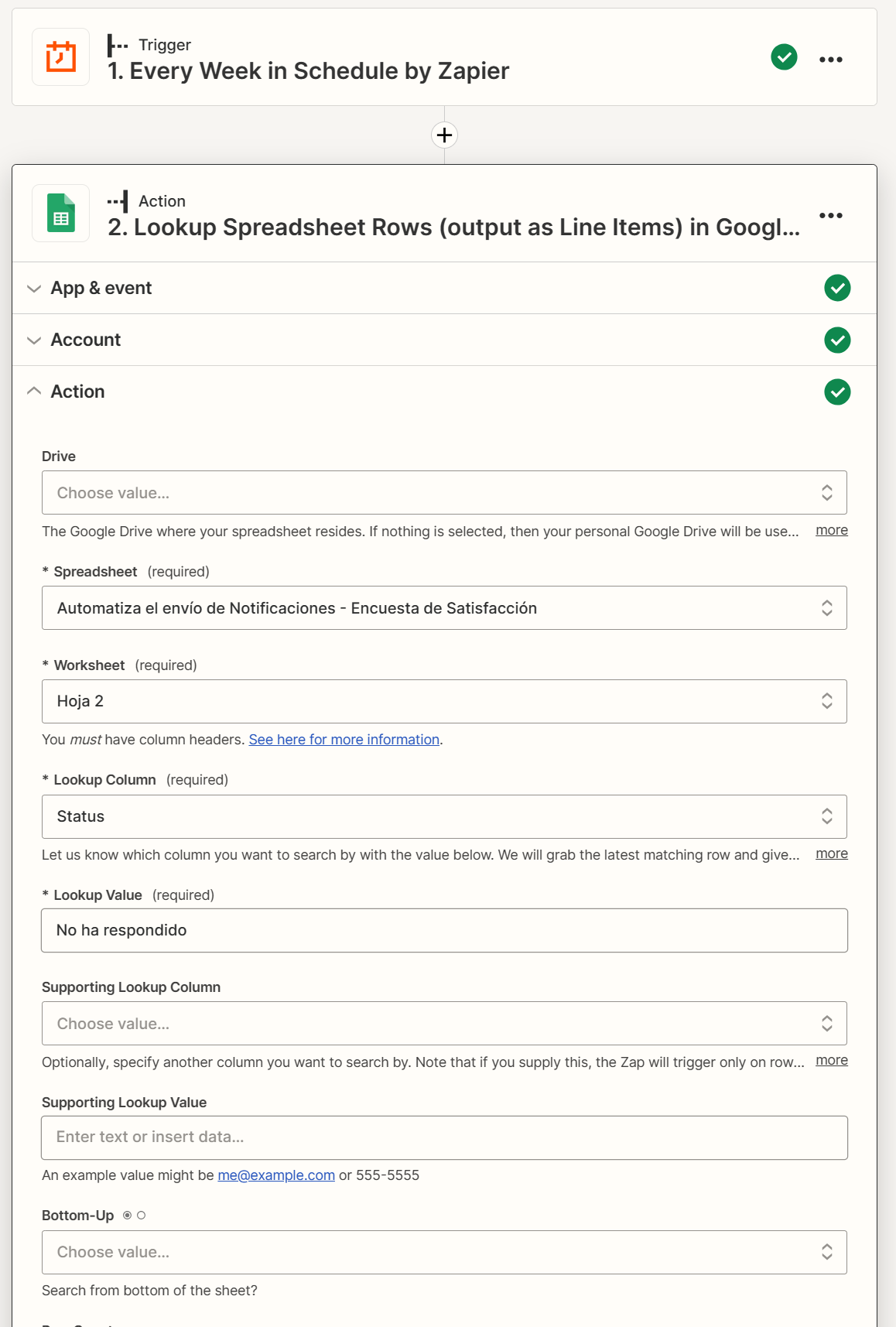
I need to build a notification system that remind people inside my organization to complete a Form. I build this system and it's not working, but I don't know why.


This post has been closed for comments. Please create a new post if you need help or have a question about this topic.

5 replies

Troy Tessalone
Zapier Orchestrator & Solution Partner
Forum|alt.badge.img+14
  • Zapier Orchestrator & Solution Partner
  • June 27, 2023

Hi @kaudal 

Good question.

Make sure to review the field description.

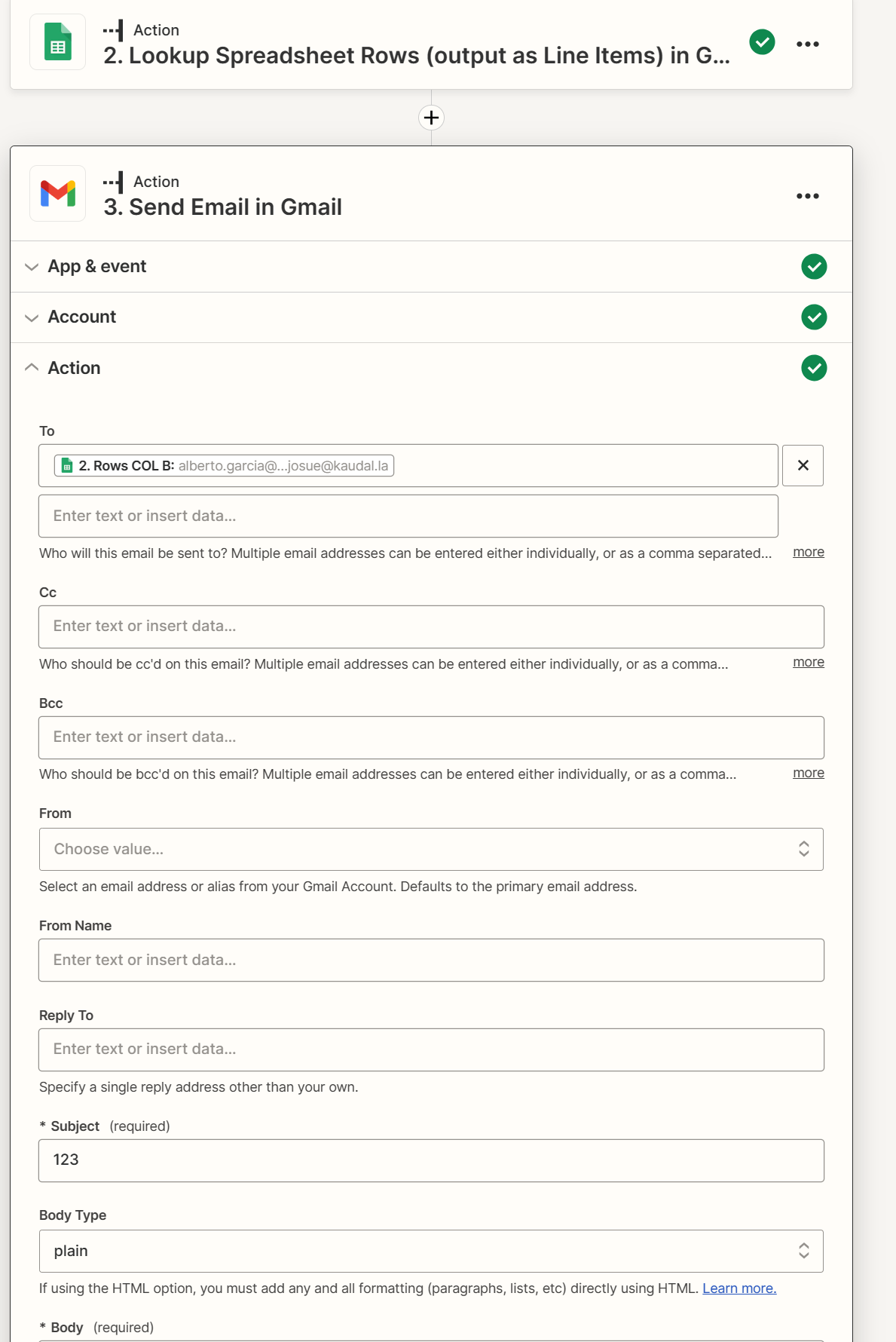
Multiple emails must be comma separated.


kaudal
  • Author
  • New
  • June 27, 2023

hi @Troy Tessalone I see… and how could I solve it?
Do you have any idea?


Troy Tessalone
Zapier Orchestrator & Solution Partner
Forum|alt.badge.img+14
  • Zapier Orchestrator & Solution Partner
  • June 27, 2023

@kaudal 

Depends on how the data is returned from the GSheet Lookup Step.

Can you post a screenshot of those results?


kaudal
  • Author
  • New
  • June 27, 2023

@Troy Tessalone 

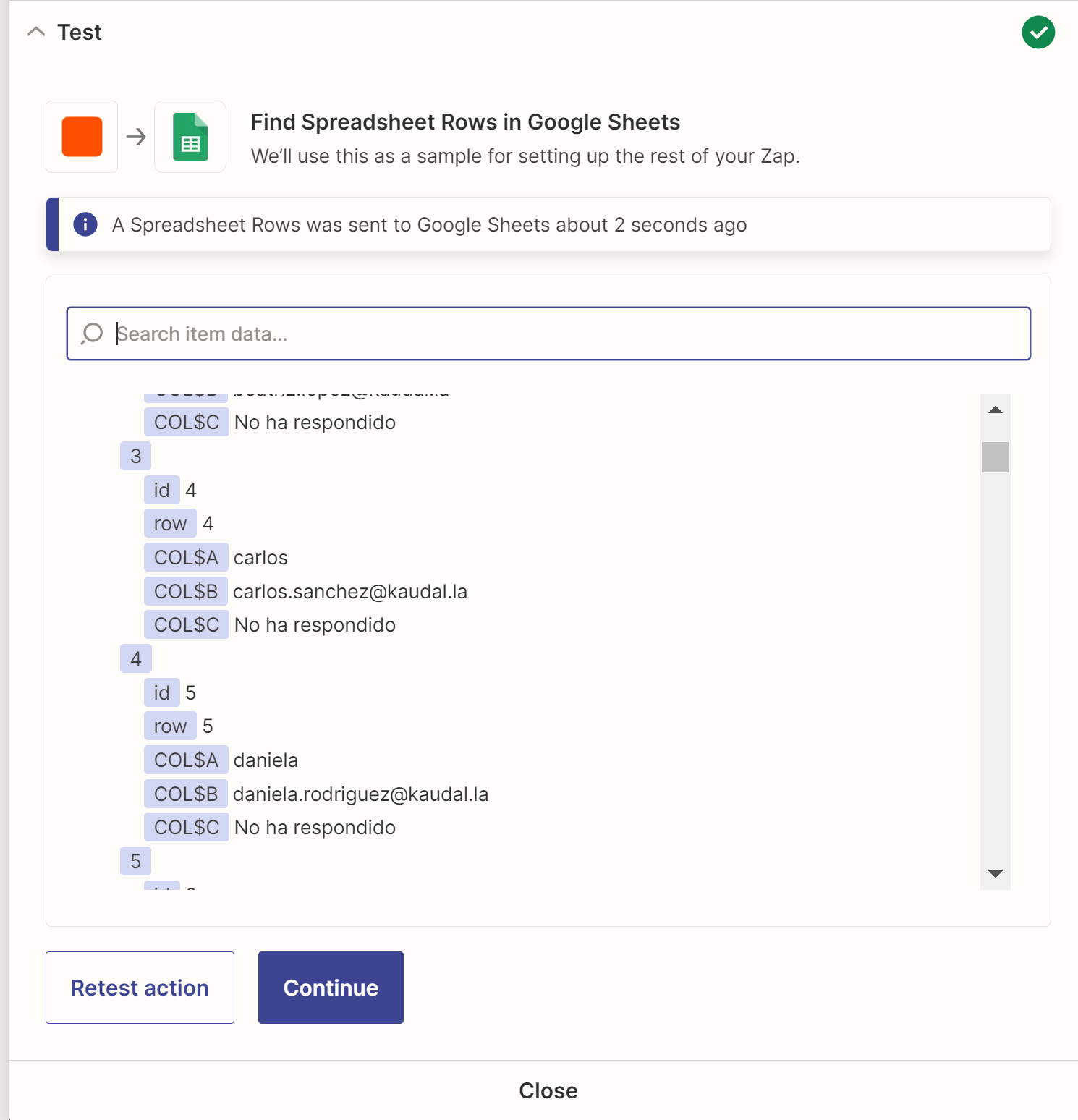
This is how zapier retrieves my data.

Then it puts it all together as you saw in the last image.


Troy Tessalone
Zapier Orchestrator & Solution Partner
Forum|alt.badge.img+14
  • Zapier Orchestrator & Solution Partner
  • June 27, 2023

@kaudal 

You can try using this Zap action: Formatter > Utilities> Line-Item to Text

This should flatten and concatenate the returned emails.

NOTE: Make sure all the returned rows from the GSheet have a valid email address in a valid email format.