
Question

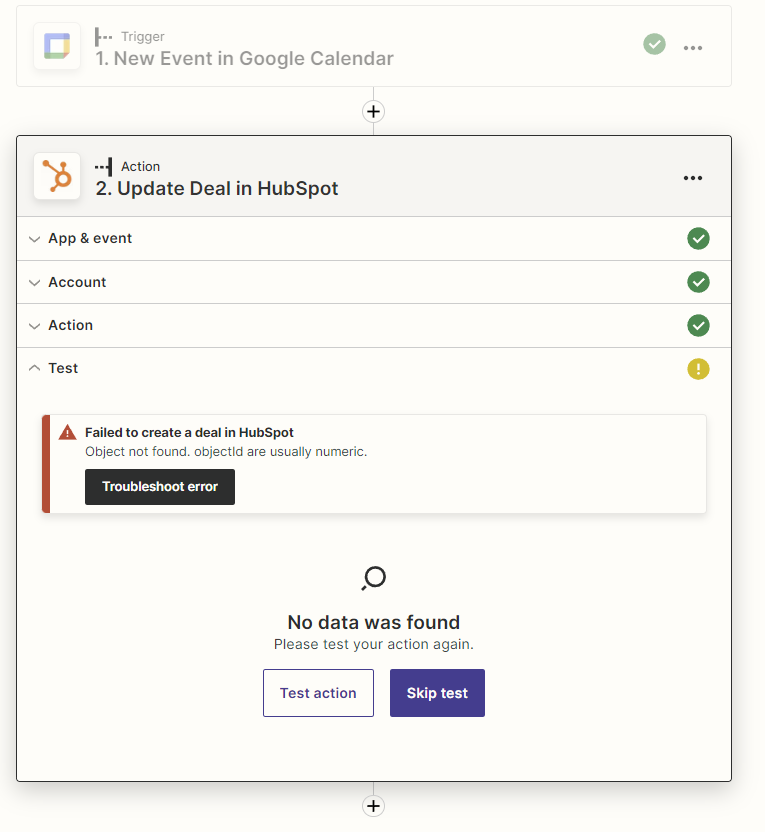
Failed to create a deal in HubSpot: Object not found, objectid are usually numeric.

  • March 5, 2023
  • 4 replies
  • 605 views

Benjamin Sahin


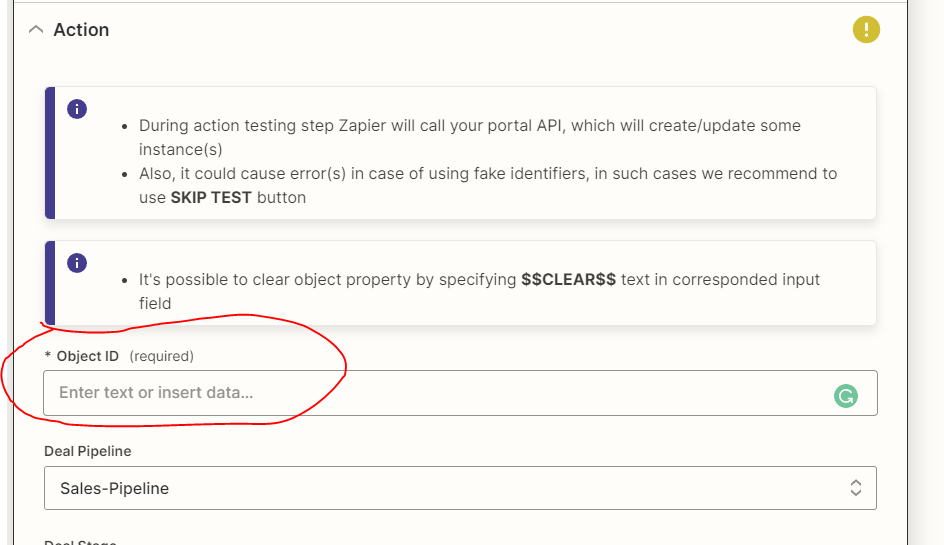
I want to dynamically change the deal stage in HubSpot using the Google Calendar and HubSpot integration. However, it only works when I assign a particular person's Object ID, and it doesn't work dynamically. Could you please confirm which Object ID I can use here to get the value and automatically change the HubSpot status? Please see the screenshot below.


This post has been closed for comments. Please create a new post if you need help or have a question about this topic.

4 replies

Troy Tessalone
Zapier Orchestrator & Solution Partner
Forum|alt.badge.img+14
  • Zapier Orchestrator & Solution Partner
  • March 5, 2023

Hi @Benjamin Sahin 

Good question.

For the HubSpot Update Deal Zap action, the Object ID expected is the HubSpot Deal ID, which is a #.

To get the HubSpot Deal ID, you may need to add another step to the Zap:


Benjamin Sahin

Hello,


Thank you for your feedback.


Can I create a deal after Google Calendar?

Thanks


Benjamin Sahin

Hello, 


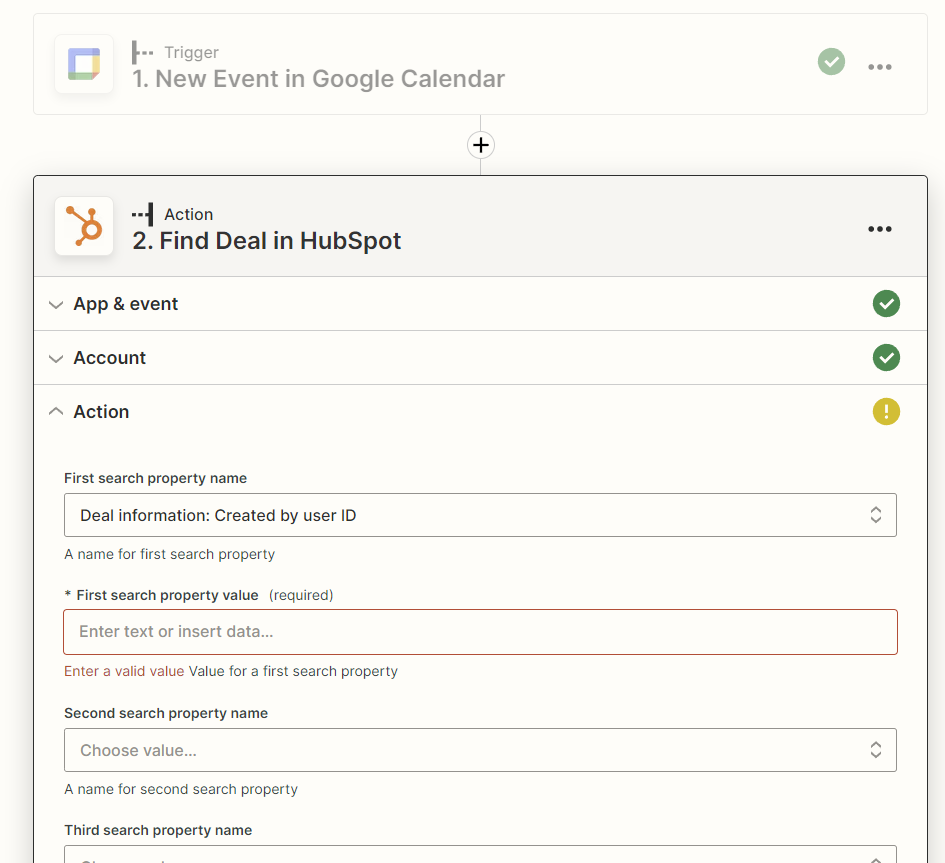
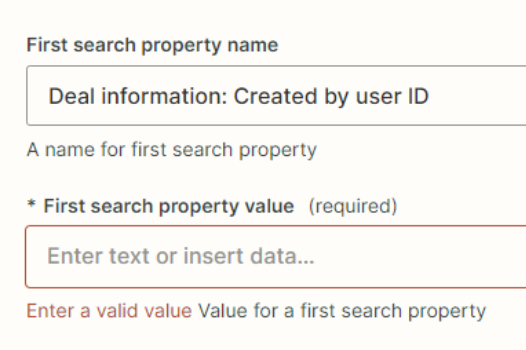
I’m sticking it here. I don’t know which properties I can search to find the deals. Can you please help me figure out this problem?


Troy Tessalone
Zapier Orchestrator & Solution Partner
Forum|alt.badge.img+14
  • Zapier Orchestrator & Solution Partner
  • March 6, 2023

@Benjamin Sahin 

The property name is a dropdown selection of a field from the HubSpot Deal.

The property value is the value you want to search for in the selected property name.

You’ll want to map a variable from Step 1 to the property value to search by.