

Question

Error connecting Wordpress with Zapier

  • December 28, 2025
  • 3 replies
  • 17 views

I've been trying to connect my custom WordPress site to Zapier, but I haven't been able to get it to work. I've checked the Zapier forum, but I haven't found the right or permanent solution.

I've deactivated all plugins and changed the permalinks back to their defaults, but Zapier still won't connect to WordPress.


Is there a permanent solution?


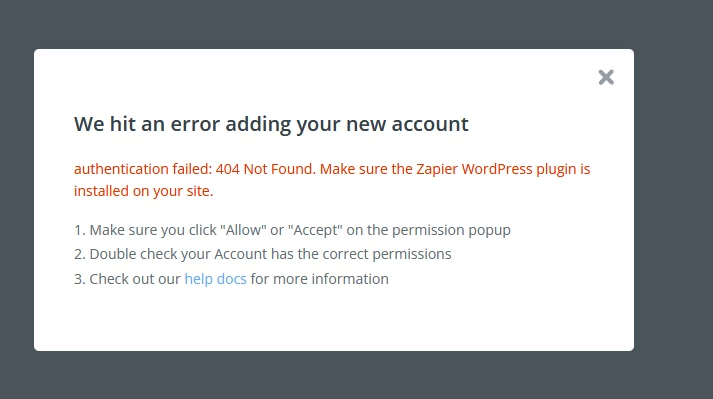
Print error
 

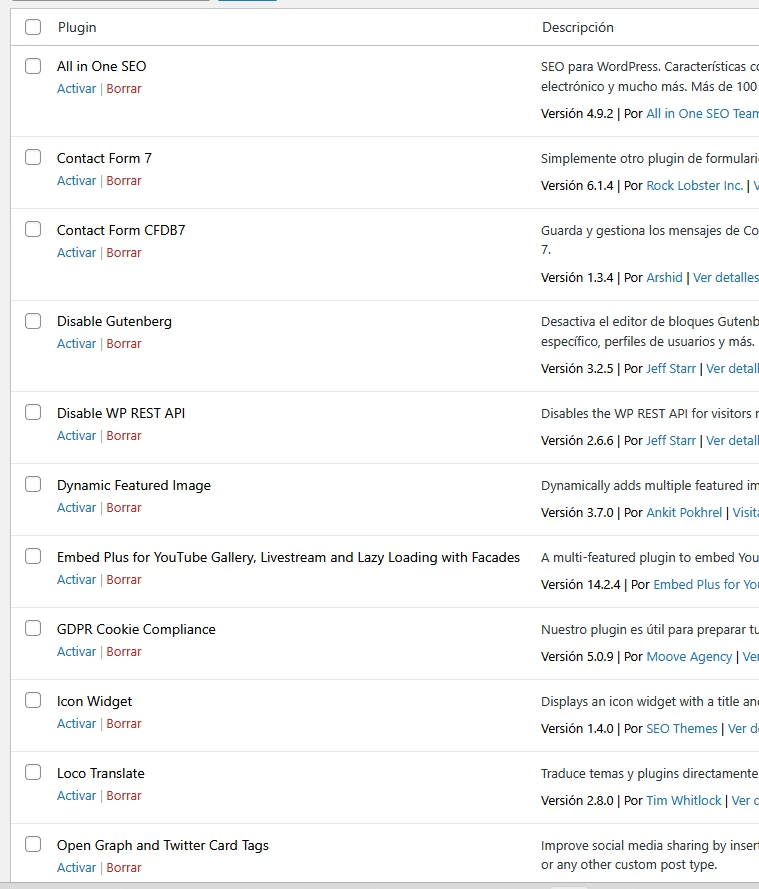
Disabled all plugin, except Zapier 


3 replies

Troy Tessalone
Zapier Orchestrator & Solution Partner
Forum|alt.badge.img+14
  • Zapier Orchestrator & Solution Partner
  • December 28, 2025

Hi ​@atroncosom 

Help links for using WordPress in Zaps: https://zapier.com/apps/wordpress/integrations#help


  • New
  • December 31, 2025

I've been trying to connect my custom WordPress site to Zapier, but I haven't been able to get it to work. I've checked the Zapier forum and tools like Wise Rank, but I haven't found the right or permanent solution.

I've deactivated all plugins and changed the permalinks back to their defaults, but Zapier still won't connect to WordPress.


Is there a permanent solution?


Print error


Disabled all plugin, except Zapier 



Hello. The permanent solution is to ensure your WordPress REST API is accessible (check https://yourdomain.com/wp-json/), use an administrator account with proper credentials or an Application Password, make sure your site uses HTTPS, and check that server-level security or firewalls aren’t blocking Zapier. Installing the official Zapier for WordPress plugin often resolves connection issues reliably.


This usually isn’t a Zapier bug it’s almost always a REST API or hosting issue on the WordPress side.

A few things to double-check beyond plugins and permalinks:

• Make sure WP REST API is accessible (/wp-json/)  some hosts or security layers block it
• Check if your host (Cloudflare, WAF, ModSecurity) is blocking external POST requests
• Ensure your WordPress application password was generated correctly and not revoked
• Confirm your site is publicly accessible (no basic auth, staging lock, or IP restriction)
• Look at server error logs Zapier connection attempts usually fail silently unless you check logs

If plugins are disabled and permalinks reset, 90% of the time the fix is adjusting hosting/security rules, not WordPress itself.

If you want, I’m happy to walk through a quick checklist to pinpoint where it’s breaking.


