Question

Docusign Powerform Not Linking Recipients Email

  • August 19, 2024
  • 6 replies
  • 68 views

Zapier trigger is not collecting recipients name or email addresses for docusign envelopes created with a powerform. The fields show up, but without data.

When I view the envelopes in docusign, I am able to view the recipients name and email.


Zapier:

App: Docusign

Event: Envelope Status Updated

Trigger: Status Sent

Download Form Data: Yes


Docusign:

Powerform

 

This post has been closed for comments. Please create a new post if you need help or have a question about this topic.

6 replies

  • Author
  • Beginner
  • August 19, 2024

On further review, specifically, this does not work for envelopes with status “sent”.

I am receiving recipient email data for envelopes with status “completed”


ken.a
Forum|alt.badge.img+6
  • Zapier Staff
  • August 20, 2024

Hi there @walrus28,

A few more clarifying questions - please bear with me:

- Can you confirm you are on a paid Docusign account?
- Where in Docusign do you specify the data to be collected in the form fields? Is there an envelope template?

I'll be keeping an eye out for your response!


  • Author
  • Beginner
  • August 20, 2024
  1. Yes, paid Docusign account, eSignatureBusiness pro.
  2. I have an envelope template. I have a powerform made from that template. I have a link to the powerform on my website.
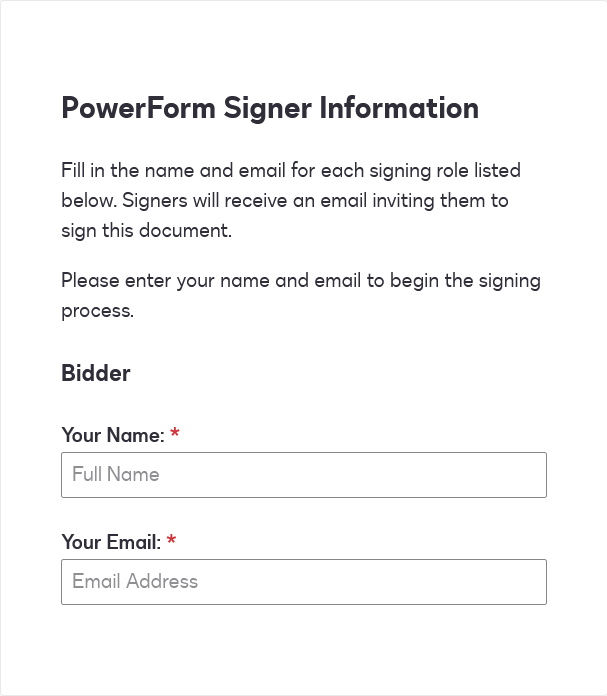
  3. When someone opens the powerform link, docusign asks for recipient name and email, then it proceeds to the powerform. This creates the envelope.
  4. On the docusign website, I can view the reciepent info for these enevlopes, whether or not they have completed the form.
     

ken.a
Forum|alt.badge.img+6
  • Zapier Staff
  • August 21, 2024

Hi @walrus28,

It looks like the culprit here is with elements in the Standard Fields tab.

  1. When pulled over into the document...
  2. ...they automatically generate a GUID after the field name in the Data Label.
  3. Fortunately, the Data Label can be edited to remove the GUID at the time of adding the element.
  4. A more consistent alternative, however, may be to use the custom tab to make custom elements instead as these do not generate a GUID.

DocuSign Form Data Add

Here is how the fields are returned with Standard vs Custom:

Results

Would you please try removing the GUIDs by altering the Data Labels / using custom fields in the Form Data?


  • Author
  • Beginner
  • August 22, 2024

To clarify, the email is coming not from a field on the form itself, but from the window that pops up when first clicking the PowerForm link.


ken.a
Forum|alt.badge.img+6
  • Zapier Staff
  • August 30, 2024

Hi there @walrus28,

I’m really sorry for the late response.

I have a hunch that the Powerform fields may only be visible after the Zap has been published, and not in the sample data during the Zap setup. Have you tried publishing the Zap and checking the Zap run's DATA OUT to see if the "Your Name" and "Your Email" fields can be retrieved?

I'll be keeping an eye out for your response!