I got an “stopped” step in a zap run, so I manually replayed that run in a hour.
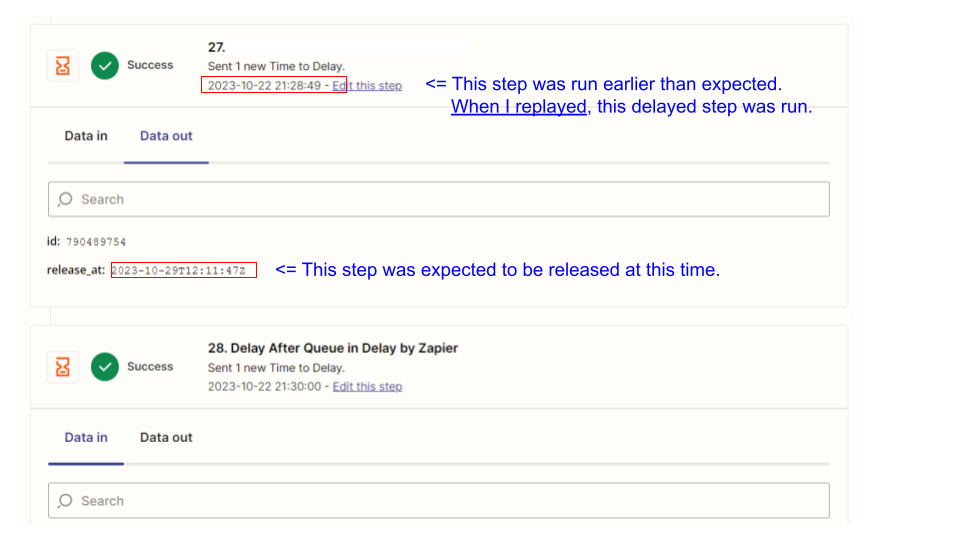
That run had “delayed” steps which was expected to be released after a week of that run.
However, when I relplayed, these delayed steps were run.
I think these delayed steps should not be run even if the zap relplays, but should be run after the delay.
Is this inevitable limitaion?
Any insight would be so appreciated.
Best answer by ken.a
Hi there @phyat,
I did some digging into this, and it seems like this is a bug with the “Delay by Zapier” app where the Delay step releases immediately after replaying Zap run.
Our team is aware of the issue and is working on a fix. I've added your email address as another affected user. That does a few things:
Bring this to the attention of the integration developers
Help track and prioritize fixes
Allows us to notify you via email if/when this is fixed
Unfortunately, I do not have an ETA, but I’ve added you to the list of users affected by this issue so we can let you know as soon as we have any updates.
Thanks for your comments. I use different term, so it might be confusing.
What I want to know is
are zap steps that are “waiting” status replayed?
For example,
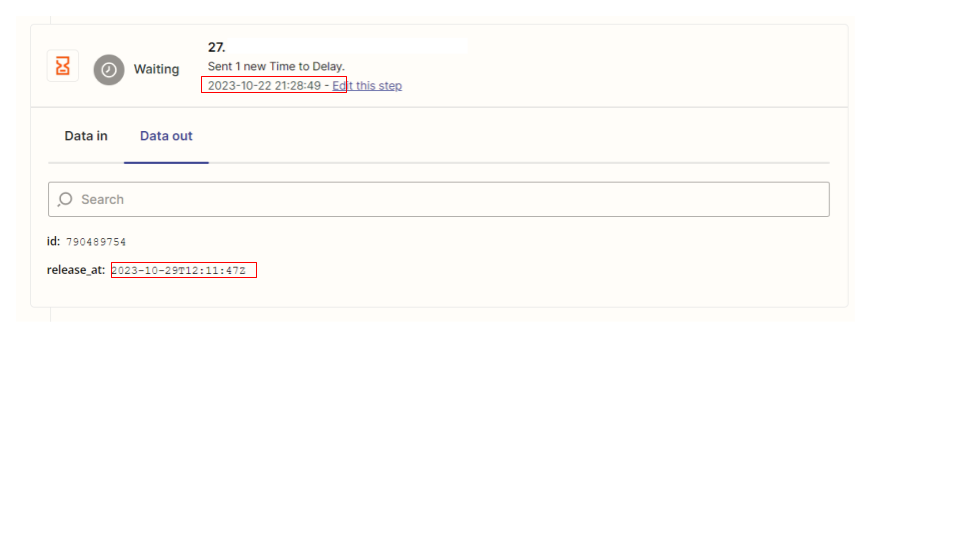
When my Zap was triggered at 2023-10-22, the following step (#27) became waiting status.
This step will be released at 2023-10-29 (a week after the triggered day). This zap run had a step (#14) that is stopped status, so I needed to edit this step and replay.
I edited #14 step and replayed the zap run at 2023-10-22. I expected the “stopped” step (#14) was replayed, and above “waiting” step (#27) won’t be replayed, because #27 will be released after a week, not the time I replayed.
I did some digging into this, and it seems like this is a bug with the “Delay by Zapier” app where the Delay step releases immediately after replaying Zap run.
Our team is aware of the issue and is working on a fix. I've added your email address as another affected user. That does a few things:
Bring this to the attention of the integration developers
Help track and prioritize fixes
Allows us to notify you via email if/when this is fixed
Unfortunately, I do not have an ETA, but I’ve added you to the list of users affected by this issue so we can let you know as soon as we have any updates.
Hopefully, this helps.
Early access
Next Gen Zaps
Build and deploy automations from AI tools you already use. With Agentic Management, if anything breaks, the agent diagnoses the issue and proposes a fix.