Question

Creating a draft Shopify order from Xero invoice with multiple items

  • March 18, 2026
  • 4 replies
  • 28 views

Hello, I am trying to create a Zap that will create a draft order in Shopify when a quote is created in Xero. I am struggling to get Shopify to find the products from the Xero quote using the product variant code. When I use only one product it works, but will not work when there are multiple items on the quote. Any help would be appreciated. Thank you

4 replies

Troy Tessalone
Zapier Orchestrator & Solution Partner
Forum|alt.badge.img+14
  • Zapier Orchestrator & Solution Partner
  • March 18, 2026

Hi ​@sthie 

Help us have more context by posting screenshots showing how your Zap steps are outlined/configured along with how the fields are configured in the Zap step where you are having issues.


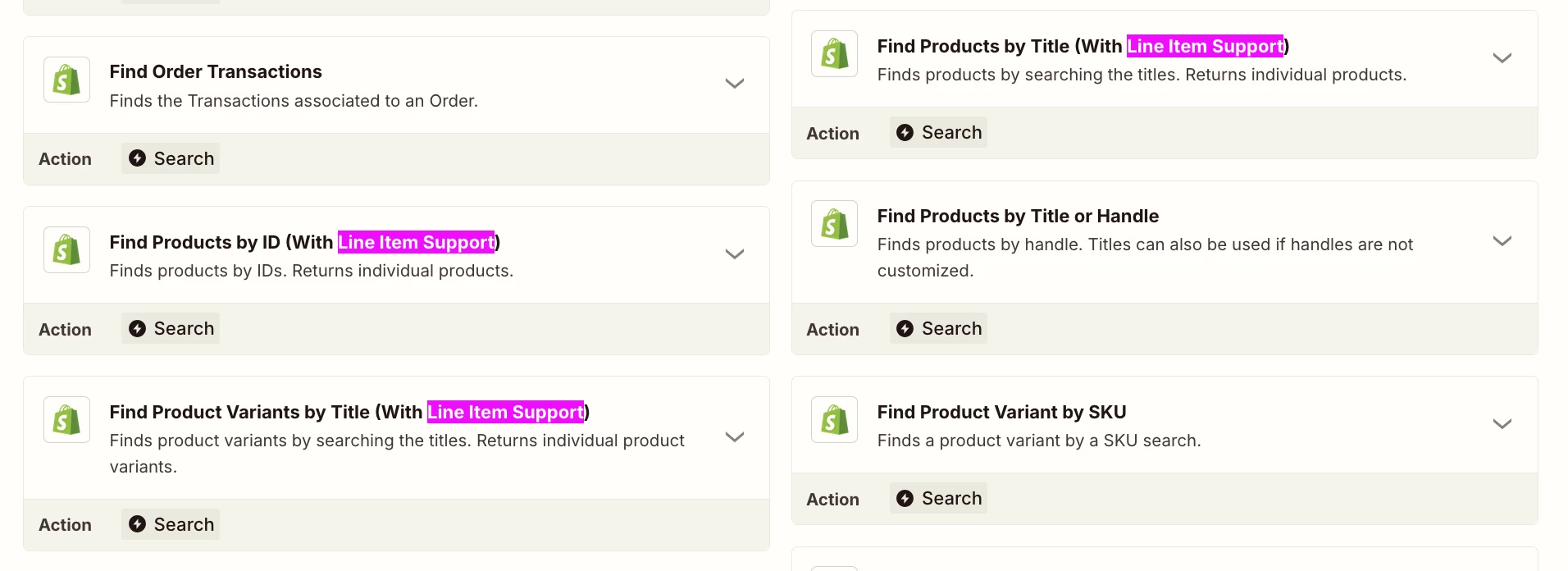
Make sure to use a Shopify action step to find Products that supports line items. (see screenshot below)


  • Author
  • New
  • March 18, 2026

Hi Troy, thank you for the reply. When I use the Shopify Find Products, it does not return anything and says error, I am searching against the item code in Xero which is the variant SKU in Shopify. 


Forum|alt.badge.img+2
  • Zapier Solution Partner
  • March 18, 2026

Hi ​@sthie 

The issue is that Shopify's "Find Product Variant by SKU" action can only process one item at a time, but your Xero quote contains multiple.

To fix this, use a Looping by Zapier workflow:

  1. Trigger: New quote in Xero.

  2. Looping by Zapier: Set this to run the next steps for each line item on the quote.

  3. Find Product Variant: Place this inside the loop. It will successfully look up the SKU for one item per loop iteration.

  4. Storage by Zapier: Inside the loop, use this to save the product details (Variant ID, quantity, etc.) for the current item to a temporary list using the Quote ID as a unique key.

  5. Filter (Last Item): Add a filter to check if the current item is the last one in the loop.

  6. Create Draft Order: Place this step after the filter. It will run only once, pulling the complete product list from the Storage step to create a single draft order containing all items.

Hope this helps you get it sorted! And let me know how it goes — happy to dig deeper if needed!

If you're still stuck, I offer a free 20-min Zapier troubleshooting call. Book it through my Zapier Directory profile — it's listed under Resources on the left side: https://zapier.com/partnerdirectory/automatemybiz!-->


Sparsh from Automation Jinn
Forum|alt.badge.img+6

Hey ​@sthie,

You are running into the limitation of the Find Product Variant by SKU action. You can try using other actions which supports line item but if you want to use this action only then you will have to use looping.

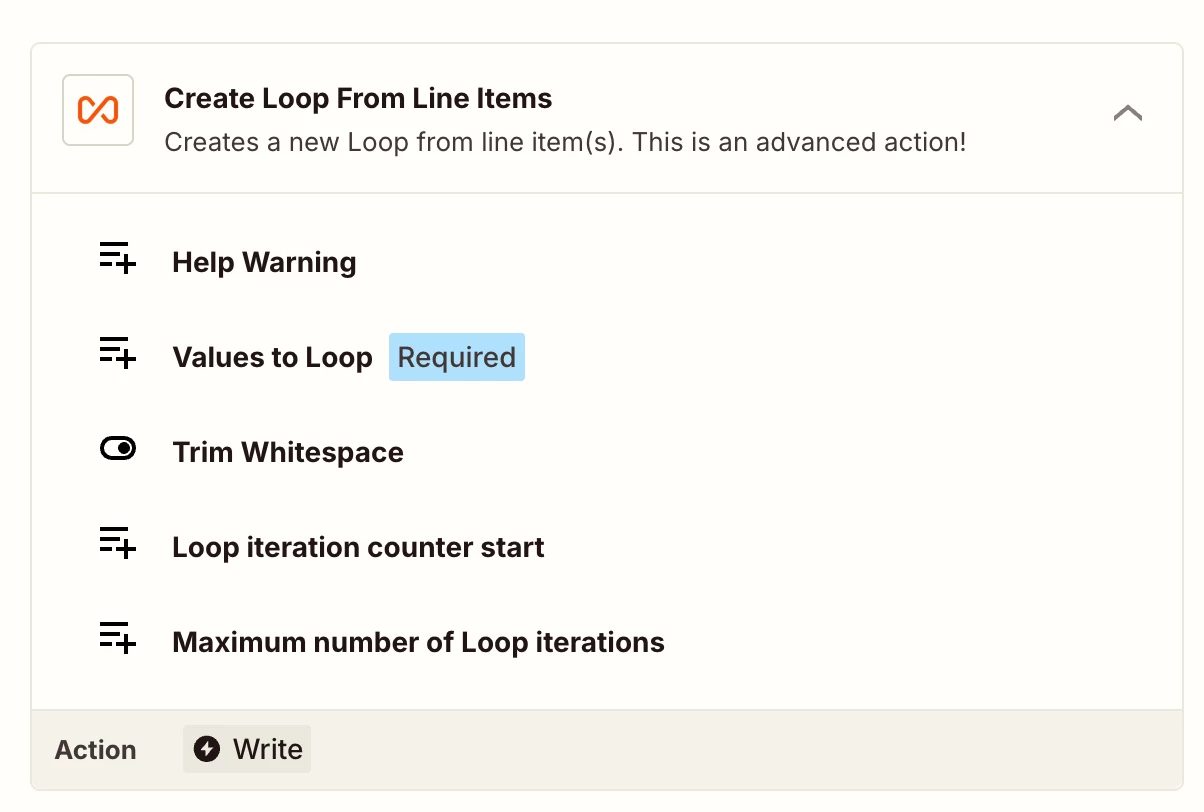
You can probably use Create Loop From Line Items. Here is a helpful article about Looping in Zapier- https://help.zapier.com/hc/en-us/articles/8496106701453-Loop-your-Zap-actions. I can understand it can get a bit more complex but if you want to use this action, you will have to use looping. Hope it helps!

PS: If you need more active help, I’m happy to connect through my Zapier Solution Partner page if you’d like to reach out here- https://zapier.com/partnerdirectory/automation-jinn