Question

Creating a draft Shopify order from Xero invoice with multiple items

  • March 18, 2026
  • 3 replies
  • 10 views

Hello, I am trying to create a Zap that will create a draft order in Shopify when a quote is created in Xero. I am struggling to get Shopify to find the products from the Xero quote using the product variant code. When I use only one product it works, but will not work when there are multiple items on the quote. Any help would be appreciated. Thank you

3 replies

Troy Tessalone
Zapier Orchestrator & Solution Partner
Forum|alt.badge.img+14
  • Zapier Orchestrator & Solution Partner
  • March 18, 2026

Hi ​@sthie 

Help us have more context by posting screenshots showing how your Zap steps are outlined/configured along with how the fields are configured in the Zap step where you are having issues.


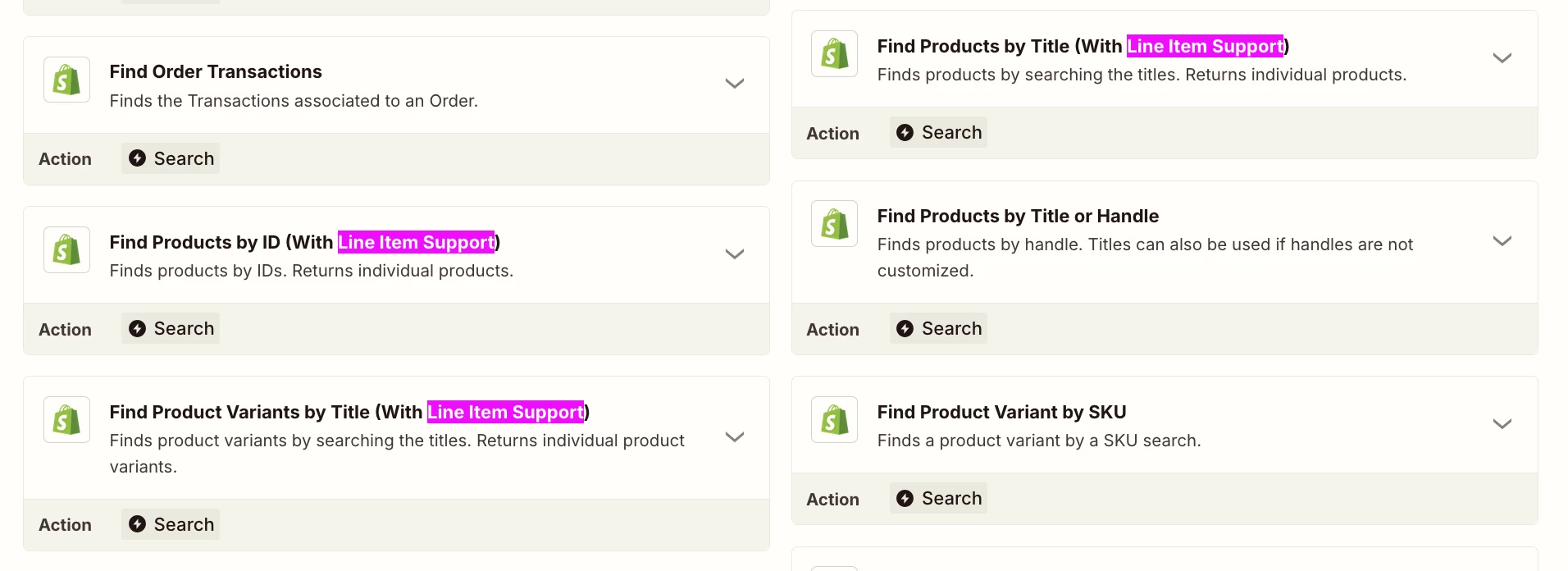
Make sure to use a Shopify action step to find Products that supports line items. (see screenshot below)


  • Author
  • New
  • March 18, 2026

Hi Troy, thank you for the reply. When I use the Shopify Find Products, it does not return anything and says error, I am searching against the item code in Xero which is the variant SKU in Shopify. 


Forum|alt.badge.img
  • Zapier Solution Partner
  • March 18, 2026

Hi ​@sthie 

The issue is that Shopify's "Find Product Variant by SKU" action can only process one item at a time, but your Xero quote contains multiple.

To fix this, use a Looping by Zapier workflow:

  1. Trigger: New quote in Xero.

  2. Looping by Zapier: Set this to run the next steps for each line item on the quote.

  3. Find Product Variant: Place this inside the loop. It will successfully look up the SKU for one item per loop iteration.

  4. Storage by Zapier: Inside the loop, use this to save the product details (Variant ID, quantity, etc.) for the current item to a temporary list using the Quote ID as a unique key.

  5. Filter (Last Item): Add a filter to check if the current item is the last one in the loop.

  6. Create Draft Order: Place this step after the filter. It will run only once, pulling the complete product list from the Storage step to create a single draft order containing all items.

Hope this helps you get it sorted! And let me know how it goes — happy to dig deeper if needed!

If you're still stuck, I offer a free 20-min Zapier troubleshooting call. Book it through my Zapier Directory profile — it's listed under Resources on the left side: https://zapier.com/partnerdirectory/automatemybiz!-->